Microsoft on Wednesday announced a new passwordless mechanism
that allows users to access their accounts without a password by
using Microsoft Authenticator, Windows Hello, a security key, or a
verification code sent via SMS or email.
The change is expected to be rolled out in the coming weeks.
“Except for auto-generated passwords that are nearly impossible
to remember, we largely create our own passwords,” said[1]
Vasu Jakkal, Microsoft’s corporate vice president for Security,
Compliance, and Identity. “But, given the vulnerability of
passwords, requirements for them have gotten increasingly complex
in recent years, including multiple symbols, numbers, case
sensitivity, and disallowing previous passwords.”
“Passwords are incredibly inconvenient to create, remember, and
manage across all the accounts in our lives,” Jakkal added.
Over the years, weak passwords have emerged as the entry point
for a vast majority of attacks across enterprise and consumer
accounts, so much so that Microsoft said there are about 579
password attacks every second, translating to a whopping 18 billion
every year.
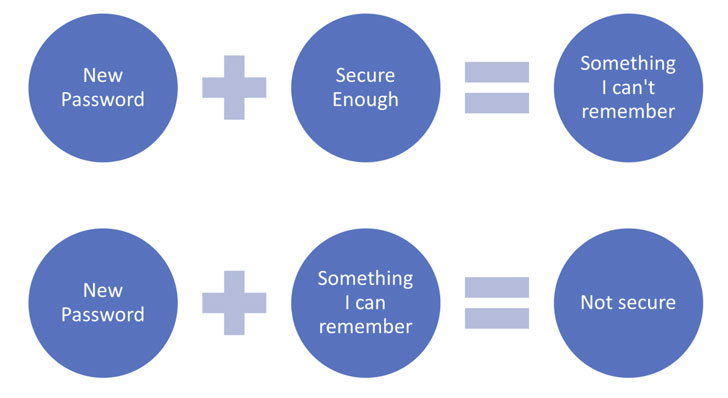
The situation has also been exacerbated by the need to create
passwords that are not only secure but are also easy to remember,
often resulting in users reusing the same password for multiple
accounts or relying on easy-to-guess passwords, ultimately making
them vulnerable to brute-force password spraying attacks.
Jakkal notes that 15% of people use their pets’ names for
password inspiration, not to mention utilize family names and
important dates like birthdays, with others banking on a formula
for their passwords — “like Fall2021, which eventually becomes
Winter2021 or Spring2022.
By dropping passwords out of the equation, the idea is to make
it difficult for malicious actors to gain access to an account by
leveraging a combination of factors such as your phone (something
you have) and biometrics (something you are) for
identification.
Customers can use the new feature to sign in to Microsoft
services such as Microsoft 365, Teams, Outlook, OneDrive, and
Family Safety, but after linking their personal accounts[2] to an authenticator app
like Microsoft Authenticator, and turning on the “Passwordless
Account” setting under Advanced Security Options > Additional
Security Options.
References
- ^
said
(www.microsoft.com) - ^
linking
their personal accounts
(support.microsoft.com)