Often we need to take quick notes and don’t get enough
time to type on our phone. If we can use our voice command
to detect the speech and type it down, then things get easier.
In such a case, a speech to text app for Android can work
better. At the same time, we often don’t have enough interest or
energy to read out a text, whether long or short. For that, we can
use a text to speech app for our Android device. These 2 types of
apps work in a similar way, but their functions are completely
different from one another as we see.
Text to Speech and Speech to Text
Apps for Android
Here, you will find 20 best apps among all the text to
speech and speech to text apps available in the PlayStore. You must
know which you are in need of right now. So, read the features and
descriptions to select the app that suits your needs the
best.
1. Google
Text-to-Speech
 When Google has an app to support Text-to-Speech
facilities, then why don’t you use it? Well, Google Text-to-Speech
is the app you can try to keep your text aloud and listen to it.
You can listen to your favorite textbook with a loud narration. So,
you don’t need to look over the phone screen and make it like an
audiobook. However, using this app is very easy, and you can
convert the text even when there is no internet connection. About
Google, I think I don’t need more to say. But if you are curious,
you can look over the features below.
Important Features
- It supports different languages like French, Canadian,
Japanese, and others. - It works better on a device with more than 64
bit. - Read aloud option is available for audiobooks
listeners. - You can use the functions of the Google Translate app
with it. - You can change the volume, speed, and pitch of the audio
files.
2. Speech To Text Converter –
Voice Typing App
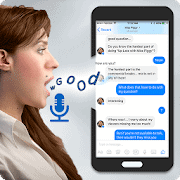 Now, meet a
widely used speech to text app for your Android device. It is
Speech To Text Converter. It has become very popular for its simple
user interface and powerful speech converting algorithms. It will
recognize text with almost all the language and can convert it to
text. So, you don’t have to write down your essential notes and
just say it properly. Your phone will take the note for you and
make your task easier. Also, you can send text messages just using
a voice command.
Important Features
- It can detect speech of over 70 different
languages. - It includes Android built-in recognition for better
performance. - One tap audio to text converting system is also
there. - Let you change and edit the text you get from the
speech. - It’s a very lightweight app, and the night mode for the
battery saving option is also there.
3. Speech Texter – Speech to
Text
 You can also convert your speech to text using this
powerful speech to text app you can use on your smartphone. It is
Speech Texter. A very unique design is used to formulate this app.
That’s why it becomes easier to use for anyone. At your meeting,
you can now take notes using voice command and save your time with
this app. But you have to make sure that your pronunciation is good
enough to get cached by this app. Besides, it uses Google speech
recognition to get your words. So, you can be assured that it will
perform better.
Important Features
- It supports more than 60 languages around the
world. - It includes a very strong privacy system.
- You can try all the functions of this app while you are
offline. - You can change the text you have got from
speech. - 95% accuracy of recognition.
- Built-in Dictionary functions are available in the
app. - Night modes and customizable text features are
available.
4. Narrator’s Voice
 You can also try
the Narrator’s Voice. It is a very unique and multifunctional text
to speech app for Android users. I have recommended this app,
especially for some of its additional functions, which are most
uncommon in other apps of the same category. This will let you
create voice messages not with your own voice but with some others
and also let you send it to others. This app is compatible with any
other languages, and so you can use it to communicate with people
with other languages. At the same time, it is free, and lots of
functions are customizable.
Important Features
- Use the voice of males or females with different
tones. - Change pitch, volume, and speech of the
speech. - Send a voice message to others and share audio files with
others. - Let you make mp3 files and set audio on a video to make
an mp4 file. - You can use it and save files while you are
offline. - Add natural and funny sound effects with the audio
files.
5. Speech to Text
 You can also use Speech to Text, a very simple but
effective speech to text app you can use on your Android device.
This app will catch your speech and convert it into a text
paragraph. This app includes a very innovative sliding technology
that makes it easier to use this app. Also, with its modern
built-in TTS engine, it turns text with the most accurate level.
Besides, it includes Android built-in speech recognition that helps
to turn speech to text accurately. If you want to learn more, you
can go through the features to be more specific.
Important Features
- You can convert texts and save files without any internet
connection. - It will give you a warning before deleting a
file. - It will save files automatically, and it also saves every
change. - It supports most of the languages of the
world. - You can edit the text and customize fonts, colors, and
other things.
6. Text Voice Text-to-speech and
Audio PDF Reader App
 Meet another popular text
to speech app you can give a try on. It is Text Voice. As usual,
you can take a loud narrative version of any of your text notes
using this app. You can just download your favorite book from the
PDF version and use this app to read it louder for you. This way,
you can enjoy an endless amount of audiobooks using this supportive
app. This easy to use type app is very light in weight, and you can
easily save and share the audio files anytime you want.
Important Features
- Audio making systems with different voices are
available. - You can get audio files of texts with different
languages. - You can customize the pitch and the speed of
voices. - You can browse eBook files directly from this
app. - Play, Pause button, speed customization, etc. are
available.
7. Text to Speech
 Another app to turn
your text notes into speech is here for you. It is a Text to
Speech. It is just a simple app that is way better than many other
apps of the same category for its multifunctional user interface.
You can save and create new audio files using this app. So, making
audiobooks is very easy here. This app includes a lot of
customizable functions like changing the speed, volume, pitch, and
so on. Also, it is a lightweight app and so, won’t take too much
memory of your storage.
Important Features
- The one-click converting system will make your task
faster. - Make mp3 files within a few seconds using this
app. - You can use this app as a note app[7].
- Audio play and pause button with volume pitch is
available. - Excellent theme and battery-saving ability.
8. Speechnotes – Speech to
Text
 You can try Speechnotes to take notes just by saying
it. Make sure that your pronunciation is correct, and you are
saying it louder enough to get cached. This app will do the rest.
It will type from all of your voices with the highest level of
accuracy. So, on your busy schedule, you can take notes without
directly typing on it. Also, you can take class notes and meeting
details from the lecture directly using this app. I can assure you
that this app will make things easier for you.
Important Features
- You can generate both short and long text notes from
speech. - It will provide you text notes with the most accurate
rate. - Fast working ability with a very simple
interface. - Don’t need an internet connection all the
time. - You can share, export, and print out the text you get
from this app. - Also, you can edit text after getting it from the
speech.
9. Tell Me – Text to
Speech
 Another recommendation for
you is Tell Me, a supportive text to speech app for Android. You
just have asked it to tell. Then this app will tell you what
exactly is written in text. This text to speech app is designed
with a very simplistic interface. Nothing is there to kill your
time, and you can use it with different languages. So, with the
help of a translation app, you can use it to communicate with
people who use different languages. Want to learn more, right? Here
are the features for you.
Important Features
- You can customize the pitch, Volume, and colors of the
folders. - The voice with variations and you can choose any of
them. - You can save audio files for later use.
- It includes a slide-out menu with a present texting
option. - You can set the files you save as your ringtone of call,
notification, message, alarm, etc.
10. Voice Notebook – continuous
speech to text
 Simple Seo Solutions
came up with their own voice to text converting note app. It is
called Voice Notebook, a very popular speech to text app for
Android users. It comes with cutting edge voice processing to text.
The app takes relatively low space and consumes little system
resources. You can easily save the notes on your devices or upload
them to cloud storage. The UI is very smooth and widely accessible.
It works in offline mode and supports a limited number of language
input in offline operations.
Important Features
- It provides advanced support and a list of suggestions
when words are produced from pronunciations. - You can control letter capitalization as your
need. - The app comes with built-in words and characters
counter. - It offers bilingual voice input and processing
capabilities. - It works best with an internet connection and also comes
with a local language pack for offline usage. - You don’t need to worry about battery life as it includes
advanced power-saving function.
11. Text to Speech
 Let’s meet an app
that turns your text into voice and audio files. It is Text to
Speech by Satsuma. It is equipped with lots of features. The app is
capable of rendering realistic voices of numerous languages. It is
also possible to change the tone and pitch of the speech. You can
customize it your way with creativity. Boost your leaning tactics
to the next level by using its on-screen text to voice conversation
capabilities. It comes in small file sizes and works in most of the
Android devices.
Important Features
- The app provides natural sounds from your written
texts. - It supports almost all the text formats and on-screen
read-aloud functions. - The app has huge voice variations, and they can be
downloaded from the app’s servers. - It also works without an internet connection, and system
UI is accessible to all kinds of users. - You can scan and extract text from pictures and other
sources. - You can select and highlight texts and your favorite
phrases.
12. Vocalizer TTS Voice
(English)
 You
You
will be amazed by Vocalizer TTS Voice for its natural text of voice
conversation. It is a productive app that comes with lots of
premium features in a compact package. It supports a lot of other
useful software such as navigation apps and ebook readers. The UI
is modern and easily accessible. It offers a wide range of voices
and works with many languages. This text to voice app works
flawlessly on Android devices that are running on 4.0 or
later.
Important Features
- You can enjoy using many different languages of your
choice. - It supports up to 120 different voices and more than 50
languages. - The app provides customization for different characters
and also offers reading preferences for numbers and
punctuations. - You can tune up the sound pitch and reading
speed. - It also supports emojis and connected voice
expressions. - The navigation panel works seamlessly and gets regular
updates and useful fixes.
13. Narrator’s Voice
Text-to-Speech
 You can also use
the Narrator’s Voice Text-to-Speech. It is another professionally
used text to speech app for your Android device. You can get very
clear audio from the text you type to get a narrative form of it.
This supportive app is also able to provide your speech with a
variety of voices. So, you can change the voices. Besides, it is
capable of converting audio of almost all languages, and so, you
can use it while visiting countries with other languages with a
translator facility.
Important Features
- It can convert any text to an audio file of
mp3. - You can add different effects on the voice of the
narrative speech. - Supportive functions like reset, remove, undo, preset,
play audio, etc. are available. - You can save and share the audio files using different
social media. - Text to speech and text to audio functions are
available. - You can also customize the volume, pitch, and sound
system here.
14. Text to Speech (TTS) – Text
Reader & Converter
 Try Text to
Speech (TTS), a smart and easy to use text to speech app for
Android users. This app has a unique design and simple appearance.
It supports a wide variety of language range. It also supports
different types of input. To use it, all you have to do is copy the
text and paste it or type it. You can save the audio file of your
text and use it later. Just enable the speaker and convert your
text to speech.
Important Features
- This app supports eleven languages that are available
every time you need it. - It lets you have more accurate punctuation with this
app. - You can customize the voice generator according to your
needs. - Share your text or audio to any platform you can
share. - Increase or decrease the volume when you
want. - You can change the pitch and make it more
realistic.
15. All languages speech to
text-text to speech
 Meet this simple but useful app. All languages speech
to text-text to speech. If you are looking for an all in one app
that will make your life easy, then this can be a smart solution.
This app contains a huge library of languages where you can choose
your particular one and convert it. It is a lightweight application
and allows you to do pro-level stuff for free. As it is a lite app,
it works fast and takes very limited hardware
resources.
Important Features
- Share your converted file to any social platform like
WhatsApp, Facebook, e-mail, etc. - Includes a built-in speech recognizer that allows
identifying the user. - You can save files and customize them in the
future. - You can convert your spoken words to 120 other
languages. - It features an easy and fast user interface.
16. Text To Speech (TTS) with all
Major Languages
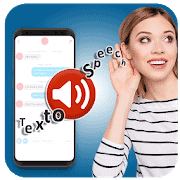 Magic World
Tech came up with Text To Speech (TTS) with all Major Languages.
This is a supportive app that comes with excellent text to speech
transforming facilities. With a huge collection of languages, this
app has your back all the time. This app will pronounce your text
with the most accurate possible. It is also very lightweight, and
so, it won’t hamper on the performance of your device. All you have
to do is just open the app and select your particular language and
tap on a button.
Important Features
- Share your converted audio through social networks
anytime. - Control the pitch of the converted speech and make it
softer or harsher. - You can change the volume of the output
audio. - The effect of the speed of the narration controls the
audio quality. - You can listen to the audio in real-time.
17. Speech to Text: Voice Notes &
Voice Typing App
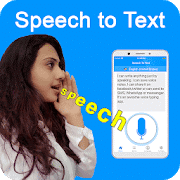 The next app is
Speech to Text, an outstanding creation by Learning Easy. It is a
very useful app for frequent phone users who use their phones to
take sudden notes. This app will simply catch the words and type
the words for you. You can even convert a long conversation into a
text. This app will detect the change in pitch and save it
according to which person is talking. This app is accessible from
anywhere, thus giving you better mobility and
flexibility.
Important Features
- You will get a wide range of language
selection. - Save all your converted data to your device.
- Share with your friends on any kind of social
network. - This app has a smart pitch detector that detects the
person is talking and can detect your voice. - You can edit converted notes anytime you
want.
18. Text to Speech
(TTS)
 Another app
needs to be introduced to make a list complete. It is Text to
Speech (TTS), a very popular text to speech app for Android. It is
a trusted name for many of its users. This app has a simple and
smart voice recognition system that allows you to convert your text
to your voice. It will let you control the pitch, and the volume of
the output to makes it more realistic. The presentation of the app
is modern and materialistic.
Important Features
- Huge collection of languages to select from.
- It utilizes a cloud server for better recognition and
faster conversion. - Save the text and the audio to save for
later. - You can now share your converted data online.
- You can get an output audio file as a wav
file. - A 24-hour helpline is there to support you
always.
19. Free Speech To Text: All
Languages Audio To Text
 Free Speech To
Text, another popular speech to text app for Android. If you use
your phone more frequently to get notes, and then this app has an
efficient engine that converts your speech to text without any
errors. It is integrated with online support that makes it more
convenient. Just download the app and enjoy faster conversion and
supported language translation. You don’t have to worry about
system space as it takes very limited system
resources.
Important Features
- Convert your conversation to text in an
instant. - Copy and paste the converted texts anytime.
- With this app, you can use multiple languages at the same
time. - You can share your text with others through any file
transforming app. - You can also send voice messages using this
app.
20. Speech To Text
Notepad
 The last one
is Speech To Text Notepad. This speech to text app for Android
device will allow you to type something without physically touching
the device. Use your voice command to control some operations to a
text. To use this app, you just have to tap on only one button and
talk to the device. It will type everything in detail. It even
saves your audio input data to later use it for any kind of usage.
Say next to go to the next line and say delete to delete a single
word and many more like these.
Important Features
- You can create an unlimited number of notes
here. - You can organize your data by creating many
folders. - This app can recognize more than 70
languages. - This app reads back the texts written to your
app. - Change your pitch to easy recognition of
speech.
Final Verdict
So, you have learned about the best 20 apps. And I hope
you have already selected which one to install so that you can make
many tasks easier and comfortable. Still, you ask me to suggest a
few apps to try; then I suggest the Narrator’s Voice or Google Text
to speech if you need a text to speech app. On another side, I will
recommend Speech to Text Converter or Speech Texter if you are
looking for the best speech to text apps for Android.
Please let me know how you are doing with the app you have
selected to use from the list here. Your experience may help others
to learn about those apps. Also, stay with us and take care of
yourself.
References
- ^
Download
(play.google.com) - ^
Download
(play.google.com) - ^
Download
(play.google.com) - ^
Download
(play.google.com) - ^
Download
(play.google.com) - ^
Download
(play.google.com) - ^
note
app (www.ubuntupit.com) - ^
Download
(play.google.com) - ^
Download
(play.google.com) - ^
Download
(play.google.com) - ^
Download
(play.google.com) - ^
Download
(play.google.com) - ^
Download
(play.google.com) - ^
Download
(play.google.com) - ^
Download
(play.google.com) - ^
Download
(play.google.com) - ^
Download
(play.google.com) - ^
Download
(play.google.com) - ^
Download
(play.google.com) - ^
Download
(play.google.com) - ^
Download
(play.google.com)
Read more https://www.ubuntupit.com/best-speech-to-text-and-text-to-speech-apps-for-android/