Linux is the most popular open-source UNIX like an
operating system. It is well known because of its lightweight.
Unlike other OS, it can be used in a wide range of hardware devices
that include PCs, laptops, netbooks, mobile, tablet, video game consoles[1], servers, and even in
supercomputers. Mate is a desktop environment that comes with
extensive features, while all the primary metaphors of Linux
distribution remain the same. It comes with a lot of Linux
compatible applications and can be considered as the continuation
of the GENOME 2 project. It has already replaced the traditional
GNOME shell. There are several powerful mate themes available out
there that can help you to make your Mate desktop more clean,
modern, and eye-catching as well.
Best Mate Themes for Linux
Mate themes play an important role in extending the
compatibility of your system with powerful applications. Besides,
you can change the style of icons and customize your system also.
MATE is a kind of a GTK3 desktop that can take the benefits from
all the theme developments. So before choosing the most suitable
mate theme for you, go through this article and gain in-depth
knowledge of the best mate themes.
1. Adapta
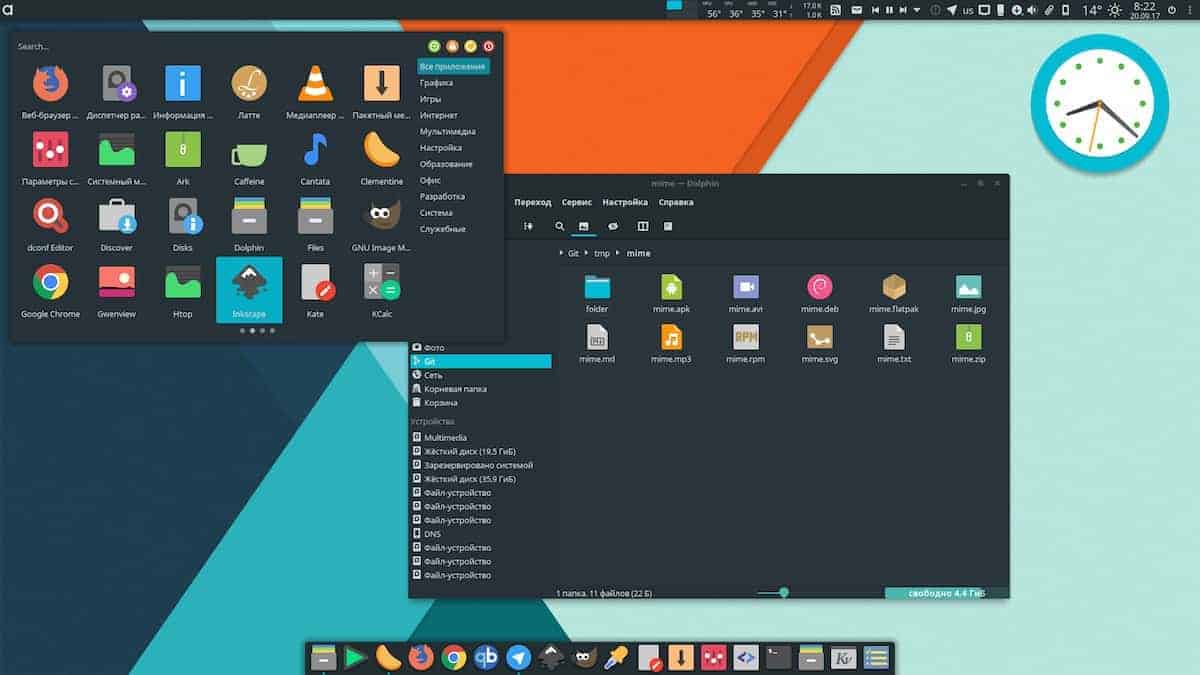
If you are looking for a dark and flat theme, then Adapta
can be the best choice for your Linux distro. As one of the best
mate themes for Linux, it is supported by Unity, Gnome,
Budgie-Desktop, XFCE4, and also Cinnamon. It changes almost
everything on your desktop while using the available color scheme
to the fullest. Adapta[2]
is inspired by Google’s Material Design, and the morning blue color
gives a fresh look on top of a dark environment.
Download
2. OS Catalina[3]
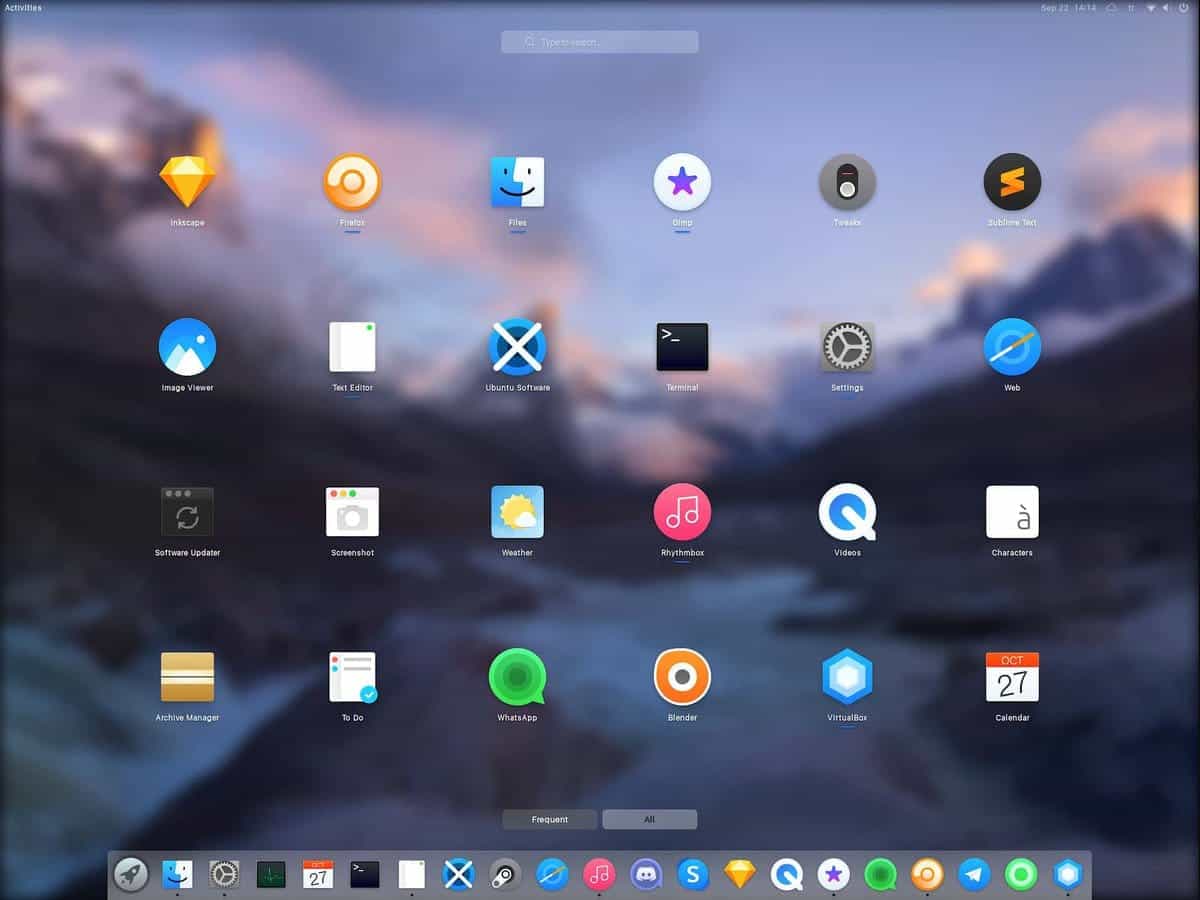 If you want
your desktop to look like macOS, then Catalina is the perfect
choice for your mate themes. In fact, this GTK theme[4]
is originated from the iteration of macOS. Alongside mate, it can
be used to work with – Cinnamon 3.x/4.x, Gnome 3.x, and Pantheon
(legacy).
To improve the quality of Mojave CT, all the png formats are
removed in the newer version. The structure has been designed on
Papiros icons, which have even more compatibility. In addition, all
the icons are reconstructed so that it can support KDE PLASMA
also.
3. ChromeOS-Dark
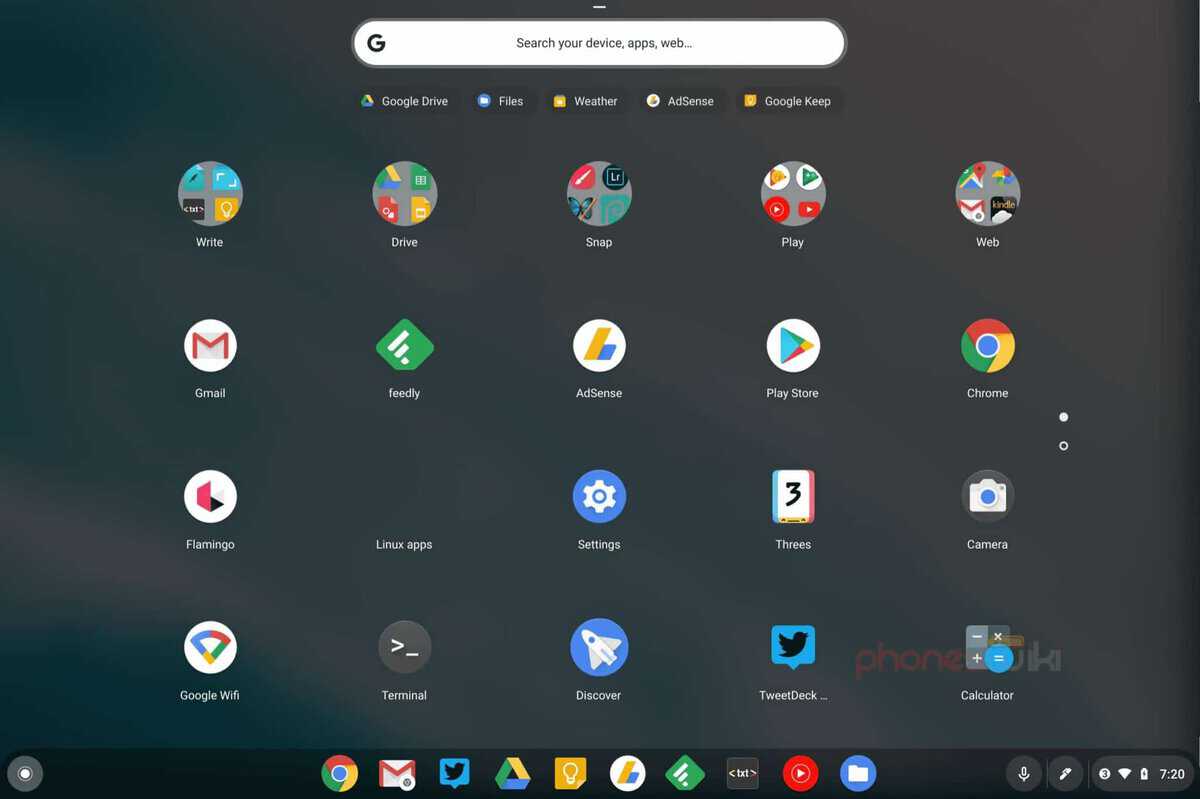
After the release of the stable version of ChromeOS in 2018, it
has already gained popularity and become one of the most used mate
OS. It comes with four different material designs known as Marsala,
Oceanic, Slate, and UltraViolet for your mate desktop. It has gone
through extreme testing to ensure a vibrant, colorful, and elegant
experience for its users.
Powered by Google developers and many more features are coming
soon. Also, the theme is decorated with grid-based layouts,
responsive animations, transitions, depth effects, lighting, and
shadow. Just like other Google Apps like Docs, drive, sheets, this
theme is also inspired by Google’s Material design.
4. PadOS
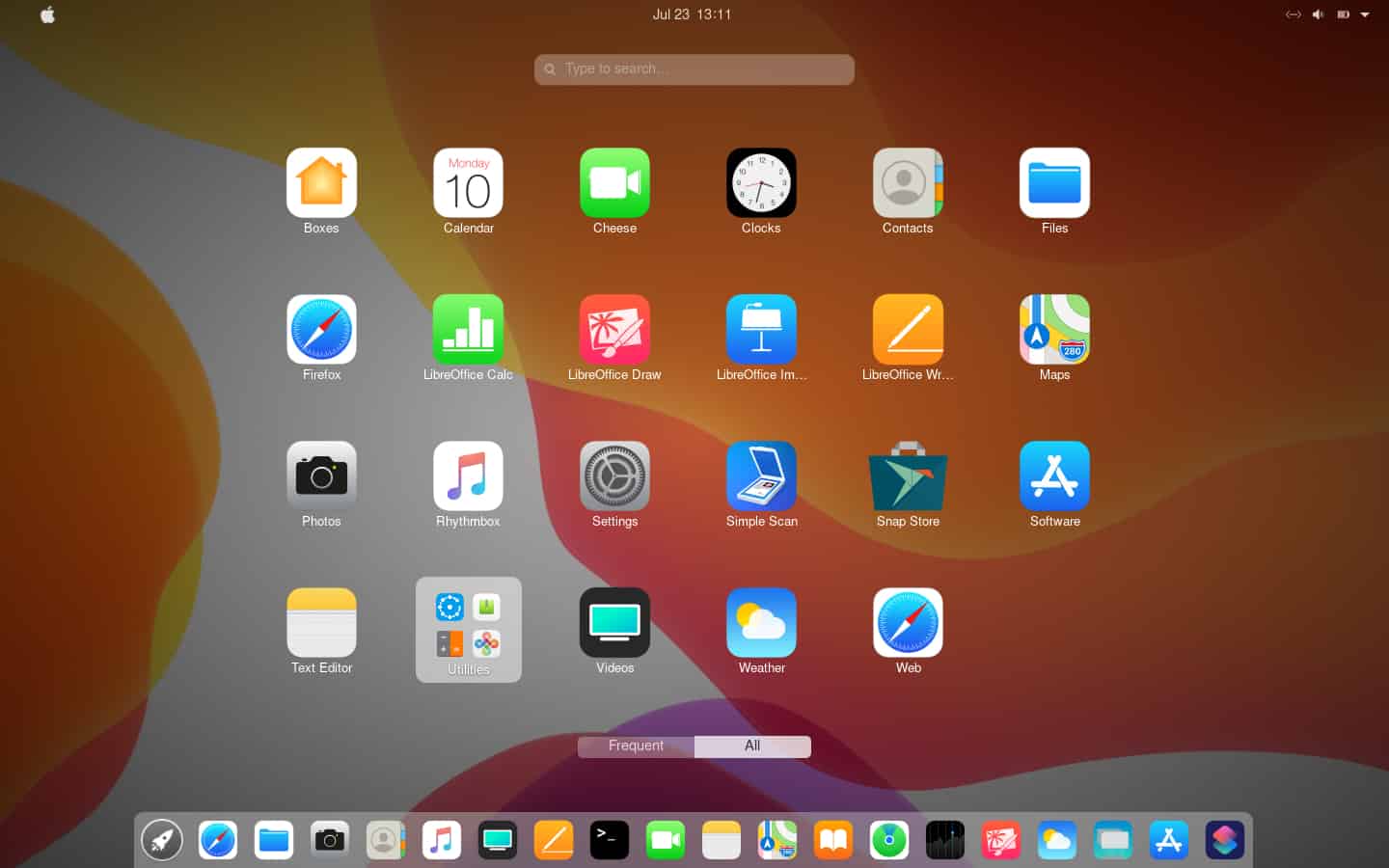 This mate theme is inspired by
iPadOS and rendered by the Zorin group. It is the Zorin GTK from
Zorin OS. The latest release has improved the shell, which now
looks like iPadOS 13. It comes with the collection of Cupertino
icons.
But this dark theme is only tested on GNOME 3.34 Ubuntu 19.10.
Hover color alongside the primary color of the buttons have been
redesigned in the updated version, and you will find the file
manager sidebar is pretty similar to what the iPad has to offer for
the users.
5. Forest
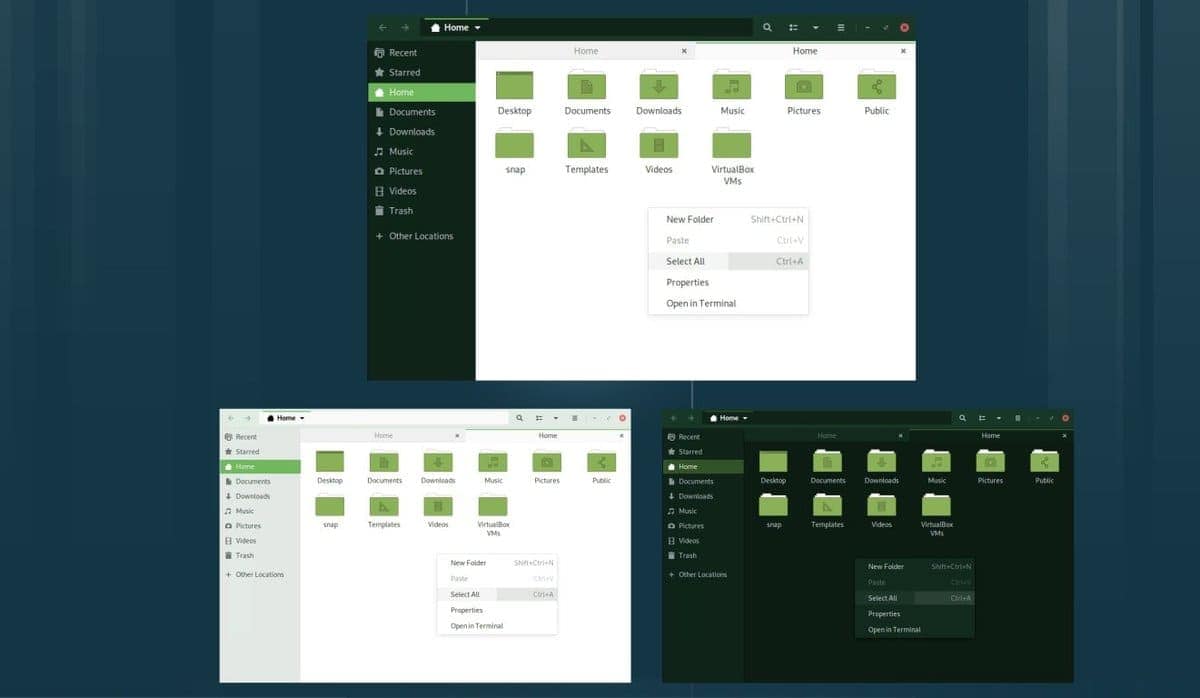 The design of
this theme is completely based on the Arc theme[8]. You will need to have
GTK+ 3.22 installed in your computer for using this mate theme.
This can be quite a good choice as it is tested on Linux Debian,
Ubuntu, and Linux Mint. Popular for its available variant that
comes with color accents like Green & Blue. Forest-Light,
Forest-Darker, Forest-Dark, Forest-Blue-Light, Forest-Blue-Darker,
Forest-Blue-Dark are available among light, dark, and darker
variant.
6. Arc-Darkest-COLORS
Icon-Superpack
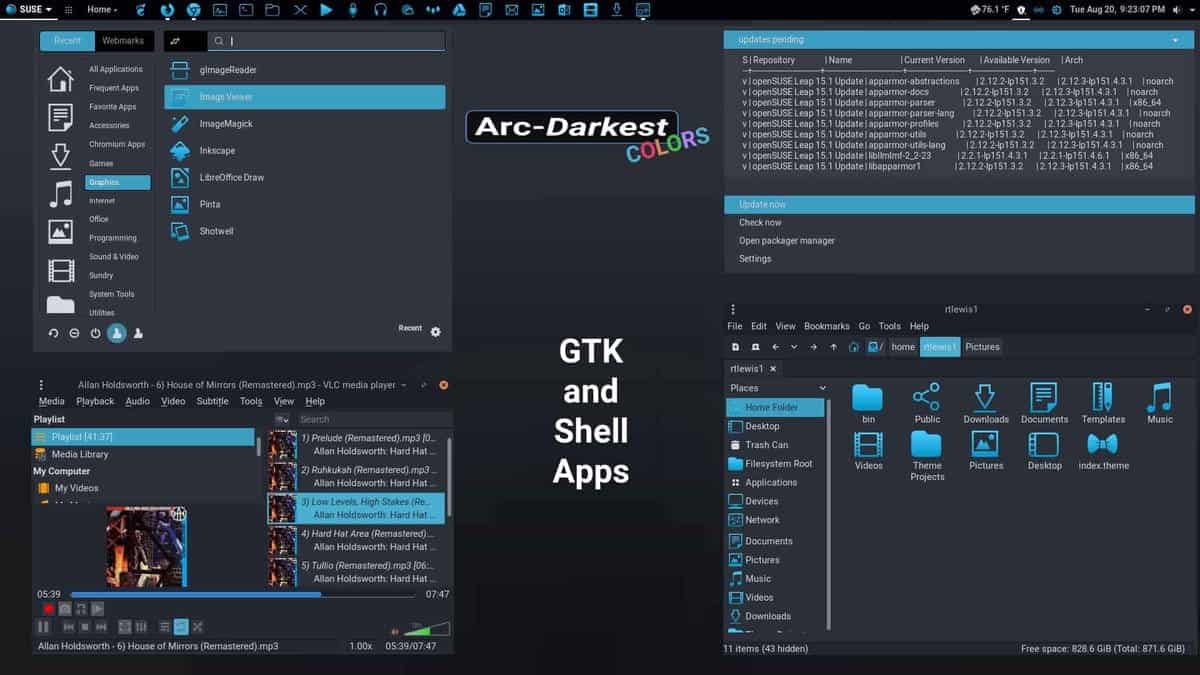 This brand
new dark mode theme comes with the popular Arc-Darkest-COLORS
Complete-Desktop package. Alongside mate, this theme is also usable
on GTK, xfwm4, Openbox-3, GNOME-Shell, and Cinnamon desktop environments[10]. Elements are
transparent while the design is completely flat. Available in Arc,
Arc-Dark, and Arc-Darker variant and maintains the high standard of
Arc Design.
You can expect the same experience from this mate theme, just
like the Arc theme. On top of that, even the darker version of Arc
has already arrived for the GTK+ scene. It focuses not only on the
design but also improves the performance to fulfill the heavy
user’s demand.
7. Canta
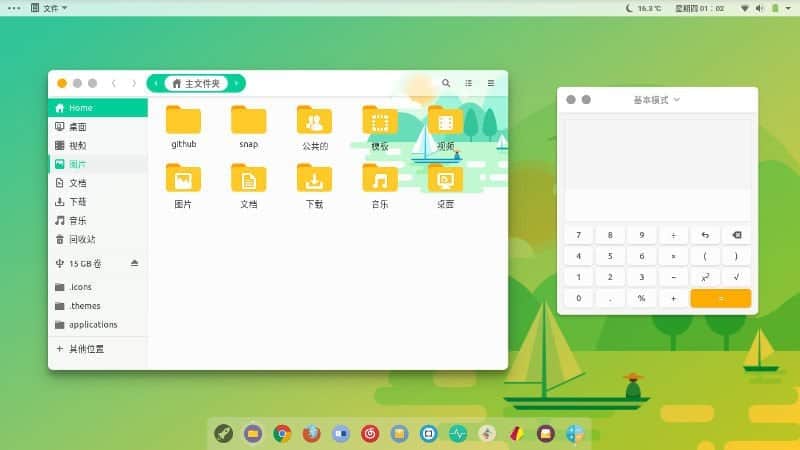 Canta[12] is the most suitable
mate theme for the people looking for a lighter environment. The
teal green color accent makes it more attractive, fresh, and better
than you can expect. It is known for its clean and vibrant design
as well. It does not restrict you from doing your job, although it
is still a new and Materia GTK based theme. It is also a good
choice for beginners who have not yet familiar with the Linux
operating system.
8. Ultimate Maia
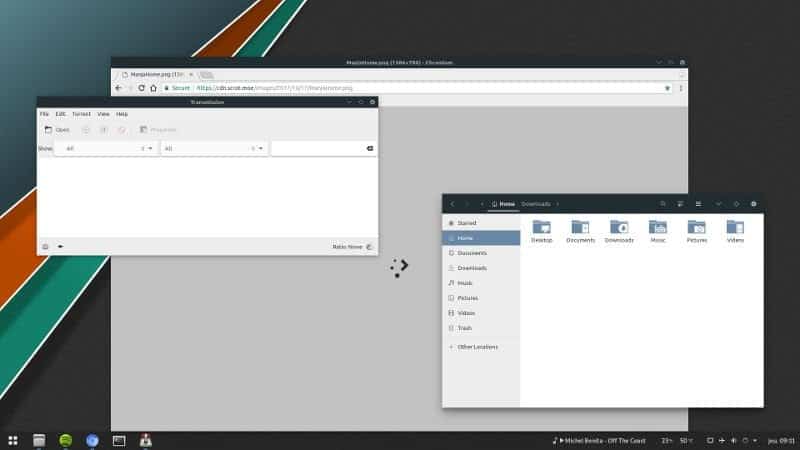 If you are fond of
material design and want to stick to it, then you can start using
this mate theme. You will love this theme as it focuses on
maintaining Google’s stock material style as much as possible.
Although the primary color accent is blue for the icons, several
icons pack also available out there with this theme. Clean, sharp
lines and window shadowing are also there to provide an improved
degree of depth.
9. Numix
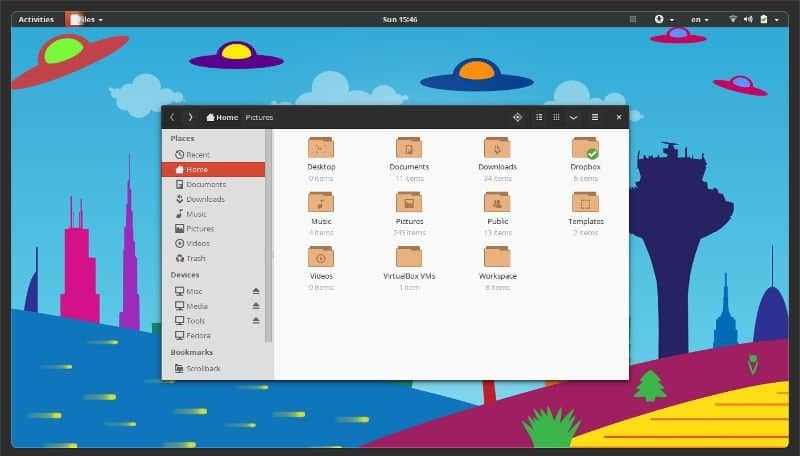
This mate theme has taken place on this list due to its
completeness. All the features are well put together for generating
the best user experience and offer a great variety of color accents
that goes perfectly with the mate environment.
The Numix icon pack[15] is also available for
other Linux distribution, which is simple to install. You will face
no problem to maintain the system because of its great quality.
Numix is a great choice any day and has already earned a huge
response from the developers also.
10.
Arrongin/Telinkrin
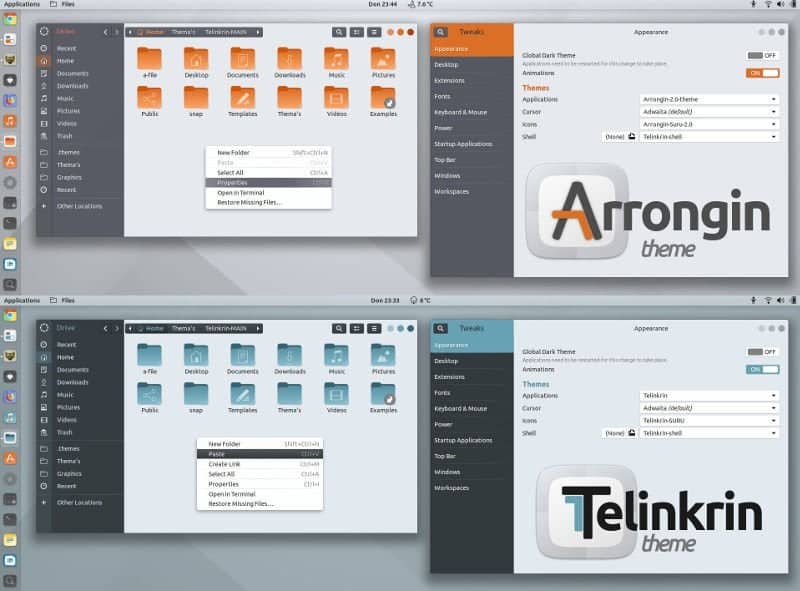 This is a
different mate theme that focuses not only on the primary accent
colors but also changes the color of layout and configuration. If
you install Arrongin, you will get Orange as the primary accent
color while Telinkrin[17] uses Blue color.
Although both themes are flat design, it can produce the same feel
the same as material design.
Besides, the minimalist design provides a separate place on your
desktop for every task. Both themes are pretty good and capable of
rendering a new look for your Linux desktop. Every little detail is
handled carefully, and when you combine it with shell theme, icon
pack, and background, it looks amazing and eye-catching.
11. Breeze Phoenix
Dark
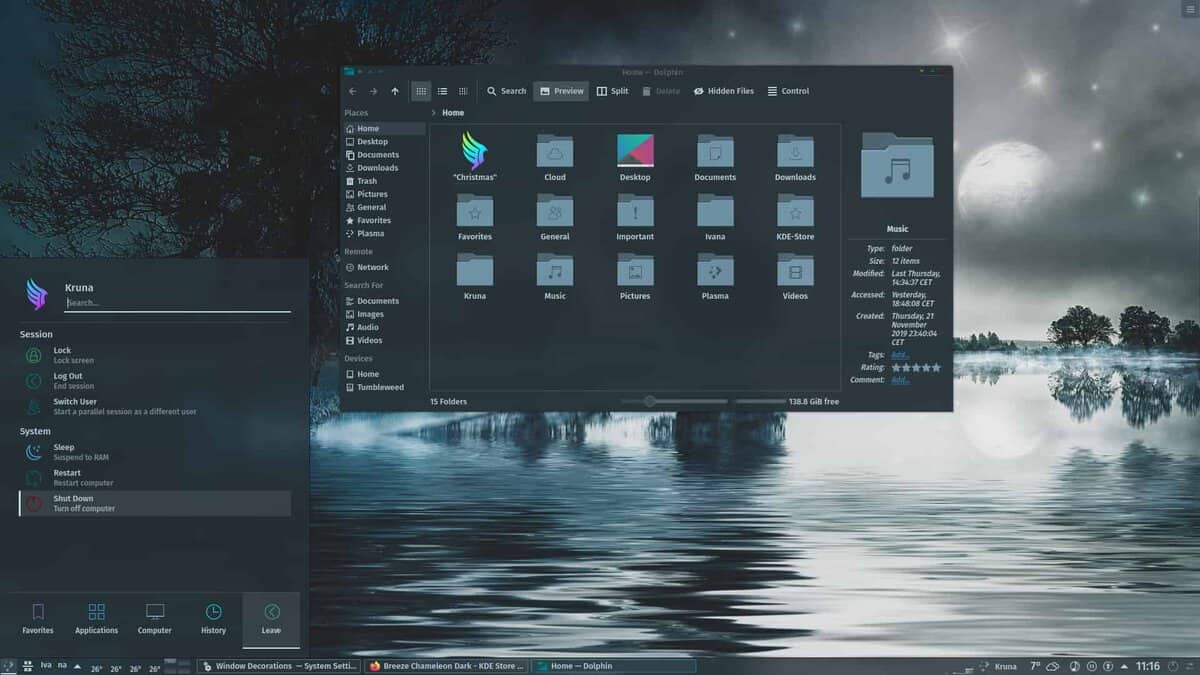 Breeze Phoenix
Dark mate theme is a combination of Breeze Icons and elements
coming from the Papirus Icon theme[19]. The developer has
focused on redesigning almost every icon of the theme that includes
all the session icons, and system icons such as Suspend, Hibernate,
Reboot, Shut Down.
You will find the similarity in color scheme with the Phoenix
Plasma theme. Even the folder colors will be changed according to
the color you have set. You can also use the action folder icons
offered by Papirus theme. A light version of Breeze Icon pack is
also available, which is known as Breeze Phoenix Light.
12. Ant
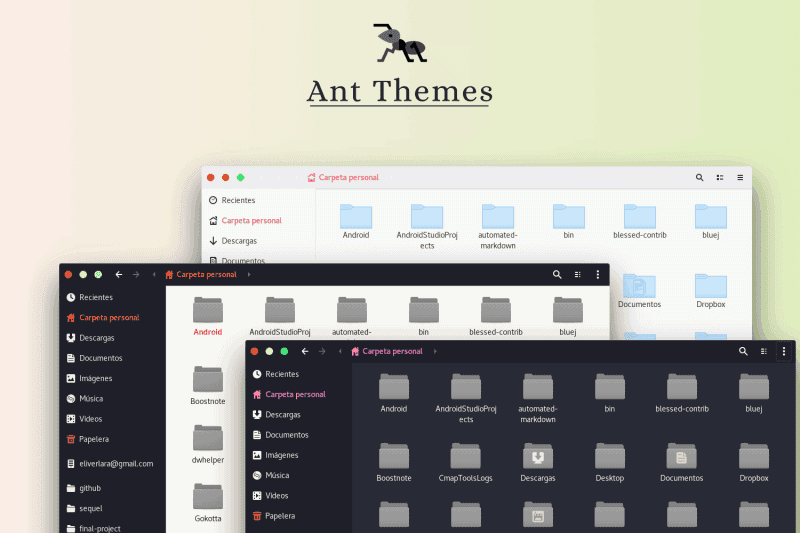 Ant theme[21] is inspired by macOS,
although the style is not copied directly. Instead, it intends to
make the desktop more attractive and add features to your system.
There are three color variants available, and you can choose any of
them that match your taste. But most people do not like the white
background of the headbars, which is hopefully going to be changed
in the next update. As a modern, light, and flat theme Ant theme
can easily be the choice of yours for the mate desktop.
13. Flat Remix
 The developer
of this theme has successfully attracted many users by paying
enough attention even to the tiniest details. This colorful theme
is a combination of three colors, which are red, blue, and orange.
Besides, close, minimize, maximize buttons are also customized and
redesigned.
If you look carefully, you will find that this theme is a mix of
Arc and Adapta, two most popular mate themes available out there.
Dark and light options are available, while dark is the most
preferred among the users. If you are looking for a dark theme with
transparency and colorful buttons, then Flat Remix is a theme for
you.
14. Paper
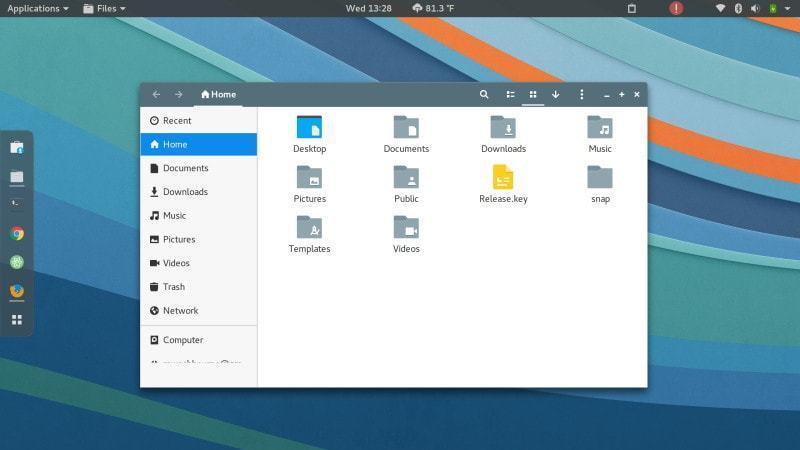 Paper started
its journey back in 2014 when the popular Paper icon pack was
released. Although the Paper icon pack is in the market for quite a
lot of time now, the GTK theme is new. The theme is designed to
produce a bright and fun approach, but many people find it
immature. After the fast release, it has been developed for a year,
and now the light-hearted approach of the theme is appreciated and
attracting people’s attention as well.
15. Pop
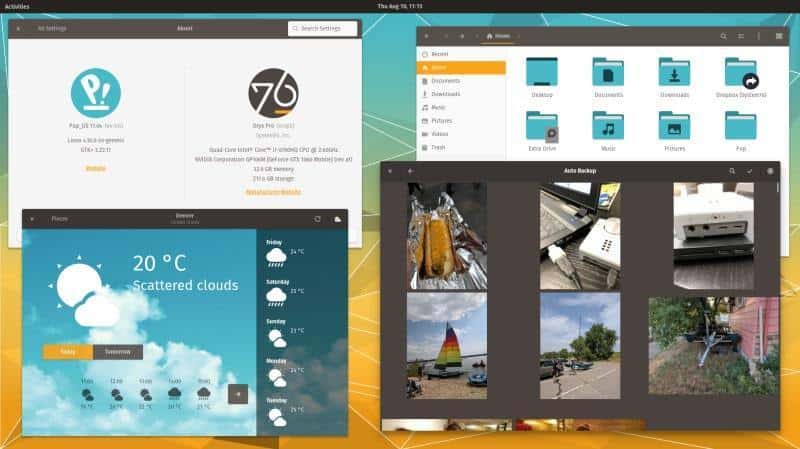 Pop is one of the newest mate
themes available out there. It is a great theme developed by the
team over at System 76. Pop is a fork of the popular Adapta theme
that has already been described earlier in this article.
You will find the icon pack in Pop the same as Adapta, which has
been forked from the Paper icon pack. This theme is a distribution
of System 76. Pop makes the system more compatible as drivers for
Intel/AMD, and Nvidia is available to download. A new installer has
been introduced that will give a whole new experience.
Pop is not suitable for the people who are looking for a
traditional desktop environment, but the performance of your system
will remain identical. The background is also impressive, and you
can get a new coat of paint on your mate desktop just what Pop was
intended to.
16. Sweet
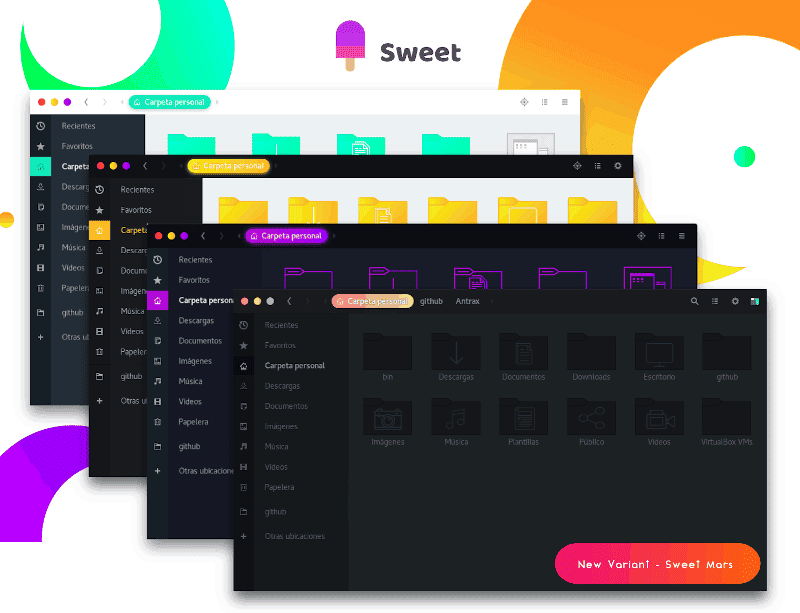 The theme is beautiful and
appealing, just like its name. This mate theme is intended to
transform your desktop environment and take it to the next level.
AS a flashy GTK theme, it is available in the dark mode that can be
blended really well with almost anything. You can use any icon pack
according to your wish, but Candy Icon pack will be a great choice.
If you are looking for a colorful, clean, and modern GTK theme,
then Sweet is the one for you.
17. Solarized
Colorpack
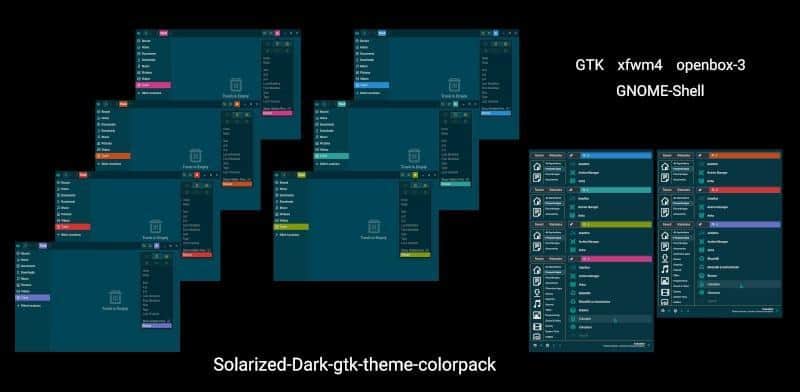 This theme is designed to make your
desktop more interesting. It offers 7 color palettes, and you can
try each of those. This is a dark mode theme and GUI centric that
strictly follow the original color scheme, which was originally
invented by Ethan Schoonover.
Manual installation is available, and if you want to install
manually, make sure you already have Murrine theme engine
dependency ready. Roboto and Roboto-Medium can be used as the UI
font, while an extension for your browser known as Midnight Lizard
Solarized is also available.
18. Cloudy
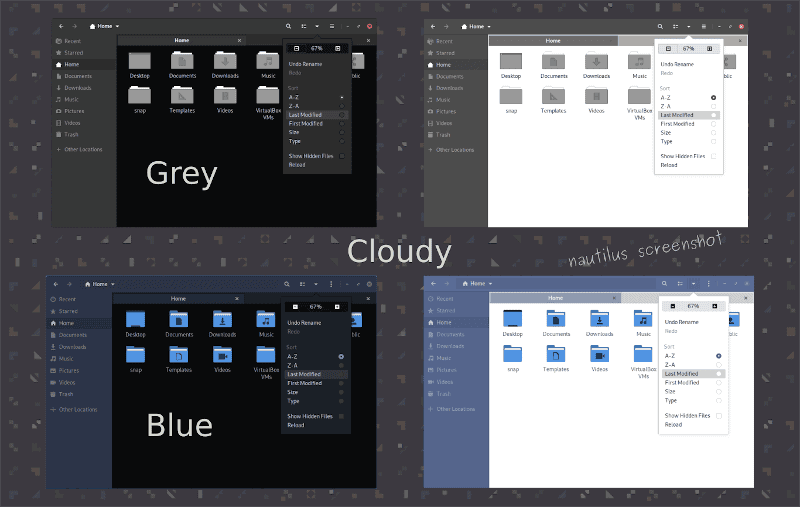 This dark mate theme was originally
created for use on Debian. But you can use it on almost any
operating system as long as it is mate or XFCE. If you are looking
for a classy and stylish GTK2 desktop environment, you should
definitely try Cloudy.
Besides, it has already been tested in Linux Debian, Ubuntu, and
also Linux Mint. The light version is also available where the
available color schemes include: Cloudy-Light-Blue,
Cloudy-Dark-Blue, Cloudy-Light-Grey, Cloudy-Dark-Grey,
Cloudy-SoftBlue-Light, Cloudy-SoftBlue-Dark, Cloudy-SoftGrey-Light,
and Cloudy-SoftGrey-Dark.
19. Ambiance & Radiance Flat
Colors
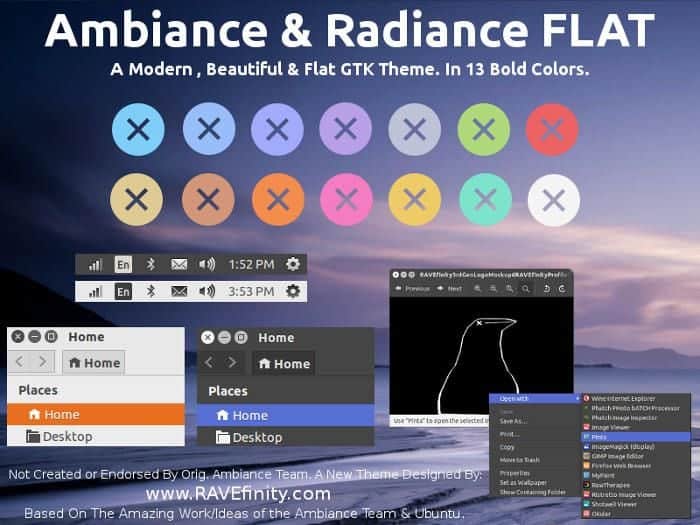
It is a well-known name among the people who use Ubuntu. But it
has come back again with a twist. Take your traditional boring
Ubuntu desktop to one step further with this Ambiance & Radiance
Flat Colors theme. The most interesting part is that there are 13
colors available to choose from.
The colors are teal, blue, purple, red, lime green, gold,
orange, tangerine, pink, and more! It is a theme that can provide
support for the GTK2 toolkit. Alongside Mate, this theme is also
compatible with Unity, Cinnamon, XFCE, LXDE, OpenBox, Gnome
Classic, and Fallback
Download[29]
20. Glory Icon Theme
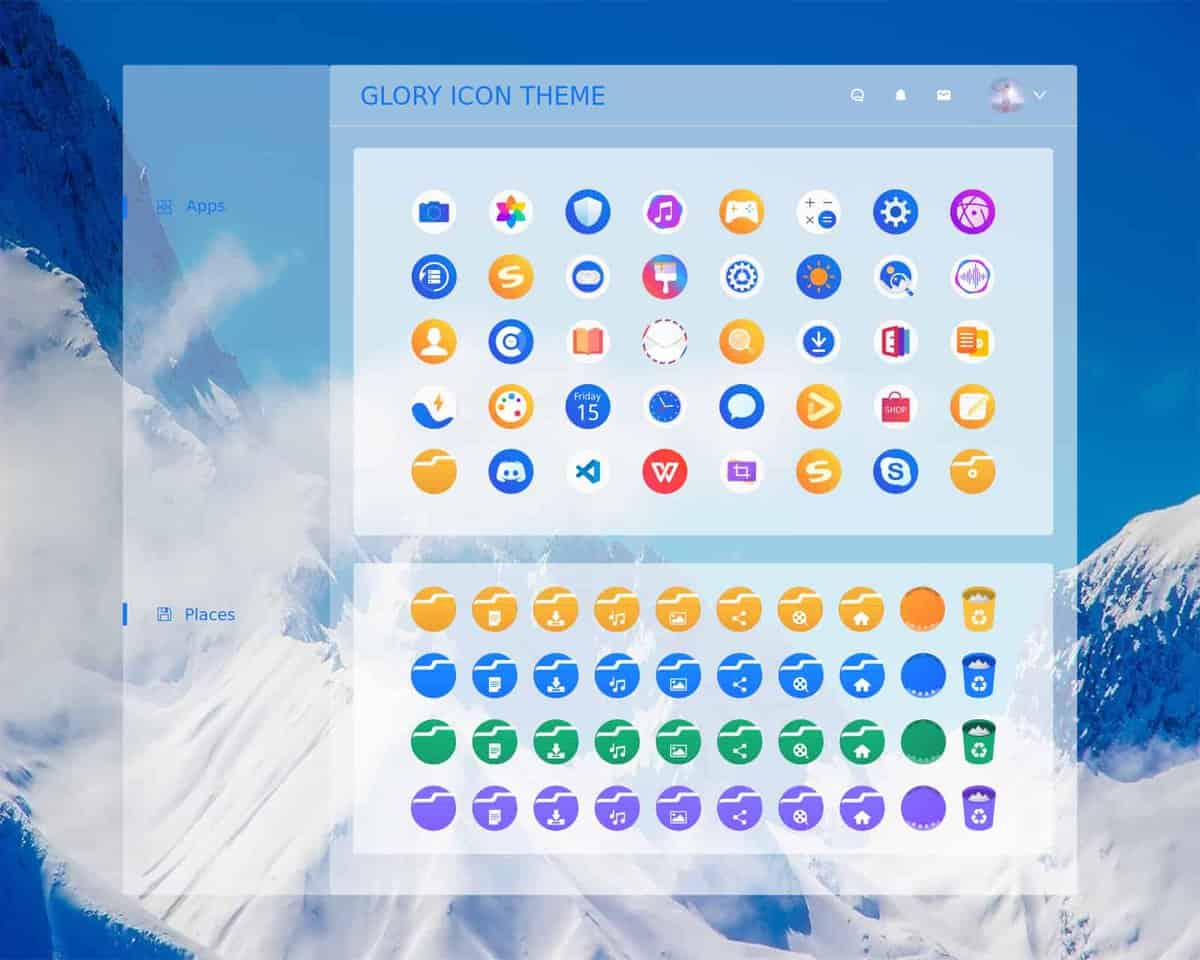
This mate theme is dedicated to generating a vibrant and
colorful interface for your desktop. It is undoubtedly one of the
great mate themes available out there. If you are looking for
colors, then this is the theme you can download. Compatibility with
almost any kind of desktop computer, multiple color variants
availability, and rounded, colorful icons set this theme apart from
other themes mentioned in this list.
Download [30]
To Conclude
Mate themes are useful for decorating your desktop. You
can switch from a boring and complicated look to a modern,
interesting, and artistic look using any of the themes described
above. There are many mate themes available out there, and also, as
MATE is a GTK desktop, almost any theme will support this
environment. On top of that, all the themes are free to use. So if
you are looking for something fresh and lucrative, you must explore
all the themes mentioned above to choose the best mate theme for
you.
References
- ^
Top 30
Best Game Emulator Consoles for Linux System in 2020
(www.ubuntupit.com) - ^
How to
Install Adapta KDE Theme on Ubuntu KDE Plasma
(www.ubuntupit.com) - ^
Download
(github.com) - ^
Top 15
Best Gnome Shell Themes for Your Gnome Desktop
(www.ubuntupit.com) - ^
Download
(www.pling.com) - ^
Download
(www.mate-look.org) - ^
Download
(www.mate-look.org) - ^
Install
Arc Theme and Icon on Ubuntu, Fedora and Other Linux Desktop
(www.ubuntupit.com) - ^
Download
(www.mate-look.org) - ^
Best
Linux Desktop Environment: 15 Reviewed and Compared
(www.ubuntupit.com) - ^
Download
(www.mate-look.org) - ^
Canta
Theme – A Flat Material Design GTK Theme for Linux
(www.ubuntupit.com) - ^
Download
(www.gnome-look.org) - ^
Download
(www.gnome-look.org) - ^
Install Numix Circle Icon Theme on
Ubuntu, Linux Mint, and Fedora
(www.ubuntupit.com) - ^
Download
(numixproject.github.io) - ^
Arrongin and Telinkrin GTK Theme – A
modern and Refined Re-interpretation of Ambiance Theme
(www.ubuntupit.com) - ^
Download
(www.gnome-look.org) - ^
How to
Install Papirus Icon Theme on Ubuntu, Arch Linux, and Manjaro
(www.ubuntupit.com) - ^
Download
(www.mate-look.org) - ^
How to
Install Flat and Modern Ant GTK Theme on Ubuntu Variants
(www.ubuntupit.com) - ^
Download
(www.pling.com) - ^
Download
(www.mate-look.org) - ^
Download
(snwh.org) - ^
Download
(github.com) - ^
Download
(www.gnome-look.org) - ^
Download
(www.gnome-look.org) - ^
Download
(www.mate-look.org) - ^
Download
(www.ravefinity.com) - ^
Download
(github.com)
Read more https://www.ubuntupit.com/best-mate-themes-for-linux/