A cloud OS is a kind of lightweight operating system that stores
data and can access Web-based applications from a remote server. It
is designed to manage the operation, execution, and process of
virtual machines, virtual servers, and virtual infrastructure and
used as a backend hardware and software resource. The functional
serviceability can be varied depending on the virtual environment
and could feature in use. It allows the user to get access to the
service with pre-installed applications through browsing the
internet. Applications such as Word Processor, Address Book, PDF
reader, and many more are included in it. [1]
Best Cloud Operating
Systems
Booting a cloud OS does not take more than a few seconds because
of its simplicity. A user can either use it as a one stand
operating system or can quickly boot into the main operating system
according to the preference. The article discusses the 15 best
cloud OS for you.
1.
Netvibes
Netvibes is a cloud OS that is designed to run within any
popular browser that can be used as an Ad-free cloud computing[2]
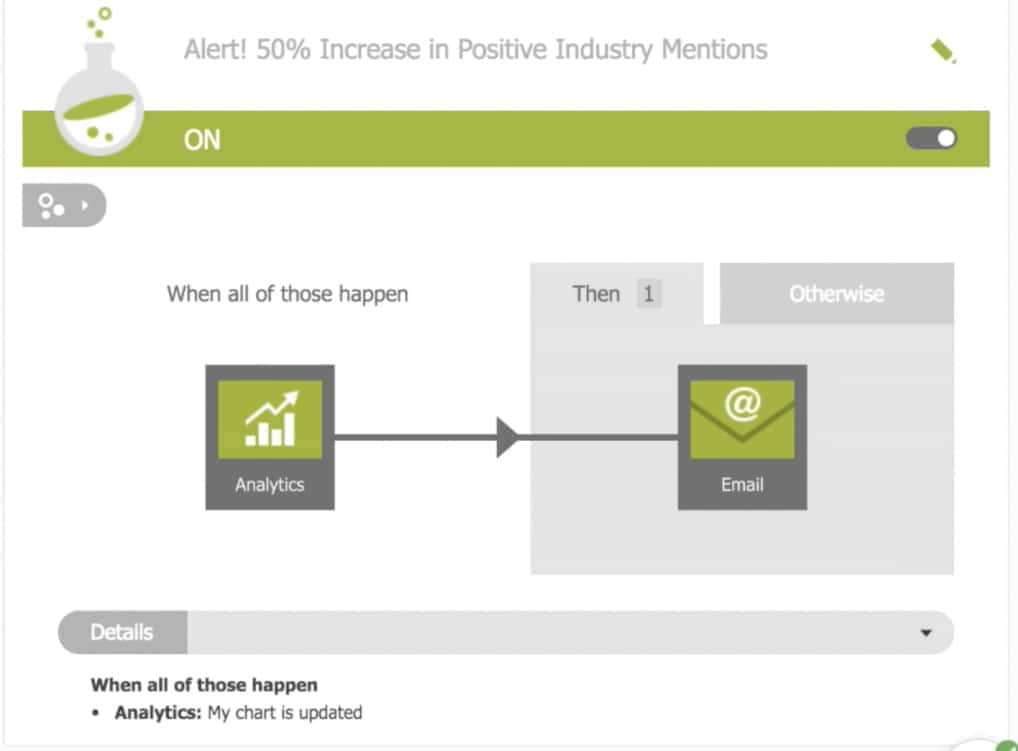
solution. The Dashboard has records of everything that happens
which consists of news, social media, favorite websites, apps, and
smart devices. Besides, customization ability takes it one step
further as the features are unique and fit in the environment.
 Features of this
OS
- Focuses on being independent of platforms and devices,
collaboration with browsers and platforms. One can download it free
and run it as a plug-in in any well-known browser. - Netvibes includes word editor, application for presentation,
compatible environment for groupware, SMTP client for email[3]
and much more. - Along with keeping data online, it allows the user to work with
both local and cloud applications with maximum security
provided. - This cloud OS can provide support for over 100 mobile devices
and you can also convert files for sharing when required. - You can automate the actions by configuring the triggers from
the dashboard while data-driven decisions can be taken using the
visualization displayed in the monitor. - If you upgrade to the premium version, it will open new doors
that include collaborating your personal data, evaluating business
matrices, and drag and drop charts.
2. Amoeba OS
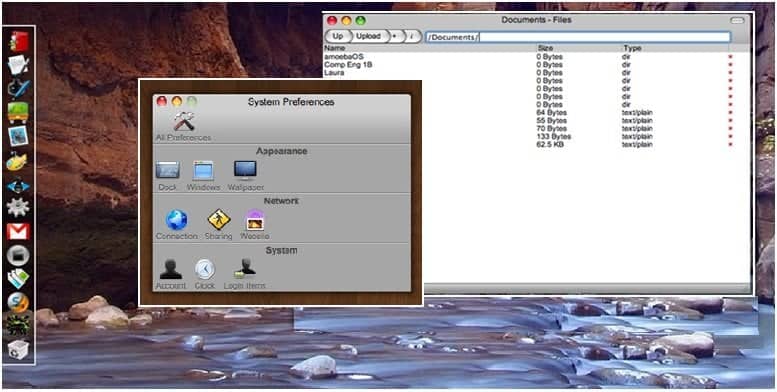
Amoeba is a general-purpose distributed operating system to take
a collection of machines and works as one single integrated system.
It should be thought in the same manner as doing research and
distribution development and collateral systems, languages,
agreements and applications. Though it consists of distributed and
parallel computing systems. Four basic design goals were evident in
Amoeba: Performance, Transparency, parallelism, and Distribution.
For LAN communication, it uses the high-performance FLIP network
protocol.
 Features of this
OS
- Intended for distributed computing when multiple independent
users working on different projects as well as parallel computing
when one user uses multiple CPUs to fulfill any purpose. - The policy of application is completely determined by
user-level programs yet the user doesn’t need to know the number or
the location of CPU as well as where the files are stored. - Does not need to permit distinctive remote login instructions
to have the benefit of multiple processors or do distinctive remote
mount operations to reach faraway files. - The fundamental communication procedure is to approve the
message to be sent and get replies – 3 pickups with a minimum of
delay. - The machine can be spread around a building on a LAN even
without having some kind of machine.
3. Slap OS
SLAP OS is a kind of cloud operating system that applies simple
language for managing and provisioning operating systems. SLAP OS
master and SLAP OS nodes can be used at home or incorporate them in
processes that are the 3 to 4 driving use cases to distribute cloud
computing. It combines grid computing and enterprise resource
modelling and any user can use it as a platform for selling
software or services.
 Features of this
OS
- It generally overlay the operating system for distributed POSIX
infrastructure (Linux[6], xBSD, etc) with a
strong focus on service management - Provides a compact and unified solution to automate
provisioning, monitoring, accounting, disaster recovery issue
tracking, etc. - Contains two models which include developer model and
accounting model where the developer model is mainly designed for
the end-users or developers. - Slap OS consists of two methods (Initialize connection &
register computer partition) to define software configuration and
service level. - Accounting model of slap OS is mainly designed for business
applications where the basic concepts are a resource, movement,
item, node, and path.
4. EyeOS
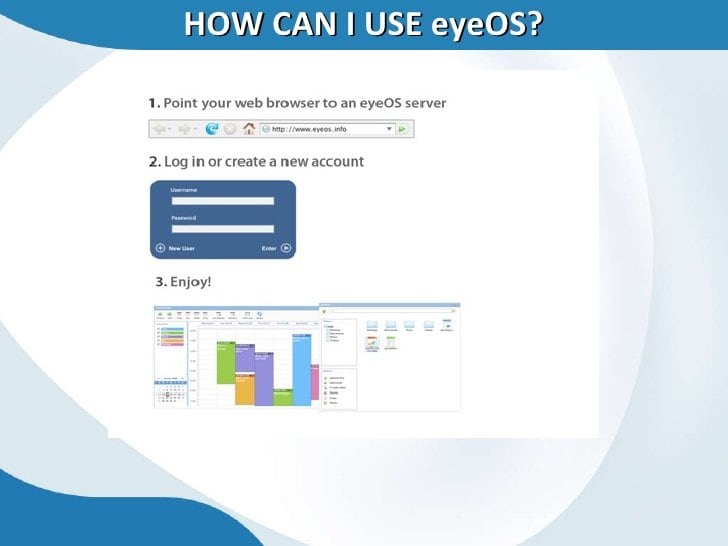
EyeOS is basically known as web OS which offers file management
and application tools however is not really customized. It is
basically used to design the platform for web applications commonly
written in PHP, XML, and JavaScript. Social media operation is not
a part of interaction in this system but can link files on the user
PC by saving them in a folder.
 Features of this
OS
- Not more than one web browser is needed to access the eye
operating system and its applications. - In accordance with user interest, it gives a desktop
environment with 67 apps along with system advantages. - The goal is to work from everywhere and allowing sharing
ability from anywhere in the easiest way possible. - Dynamic content and designed with an extensive list of
applications and remote storage facility as well as independent
browser and platform with rich texting facilities - Can provide facilities in school and universities by locating
free internet points, public library networks and other web places
for their users to work and communicate with network manager.
5. CloudMe
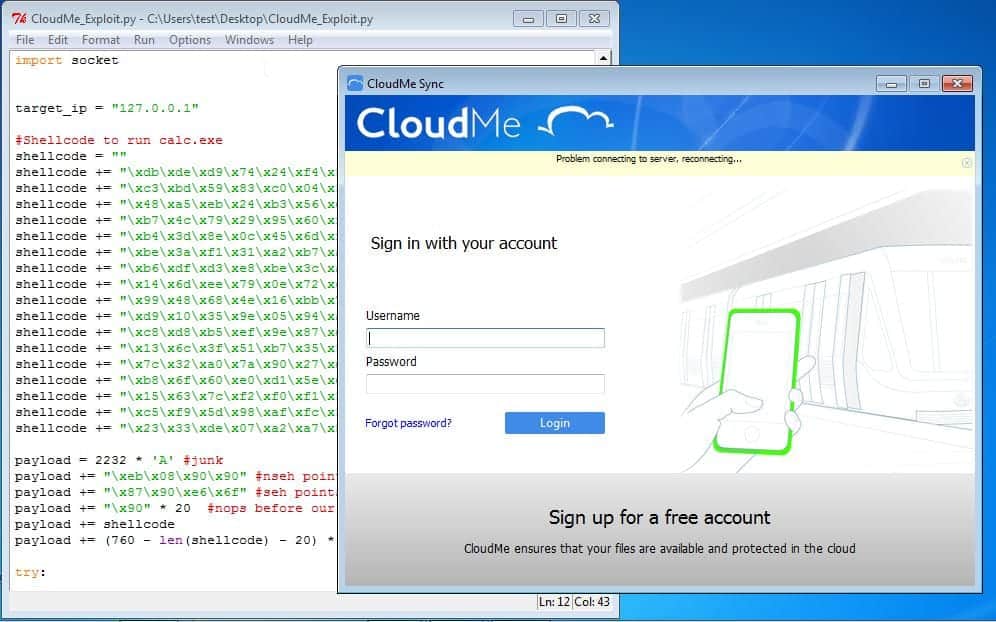
CloudMe is a cloud-based operating system that supports the GUI
interface and can be operated easily by collaborating with others.
It’s appropriate for freelancers, small businesses and groups of
similar interests. It’s a customizable desktop in the cloud
containing information sharing & task management facilities.
One can easily have a team update and real-time operating
details to know exactly what’s happening at the given time.
 Features of this
OS
- Provides a list of recent activity o Hive and allows its users
to send messages to individuals and groups. - This cloud OS gives a bookmarking facility with online notes
and microblogging along with a chat room. - Easy to navigate within and between multiple accounts and
interact with other members as well as managing tasks. - It has a modular app system for plugging in the tools to get
the project organized and done. - One can upload or import images from flicker, message and
import videos from YouTube and Vimeo.
6. OSv
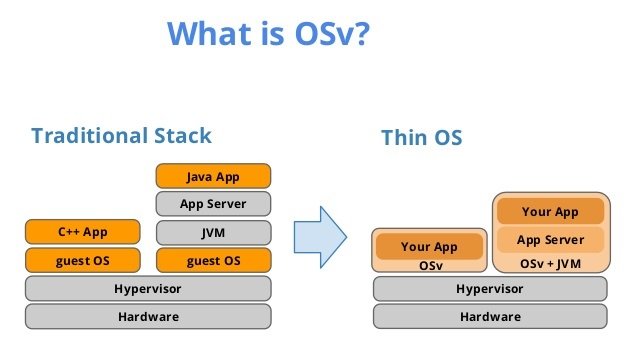
OSV is an open-source operating system designed for cloud for
superior performance and effortless management. An overhead
hypervisor can be minimized as it can offer extreme optimizations.
It offers a simple API to manage any aspect and making it eligible
for images of a virtual machine. It offers running Linux applications[10] but is not Linux
itself.
 Features of this
OS
- OSv has its own application for image system called Caspstan
instead of using Docker container[11]. - It is helpful for the crucial management interface and provides
a mechanism for passing configuration data. - It also includes services for directly managing JAVA apps and
can be an easy to use operation even for the early adopter. - User can download and run interfaces in their own hardware or
on a cloud server and also from any available source under the
BSD license[12].
7. Ghost
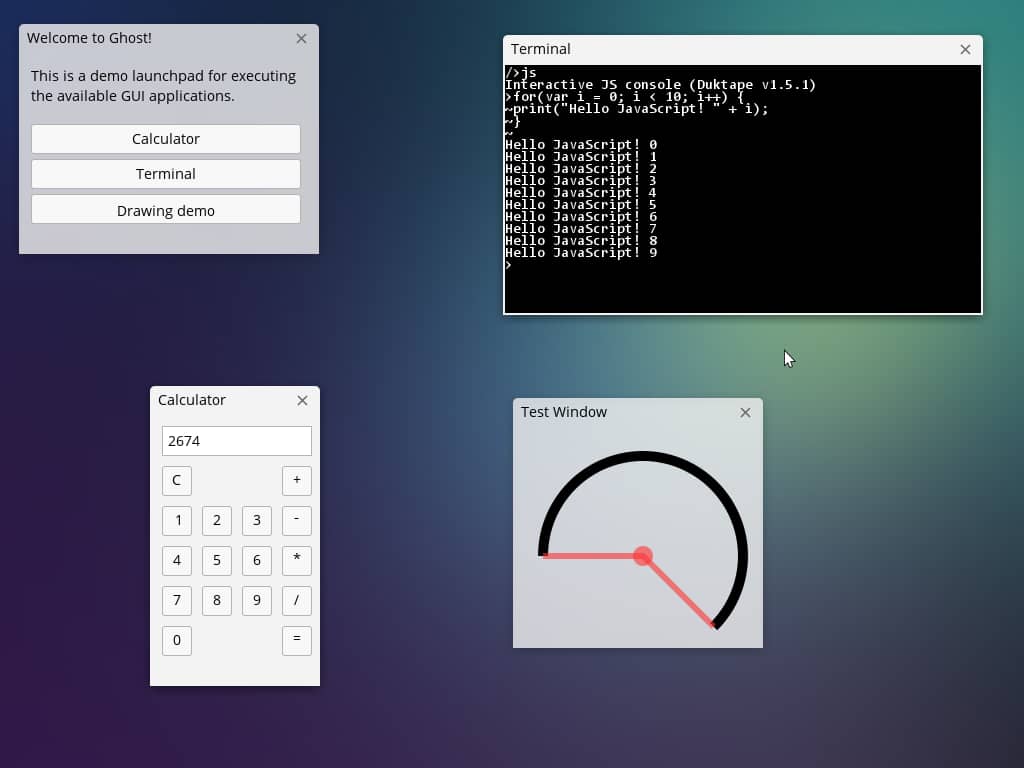
Ghost is the short form of the Global Hosted Operating System.
It is one of the popular choices among computing cloud[14] for the users. It
offers storage services both for individuals and business files.
The apps ensure personal security from device to device and can be
distributed directly from websites through channels.
 Features of this
OS
- Very simple and easy to use along with quick file and folder
managing facilities - Any type of data can be uploaded from any type of device and
can be viewed or edited with any browser. - Instant file or document sharing by sending them links and
brows from cellular devices or can mount as windows drive just like
a USB flash drive. - Files can be moved very smoothly from hard disk to cloud or
from cloud to a hard disk having editing facilities online.
8. Cloudo
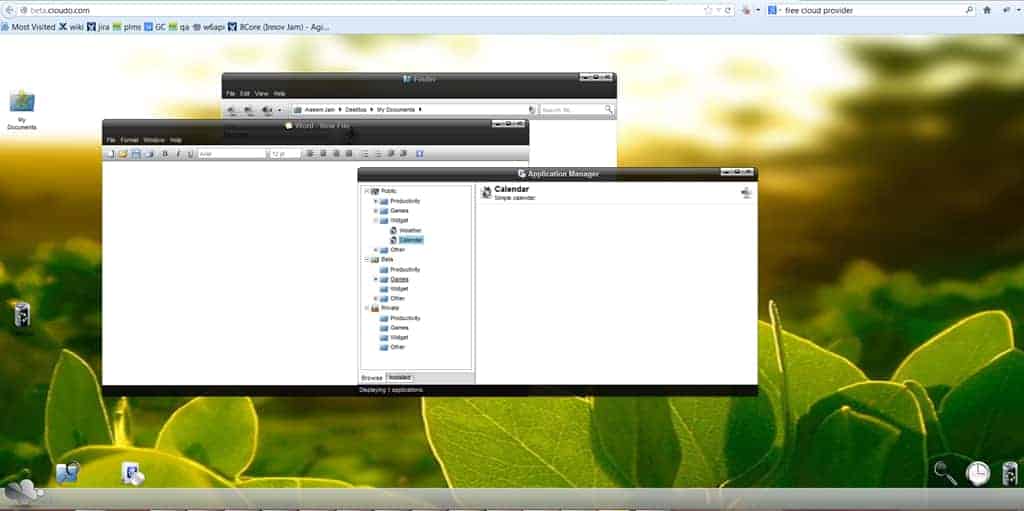
Cloudo is a free cloud OS that is found on the internet through
web browsing. No matter where a user is with whatever device
(Mobile/pc), one can easily reach the documents as faster as
possible. It can be called a virtual operating system where the
servers so all the legwork for users.
 Features of this
OS
- It has a modern and beautiful user interface with an open,
powerful, stable and versatile development environment. - One can reach documents, photos, music and all other files by
only a click. - Users can create applications or joint accounts for them and
also for a group of people or even for everyone. - One can make money with the system if they are good enough to
operate well.
9. Joli OS
Joli cloud operating system is a multiuser, cross-browser
user-friendly Web Desktop Environment. This web operating system
comes with a set of interesting applications of web office that
makes the system more versatile. It is a multiuser system that can
be installed on LAMP ( Linux/Apache/MySQL/Perl) and is
an independent platform. [17]
 Features of this
OS
- Multiple OS users can share one single account on the JoliCloud
server or a single user can have a personal account with secured
services. The user has its own home directory, own desktop and
workspace. - JoliCloud has more than 15years of experience in cloud
computing and offers more than 15,000 applications that you can
access for any purpose. - You can use all the cloud applications that include google
drive, dropbox, Mediafire while you can manage all of your cloud
life in a platform known as Jolicloud Me. - One can use Joli OS features through API and supported by all
the social media platforms like Facebook, Flickr, Instagram,
Picasa, Tumblr, and Twitter.
10. SilveOS
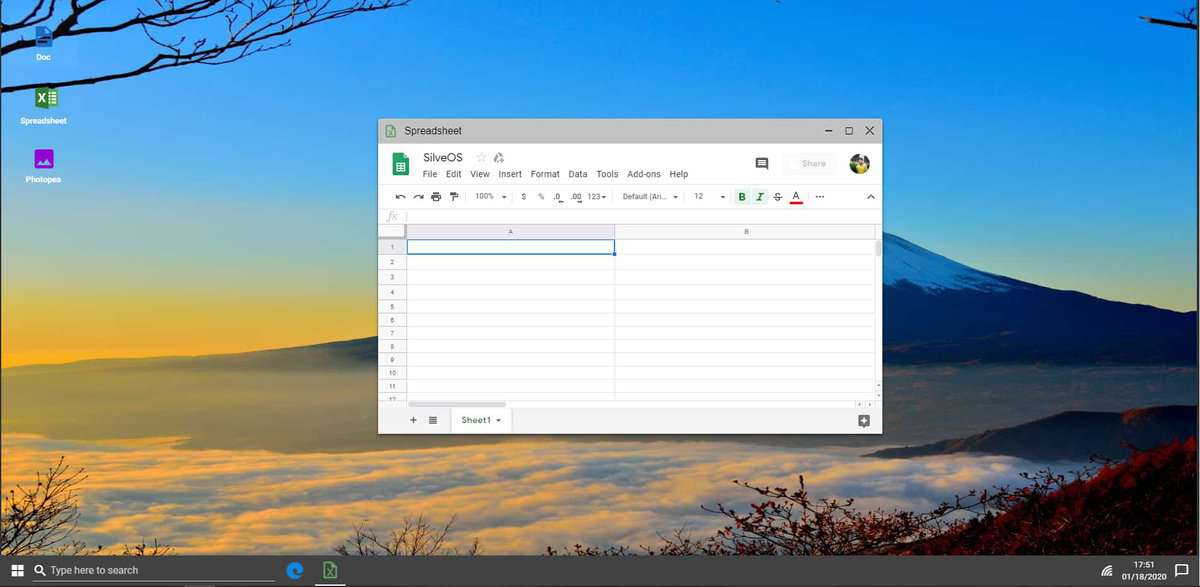
The Slive OS operating system is created based on Silverlight.
Any browser having Silverlight installed can run silveOS just by
browsing through the internet. It allows the user to write, make
notes, play solitaire, listen to music, etc. It also includes
built-in apps that contain file & internet explorer, player for
video and music, rich text editor, calculator, games, RSS reader,
paint, etc.
Features of this OS
- The homepage contains Microsoft like features such as start
menu, taskbar, sidebar gadgets and also other facilities. - All the applications like the Twitter client, Flickr viewer,
YouTube Viewer, chat, etc are set by default. One can even download
the Silverlight app from the web. - It gives the user a convenient and comfortable experience from
a classical desktop application to the browser. - It can provide its user with the facility of using apps however
it does not allow the user to store anything in this OS. - It can be a very handy tool for flexible work on a computer
that is not personal. One can use it either from an office computer
or cyber café without having trouble.
11. xOS
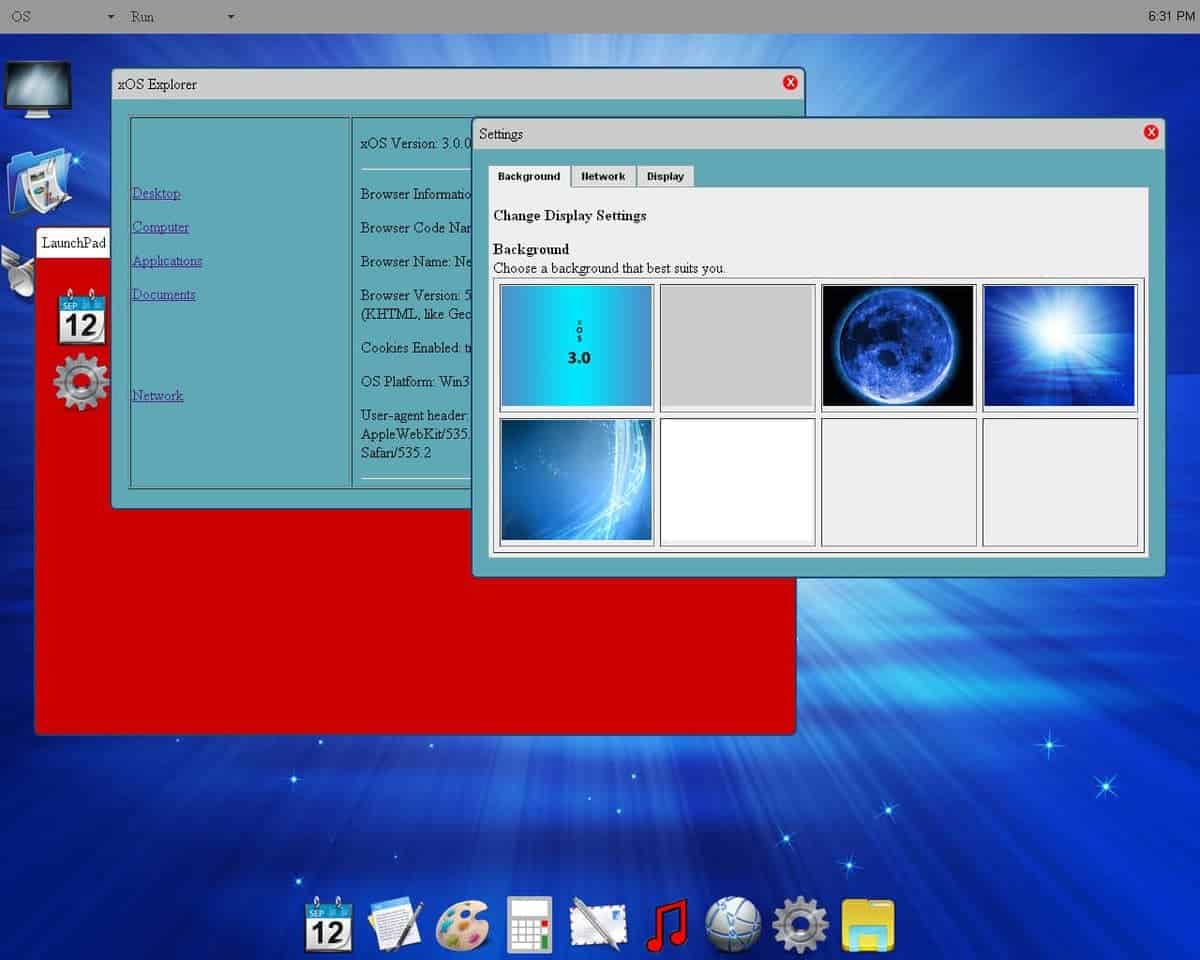
XOS is a platform that has been designed for controlling,
composing & assembling services. Although they don’t provide much
customization options, a good collection of apps is there for
personal works. The service consists of a web browser[20], file manager,
text editor[21], calendar, notes, games
like canvas rider, email, etc. It is designed specially to manage
resources for hardware and software.
Features of this OS
- Explains a service control plane for all the back end service
implementations including macro services, the program controlling,
etc. - Services are configured through the service controller
interface but the controller is not on the data path between the
services. - This cloud OS can be used as an abstract tool to build a
functional, evolvable, service-oriented cloud by using multi-tenant
services. - Services (XaaS), considering it a fundamental part of CORD
TM.
12. ZeroPc
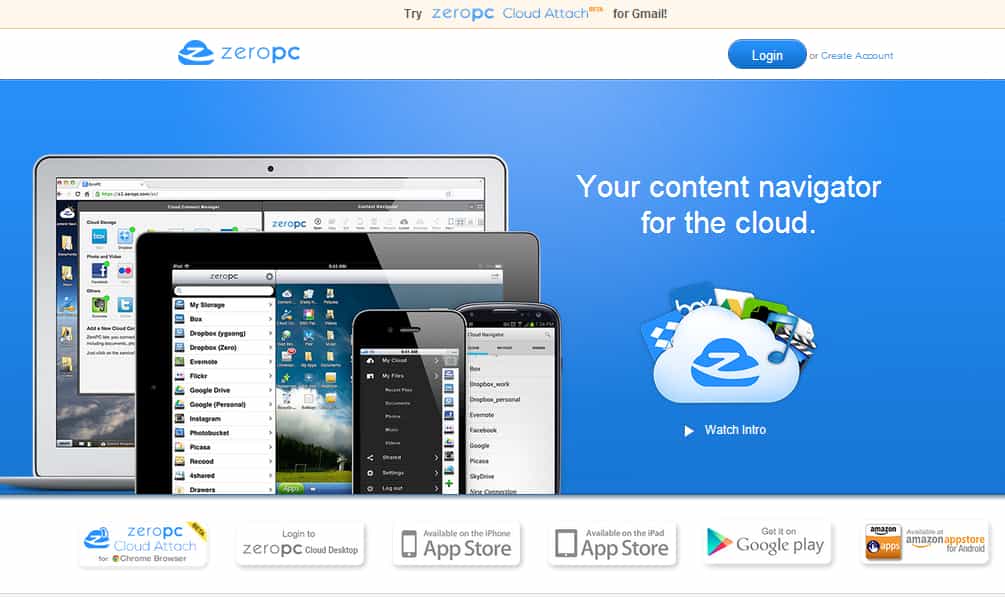
ZeroPC is an advanced cloud-based technology with the goal of
providing affordability and accessibility of desktops to users from
anywhere in the world. It is a thoroughgoing cloud content management user coherence that
changes a browser into a desktop and empowers end users to unify
all of their digital content from top websites and from their
personal computer into one secure repository requiring a single
login. [23]
Features of this OS
- It is preferable to photographer user as if offers Flickr,
Picasa, and more photography apps - Along with other applications, it has another app called Photo
Connect which has its own photo management program. - It includes two plans- Basic Plan and Pro plan where basic plan
offers up to 100 GB storage in $2.99 & pro plan offer an additional
50GB for $9.99 for a month. - ZeroPc comes with a built-in messenger which is supported by
most of the trending messaging services and access to complete
features. - User can easily protect their personal content, ranging from
single folders to backup options directly in ZeroPc.
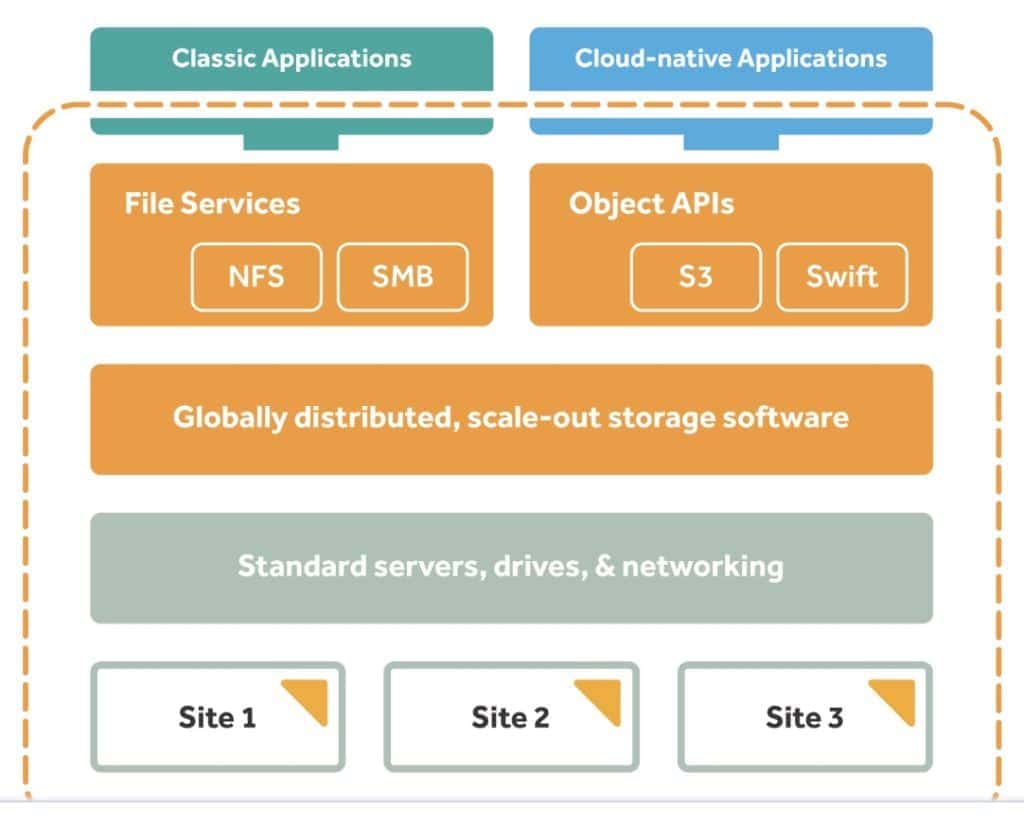
13. LucidLink OS
Lucid cloud OS is a free online open-source web OS that comes
with multiple applications to read the news, use Twitter, customize
documents, etc. It also facilitates with RSS feed reader[25], games also bash-like
terminal applications as well as third party services. Lucid
introduced the most comprehensive software platform ‘Lucid
BuildingOS’ for managing building performance.
 Features of this
OS
- It offers extremely customizable services with multilingual
facilities with games and entertainment facilities. - It holds data across the portfolio and to improve operations as
well as collaboration with other sharing drives. - Applications are easy to find and easy to use just by browsing
through this operating system. - One can edit any type of document without even having their
personal computer around. Just with a browsing machine, the
accessibility becomes very user-friendly.
14. vSTAR
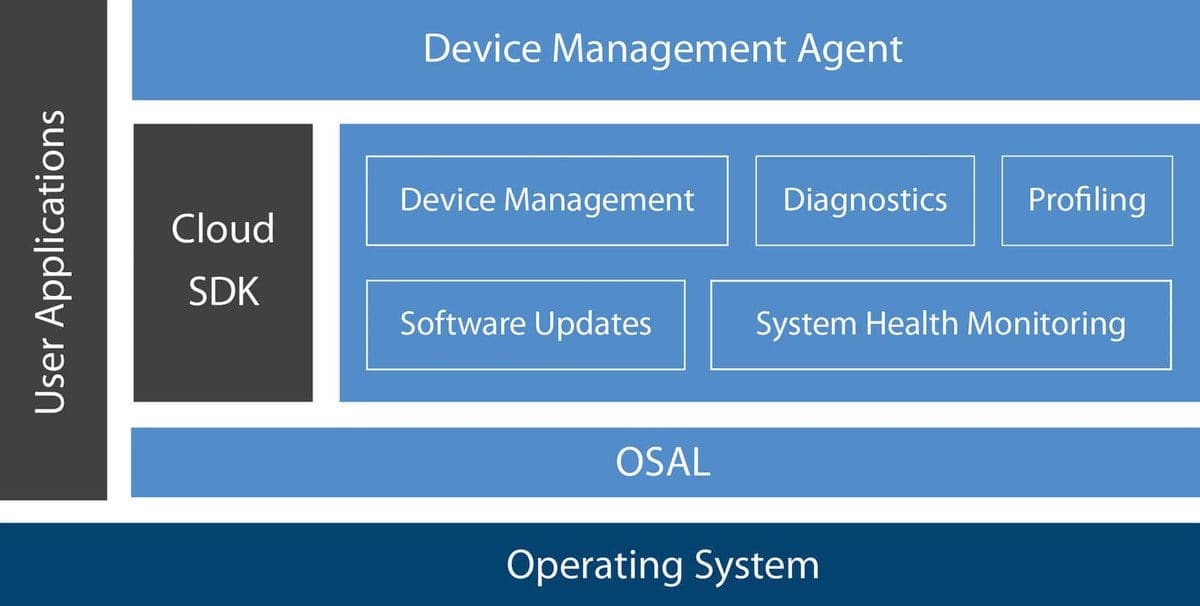
vSTAR is a cloud-based new network computing system for
multicore performance. It is to justify the requirements
traditional operating systems cannot fulfill. New platforms
especially heterogeneous multicore platforms do not support
traditional OS with maximum performance. The new architecture of
the terminal operating system and cloud operating system serve
users with the best performance.
 Features of this
OS
- It doesn’t have limitations in scalability, locality aliasing,
lock mechanism, message mechanism like the traditional OS. - Supports any kind of changes in hardware or software along with
new updates and features. - Is has an effective self-accuracy network computing operation
process which means the user will not be aware of any system
failure even if any breakdown occurs. - Network service and foundational systems are the main part for
the operation. It also contains a message engine, device engine,
name engine, scheduling engine, etc. - It provides the user with the message protection layer, time
multiplexing processor, safety mechanism, and communicator with a
system visualization environment.
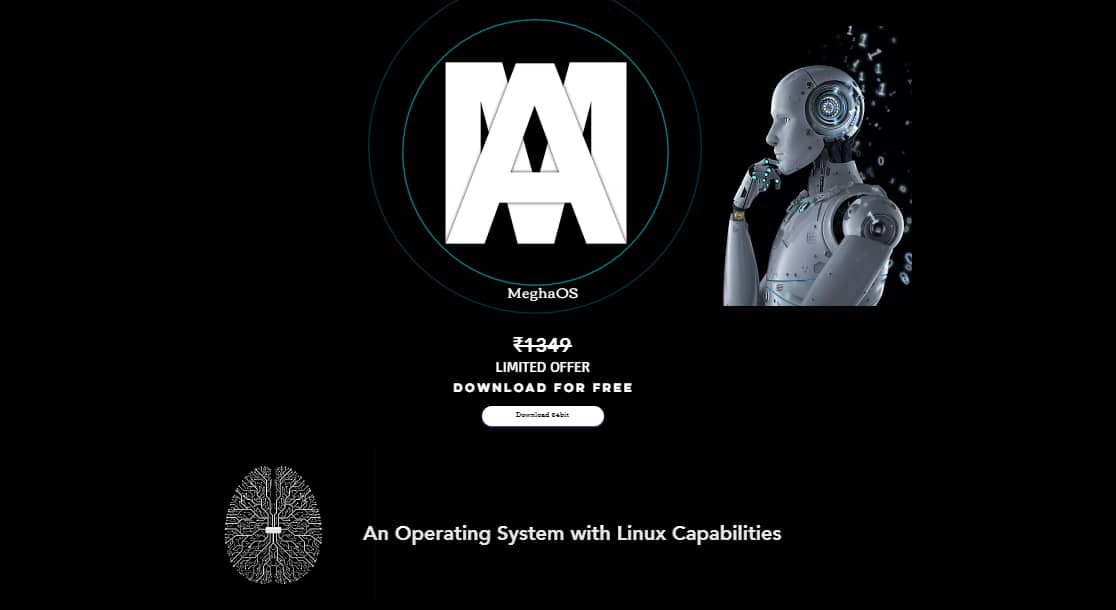
15. Megha OS
Megha is another cloud-based operating system that provides
common storage, platform, and application. It provides high
security for applications and other services. No additional plugins
are needed to run the applications. It’s user-friendly with less
bandwidth utilization and supported by cellular devices as well.
This part focuses on platforms, applications, and storage in the
cloud.
 Features of this
OS
- It offers an account manager that is used to manage to register
and logging of the application users. - The file manager module is to manage to download and to upload
files, sharing files and image hosting. One can share a file with
multiple persons at a time. - It provides a communication manager with which users can get
connected with each other within a short period of time and even
can chat with each other. - The manager service manages launching, listing or end of any
process according to user preference.
To Conclude
Cloud operating systems are helpful to manage multiple virtual
machines at a time. Helps a lot in managing a cloud environment and
setting up the dashboard for meeting specific goals. On top of
that, as you can get all the necessary applications for both work
or personal use in the same place which contributes to save a lot
of time and increase efficiency. Besides, some of these cloud OS
comes with a business solution through which you can choose the
data-centric approach and incorporate result-driven solutions.
Every operating system offers a ton of features, so explore and
check the insights before start using a cloud OS.
References
- ^
Top 5
Best Lightweight Linux Distros To Boost Up Your Old Computer
(www.ubuntupit.com) - ^
The 20
Best Cloud Computing Books Available Online in 2020
(www.ubuntupit.com) - ^
Top 20
Best Linux Mail Server Software and Solutions in 2020
(www.ubuntupit.com) - ^
Download
(www.netvibes.com) - ^
Download
(www.cs.vu.nl) - ^
Interesting Facts About Linux That You
Should Know (www.ubuntupit.com) - ^
Download
(community.slapos.org) - ^
Download
(oneye-project.org) - ^
Download
(www.cloudme.com) - ^
Best
Linux Software: Our Editorial List of Essential Linux Apps
(www.ubuntupit.com) - ^
50
Frequently Asked Docker Interview Questions and Answers
(www.ubuntupit.com) - ^
FreeBSD vs Linux: 20 Things To Know
About Both The System (www.ubuntupit.com) - ^
Download
(osv.io) - ^
Top 50
Frequently Asked Cloud Computing Interview Questions
(www.ubuntupit.com) - ^
Download
(github.com) - ^
Download
(cloudos.me) - ^
How to
Install LAMP on Ubuntu Linux
(www.ubuntupit.com) - ^
Download
(my.jolicloud.com) - ^
Download
(onlivesoft.com) - ^
13
Best Ubuntu Web Browsers: Which One is Right for You?
(www.ubuntupit.com) - ^
Linux
Text Editor: 20 Text and HTML Editors Reviewed for Linux Nerds
(www.ubuntupit.com) - ^
Download
(www.opennetworking.org) - ^
Open
Source CMS: 25 Best Content Management System Tools
(www.ubuntupit.com) - ^
Download
(www.zeropc.com) - ^
Best
News Aggregator: Top 20 Reviewed For Linux Readers
(www.ubuntupit.com) - ^
Download
(www.lucidlink.com) - ^
Download
(www.mentor.com) - ^
Download
(www.meghaos.com)
Read more https://www.ubuntupit.com/best-cloud-os-the-experts-recommendation/