Presentation always plays a vital role in decision making,
and in closing any kind of deal. It provides graphical descriptions
and clears the situation. In ancient times, we used papers for
presentation. With the revolution of our modern technology, we
shifted to screens from the papers and developed a lot of tools for
making our work easy. If any company’s core system in Linux, then
they should go through the whole post and find out the best
presentation software for Linux.
Our world has many types of operating systems for our
personal computers and laptops. Among them, Linux is one of the
most popular ones because it’s free and has a lot of open-source
tools. With that, a user can customize his/ her’s operating system
at his/ her will. But getting the right presentation software for
Linux distributions[1]
can be quite tough. Don’t fear, and we will discuss the
presentation software in our content today. I hope you will get the
right match for your work.
Best Linux Presentation
Software
If you are an MD or CEO or Human resource manager of a company,
you probably interviewed the new recruits who will handle your
company’s presentation related stuff. The first question from the
technical side might be about asking them about the software they
know or can work with. It can provide an understanding between you,
and them about the capabilities of yours, and your uses. So,
knowing about the features of this software might help you to
choose a suitable candidate and the best presentation software of
Linux for the work.
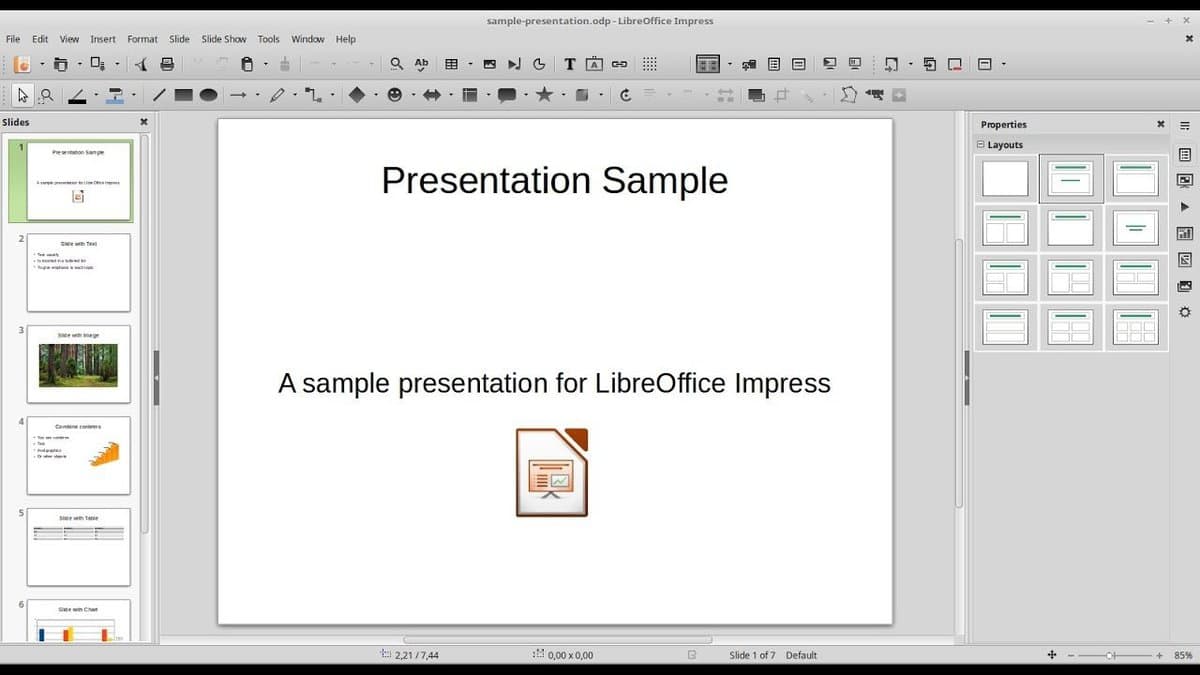
1. LibreOffice Impress
Regular Linux users often heard the name of this software.
Most of the developer calls it the Microsoft office[2]
of Linux. Although it’s as powerful as Microsoft Office Suite, it
costs us nothing. It’s the fully free software, and who switched
his/ her operating system from Windows to Linux[3], they will find it the
interface of this software mostly known. It should be in your no.1
priority list if you are searching for a presentation software for
Linux.
Features of LibreOffice Impress
- Dragging and dropping is a handy feature while using
software where a lot of media files needed to upload
simultaneously. - Vector graphics give the user an edge if he wants to give
a presentation on printed paper, or if he needs to zoom file in
between the works. - Its dynamic effects, including transaction and animation
effects, can make your presentation way better. - Presentations might be needed to be published on
different platforms for better understanding. It can publish
documents on screen, or as an HTML document which can make your
experience of spreading your creation in different platform easy,
and less critical. - Handout copies are not so important in corporate worlds,
but if the marketers want to seek the attention of the general
public, then it’s a must. It can make handout copies, which is so
useful in these situations.
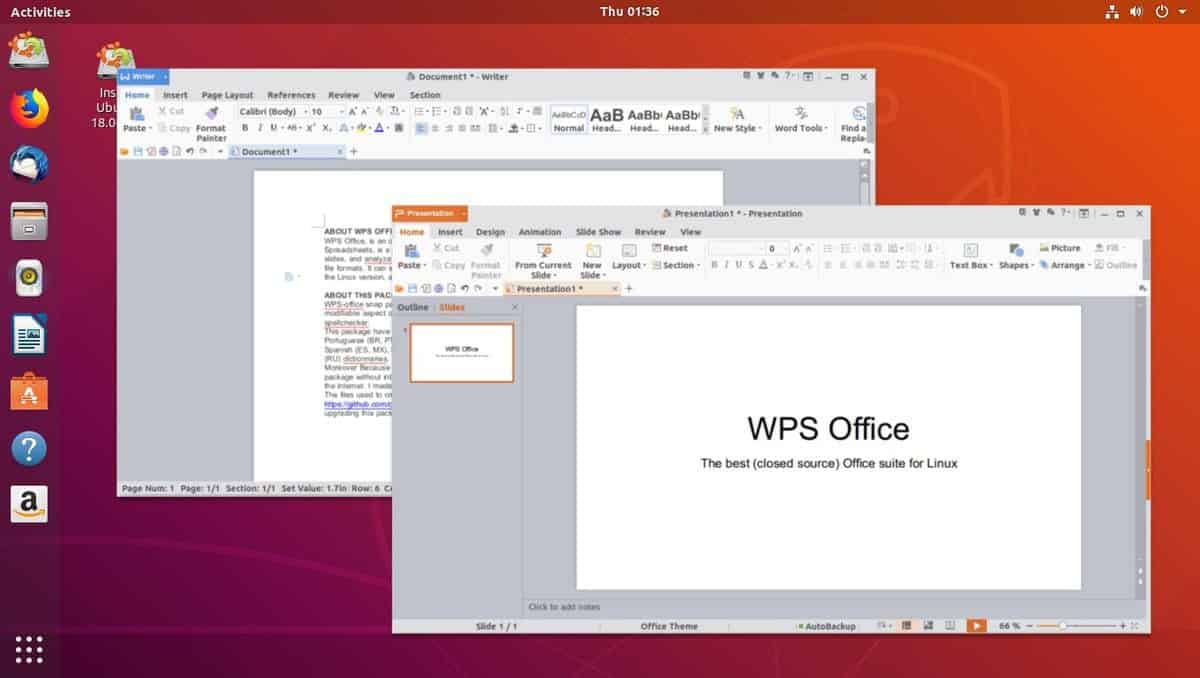
2. Linux WPS Office
Tensed about the condition of your computer? It has gotten
old, and heavy software isn’t meeting its requirements, but you
have to give a presentation the next day. Then don’t worry. Linux
WPS Office can help you in this situation. It’s quite popular in
android platforms, but the Linux version of it’s quite light and
has a ton of features that can make your working experience on the
old computers too smooth.
Features of WPS office
- The size of the whole software is too light. So, it will
be easy to install in low powered systems. - Templates make the work easy and can provide an idea
about your work. It has tons of free and paid templates that can
help you in creating awesome presentations. - If the user shifts from Linux to any other operating
system, or might need to edit a few things on the go, then
cross-platform features might help the user a lot. - The world is full of languages, and presentation is a way
to communicate. If you are working for a multinational company,
then you might need to work with different languages, but most of
the software doesn’t support multiple languages. But this software
supports 8 languages. - Few effects are essential in every step, and a creative
director will use them on a daily basis. It has those every kind of
necessary effects.
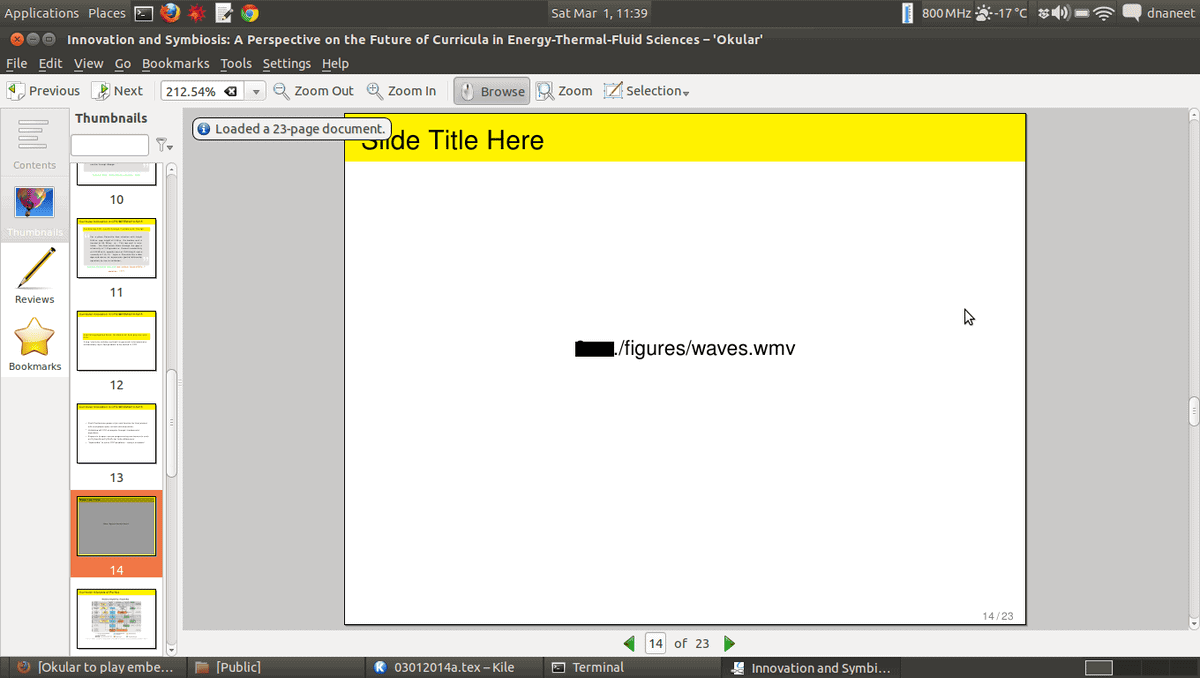
3. Latex Beamer
Latex Beamer as known as beamer, is Latex-based[6]
presentation software. Those who want to make presentations in any
latex format, it can be an excellent option for them. It’s latex
structures makes the PowerPoint-style presentation. It will be the
best presentation software for Linux if you often deal with
Latex.
Features of Linux Beamer
- Predefined looks can assist a creative director in making
a healthy habit of remembering stuff clearly, and use them
punctually. It has predefined styles and looks that can help
you in the same way. - For working on this, no external program is needed and
supports the AMS math package. - Hypertext support is an essential thing if you want to
work or are working with it. You will get this feature in this
Beamer. - Capabilities of creating overlays, handouts are always an
added advantage, and this software has this advantage. - Alerts, Itemizations are handled in a structured
way.
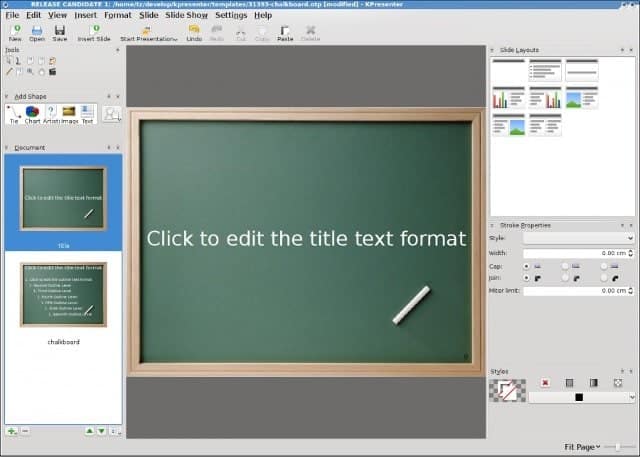
4. Calligra
Stage
It’s a part of KDE’s suite as known as Kpresenter. It’s
not a featureful software, but if you want to do your work in a
simple interface, then it can be a good option. Although, lack of
features might make you unhappy. So, before using it, know your
needs.
Features of Calligra Stage
- Generating files with ODP/ ODF extension is a different
but useful feature. The creators who need this feature; for them,
this software is a must. - Navigation and organization bars can make the
working experience smooth and faster. This feature can give you an
advantage if you are writing a whole book. - The presentation view option that helps its user to
control its flow is a must needed feature if you give presentations
frequently. - This software is highly configurable. So, if the user wants,
she/ he can configure it base on their needs.
5. Impressive
It’s a post-processing presentation tool. If you already
have a presentation made and want a few additional touch up during
the presentation, then you should go for it. You will have to
convert your file into pdf to make changes.
Features of Impressive
- Lightweight and portable software is so popular because,
with them, a user can work on any kind of low or high power system,
and this software is super light and
portable. - Hassel of installing software can stop a potential future
user from using it. It doesn’t require installation. So, this is a
great advantage for them who want to use the software without
installing. - Carrying software and using it in any system whenever we
need it is a handy feature and can provide its users a great
advantage in utilizing their works, and this software can be
carried on a USB stick. - Spotlight distinguishes a keyword from the whole
paragraph or the presentation, and it is the spotlight making
master. So, if you are the user who wants to do this kind of work,
then you must try it. - Terminal-based software is easy to handle, and this one
is one of them.
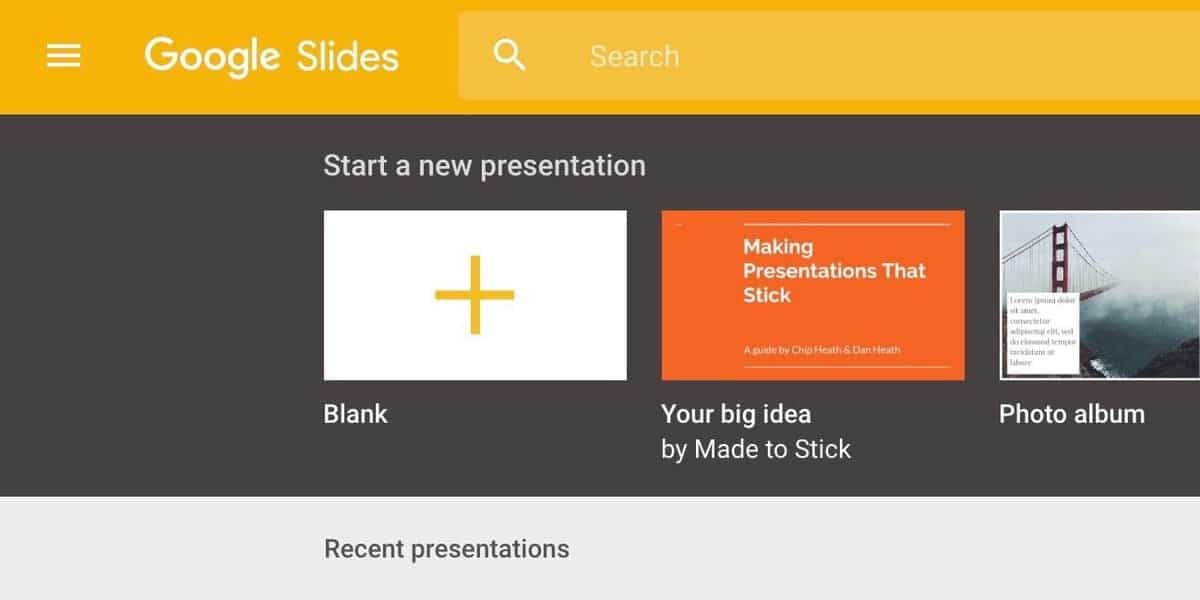
6. Google Slide
Google Slide is a part of Google’s online office suite[10]. I can run as an
extension in any version of Chrome. It’s an online office suite’s
part, so it won’t make your desktop heavy. You can also run it on
old computers because it needs a little power to run itself. And
it’s not only one of the best presentation software of Linux, but
it is also considered one of the best presentation software of
every platform.
Features of Google Slide
- User can edit their files from anywhere and any computer.
This feature is an opportunity cost saving. - Google’s regular updates its templates, and other support
modules make it enrich in effect and other
libraries. - Business templates can close a deal on the go. This has a
lot of business templates that can give you the opportunity of
making a presentation in 1-2 minutes. - Multiple people can work on the same project at the
same time in this. - A ton of effects and animations helps its documents to
transform into an attractive presentation.
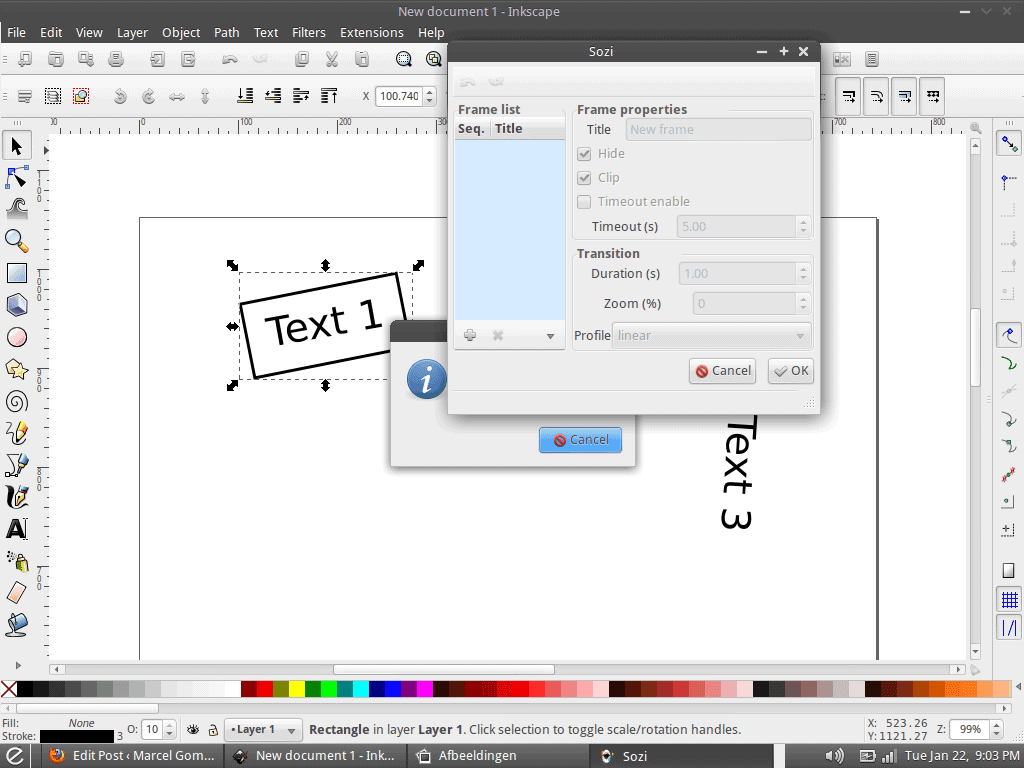
7. Sozi
Sozi is a storytelling software and especially build on
python[12]. But don’t contain your
presentations as a presentation slide but as a poster. You
have to zoom at certain points to make it visible and take it into
the focus. If you want to post your presentations on any online
platform, then you should consider it as a good option as a
presentation software of Linux distribution.
Features of Sozi
- The poster based presentation capabilities give it an
upper hand. - A lot of information in one poster can be taken in one
page, which helps users in zoom based presentations. - Sozi’s official supports makes it user-friendly and
easy. - Enriched online assets help its users in making better
presentations.
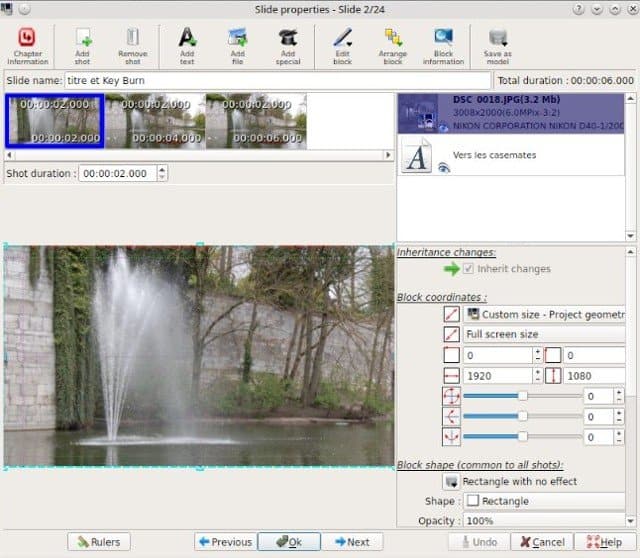
8. FFDiaporama
It’s a video editing software[14], but creative users use
it to make awesome presentations. It has its animations and
transactional effects that give it an edge on doing any
presentation based work. It might confuse you at first glance but
will make your experience easy by the time you master
it.
Features of FFDiaporama
- Capabilities of screen-cast and multimedia presentations
help its users in securing their main purpose. - Cliparts are a great help in making an interactive
presentation, and it has a lot of cliparts for
editing. - Dealing with videos in this software has no kind of
issue. - Making Titles in this software is so easy, and can be
turned into an attractive one with a perfect tweak. - This software supports 1080p videos on editing
platform.
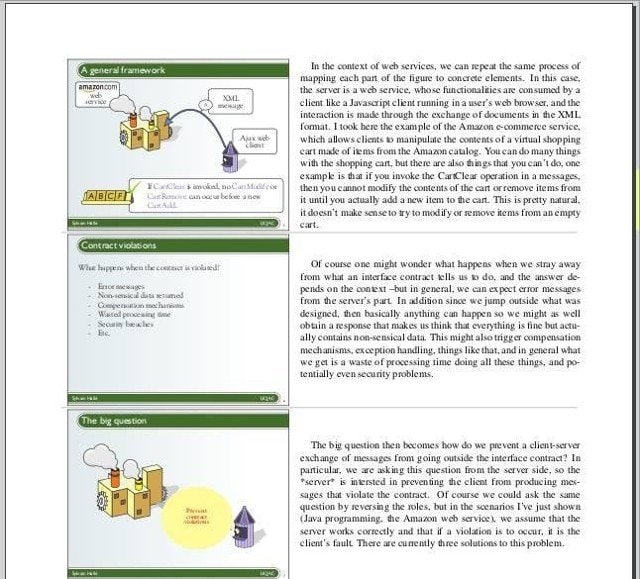
9. Slide Crunch
The users who love to make a presentation through the
command line, for them, it’s the perfect presentation software of
Linux. It can merge files into slide shows and can separate
presentations into individual parts.
Features of Slide Crunch
- The command-based interface is kind of easy and fast for
them who are proficient in terminal. So, if you are a terminal
lover, then you should give it a try. - It doesn’t require installation and can save time, and
opportunity cost. - Cues, notes, and information about the author can be
contained in it. - Merge files ( PDF and SVG) can be so handy if you want to use
this in your presentation. You should give it a try.
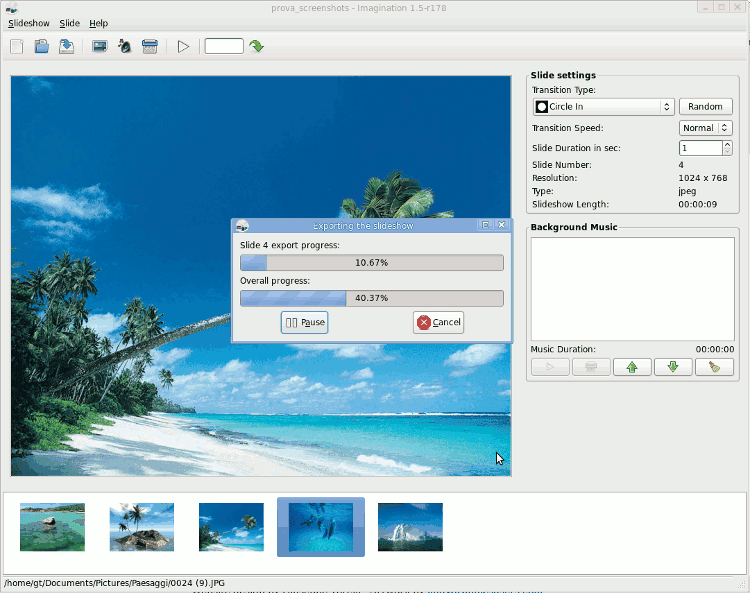
10. Imagination
If you are searching a lightweight presentation software,
then you should consider imagination as a good option. It doesn’t
have too many transactions or other advantages, but if you want to
do your work your at a faster pace with higher accuracy, then it
will help you a lot.
 Features of Imagination
- Cutting, copying, pasting ability on slides can give you
a good experience. - The latest version of it has 69
transactions. - Can create, and import multiple versions of the video
what help in seeking other’s presentation. - Text on the slides with some text animations, ability to add an
empty slide with a gradient editor
Final Thoughts
Presentation software is useful and necessary. This can
give your company an edge in closing deals. It can clear your
growth pattern to the inverts in an easy way. It has multiple uses
and importance. Better knowledge of the feature can provide you a
clear idea and the power of taking future steps. If you use any of
these 10 software, you will get your desired result, might find the
best presentation software for Linux. Good luck, and keep
growing.
References
- ^
Best
Linux Distro: Top 10 Recommendation To Boost Up Your Linux
Experience (www.ubuntupit.com) - ^
Top 10
Best Free Office Suite Software as MS Office Alternative for
Linux (www.ubuntupit.com) - ^
Linux or
Windows: 25 Things You Must Know While Choosing The Best
Platform (www.ubuntupit.com) - ^
Get
LibreOffice Impress (www.libreoffice.org) - ^
Get WPS Office
(www.wps.com) - ^
Best
LaTeX Editor: 33 LaTeX Editors Reviewed for Linux Nerds
(www.ubuntupit.com) - ^
Get Latex Beamer
(beamer-app.com) - ^
Get Calligra Stage
(www.calligra.org) - ^
Get
Impressive (sourceforge.net) - ^
26
Best Google Docs Tips To Become A Power User
(www.ubuntupit.com) - ^
Get Google Slide
(docs.google.com) - ^
The 30
Best Python Courses and Certifications in 2020
(www.ubuntupit.com) - ^
Get
Sozi (sozi.baierouge.fr) - ^
Top 10
Best Video Editing Software for Ubuntu: How to Install Those
(www.ubuntupit.com) - ^
Get FFDiaporama
(ffdiaporama.tuxfamily.org) - ^
Get Slide Crunch
(crunch.io) - ^
Get Imagination
(imagination.sourceforge.net)
Presentation always plays a vital role in decision making,
and in closing any kind of deal. It provides graphical descriptions
and clears the situation. In ancient times, we used papers for
presentation. With the revolution of our modern technology, we
shifted to screens from the papers and developed a lot of tools for
making our work easy. If any company’s core system in Linux, then
they should go through the whole post and find out the best
presentation software for Linux.
Our world has many types of operating systems for our
personal computers and laptops. Among them, Linux is one of the
most popular ones because it’s free and has a lot of open-source
tools. With that, a user can customize his/ her’s operating system
at his/ her will. But getting the right presentation software for
Linux distributions[1]
can be quite tough. Don’t fear, and we will discuss the
presentation software in our content today. I hope you will get the
right match for your work.
Best Linux Presentation Software
If you are an MD or CEO or Human resource manager of a company,
you probably interviewed the new recruits who will handle your
company’s presentation related stuff. The first question from the
technical side might be about asking them about the software they
know or can work with. It can provide an understanding between you,
and them about the capabilities of yours, and your uses. So,
knowing about the features of this software might help you to
choose a suitable candidate and the best presentation software of
Linux for the work.
1. LibreOffice Impress
Regular Linux users often heard the name of this software.
Most of the developer calls it the Microsoft office[2]
of Linux. Although it’s as powerful as Microsoft Office Suite, it
costs us nothing. It’s the fully free software, and who switched
his/ her operating system from Windows to Linux[3], they will find it the
interface of this software mostly known. It should be in your no.1
priority list if you are searching for a presentation software for
Linux.
Features of LibreOffice Impress
- Dragging and dropping is a handy feature while using
software where a lot of media files needed to upload
simultaneously. - Vector graphics give the user an edge if he wants to give
a presentation on printed paper, or if he needs to zoom file in
between the works. - Its dynamic effects, including transaction and animation
effects, can make your presentation way better. - Presentations might be needed to be published on
different platforms for better understanding. It can publish
documents on screen, or as an HTML document which can make your
experience of spreading your creation in different platform easy,
and less critical. - Handout copies are not so important in corporate worlds,
but if the marketers want to seek the attention of the general
public, then it’s a must. It can make handout copies, which is so
useful in these situations.
2. Linux WPS Office
Tensed about the condition of your computer? It has gotten
old, and heavy software isn’t meeting its requirements, but you
have to give a presentation the next day. Then don’t worry. Linux
WPS Office can help you in this situation. It’s quite popular in
android platforms, but the Linux version of it’s quite light and
has a ton of features that can make your working experience on the
old computers too smooth.
Features of WPS office
- The size of the whole software is too light. So, it will
be easy to install in low powered systems. - Templates make the work easy and can provide an idea
about your work. It has tons of free and paid templates that can
help you in creating awesome presentations. - If the user shifts from Linux to any other operating
system, or might need to edit a few things on the go, then
cross-platform features might help the user a lot. - The world is full of languages, and presentation is a way
to communicate. If you are working for a multinational company,
then you might need to work with different languages, but most of
the software doesn’t support multiple languages. But this software
supports 8 languages. - Few effects are essential in every step, and a creative
director will use them on a daily basis. It has those every kind of
necessary effects.
3. Latex Beamer
Latex Beamer as known as beamer, is Latex-based[6]
presentation software. Those who want to make presentations in any
latex format, it can be an excellent option for them. It’s latex
structures makes the PowerPoint-style presentation. It will be the
best presentation software for Linux if you often deal with
Latex.
Features of Linux Beamer
- Predefined looks can assist a creative director in making
a healthy habit of remembering stuff clearly, and use them
punctually. It has predefined styles and looks that can help
you in the same way. - For working on this, no external program is needed and
supports the AMS math package. - Hypertext support is an essential thing if you want to
work or are working with it. You will get this feature in this
Beamer. - Capabilities of creating overlays, handouts are always an
added advantage, and this software has this advantage. - Alerts, Itemizations are handled in a structured
way.
4. Calligra
Stage
It’s a part of KDE’s suite as known as Kpresenter. It’s
not a featureful software, but if you want to do your work in a
simple interface, then it can be a good option. Although, lack of
features might make you unhappy. So, before using it, know your
needs.
Features of Calligra Stage
- Generating files with ODP/ ODF extension is a different
but useful feature. The creators who need this feature; for them,
this software is a must. - Navigation and organization bars can make the
working experience smooth and faster. This feature can give you an
advantage if you are writing a whole book. - The presentation view option that helps its user to
control its flow is a must needed feature if you give presentations
frequently. - This software is highly configurable. So, if the user wants,
she/ he can configure it base on their needs.
5. Impressive
It’s a post-processing presentation tool. If you already
have a presentation made and want a few additional touch up during
the presentation, then you should go for it. You will have to
convert your file into pdf to make changes.
Features of Impressive
- Lightweight and portable software is so popular because,
with them, a user can work on any kind of low or high power system,
and this software is super light and
portable. - Hassel of installing software can stop a potential future
user from using it. It doesn’t require installation. So, this is a
great advantage for them who want to use the software without
installing. - Carrying software and using it in any system whenever we
need it is a handy feature and can provide its users a great
advantage in utilizing their works, and this software can be
carried on a USB stick. - Spotlight distinguishes a keyword from the whole
paragraph or the presentation, and it is the spotlight making
master. So, if you are the user who wants to do this kind of work,
then you must try it. - Terminal-based software is easy to handle, and this one
is one of them.
6. Google Slide
Google Slide is a part of Google’s online office suite[10]. I can run as an
extension in any version of Chrome. It’s an online office suite’s
part, so it won’t make your desktop heavy. You can also run it on
old computers because it needs a little power to run itself. And
it’s not only one of the best presentation software of Linux, but
it is also considered one of the best presentation software of
every platform.
Features of Google Slide
- User can edit their files from anywhere and any computer.
This feature is an opportunity cost saving. - Google’s regular updates its templates, and other support
modules make it enrich in effect and other
libraries. - Business templates can close a deal on the go. This has a
lot of business templates that can give you the opportunity of
making a presentation in 1-2 minutes. - Multiple people can work on the same project at the
same time in this. - A ton of effects and animations helps its documents to
transform into an attractive presentation.
7. Sozi
Sozi is a storytelling software and especially build on
python[12]. But don’t contain your
presentations as a presentation slide but as a poster. You
have to zoom at certain points to make it visible and take it into
the focus. If you want to post your presentations on any online
platform, then you should consider it as a good option as a
presentation software of Linux distribution.
Features of Sozi
- The poster based presentation capabilities give it an
upper hand. - A lot of information in one poster can be taken in one
page, which helps users in zoom based presentations. - Sozi’s official supports makes it user-friendly and
easy. - Enriched online assets help its users in making better
presentations.
8. FFDiaporama
It’s a video editing software[14], but creative users use
it to make awesome presentations. It has its animations and
transactional effects that give it an edge on doing any
presentation based work. It might confuse you at first glance but
will make your experience easy by the time you master
it.
Features of FFDiaporama
- Capabilities of screen-cast and multimedia presentations
help its users in securing their main purpose. - Cliparts are a great help in making an interactive
presentation, and it has a lot of cliparts for
editing. - Dealing with videos in this software has no kind of
issue. - Making Titles in this software is so easy, and can be
turned into an attractive one with a perfect tweak. - This software supports 1080p videos on editing
platform.
9. Slide Crunch
The users who love to make a presentation through the
command line, for them, it’s the perfect presentation software of
Linux. It can merge files into slide shows and can separate
presentations into individual parts.
Features of Slide Crunch
- The command-based interface is kind of easy and fast for
them who are proficient in terminal. So, if you are a terminal
lover, then you should give it a try. - It doesn’t require installation and can save time, and
opportunity cost. - Cues, notes, and information about the author can be
contained in it. - Merge files ( PDF and SVG) can be so handy if you want to use
this in your presentation. You should give it a try.
10. Imagination
If you are searching a lightweight presentation software,
then you should consider imagination as a good option. It doesn’t
have too many transactions or other advantages, but if you want to
do your work your at a faster pace with higher accuracy, then it
will help you a lot.
Features of Imagination
- Cutting, copying, pasting ability on slides can give you
a good experience. - The latest version of it has 69
transactions. - Can create, and import multiple versions of the video
what help in seeking other’s presentation. - Text on the slides with some text animations, ability to add an
empty slide with a gradient editor
Final
Thoughts
Presentation software is useful and necessary. This can
give your company an edge in closing deals. It can clear your
growth pattern to the inverts in an easy way. It has multiple uses
and importance. Better knowledge of the feature can provide you a
clear idea and the power of taking future steps. If you use any of
these 10 software, you will get your desired result, might find the
best presentation software for Linux. Good luck, and keep
growing.
References
- ^
Best
Linux Distro: Top 10 Recommendation To Boost Up Your Linux
Experience (www.ubuntupit.com) - ^
Top 10
Best Free Office Suite Software as MS Office Alternative for
Linux (www.ubuntupit.com) - ^
Linux or
Windows: 25 Things You Must Know While Choosing The Best
Platform (www.ubuntupit.com) - ^
Get
LibreOffice Impress (www.libreoffice.org) - ^
Get WPS Office
(www.wps.com) - ^
Best
LaTeX Editor: 33 LaTeX Editors Reviewed for Linux Nerds
(www.ubuntupit.com) - ^
Get Latex Beamer
(beamer-app.com) - ^
Get Calligra Stage
(www.calligra.org) - ^
Get
Impressive (sourceforge.net) - ^
26
Best Google Docs Tips To Become A Power User
(www.ubuntupit.com) - ^
Get Google Slide
(docs.google.com) - ^
The 30
Best Python Courses and Certifications in 2020
(www.ubuntupit.com) - ^
Get
Sozi (sozi.baierouge.fr) - ^
Top 10
Best Video Editing Software for Ubuntu: How to Install Those
(www.ubuntupit.com) - ^
Get FFDiaporama
(ffdiaporama.tuxfamily.org) - ^
Get Slide Crunch
(crunch.io) - ^
Get Imagination
(imagination.sourceforge.net)
Read more https://www.ubuntupit.com/best-presentation-software-for-linux/