Some people think that astrology and astronomy are the same things. Astronomy
is pure science, which means the study of celestial objects in a
scientific way. It is part and parcel of modern Physics. On the
other hand, astrology is one of the ancient branches of knowledge
which works on the effects of celestial objects in the life of
people. It is considered a pseudoscience because it doesn’t exactly
follow the methods of science. Once there was a time when the
calculations of the movements of celestial objects were performed
manually. Nowadays, computer software is used by astrologers. Again
there are some hobbyist astrologers who are interested in astrology
who want to use computers rather than the traditional way. Just
like other platforms, there is quite a few Linux astrology software
available on the internet. [1]
Best Linux Astrology
Software
As you can see, there is not a huge selection of astrology
software for the Linux user community. Besides, most of them are
difficult to find. So, here we have created a list of 150 best
Linux astrology software so that a beginner can get started with
astrology. All of the software in this list run natively on Linux.
Some of them are available for different other platforms.
Hopefully, the following list of software will help the Linux users
studying astrology.
1. OpenAstro
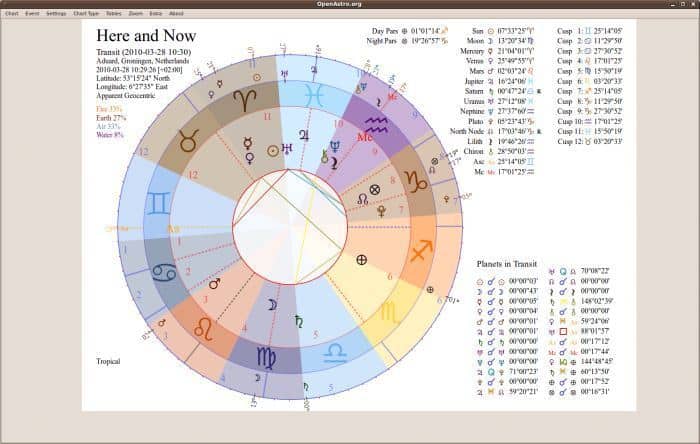
OpenAstro.org is an open-source application based on Python
programming language. Apart from showing horoscopes and natal
charts, it is an online astrology wiki. It has a beautiful user
interface that generates easy to use charts for the users. Some
Python libraries should be installed first to use this software on
any Linux machine.
Key Features of OpenAstro
- It can generate different types of horoscope charts, including
a radical chart, composite chart, transit chart, etc. - It can also show a solar return or secondary progression chart
according to one’s birth. - OpenAstro.org features an online atlas based on Google Maps
API, and the offline map library has more than 80,000 major cities
in the world. - This tool can export and save data as JPG, PNG, SVG, and other
easy to view formats. - It supports XML, DAT, SKIF, and ZDS formats for data
imports. - This tool has a huge library of Ephemeris files spanning 1800
AD to 2400 AD.
2. Cenon Astro
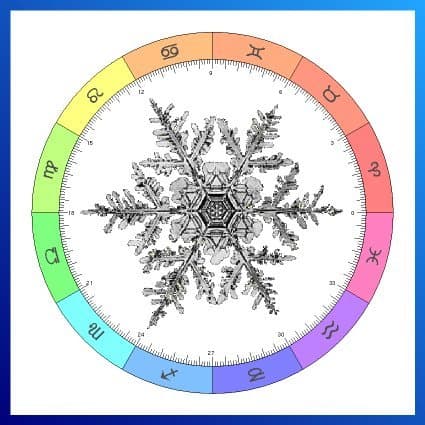
Cenon Astro is not a standalone tool. Rather it is a module for
the original Cenon software suite, which can turn it into a
powerful astrology tool. Because the vanilla Cenon is an
open-source graphical tool to work with vectors. It is considered
as the only astrology tool which can edit and recreate chart masks.
This tool was developed for the purpose of forecasting fractal
weather.
Key Features of Cenon Astro
- It has a built-in Astro Clock.
- This tool contains a full-featured event and birth charts.
- It can compare two events through the composite chart
functionality. - The information masks on the charts are fully editable via the
built-in graphic tool. - This tool can create vector-based astrological maps.
- It can output every data to the printers or plotters using its
advanced CAM tool. - This tool has a huge library of almost 25,000 major cities in
the world.
3. Skylender
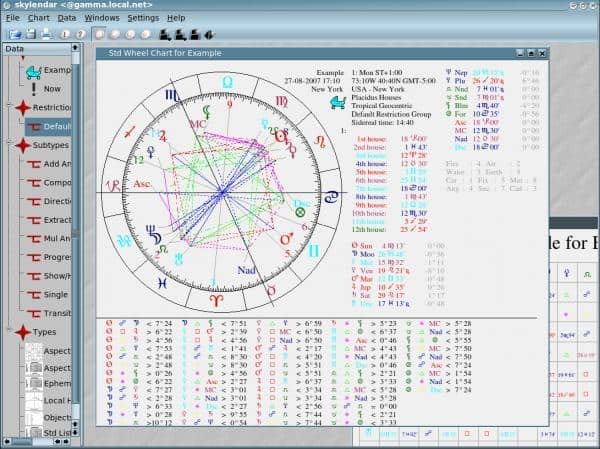
Skylender is a desktop application for Linux machines. It is
built upon the Swiss Ephemeris library for high precision data. It
features a modern user interface. The drag and drop, multi-windows,
animation, and SQL database features make it an astrology
powerhouse. The skeleton of the program is developed with the C++
language.
Key Features of Skylender
- The advanced wheel chart displays data up to four concentric
rings. - It has a standard list chart for viewing all the important data
at a time. - The PostgreSQL interface supports storing and retrieving of the
personal data. - It has a built-in printing tool that can directly print
necessary data. - This tool can save charts in vector-based uncompressed SVG
format. - Skylender can convert Astrolog or KAstrolog files to the SKIF
files.
4. Astrolog
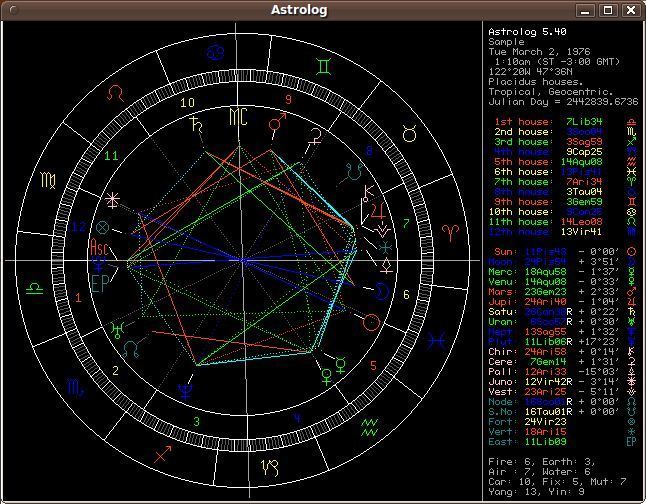
Astrolog is an open-source Linux astrology software. This
award-winning software is free of cost and available out there
since 1991. Just like all other astrology software, this tool can
create horoscopes, natal charts, and calculate current planetary
positions. It has a built-in library of celestial objects,
including some non-planetary virtual objects. This tool uses 14
different house systems for its astrological calculation.
Key Features of Astrolog
- This tool contains 8400 years of accurate ephemeris data.
- It can show 50 different fixed stars and animate them for
easier representation. - It has support for Indian subcontinental or Vedic format wheel
charts. - Astrolog can show secondary progression and solar arc
progression. - It can export charts in Bitmap and PostScript files.
- It can animate a rotating globe.
5. Maitreya
Maitreya is a tool for Vedic astrology. It is also good for
Western astrology. Hora Shastra is considered as the supreme
standard for Vedic astrology. This tool is based on Hora Shastra.
Apart from the classical Vedic astrology and Jaimini system, this
tool also supports the Uranian system. It contains a huge database
location for the atlas based on the creative commons license.
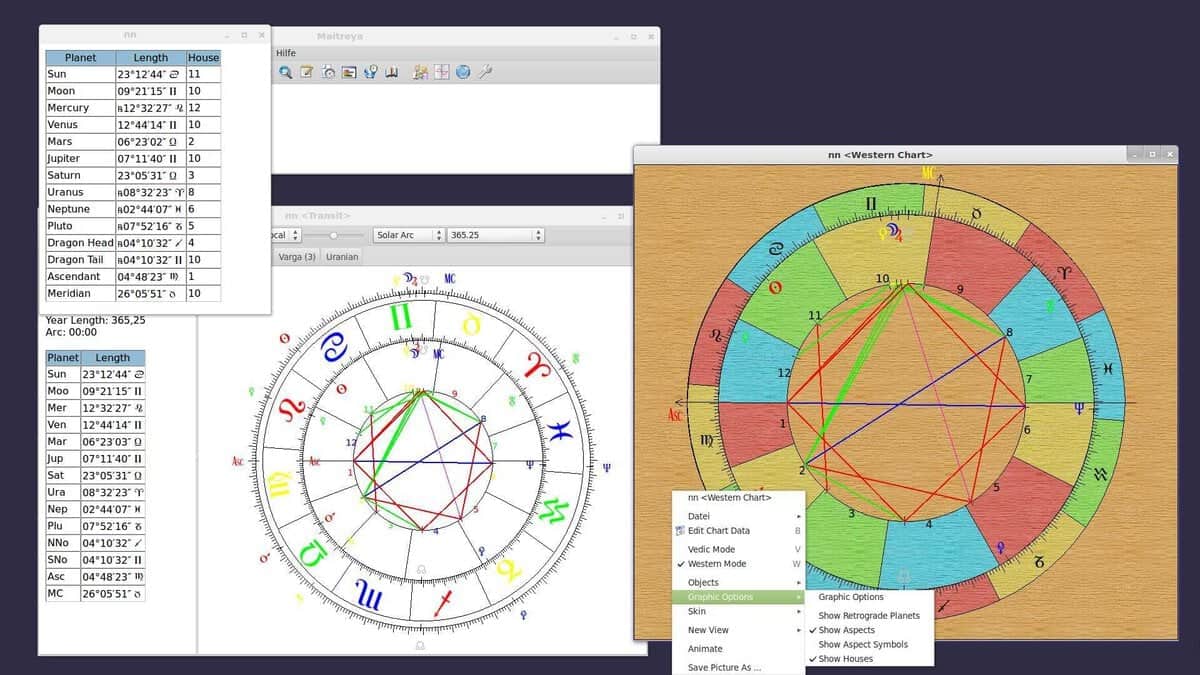
Key Features of Maitreya
- It has useful features for the professional Vedic
astrologers. - It supports different types of calculation methods, including
Upagraha, Kala Vela, and Jaimini system. - All the celestial objects in this software can be viewed either
in the Vedic system or in the Western system. - This tool supports the astrological scripting language.
- It supports Unicode for the Indian subcontinental
languages. - Maitreya is highly configurable and supports many keyboard and
mouse shortcuts.
6. Morinus
Morinus is a Linux astrology software. It is written with Python
language. This tool uses the Swiss ephemeris system for better
accuracy. This open-source tool is licensed under GNU GPL 3. This
tool offers a wide range of applications in the field of astrology,
including charts, progressions, celestial objects, location
databases, etc.

Key Features of Morinus
- It features ephemeris data spanning 5000 BC to 5000 AD.
- It has a huge library of geolocations.
- It uses 12 different houses for calculation.
- This tool can save and export horoscope charts in Bitmap image
files. - Morinus features up to 40 fixed stars for astrological
calculations. - This tool can visualize the charts in different themes.
7. SymSolon
Symsolon is an open-source astrology software for Linux. It is
highly inspired by Symbolon cards. You might be wondering what
Symbolon cards are! They are almost like tarot cards and are used
in fortune-telling. The deck consists of 78 cards containing
different images. This software prepares Symbolon card tables based
on the position of the celestial objects.
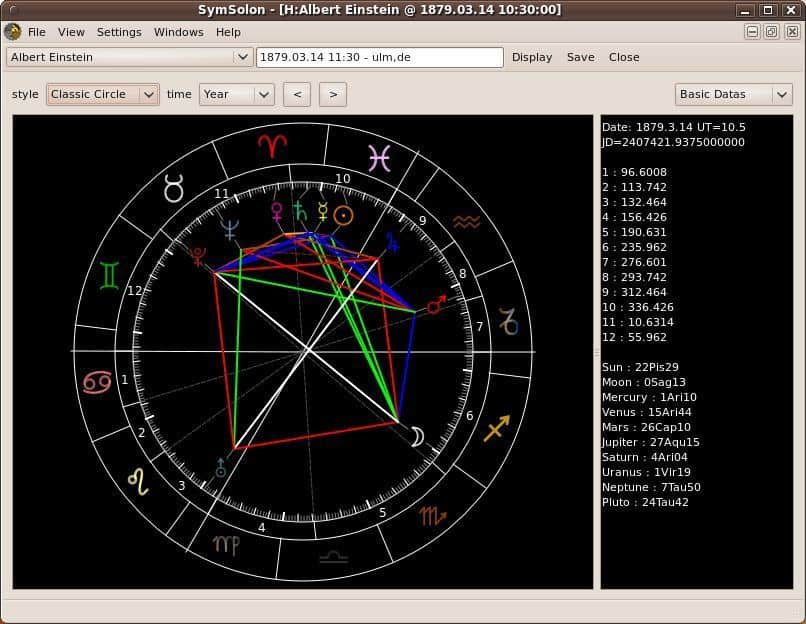
Key Features of SymSolon
- It features different types of representations, including the
classic view, Symbolon view, and transit view. - It can create a Symbolon table based on the position of
stars. - SymSolon has an advanced print function for direct
publishing. - It can render graphical charts.
- Though it is a Hungarian software, it has great localization
support.
8. Orboros
Orboros is yet another open-source astrology tool. This
Python-based program depends on the Swiss Ephemeris system for
planetary calculations. It has a large atlas database provided by
GeoNames.org. The large panel and flexible configuration system
allow you to use this software with ease. You will need to install
at least Python 2.5 to get this software running.
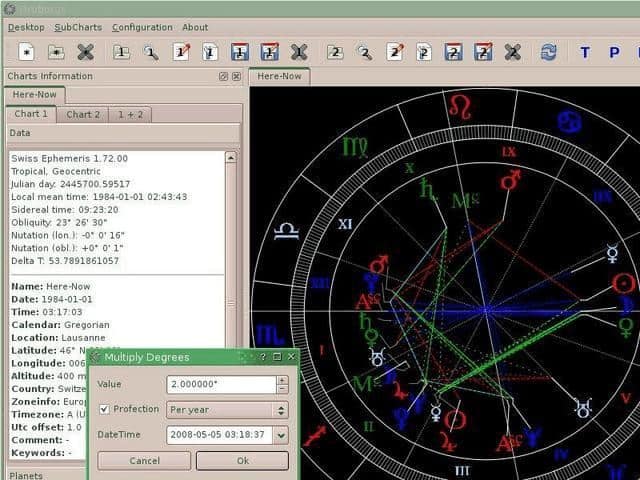
Key Features of Orboros
- This tool supports Astrolog and Skylender charts natively.
- It can search for locations online with the integrated atlas
database. - It has 300 fixed stars for planetary calculations, which is
rare in this type of consumer tool. - Users have the ability to extend the functionalities using
Python script. - Orboros can export and save the charts in PNG, JPG, SVG,
etc.
9. Kronux
Kronux is a free and open-source astrology software for Linux.
It is based on Python, and the compilation is pretty old. For this
reason, if you find it’s not working, then you should recompile it.
Otherwise, it is a very capable piece of software. You will get all
the essential astrology features built-in with this tool.
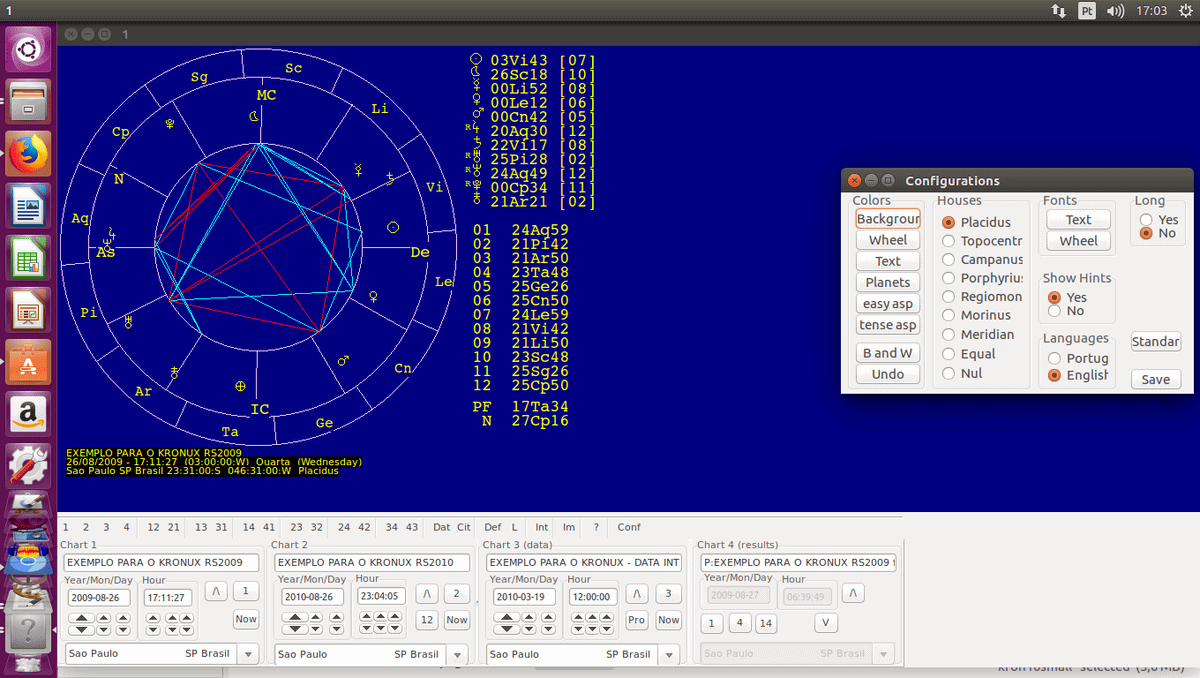
Key Features of Kronux
- It can show different types of lists and charts, including a
radix chart, transit chart, etc. - It features an easy to use configuration panel.
- Users have total freedom of customizing it with their own
taste. - This tool supports 9 different house systems for astrological
calculations. - It has a large collection of celestial objects.
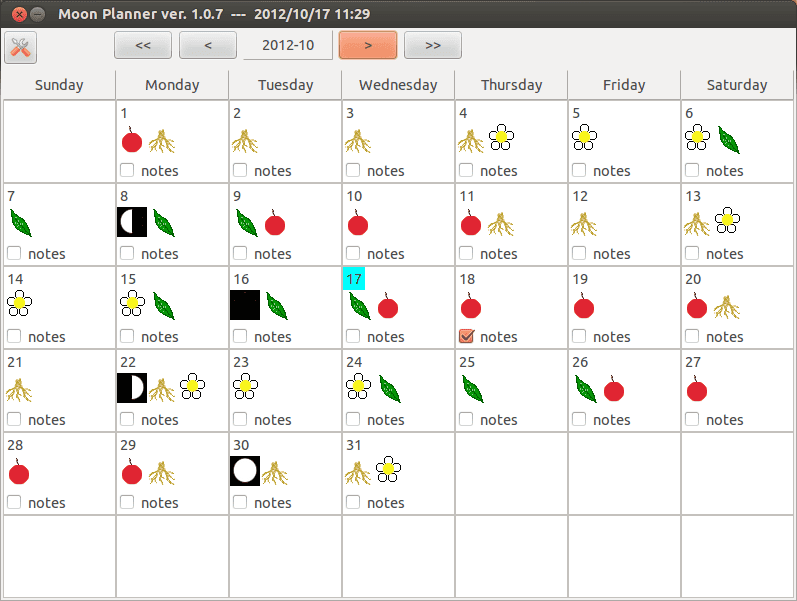
10. Moon Planner
Moon Planner is a Java-based calendar for Linux desktops. Though
it is not a typical astrology calculator, Moon Planner is very
helpful for the astrologers out there. It can show moon phases in
an intuitive way. Users need to install Java JDK 1.5 before
installing this tool.
Key Features of Moon Planner
- It can store notes for each day.
- The reminder function will remind you about the current day’s
notes on startup. - This tool supports various time zones and localizations.
- Moon Planner will provide you some astrology information as a
bonus feature.
Final Thoughts
Astrology is a branch of knowledge which needs patience and
practice. The computer software has made this thing easier. You can
easily master in astrology with the above-mentioned tools. Every
tool in this list has plenty of features. Some tools possess some
unique features. After reading the description of each tool, you
should be able to figure out which software will suit your needs.
Maybe there are some other good pieces of software which have been
excluded from the list. You can mention them in the comment section
below and let others know.
References
- ^
Top 20
Best Astronomy Software For Linux To Explore Space With
(www.ubuntupit.com) - ^
Get OpenAstro.org
(www.openastro.org) - ^
Get
Cenon Astro (www.cenon.info) - ^
Get
Skylender (sourceforge.net) - ^
Get Astrolog
(www.astrolog.org) - ^
Get Maitreya
(www.saravali.de) - ^
Get Morinus
(sites.google.com) - ^
Get
SymSolon (sourceforge.net) - ^
Get Orboros
(pypi.python.org) - ^
Get
Kronux (sourceforge.net) - ^
Get
Moon Planner (sourceforge.net)
Read more https://www.ubuntupit.com/best-linux-astrology-software/