Google on Wednesday officially rolled out support for passkeys,
the next-generation authentication standard, to both Android and
Chrome.
“Passkeys are a significantly safer replacement for passwords
and other phishable authentication factors,” the tech giant
said[1]. “They cannot be reused,
don’t leak in server breaches, and protect users from phishing
attacks.”
The feature was first announced[2]
in May 2022 as part of a broader push to support a common
passwordless sign-in standard.
Passkeys, established by the FIDO Alliance and also backed by
Apple and Microsoft[3], aim to replace standard
passwords with unique digital keys that are stored locally on the
device.
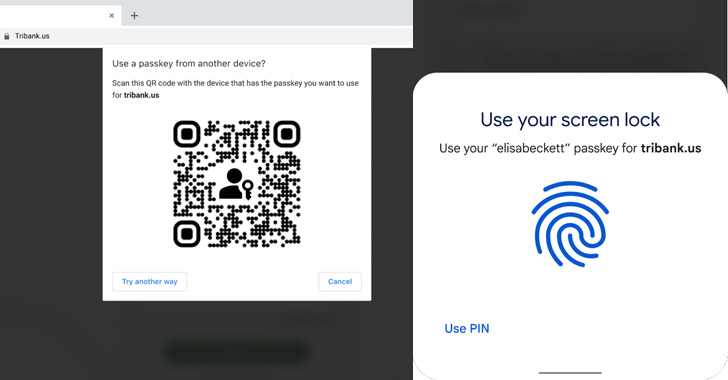
To that end, creating a passkey requires confirmation from the
end-user about the account that will be used to log in to the
online service, followed by using their biometric information or
the device[4]
passcode[5].
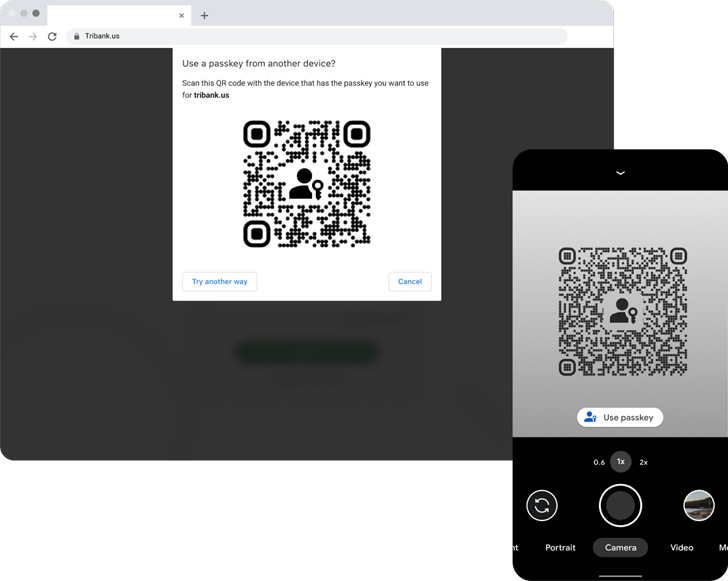
Signing in to a website on a mobile device is also a simple
two-step process that entails selecting the account and presenting
their fingerprint, face, or screen lock when prompted.
The most compelling advantage to Passkeys is that they are also
browser and operating system-agnostic, meaning an Android user can
log in to a passkey-enabled website using Safari on iOS or macOS,
or the Chrome browser on Windows.
Google also noted that the generated passkeys are securely
stored and synced to the cloud via its Password
Manager[6] to prevent lockouts,
adding developers can integrate passkey support on their sites
using the WebAuthn API.
The internet giant further said that it aims to release an API
for native Android apps in 2022 that will give users a standardized
way to select either a passkey or a saved password.
References
- ^
said
(android-developers.googleblog.com) - ^
first
announced (thehackernews.com) - ^
Apple
and Microsoft (fidoalliance.org) - ^
device
(support.google.com) - ^
passcode
(support.apple.com) - ^
Password Manager
(passwords.google.com)
Read more https://thehackernews.com/2022/10/google-rolling-out-passkey-passwordless.html