Even years ago, Chromebook was considered as an obsolete form of
the laptop whose tasks were only confined to browsing online,
checking emails, streaming low-quality videos, and playing low-end
games. With the advent of the latest technology, as well as, at the
users’ behest, the Chromebook has finally turned into a formidable
piece of device to all the users with a transformation from
clamshell design to sleeker or even opted for 2-in-1 design.
Customers were deterrent of splurging money in buying Chromebook, whereas they had the
option to buy high-end laptops like MacBook or Windows. However,
with the rise of the demand for using Chrome OS, particularly when
Android and Linux incorporated with it, suffice it to say that
Chromebook has garnered huge attention. The recent Chromebook will
align with other laptops not because of their affordable price, but
also for their durability, multitasking, and sublime battery
life.[1]
Best Chromebook Laptops in
2020
I am going to review on top 15 best Chromebook based on Chromebook for students[2], kids, touch-screen,
affordable price, light-weight, and the fastest processor.
Chromebook for students require firm durability and low-costing,
whereas Chromebook for kids requires anything that will be
resistant to damage. Cheapest Chromebook will be cheaper compared
to its powerful competitors, whereas the fastest ones will be
accountable for long battery life and number of cores.
1. Google Pixelbook
Go
CPU: Intel Core m3-Intel Core i7 |
RAM: 8GB-16GB | Graphics: Intel
UHD Graphics 615 (built-in) |
Display: 13.3-inch with 1080p touch screen,
Full HD (1920×1080) | Weight: 2.3 pounds |
Storage: 128GB-256GB (either eMMC or SSD)
+ Ultra-thin design, lightest Chromebook (2.3 pounds)
+ Outstanding battery life
+ Super quite ‘Hush’ Keyboard
+ Bright and Colourful display with built-in touch screen
– Limited port availability
– Quite expensive for the mid-to-high-end ranges
– The touch screen is sticky, and the cursor gets shaky
– Unavailability of Biometric login
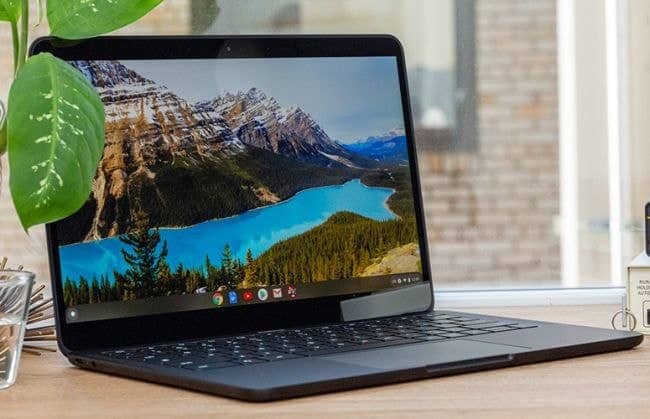
Google has always remained persistent in keeping its
own-manufactured Chromebook innovative. Therefore, Google Pixelbook
Go is not an exception. This clamshell laptop, which neither can be
folded into a laptop nor tablet for its inconvertible structure,
has superseded the fame of its predecessor Google Pixelbook for its
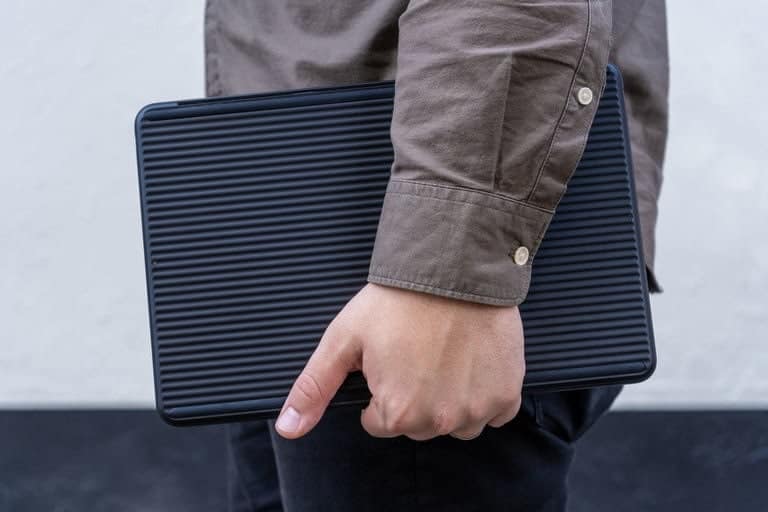
originality and robust features. With a thickness of 0.5 inches and
weight up to 2.3 pounds, this magnesium-fitted body, coupled with
reverberated-base, is easy to handle and move.
 The formidable strength of the battery of the
“Pixelbook Go” stand-alone any recent laptops in the market. The
battery showed terrific response by lasting between 11 hours and 15
to 30 minutes as promised righteously by Google. Moreover, a
twenty-minute charge can supply a power of 2 hours standby. One of
the phenomenal features is the addition of ‘Hush Keyboard’ that
allows you to use the keys silently without making a clicking
noise. The keyboard has a hidden backlit option.
 With 8GB
RAM and Intel Core i5-8200Y processor, this Chromebook can
spontaneously keep 30 Google Chrome tabs open as well as run five
1080p YouTube videos concurrently. Thus, making this Chromebook as
one of the fastest Chromebook in this genre. However, the
touchscreen feature is not perfectly formulated and has only 2
scant USB-C ports for external output. The astonishing features
were the addition of 1080p webcam and the dual front-firing
speakers for a better video and immersive sound, respectively.
However, the abrupt missing of biometric fingerprint lacks
subtlety.
2. ASUS Chromebook Flip
C434
CPU: Intel Core m3-8100Y, (i5 and i7 will
be arriving soon) | RAM: 4GB-8GB |
Graphics: Intel UHD Graphics 615 (built-in) |
Display:14.0-inch with 1080p touch screen, Full HD
(1920×1080) | Weight: 3.1 pounds |
Storage: 64GB-128GB (eMMC)
+Thin display bezels
+Amazing bright and vivid display with 14-inch touch screen
+Well-performed keyboard
+Backlit option for typing at night
+Above average touchscreen
+Longstanding battery life
+Balanced performance
– Speakers are poorly downward-facing, the sound gets blocked and
muffled
– Very poor durability if dropped from a certain height
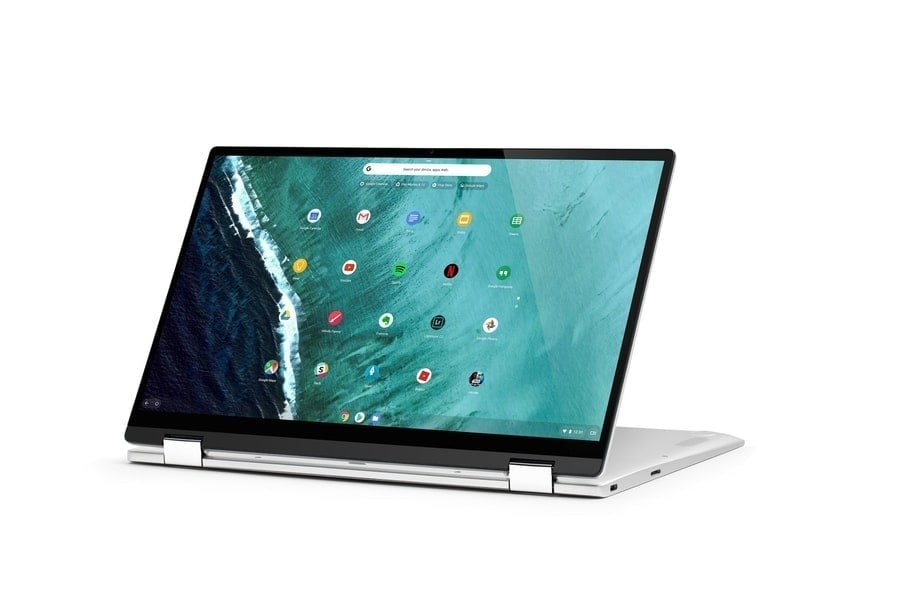
Asus Flip C434 is one of the best Chromebook which evolved
brilliantly as a successor to the previous version C302CA. This
2-in-1 Chromebook with its massive 14-inch screen has been
surrounded by very thin-skinned bezels that are perfect enough to
enjoy the film or any video in a larger frame. With a
screen-to-body ratio of 87%, brilliantly paired with three bezels
around the screen can easily fit this vast display into its compact
chassis.
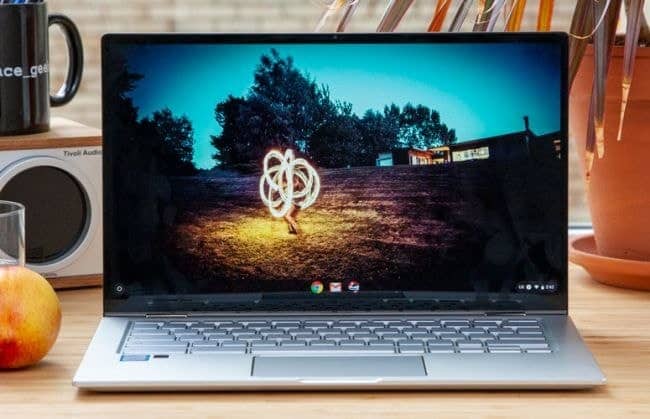
 Flip C434
offers an incredibly bright and vivid display, which is even more
enhanced and improved compared to its predecessor, Clip 302CA. C434
scored 93% in the sRGB color gamut test, which is above the passing
score (83%) and superseded 302CA (76%). In terms of brightness,
Flip C434 turns out more gleaming than the average Chromebook (235
nits) with 286 nits but lags behind Chromebook x2 and Flip
C302CA.
 The
The
touchscreen performs well when moving fast to and fro both in
laptop and tent mode. A keyboard is another finest addition to its
value. The keys are large and spaced adequately to help you type
smoothly. Trackpad trembles a bit but responds quickly as you
command. With m3-8100Y CPU and 4GB of RAM, this fastest Chromebook
manages to run 18 Google Chrome tabs, including 3-4 1080p YouTube
videos streamed in the background spontaneously.
The battery’s life was remarkable, with a duration up to 9:58
hours surpassing Chromebook Pro (8:05) and Chromebook x2 (8:50).
However, the sound quality was subpar as the sound emitted from the
down-facing speakers were muffled. This Chromebook needs special
caring and attention as the durability of Flip C434 is terrible.
Dropped from 2-4 feet on a concrete or carpet results in severe
damage to the body and the breakdown of keys and screen.
3. Lenovo Yoga Chromebook
C630
CPU: Intel Core i3-8130U-Quad-core Intel Core
i5-8250U | RAM: 8GB | Graphics:
Intel UHD Graphics 615 (built-in) | Display:
15.6-inch with 1080p touch screen (4K option available), Full HD
(3840×2160) | Weight: 4.1 pounds |
Storage: 128GB (eMMC or SSD)
+Powerful performance due to range of processor from Intel Core
i3 to i5 processor
+Variety of ports
+Elite aluminum chassis which is rigid and hard
+Backlit light varies from manufacturer
+Touch display is precise and responsive
– Heavy (4.1 pounds) and big
– Average keyboard, keys are a bit stiff
– The display is less bright, and 4K display is not up to the
mark
– Very poor battery especially in 4K mode
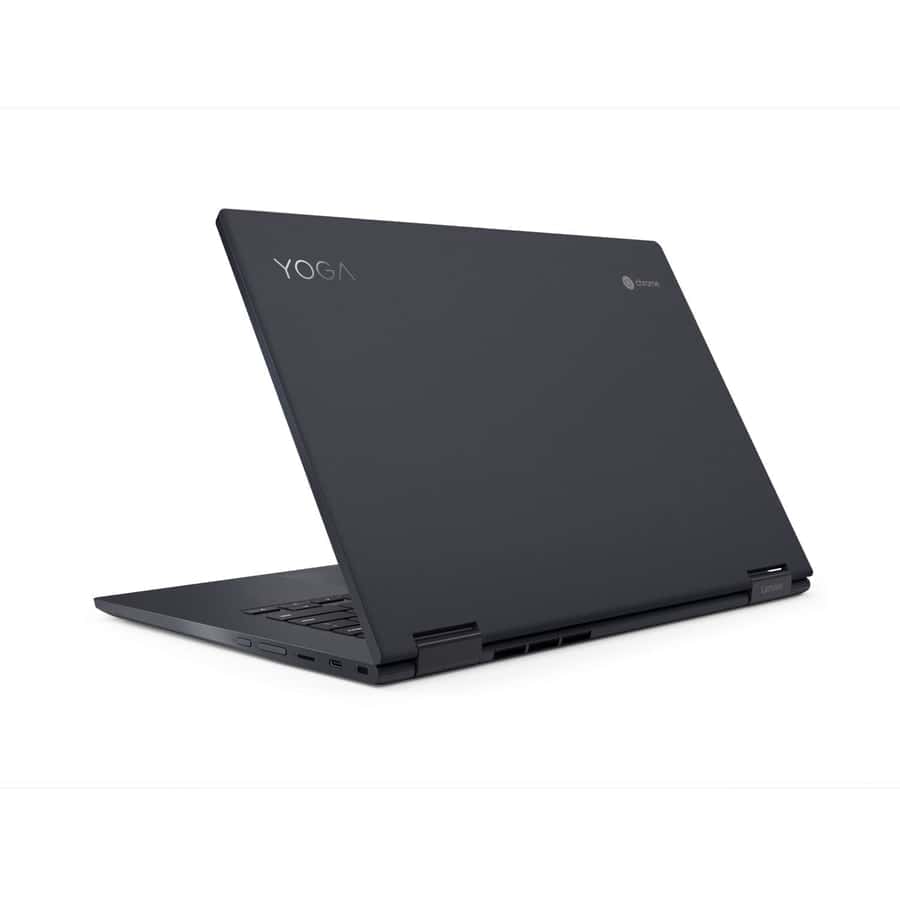
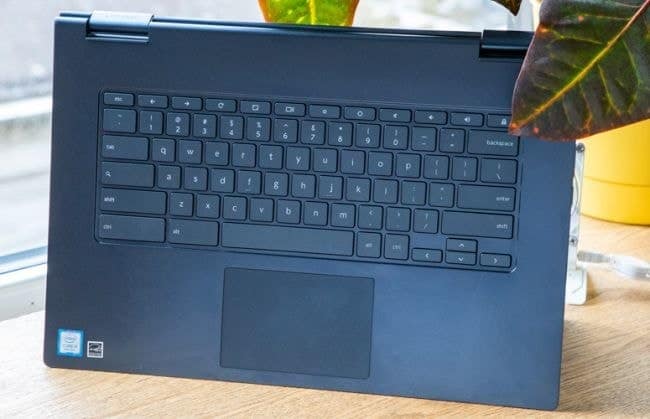
This understated and elegant Chromebook is made of an elite form
of aluminum that gives extra resistance to fortify any damage.
Besides, it is devoid of any form of creaking. With the help of a
sturdy 360-degree hinge, you can flip the keyboard off to turn it
into tab mode or laptop mode. Having multiple ports, including one
USB-C in each side, one USB 3.0, and a headphone jack in the right
side, help you get connected to any source.
 The
The
omnipotent performance of the U processor of this fastest
Chromebook is worth looking for. With this CPU, it can open 23
Chrome tabs with 2 YouTube videos and additional two tabs streaming
videos on Twitch without stuttering. It showed a versatile
performance in benchmark and JetStream JavaScript test, overtaking
Pixel Slate and Pixelbook. U series processor of C630 resembles the
proper laptop grade, whereas the Y processor used in Pixelbook is
destined to serve low-power Chromebook with no presence of
fans.
 Yoga C630
introduced the world’s first 4K display in their Chromebook,
listing it on the top 20 best Chromebook. Alas, both 1080p and 4K
display show latency in their brightness and color. In both the
sRGB color gamut and brightness test, it failed to show its
potentiality for bringing out the outstanding brightness. The
battery life for 4K is too short to sustain longer than 6:53 hours,
which shows that it compromises its superiority to Pixelbook and
Pixel Slate.
4. Google Pixelbook
CPU: Intel Core i5-7Y57 & i7 of M series |
RAM: 8GB-16GB | Graphics: Intel
HD Graphics 615 (built-in) | Display: 12.3-inch
with LCD touch screen, Full HD (2400×1600) |
Weight: 2.4 pounds | Storage:
128GB-256GB (either eMMC or SSD)
+Sublime design
+Full Android support
+Option for the Stylus pen
+Perfect battery life
+Lightest Chromebook
+Brilliant performance
+Vivid and luminous display
+Awesome keyboard
– Scant ports
– Stylus sold separately
– No biometric login
– Very expensive
– Speakers located underneath the keyboard, poor sound
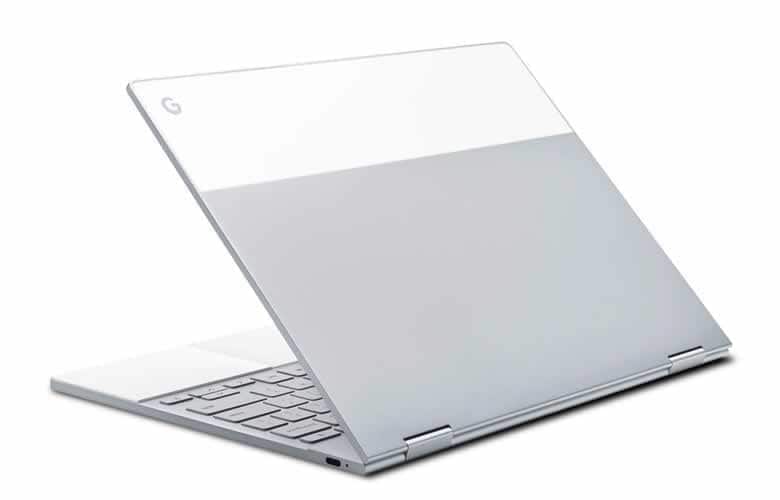
Pixelbook came to limelight of best Chromebook by subordinating
any other dominating Chromebook or Laptop with its ravishing
beauty, as well as its versatility. It is one of the few Chromebook
that has this stylish look for its combined brushed aluminum frame
with rubberized palm rest structure. Rubberized palm rest ensures
that your device, while on the lap, won’t slip off, and your palm
won’t let go of the device due to excessive sweating.
 The key
part of the Pixelbook is its superb performance, which requires
little input of power due to its M series processor. Both i5
dual-core processor with a 4MB cache (3.3Ghz) and Chrome OS
together can outnumber MacBook Pro or Windows Surface. It made a
score of 140 in the JetStream JavaScript benchmark, which turns out
highest for any high-end Chromebook. The Pixelbook won’t even
plunge when 20 tabs are open with 1080p YouTube videos are being
played. Surely, this can beat the other fastest Chromebook in
2020.
 Pixelbook’s
keyboard is another milestone for this Chromebook. The spacious
distance between keys to keys with 0.8mm travel is easy to enjoy
typing. Glass trackpad is swift and very responsive to single and
multi-touch gestures. The backlit keys with its satisfying clicking
sound help you type without derailing from the keyboard. Besides,
it can produce 235 PPI with perfect color accuracy, which means
that you can enjoy any video of any resolution at 2400×1600
pixels.
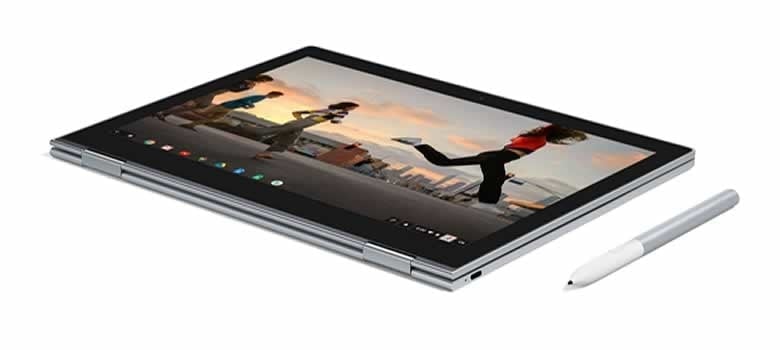
Pixelbook is undoubted, an expensive Chromebook to date. The
stylus pen is also excluded from its original price, but it is
worth buying it separately. The amazing touchscreen responds very
elegantly underneath this pen. A button on the pen navigates you to
the Google Assistant option. However, Stylus runs with
non-rechargeable AAAA batteries and too bulky to erase anything.
Besides, the battery lived for 7:40 hours, which is quite
impressive, but not as Google promised (10 hours).
5. HP Chromebook x2
CPU: Intel Core m3-7Y30 | RAM:
4GB | Graphics: Intel HD Graphics 615 (built-in)
| Display: 12.3-inch QHD
(2400×1600) | Weight: 3.1 pounds (keyboard
attached) | Storage: 32GB (either eMMC or SSD)
+HP x2 includes keyboard and active pen with its original
price
+Elegant Ceramic white portion for maximum durability
+Bang & Olufsen premium speakers for excellent sound
+Amazing crisp and brightness with higher resolution
+Accurate and excellent response of the touchscreen
+Abundance of ports
+Outstanding typing experience with keyboard
– Backlit missing
– x2’s display wobbles a tad
– Heavy with the keyboard attached
– Thick bezels
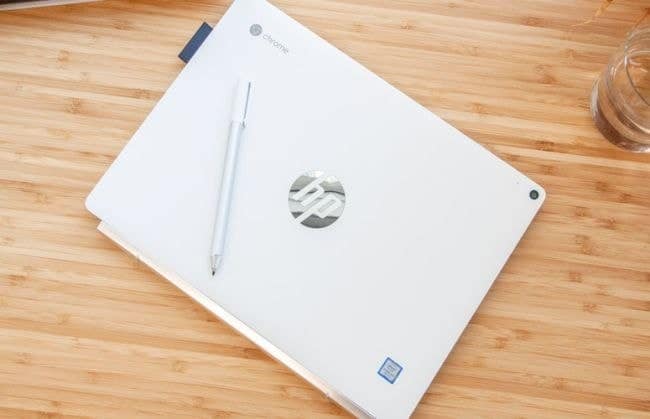
x2 is the perfect example of how the latest Chromebook should be
presented. Although it is a light-weight Chromebook with 1.62
pounds but gains weight by being magnetically attached to a
keyboard. Its exterior is coated with a ceramic-white portion that
uses anodized electrodeposition to provide extra strength and
durability. It’s filled with a decent number of ports such as; 1
USB-C in both sides, microSD in the left, and 3.5mm audio jack in
the right.
 Chromebook x2 offers a decent-quality resolution
(2400×1600), backed up by luring brightness and sharp display.
Thank Gamma technology HP uses, which adjusts the
color-distribution during the dark scenes. It surely provides one
of the best displays as same as Pixelbook and Surface Pro. The
exceptional touchscreen is the main reason for it to be the best
Chromebook in 2020. It responds immediately as you move up, down,
or flick multiple tabs without freezing. Chromebook x2 is the elite
example of what qualities the best touchscreen should possess.
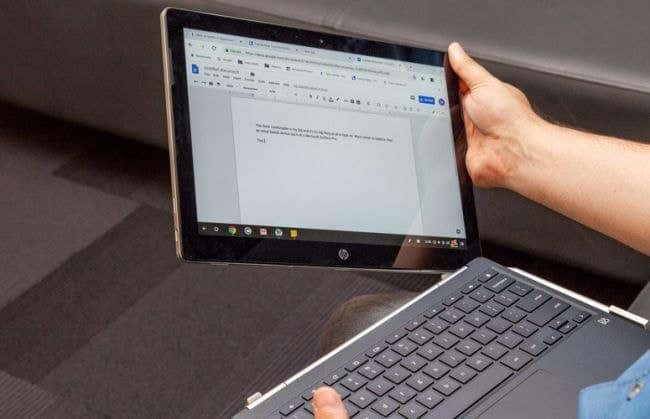 With the
keyboard attached magnetically, the little-heavy screen wobbles a
bit on a keyboard. Thick bezels surrounding the screen are never
expected in this big-budgeted Chromebook as the resolution cannot
be enjoyed to its fullest. However, you will get a pen inclusive to
this price with which you can write, draw, or command through
Chrome OS. Chromebook x2’s keyboard offers an immense pleasure of
typing at any given posture, so does the touchpad.
6. Google Pixel
Slate
CPU: Intel Celeron, Intel Core m3-Intel Core
i5-8200Y & i7 | RAM: 8GB-16GB |
Graphics: Intel UHD Graphics 615 (built-in) |
Display: 12.3-inch with LCD touch screen, Full HD
(3000×2000) | Weight: 1.6 pounds without
keyboard and 2.9 pounds with keyboard | Storage:
64GB-256GB (SSD or eMMC)
+External storage option
+Elegant design
+Very impressive touchscreen
+Handwriting recognition
+Incredible battery life.
– Loss of Bluetooth connection
– Poor graphics and performance
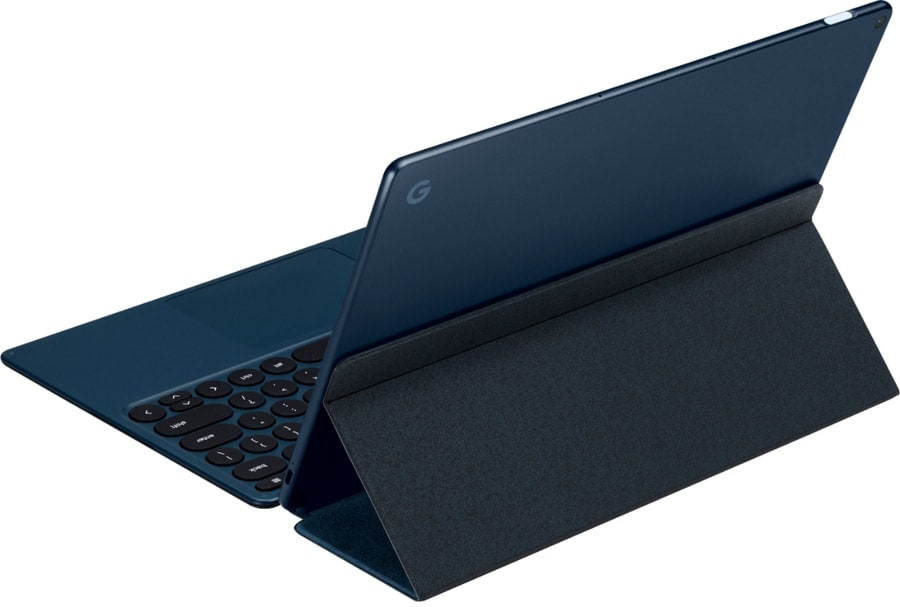
Not only Pixel Slate fits seamlessly in the modern corporate
offices due to its ambient dark Midnight Blue body, but also, it’s
anodized aluminum chassis is strong enough to withstand any force.
The 12.3-inch display can produce a great detail of color, as well
as a resolution at about 3000×2000. The brightness is spectacular
when viewed from decent angles. It has probably one of the best
touchscreens which skim through Google Doc or anything quite
spontaneously without any halt. Without the keyboard attached, this
massive functional device weighs around 1.6 pounds. Hence, it is
the lightest Chromebook indeed.
 Its
Its
touchscreen is one of the best touchscreens which response
tremendously fast to any swipe-up gestures. However, it sacrifices
its performance to the JetStream test with a score of 146.84 behind
Surface Pro 6 and iPad Pro. Games[8]
involving high-end graphics like PUBG undergo stuttering in this
Chromebook. With a lot of ports, USB 3.0 adapter can be connected
to Type-C port to identify any external storage, and it will
recognize the device and transfer data, unlike most Chromebook or
iPad.
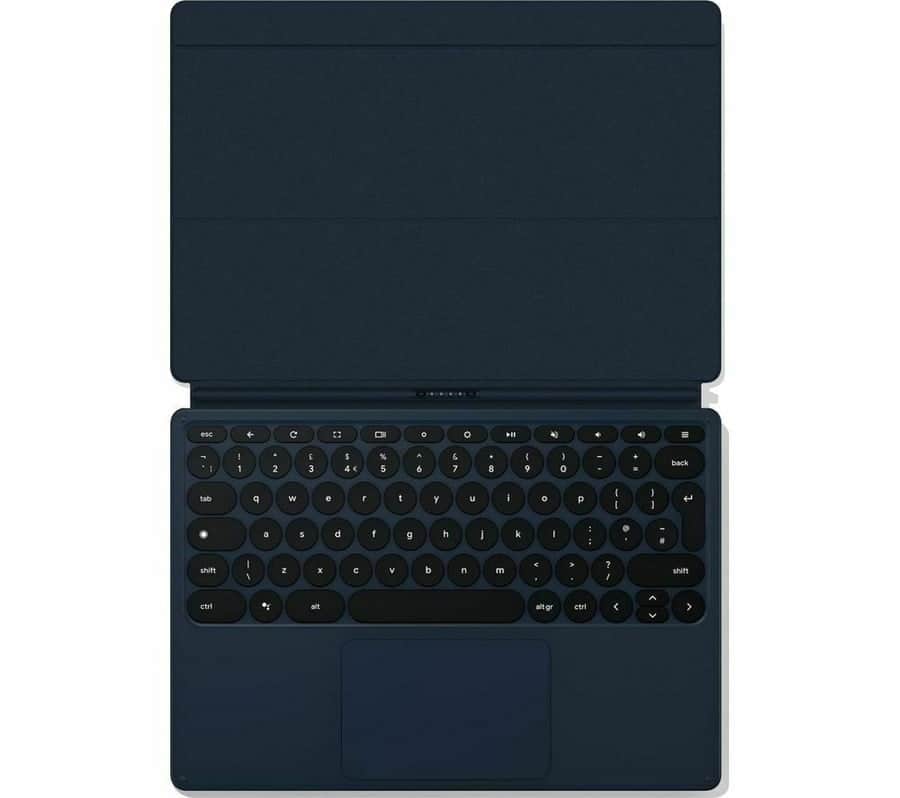 Al, Pixel
Slate’s Google assistant, recognizes your handwriting and
transcribes your handwriting into any note-based apps. This unique
feature enables it to be listed in the best Chromebook list without
any doubt. You can also circle on an image, and it can bring out
the best possible outcomes. However, Bluetooth seems to disappear
quite frequently in certain headsets, according to Google
representatives. The headphone and keyboard cannot get hold of
Bluetooth for longer if used together.
7. Acer Chromebook Spin
311
CPU: Intel Celeron N4000 |
RAM: 4GB | Graphics: Intel UHD
Graphics 600 (built-in) | Display: 11.6-inch with
HD touch screen (1366×768) | Weight: 3.3
pounds | Storage: 32GB-64GB (eMMC or SSD)
+Multiple ports
+Amazing flip mechanism
+One of the best touchscreen
+Easy and responsive touchpad and keyboard.
+Gorilla glass protection
+Affordable
– Thick bezels
– No biometric login
– Unbalanced color and contrast
– Quite bulky compared to its screen size
Acer is always known for its versatility and creativity when it
comes to applying them from longer battery life to ergonomic
design, metal, robust flip mechanism, and touchscreen mechanism.
Being made from Gorilla glass, Spin 11 doesn’t impede the
performance of touchscreen as it responds brilliantly when swiped
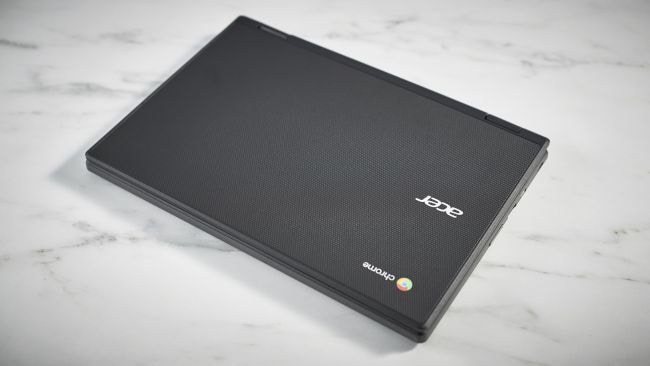
in any direction more easily. Crafted with a diamond-print panel on
a matte-black chassis, especially on the top and bottom, ensures
that it owns the highest durability.
 Flipping
mechanism is worth noticing as the touchscreen flips so smoothly
behind the hinges to transform into a tent mode that the keyboard
gets automatically disabled so that your accidental touch or type
on the screen won’t lead to any unnecessary mishaps while watching
Netflix or documentaries in a tablet mode. You will get to see a
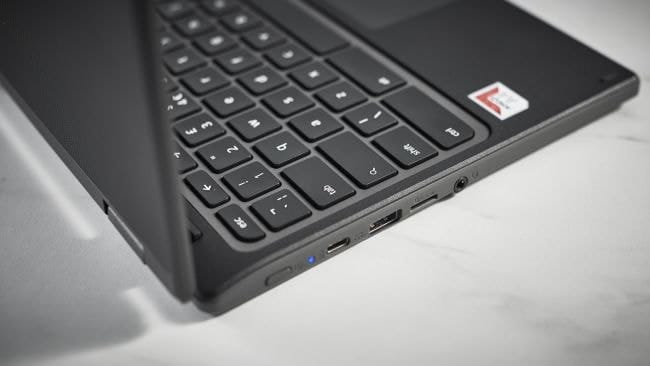
decent number of ports uniformly distributed, such as; 2 USB-As, a
MicroSD slot, an audio jack, and 2 USB-Cs.
 One of the
most tempting features is its battery, which lasts more than 8
hours and takes only 2 hours to get fully charged. However, bulky
bezels surrounding the screen create more difficulty in watching
anything bigger as the resolution is already poor. It is devoid of
biometric login same as Pixelbook. The color and contrast don’t
match up properly as too often; the brightness needs to be
increased to get decent detail of the picture.
8. Acer Chromebook Spin
11
CPU: 1.1-2.6GHz Intel Celeron N3350 |
RAM: 4GB | Graphics: Intel HD
Graphics 500 (built-in) | Display: 11.6-inch with
full HD touchscreen and IPS display (1366×768) |
Weight: 2.96 pounds | Storage:
32GB (eMMC)
+Very sturdiest body, perfect for younger students
+Lots of ports
+Gorilla glass protects the screen
+Affordable price with a stylus included
+Good battery life
– Subpar sound quality
– Dim display with less brightness
– Android apps dysfunction
Modern Chromebook never excludes students from their lists
because students often search for a Chromebook that is cheap,
portable, resistant, and stylish in design, and fortuitously, Spin
11 has to offer a lot. If not highly decorated or superbly-built,
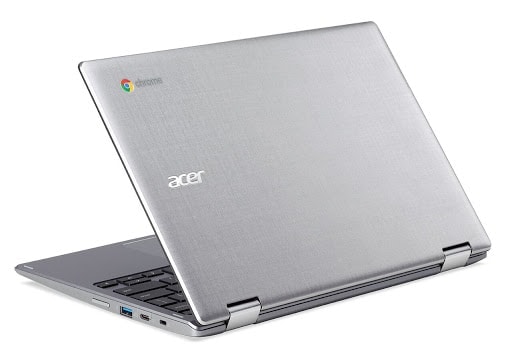
this understated Chromebook has plastic cover all over the body
surrounded by silver cross-hairline patterns. Hence, it is
sturdiest enough to withstand any damage, together with a strong
touchscreen made of Gorilla glass. Therefore, the screen doesn’t
wobble.
 Both keyboard and touchpad perform decently when used all day
long, mainly in your educational institution or for your coursework
or dissertation. Students’ fingers don’t lay off from the keyboard
since the keys are well-spaced and big enough to type. Touchpad
also responses well and quickly. However, clicking on the touchpad
is cumbersome as you have to press harder to get the outcome.
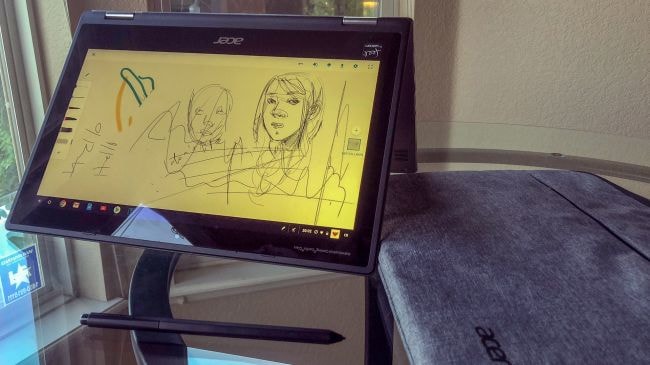
However, getting stylus included in the main price-tag is an extra
advantage.
 The performance
of this cheap laptop is apparent to the Chromebook fans. You can
easily open 13 tabs with three 1080p YouTube videos running in the
background along with a game running at the same time without a
hitch. However, the display lacks proper brightness and often gets
grainy and pixelated. The lacklustre speakers will not produce any
soothing sound. Some Android apps seem to down perform in this
Chromebook due to their compatibility and optimization issues.
Despite all of these drawbacks, Spin 11 has achieved the title of
the best Chromebook for students to provide all the comforts they
need.
9. Samsung Chromebook
3
CPU: 1.6Ghz Intel Celeron N3060 |
RAM: 2GB-4GB | Graphics: Intel HD
Graphics 400 (built-in) | Display: 11.6-inch, LED
display (1366×768) | Weight: 2.5 pounds |
Storage: 16GB-32GB (eMMC)
+Plastic-built chassis for durability
+Easily portable
+Cheapest
+Powerful display with huge brightness
+Longer battery life
+Awesome graphics performance
– Inferior sound quality
– Awkward buttons layout
– Bottom gets warm
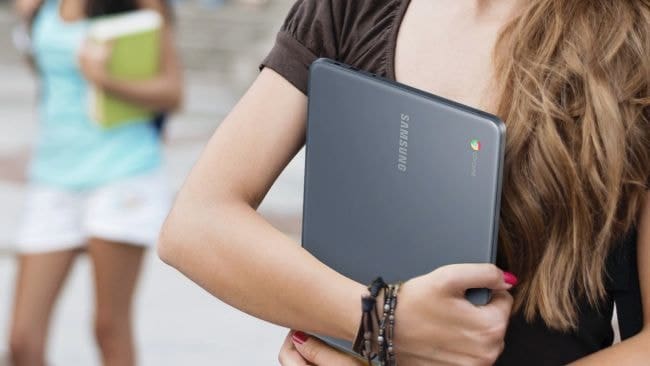
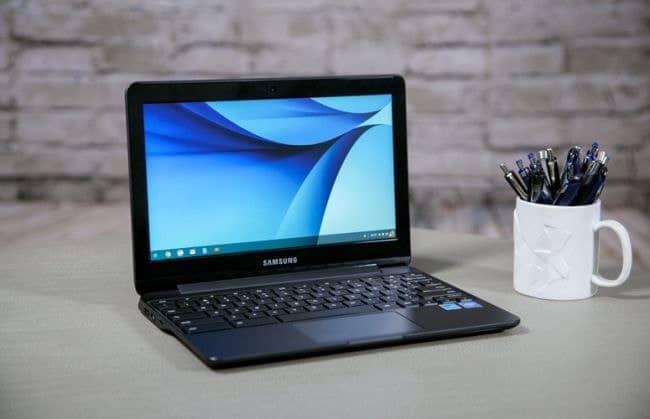
Samsung Chromebook 3 has every reason, ranges from classy
design, portability, excellent graphics to perfect brightness to
become a demandable Chromebook. Made from the plastic, the
Chromebook with its elegant “metallic black” along with
silky-smooth palm rest gives huge protection against any hit, as
well as, makes It rather easy to fit in your palm. A rigid hinge
with an ability to flip the display to 180-degree exempts the
keyboard from any flexing.
 Even in
the Chromebook drop test, Samsung Chromebook 3 showed enormous
durability even fallen from a height between 2.5 feet and 4.5 feet
on a carpet. Astonishingly, the Chromebook didn’t even have any
sign of wear. With the same processor with 4GB of RAM and 32GB
storage, it manages to keep 10 browsers open while allowing editing
in Google Docs and playing YouTube videos. Intel Graphics performed
tremendously good by rendering 2000 fish at 23fps.
 Even
Even
Chromebooks’ integrated Intel HD Graphics 400 can put up with some
of the most high-end games and apps spontaneously. The wonderfully
engineered battery lasts nearly 10 hours, and Samsung further
claims that this battery doesn’t drain steeply over the years,
unlike other batteries. Chromebook 3, as one of the best Chromebook
for students, has a poor layout of the keyboard as the backspace
button underneath the power button often pushes fingers and shuts
the whole device.
10. Dell Chromebook
3189
CPU: 1.6GHz Intel Celeron N3060 X2 |
RAM: 4GB | Graphics: Intel HD
Graphics 400 (Braswell) | Display: 11.6-inch with
IPS touch screen (1366×768) | Weight: 3.16
pounds | Storage: 32GB-64GB (eMMC or SSD)
+Outstanding durability
+Incredible battery life
+Solid audio performance
+Touch screen is responsive
– No USB-C port
– Very poor performance
– A tad heavy
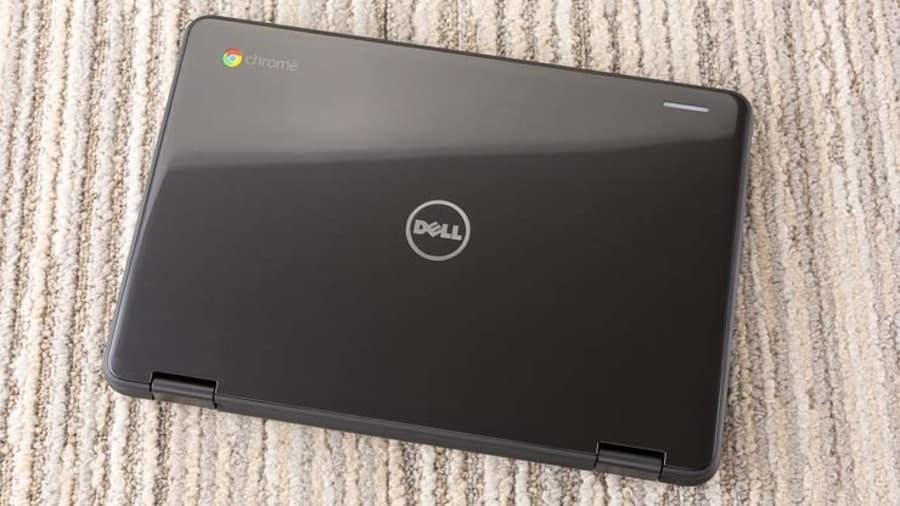
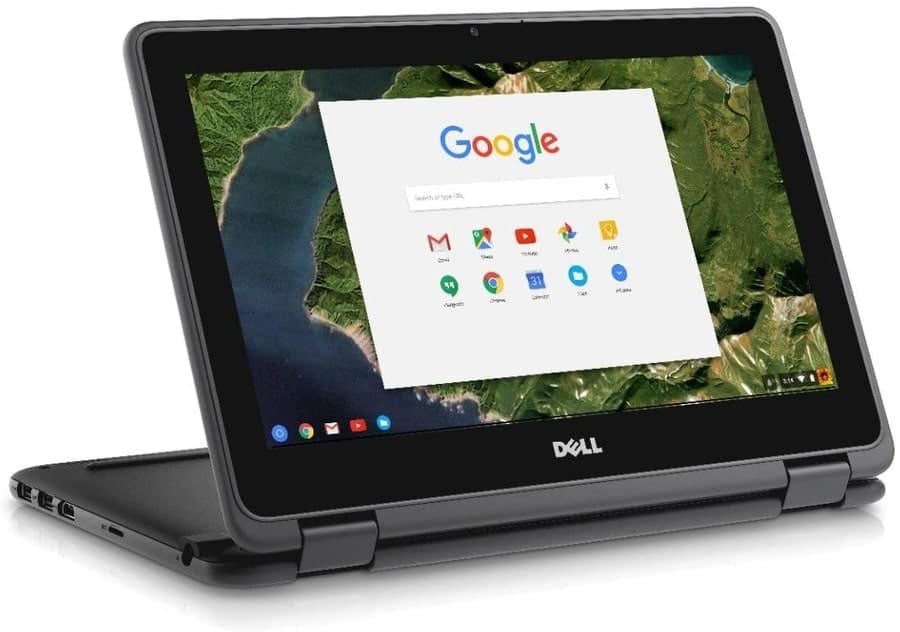
Dell products always come with perfection, and Dell Chromebook
3189 is not an exception. With an affordable price, Dell offers a
rugged-chassis that is built up of black polycarbonate metal. This
body was tested by MIL-STD, which guaranteed that it could
withstand any harsh temperature, sand, dust, vibration, or any
sudden dropdown from 30 inches onto a wooden floor. The rubberized
edges, as well as two rubber strips at the bottom, avoid any
sliding. The reason it is deemed to be one of the best Chromebook
for the students is due to its ability to adapt to any adverse
condition, which is more like to be the cases for the students.
 Although one of
the most appealing Chromebook from Dell is not equipped with HD
display, its average 1366×768 resolution without the aid of HD puts
the N3060 processor at ease results in, it can render a better
performance but still not up to the mark. However, this doesn’t
suppress the quality of the display as the display can produce a
better quality of the image, which is perfect. The touchscreen is
decent and very responsive.
 The 42WHr
permanent battery located behind the chassis can supply the
Chromebook for 11:30 hours, which is outstanding and longer than
Asus Flip (10:23). The absence of HD helps prevent the draining of
the battery. Therefore, it serves the purpose of the educational
usage of this device. However, the opening of more than 3 tabs with
a streaming video can lead to a severe lagging, and there is no
USB-C port that lacks subtle connectivity.
11. Lenovo Chromebook
C340
CPU: 1.1GHz-2.6GHz Dual-core Intel Celeron
N4000 | RAM: 4GB | Graphics:
Intel UHD Graphics 600 (built-in) | Display:
11.6-inch with IPS touch screen (1366×768) |
Weight: 2.65 pounds | Storage:
32GB-64GB (eMMC flash storage)
+Very cheap
+Attractive two colors
+Good touchpad
+Longer battery life
– Dull performance
– Poor strength
– Low-resolution display
– No backlit
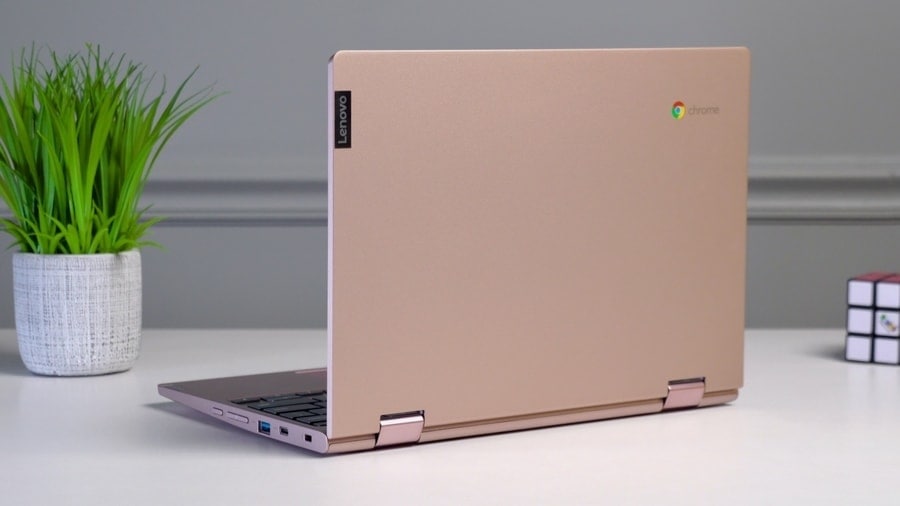
Lenovo series gained the fame of launching a premium quality
Chromebook with modern specs. However, it wasn’t delineated to the
high-end device, rather Lenovo C340 is the perfect example of what
a simple Chromebook should possess from elegant colors to its cheap
offers. Initially, two colors are available, including the gorgeous
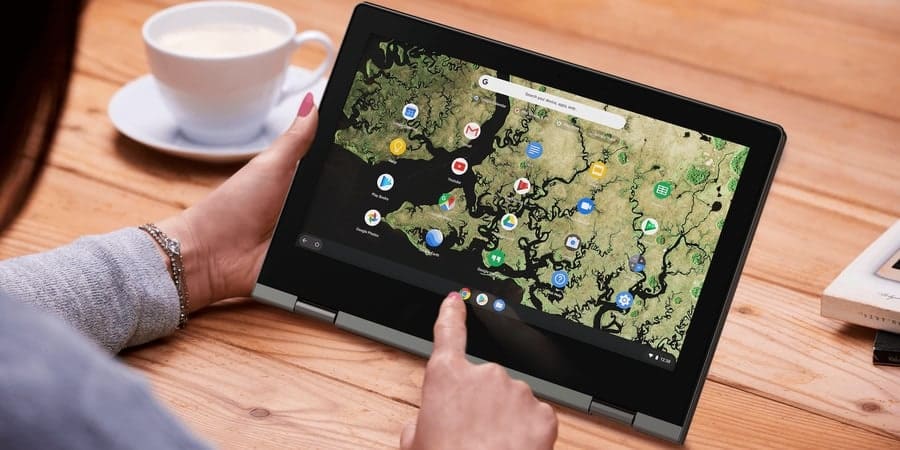
Sand Pink. The rugged-type hinges support the display to fold into
tent or laptop mode without any obstruction, and all of them come
at a lower price indeed.
 It could be one
of the cheapest Chromebook, but it offers a lot of features that
are usually available in the high-end Chromebook. For example, the
touchpad responds quite impressively to both one and two fingers
taps, and without applying hard pressure, you can glide it
smoothly. You won’t hear the click sound at all. Most of the
high-end Chromebook come up with lots of ports, and so is Lenovo
C340. There are one USB 3.1 Type-C port and one USB 3.1 Type-A port
in each side along with a microSD card slot and an audio jack in
the left side.
 The whole body
is not durable as other premium Chromebook since the chassis is not
made from any special material. The biggest downside of this device
is its petty display, which barely produces any decent resolution
and brightness. More often, the display gets pixelated and blurry.
Keys without backlit cause distraction when typed in darkness.
However, its battery lasts about 10 hours, and that is well enough
to keep you busy with Netflix or casual gaming.
12. Acer Chromebook
314
CPU: 1.1Ghz Dual-core Intel Celeron N4000 |
RAM: 4GB | Graphics: Intel UHD Graphics 600
(built-in) | Display: 14.0-inch with LCD display
(1366×768) | Weight: 3.75 pounds | Storage: 32GB
(eMMC)
+Terrific and gorgeous design
+Excellent battery life
+Very cheap with all the features of the best Chromebook
+Bright and crisp screen
+Good speakers
– No biometric login
– No Touchscreen in the basic model
– Quite large and reduced compactness
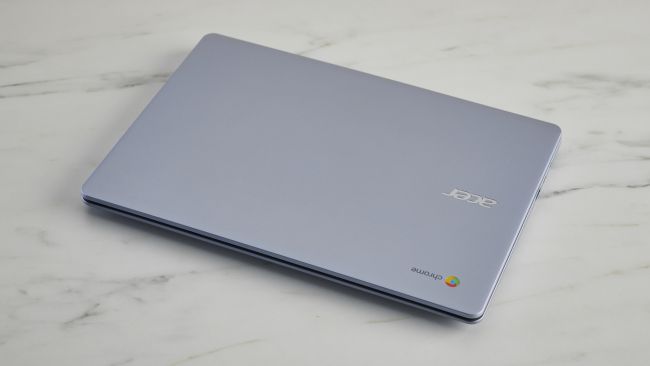
Acer Chromebook doesn’t compromise its performance to its price
and affordability. The brand-new Acer Chromebook 314, as one of the
best cheap Chromebook, stuns the customers with its ravishing and
elegant design, which will make you doubtful of its real price.
Primarily, it comes with two colors, but the gorgeous metallic
sliver color shines through its black bezels, as well as, its black
keys on the keyboard result in, it forms an accurate transition of
the contrast of this Chromebook.
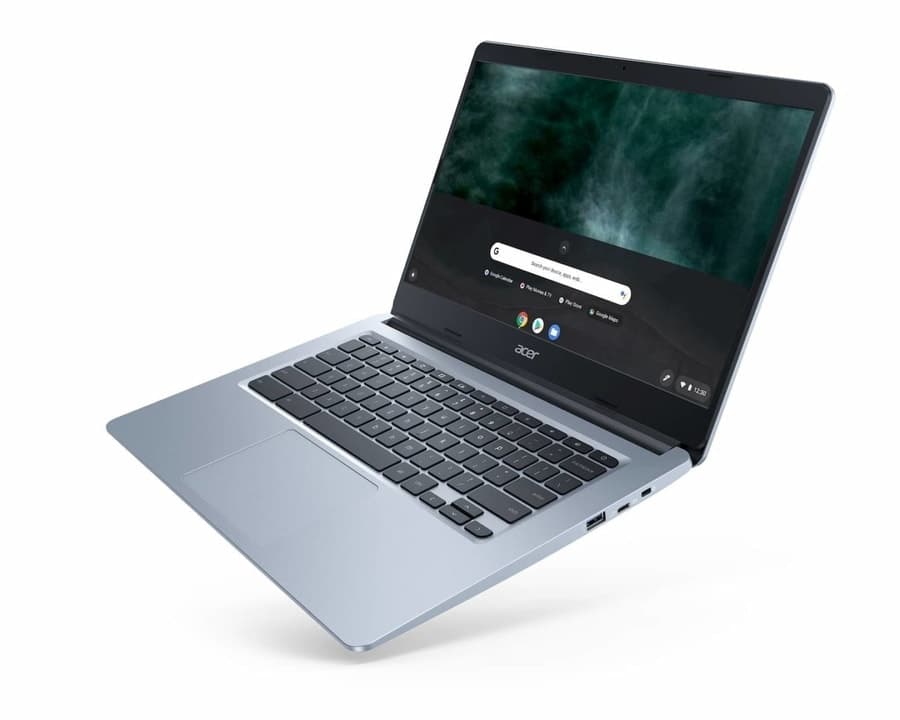
 The
The
14-inch display has been utilized promptly in this Chromebook since
the two thinner bezels surround both sides along with the mid-sized
bezel at the top and the thicker one below the screen. As a result,
watching movies or any entertainment is worth of its display’s
perfect infrastructure. The keys on the keyboard are well-spaced
and make click and clack sound, which feels terrific in the ears.
Although the basic model suffers from the lack of touchscreen but
adding a bit of cash can get you an accurate-designed
touchscreen.
 In terms
of performance, Acer 314 offers a conspicuous performance, unlike
any of its siblings at this price. You can throw multiple tasks,
including writing, calculating, arranging DOC files, browsing in
several tabs, and lastly, watching one or two 1080p YouTube videos
at the same time, but it causes no lag at all. Moreover, it takes
only 8 seconds to boot after you turn on. Therefore, it saves your
time both in the office and at work. However, the lack of
touchscreen in this model is unbelievable, and you need extra money
to add that feature.
13. HP Chromebook 14
CPU: 1.83GHz-2.25GHz Intel Celeron
N2840-N2940 | RAM: 2GB-4GB |
Graphics: Intel HD Graphics 500 (built-in) |
Display: 14.0-inch with 1080p with an option of
touchscreen, Full HD (1366×768) BrightView |
Weight: 3.74 pounds | Storage:
16GB-32GB (eMMC)
+Affordable and light-weight
+Crisp and vivid screen
+Decent trackpad with huge space
+Excellent keyboard
– Case being plastic causes flex and creak
– Average battery
– Not petty performance
When you hear the name of HP, you always expect their products
to be expensive. But this long-awaited Chromebook 14 has taken the
possession of the best Chromebook due to its affordable price with
a long 14-inch display, as well as its astonishing device. The
weight doesn’t seem heavy against its display’s size. You will get
one of the best responsive keyboards in this cheapest Chromebook,
which keys are spacious and well-spaced. Keys barely flex even
after a hard press.
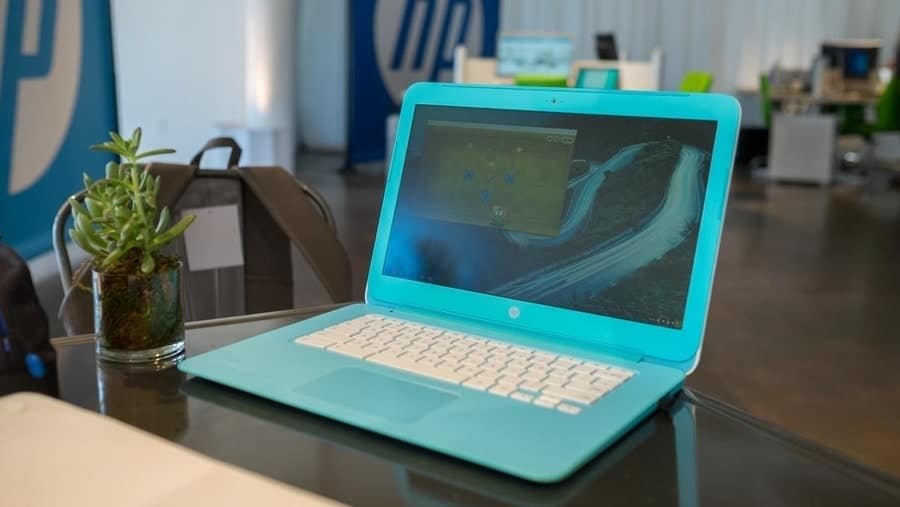 A
A
white-colored keyboard tray with the white chiclet-style keys lying
on a sky-blue chassis shows a perfect combination of a stylish
design. You will find a nice and responsive trackpad which will
offer a large space to scroll. No wonder that the whole trackpad is
a key, which means that you can click anywhere on it. The HP is
offering a 1080p display in this cheaper Chromebook, which is hard
to imagine.
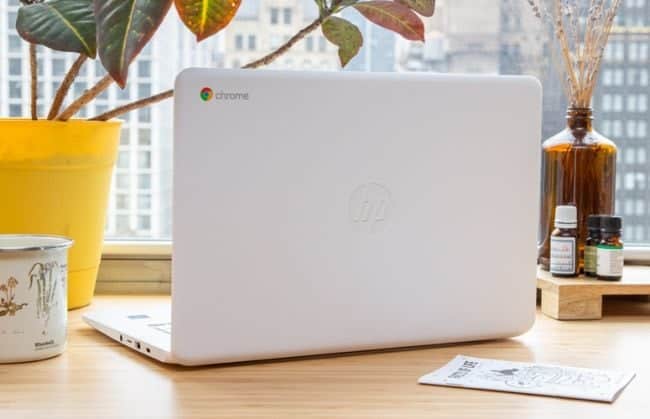 You have an
option to choose either HD or FHD panels but bear in mind that this
Chromebook doesn’t come with a touchscreen as it is optional, and
the resolution also varies from (1366×768) to (1920×1080) with a
WLED backlit option. Although the screen is crisp and bright but
still not as impressive as some of its competitors. Moreover, the
processor plummets when more than 10 pages are opened along with
1080p videos.
14. Acer Chromebook Spin
15
CPU: 1.1GHz-2.5GHz Intel Pentium N4200 to
Intel Core i5-i7 | RAM: 8GB-16GB |
Graphics: Intel HD Graphics 615 (built-in) |
Display: 12.3-inch with 1080p touch screen, QHD
(2400×1600) | Weight: 4.85 pounds |
Storage: 64GB-512GB (eMMC)
+Bigger screen with affordable price
+Responsive touchscreen
+Good keyboard with dedicated keys
+Decent battery life
+Sturdiest hinge
+Plastic-made good for children
– Poor graphics and subpar performance
– Slight audio distortion
– Average trackpad
Acer Chromebook Spin 15 possesses one of the biggest displays
yet less heavy body. Spin 15 will rescue you from glaring at two
monitors simultaneously, which are very hassling for a lot of users
who do professional work. However, I have preferred this Chromebook
for kids, particularly for its durability, which is bolstered by
its sturdiest hinges. These hinges will allow it to flip easily
into any mode without causing any resistance.
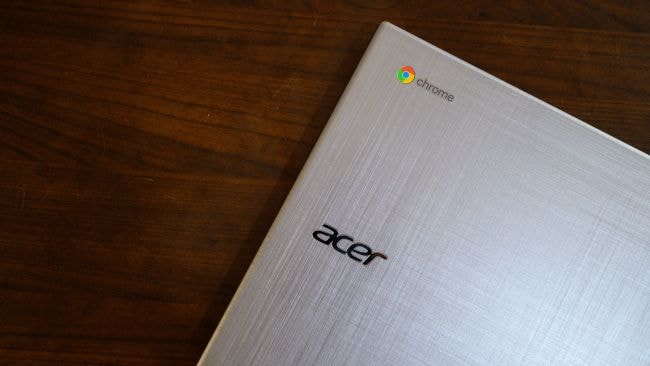 These hinges
also protect it from collapsing in tent mode. Mostly made from the
plastic, it also embraces the lid with a crosshatch pattern to
supplement extra protection against children as they tend to drop
it or spill over it. The keyboard is finely manufactured to give
comfort to its users. Having dedicated keys, including volume,
browser, and brightness, help the children use them easily. Its
massive display allows you to get a perfect touchscreen that
responds brilliantly.
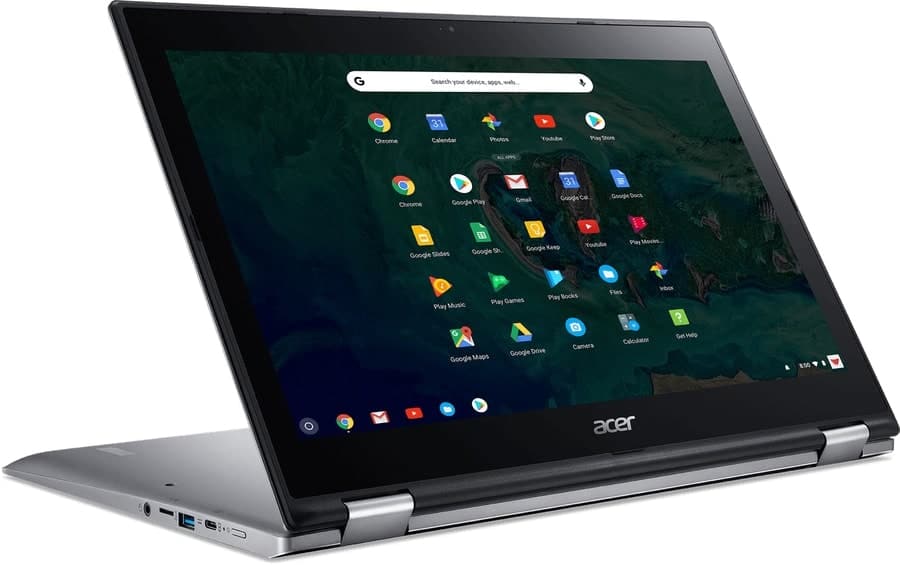 It’s rare to
expect a similar battery strength as the company promised, but Spin
15 proved it right by lasting 13:45 hours against the Acer’s
promise. Hence, it’s considered one of the best Chromebook for
kids. However, this Chromebook offers a lacklustre performance when
multiple tabs are open, but that doesn’t bother a kid at all. Its
Integrated graphics cannot play some of the high-end games but
manages to play most of the low-end games.
15. Dell Inspiron Chromebook 11
(3181)
CPU: 1.6GHz-2.48GHz Intel Celeron N3060 |
RAM: 4GB | Graphics: Intel HD
Graphics 400 (built-in) | Display: 11.6-inch with
TrueLife LED IPS touch screen, Full HD (1366×768) |
Weight: 3.17 pounds | Storage:
32GB-64GB (eMMC)
+Splash to impact resistant
+Compact
+Amazing battery life
+Split screen functionality
+Multi-tasking capabilities
– Quite heavy
– Downward speakers sound poor
– downgraded performance
– No USB-C port
Don’t fall for its exterior look as its glossy reflective lid
will confuse you, whether it’s a toy or a real Chromebook. It is
built on a chassis that is supported by grey polycarbonate
material, which consolidates its resistance against any impact or
splash. Hence, young kids can easily use it without fretting a bit.
Although this Chromebook is compact but due to its heavy-weight, it
turns a little worry for tender kids.
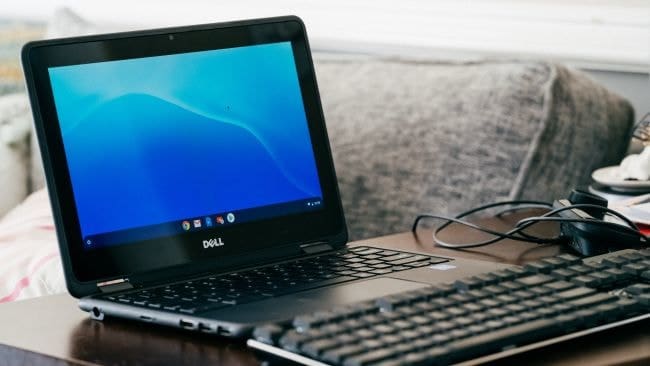 The 360-degree hinge allows it to change into 4 modes,
such as; classic laptop mode, tablet mode, tent mode, and the stand
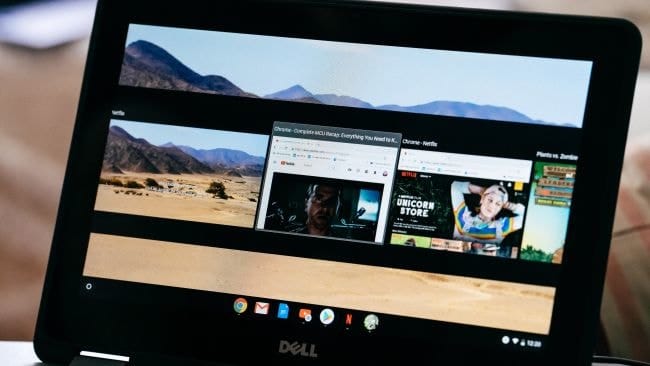
set-up. The latest Chromebook can perform multi-task, and
Chromebook 11 proves it by providing a split-screen functionality
that is enjoyable for the young kids who wish to see anything at
any time. 42 WHz integrated battery with 3-cells offers you 11:36
hours battery life, which is sufficient for daily usage.
 This
This
Chromebook is denigrated for its inability to run few tabs while
listening to music in the background, as well as streaming a
YouTube video simultaneously, but that doesn’t deprive it to be the
best Chromebook for kids. Besides, this Chromebook doesn’t have any
USB-C, which is common in most of the best Chromebook these days.
The brightness level is very dull and gets dark when watching the
black tones. The speakers are amateurs too. In spite of some of
these cons, thanks to Dell for bringing this best Chromebook for
kids for its durability and compact size.
Finally, Insight
Finally, all my reviews are done with subtlety and yet free from
bias. My preference for the fastest Chromebook will be Google
Pixelbook and Lenovo Yoga C630. Google Pixel Slate with 1.6 pounds
without a keyboard is the perfect choice for the lightest
Chromebook. My preferred Chromebook for best touchscreen, students,
kids, and a cheap price will be HP Chromebook x2, Samsung
Chromebook 3, Dell Inspiron 11, and Acer Chromebook 314,
respectively. These Chromebooks are among the best Chromebook in
2020 for their versatility.
The list for the top Chromebook is not yet to end as the
technology is advancing every day, and more Chromebook will be
added into the list. If you want to share your opinion about this
review on Chromebook or want to add anything up, then feel free to
leave it in the comment section below. Thank you.
References
- ^
buying
Chromebook (www.ubuntupit.com) - ^
Chromebook for students
(edu.google.com) - ^
Google
Pixelbook Go (www.ubuntupit.com) - ^
ASUS
Chromebook Flip C434 (www.ubuntupit.com) - ^
Lenovo
Yoga Chromebook C630 (www.ubuntupit.com) - ^
Google
Pixelbook (www.ubuntupit.com) - ^
HP
Chromebook x2 (www.ubuntupit.com) - ^
How to
Play Games on Chromebook and Chrome OS in 2020
(www.ubuntupit.com) - ^
Google
Pixel Slate (www.ubuntupit.com) - ^
Acer
Chromebook Spin 311 (www.ubuntupit.com) - ^
Acer
Chromebook Spin 11 (www.ubuntupit.com) - ^
Samsung Chromebook 3
(www.ubuntupit.com) - ^
Dell
Chromebook 3189 (www.ubuntupit.com) - ^
Lenovo
Chromebook C340 (www.ubuntupit.com) - ^
Acer
Chromebook 314 (www.ubuntupit.com) - ^
HP
Chromebook 14 (www.ubuntupit.com) - ^
Acer
Chromebook Spin 15 (www.ubuntupit.com) - ^
Dell
Inspiron Chromebook 11 (www.ubuntupit.com)
Read more https://www.ubuntupit.com/best-chromebook-laptops-in-2020-the-expert-recommendation/