
Web applications, often in the form of Software as a Service
(SaaS), are now the cornerstone for businesses all over the world.
SaaS solutions have revolutionized the way they operate and deliver
services, and are essential tools in nearly every industry, from
finance and banking to healthcare and education.
Most startup CTOs have an excellent understanding of how to
build highly functional SaaS businesses but (as they are not cyber
security professionals) need to gain more knowledge of how to
secure the web application that underpins it.
Why test your web applications?
If you are a CTO at a SaaS startup, you are probably already
aware that just because you are small doesn’t mean you’re not on
the firing line. The size of a startup does not exempt it from
cyber-attacks – that’s because hackers constantly scan the internet
looking for flaws that they can exploit. Additionally, it takes
only one weakness, and your customer data could end up on the
internet. It takes many years to build a reputation as a startup –
and this can be ruined overnight with a single flaw.
According to recent research from Verizon[1], web application attacks
are involved in 26% of all breaches, and app security is a concern
for ¾ of enterprises. This a good reminder that you can’t afford to
ignore web application security if you want to keep your customer
data secure.
For startups as well as enterprises
Hacking is increasingly automated and indiscriminate, so
startups are just as vulnerable to attack as large enterprises. But
no matter where you are on your cybersecurity journey, securing
your web apps doesn’t need to be difficult. It helps to have a bit
of background knowledge, so here’s our essential guide to
kick-start your web app security testing.
What are the common vulnerabilities?
1 — SQL injection
Where attackers exploit vulnerabilities to execute malicious
code in your database, potentially stealing or dumping all your
data and accessing everything else on your internal systems by
backdooring the server.
2 — XSS (cross-site scripting)
This is where hackers can target the application’s users and
enable them to carry out attacks such as installing trojans and
keyloggers, taking over user accounts, carrying out phishing
campaigns, or identity theft, especially when used with social
engineering.
3 — Path traversal
These allow attackers to read files held on a system, allowing
them to read source code, sensitive protected system files, and
capture credentials held within configuration files, and can even
lead to remote code execution. The impact can range from malware
execution to an attacker gaining full control of a compromised
machine.
4 — Broken authentication
This is an umbrella term for weaknesses in session management
and credential management, where attackers masquerade as a user and
use hijacked session IDs or stolen login credentials to access user
accounts and use their permissions to exploit web app
vulnerabilities.
5 — Security misconfiguration
These vulnerabilities can include unpatched flaws, expired
pages, unprotected files or directories, outdated software, or
running software in debug mode.
How to test for vulnerabilities?
Web security testing for applications is usually split into two
types – vulnerability scanning and penetration testing:
Vulnerability
scanners[2]
are automated tests that identify vulnerabilities in your web
applications and their underlying systems. They’re designed to
uncover a range of weaknesses in your apps – and are useful because
you can run them whenever you want, as a safety mechanism behind
the frequent changes you have to make in application
development.
Penetration testing: these manual security
tests are more rigorous, as they’re essentially a controlled form
of hacking. We recommend you run them alongside scanning for more
critical applications, especially those undergoing major
changes.
Go further with ‘authenticated’ scanning
Much of your attack surface can be hidden behind a login page.
Authenticated web application scanning helps you find
vulnerabilities that exist behind these login pages. While
automated attacks targeting your external systems are highly likely
to impact you at some point, a more targeted attack that includes
the use of credentials is possible.
If your application allows anyone on the internet to sign up,
then you could easily be exposed. What’s more, the functionality
available to authenticated users is often more powerful and
sensitive, which means a vulnerability identified in an
authenticated part of an application is likely to have a greater
impact.
Intruder’s authenticated web app
scanner[3] includes a number of key
benefits, including ease of use, developer integrations, false
positive reduction, and remediation advice.
How do I get started?
Web app security is a journey and can’t be ‘baked-in’
retrospectively to your application just before release. Embed
testing with a vulnerability scanner throughout your entire
development lifecycle to help find and fix problems earlier.
This approach allows you and your developers to deliver clean
and safe code, accelerates the development lifecycle, and improves
the overall reliability and maintainability of your
application.
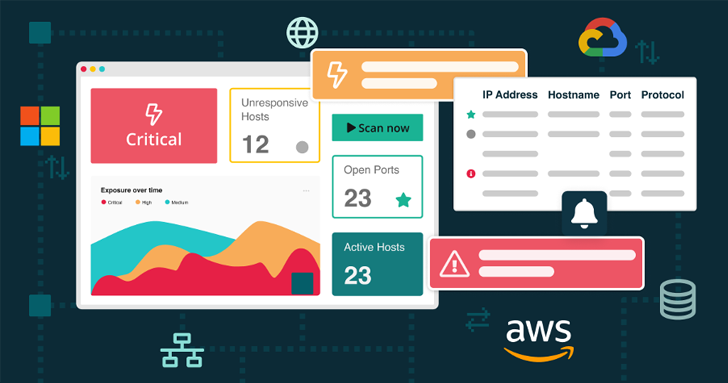 |
| Intruder performs reviews across your publicly and privately accessible servers, cloud systems, and endpoint devices to keep you fully protected. |
But testing earlier and faster is nearly impossible without
automation. Intruder’s automated web application scanner is
available to try for free before you buy. Sign up[4]
to a free trial today and experience it firsthand.
Found this article interesting? Follow us on Twitter [5]
and LinkedIn[6]
to read more exclusive content we post.
References
- ^
recent
research from Verizon
(enterprise.verizon.com) - ^
Vulnerability scanners
(www.intruder.io) - ^
Intruder’s authenticated web app
scanner (www.intruder.io) - ^
Sign
up (portal.intruder.io) - ^
Twitter
(twitter.com) - ^
LinkedIn
(www.linkedin.com)
Read more https://thehackernews.com/2022/12/top-5-web-app-vulnerabilities-and-how.html