From the AT&T Bell Labs to personal smartphones, Unix
systems have come a long way since their inception. Earlier Unix
systems did not provide users with any sort of graphical
interactions that we see in modern Linux distros. However, the GUI
has become an important part for many, and it’s hard to imagine
life without it today. The KDE desktop environment is arguably the
most innovative and popular choice for users who want a
cutting-edge graphical experience. Continue reading if you want to
know what contributes to KDE’s enormous popularity and if it’s the
right choice for you or not.
Why KDE Plasma Desktop is So
Popular
There are a plethora of desktop environments
available for Linux. Some popular ones are GNOME, XFCE, Cinnamon,
Mate, Unity as well as our beloved KDE plasma. This guide
highlights some of the reasons KDE outshines many of these desktop
environments.[1]
1. Appearance
KDE has long been the go-to choice for users who are looking for
an aesthetically pleasing desktop experience. It is, without any
doubt, one of the best looking desktop environments. Although the
notion of beauty may be different to you, we’re sure that you will
agree with us on this matter. Overall, the Plasma desktop offers a
modern and elegant visible experience thanks to some excellent
color choices as well as pleasant animations.
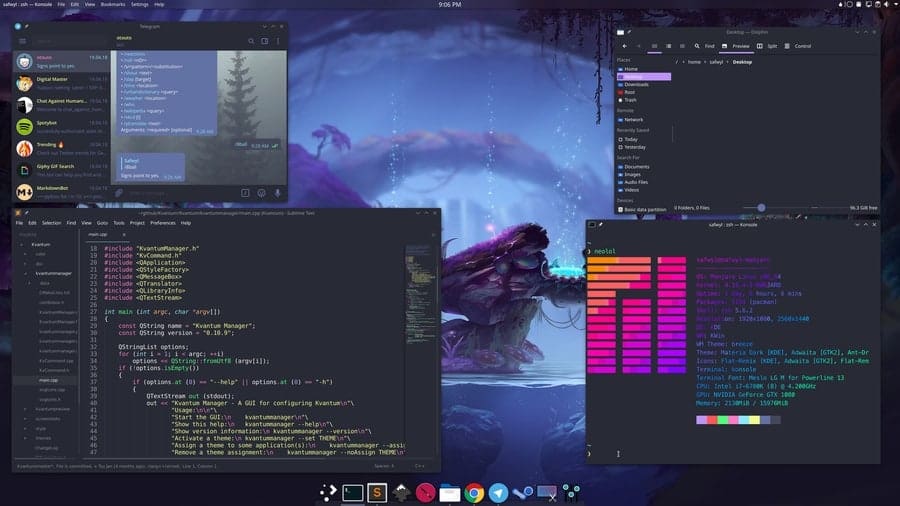
The shadows make the application widgets look more natural, and
the well-designed icons are a treat to the eyes. KDE designs all
aspects of its appearance with extreme care. So, the widgets,
fonts, and even mouse pointers are visibly satisfying. Moreover,
these elements mix very well with other GUI components and thus
result in a picturesque desktop.
2. Free and Open
Source
The KDE environment is a hundred percent free and open source.
So, it ensures that users get the most beautiful desktop experience
without having to pay for it. This is a big plus for enthusiasts
since they can get a feel of what they are getting into. And if
they don’t like it, they can simply switch to a different
environment without facing any financial loss.
Moreover, the open-source codebase is available for anyone to
explore. Thus, seasoned users get the opportunity to play around
the environment and make customizations as they want. This is a big
plus for a lot of users. So overall, KDE allows users to try it
freely and determine whether it suits their taste or not without
any catches.
3. Ease of Use
Despite packing a lot of components, KDE Linux systems are
extremely easy to use. KDE tries hard to be as user-friendly as
possible and provides a seamless experience to even the newest of
users. The easy to use application widgets and menus to ensure
uninterrupted workflow. Additionally, the Krunner app launcher is
one of the best Linux application launchers[2] you can get. You can
effortlessly search files, web pages, toggle between windows, and
many more.
4. Konsole
Konsole is the default terminal that ships with the KDE desktop.
It is arguably one of the best Linux terminal emulators[3] and is suitable for both
new and advanced users. Some of its best features include the
support for split view, ssh bookmarking, dolphin integration,
notification alerts, true color fonts, profile customization, font
ligature, and many more. Moreover, users can embed Konsole directly
into their desktop without displacing existing windows.
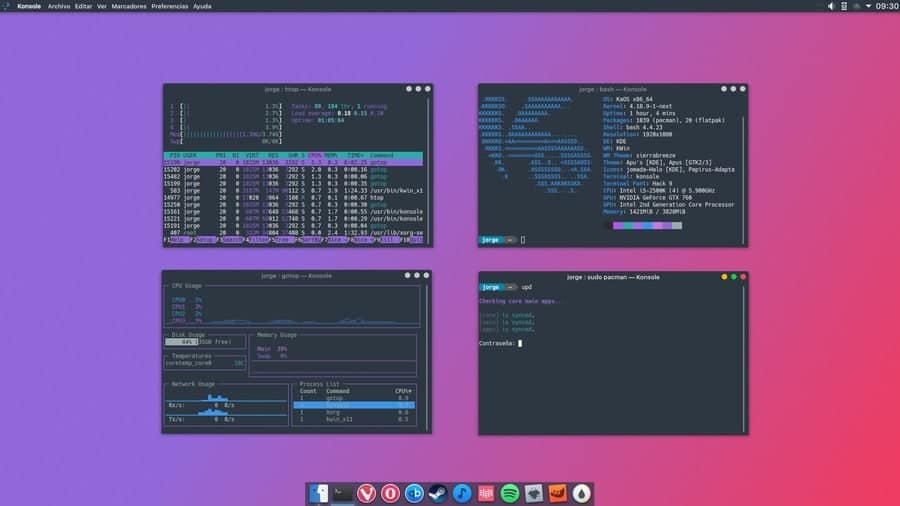
However, since Konsole provides a lot of features, it is not the
best terminal in terms of memory usage. Although it’s highly
unlikely to throttle systems with modest resources. So overall,
Konsole is a great choice for performing everyday tasks as well as
for advanced scenarios. If you want your Linux terminal to be as much flexible as
possible, you’re going to love Konsole. [4]
5. KDE Applications
The KDE Plasma desktop comes with an extremely useful set of
applications. No matter whether you’re a Linux professional or a
mere hobbyist, the default KDE apps are more than adept for
everyday tasks. Apart from Krunner and Konsole, other notable KDE
default applications include the Dolphin file manager, Falkon web
browser, Konversation IRC client, and the Gwenview image
viewer.
It also includes a lot of applications for development and
education, as well as a large number of games. Moreover, many
KDE-powered tools have gained popularity due to their elegant
interfaces and competitive feature set. The video editor utility Kdenlive[5] and the digital painting
application Krita are great examples of this fact. So, you can be
assured of having all the essential tools if you choose KDE as your
desktop environment.
6. App Widgets
Widgets are an integral part of KDE’s user experience and for
good reasons so. First of all, users can choose from a selection of
200 plus widgets. From small utilities to workflow management, you
can find widgets for almost anything in the KDE world. They make it
easy to display system information like CPU usage, networking,
weather, and download progress directly to the desktop.
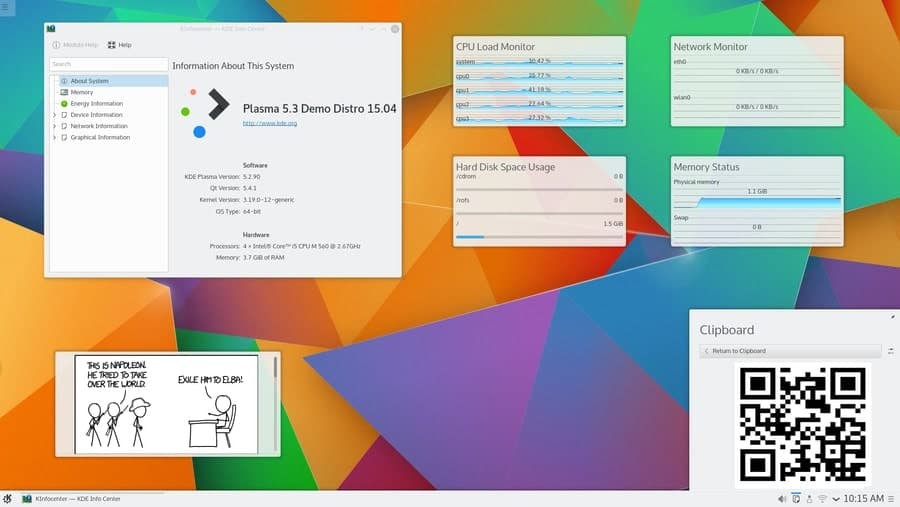
Some popular KDE widgets are the KDE Connect, KSmoothDock,
Simple Menu, Event Calendar, Activity Bar, File Watcher, Virtual
Keyboard, and Magnifique. Moreover, the ability to customize them
thoroughly helps users setting the best desktop environment for
them. So, if you like to increase desktop functionality using
multiple widgets, KDE stands to be the perfect choice for you.
7. Performance
Although the KDE ecosystem is vast and often requires larger
libraries, the performance is surprisingly good. Especially since
Plasma 5, the performance has increased dramatically. You will get
a smooth, seamless experience that is both flexible and highly
customizable. The UX is almost free from bugs and feels snappier
than ever. So, if you want an attractive desktop environment
without compromising performance, KDE will be an excellent choice.
However, it’s still not the best choice for low-end CPUs.
8. Customization
One big selling point of KDE is its support for unlimited
customization. Although you can personalize all major Linux
distributions, KDE has taken this to another level. From widgets to
animations, docks to panels, buttons to pointers, you can change almost every aspect of KDE[6] as per your taste.
Unlike other desktop interfaces, KDE doesn’t restrict customization
for a few GUI components.
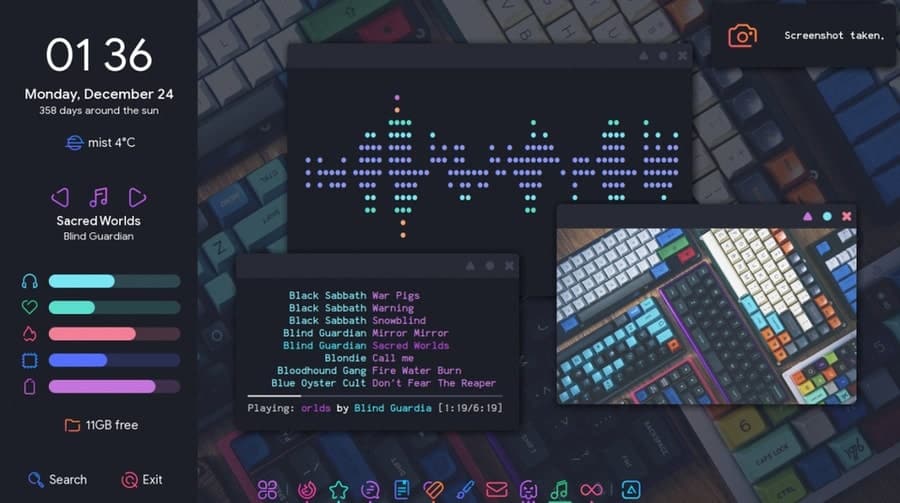
The Plasma desktop has taken personalization even further
distance. It lets users mold their desktop as per their preference.
It’s very easy to delete existing components of the desktop and add
newer ones. You can even make your desktop look like Mac or
Windows. Thus, KDE Linux should be the preferred choice for anyone
who wants to dive deep into desktop customization.
9. Integration
KDE Plasma provides arguably the best integration when it comes
to features and applications. We think KDE is certainly well ahead
of other environments when it comes to this. KDE supports apps
developed for other platforms like GNOME or Cinnamon without any
hassle. It allows users to install standard tools across all their
desktops. So, if you want to use Thunderbird or Mozilla
Firefox, you can do so without any trouble.
Integration is one key aspect where KDE triumphs GNOME. A large
number of KDE apps look out of place when installed in GNOME.
However, as we have said, Plasma supports GNOME-based applications
just fine. Plasma even integrates with Android smartphones.
Moreover, users can also experience the Plasma environment on
smartphones via Plasma Mobile[7].
10. Power Usage
Power consumption has become more important than ever,
especially for portable devices like laptops and notebooks.
Thankfully, KDE is not extremely power-hungry in most of the cases.
Plus, it comes with excellent battery management capabilities,
which make sure users get the possible screen time out of their
devices. However, bear in mind that power usage depends heavily on
your desktop configuration.
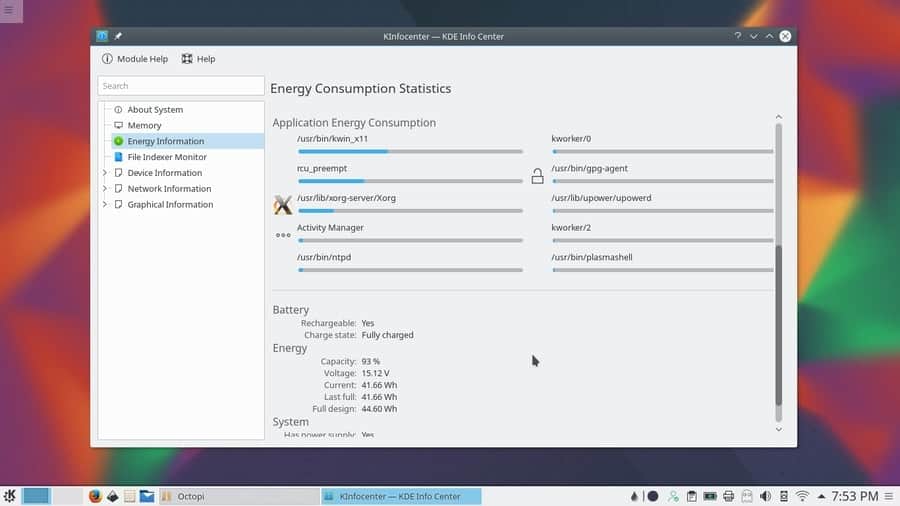
The good thing is that we can tailor down KDE to become
extremely resource friendly. So, users can easily run KDE on older
laptops with limited battery backups. They need to simply turn off
some of the animations and effects to make the system as light as
possible. This will increase the battery backup significantly.
11. Multiple
Desktops
The KDE desktop environment provides multiple desktops
functionality for users who do a lot of things simultaneously. It
allows users to group apps or windows based on their usage and
place them on different desktops. Seamless switching between
several desktops is ensured by means of the Krunner utility. So
overall, multiple desktops make app organizations easier and more
flexible. However, we highly suggest users invest in multiple
monitors as they help to keep the windows visible all the time.
12. Flexibility
KDE is one of the most flexible Linux desktop environment for
new and experienced users alike. Users can not only change the way
Plasma looks but also dictate how the environment works. It is very
easy to manage the connectivity options for Bluetooth and
Networking. Everyday tasks like brightness adjustment, power
management, external device configuration are also quite
simple.
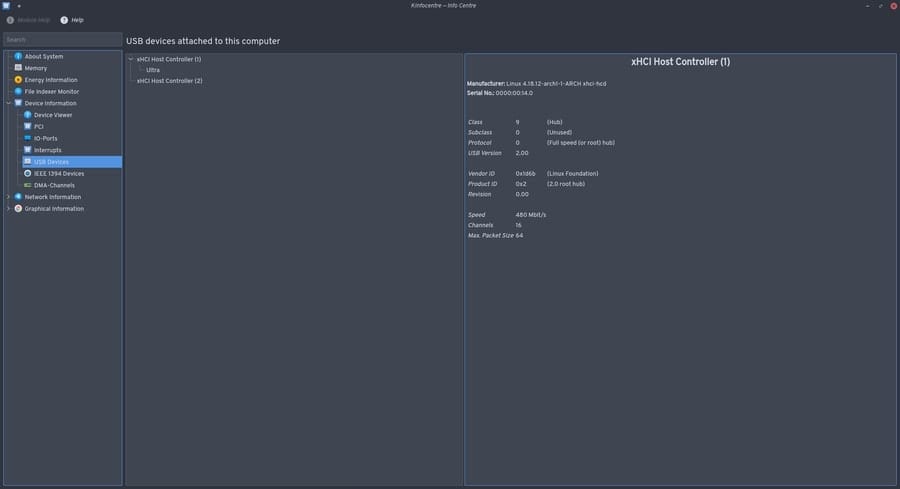
You can change the way multiple and virtual desktops are
configured as well as how the mouse buttons work. I also like to
configure the behavior of my windows. Although many of these can be
done in a different environment as well, KDE makes the operations
much simpler. For example, customizing the login screen takes
significantly more effort in GNOME than it does on KDE.
13. Trendy
The Plasma desktop has been a great hit since its release. Now
in its 5th version, Plasma continues to trend among Linux
enthusiasts. The ability to mold the desktop after other systems
appeal to a lot of new Linux users who want to mimic the look and
feel of Windows/Mac. Moreover, features like the Plasma Mobile also
contributes to KDE’s growing popularity.
Despite being one of the oldest desktop environments for Linux,
KDE hasn’t changed its design principles drastically. It helps them
to maintain a stable, coherent platform with tools that are proven
and work well together. This is also a major reason why experienced
admins choose KDE desktop without any hesitation.
14. Extensions
Extensions are an excellent way of trying out additional
functionality in your desktop environment. KDE offers great support
for extendability through extensions. For one, installing and using
extensions is much easier in KDE than GNOME. You can download the
required addons directly through the app store, whereas GNOME
requires users to go to the GNOME extension website[8]
and install the addons from there.
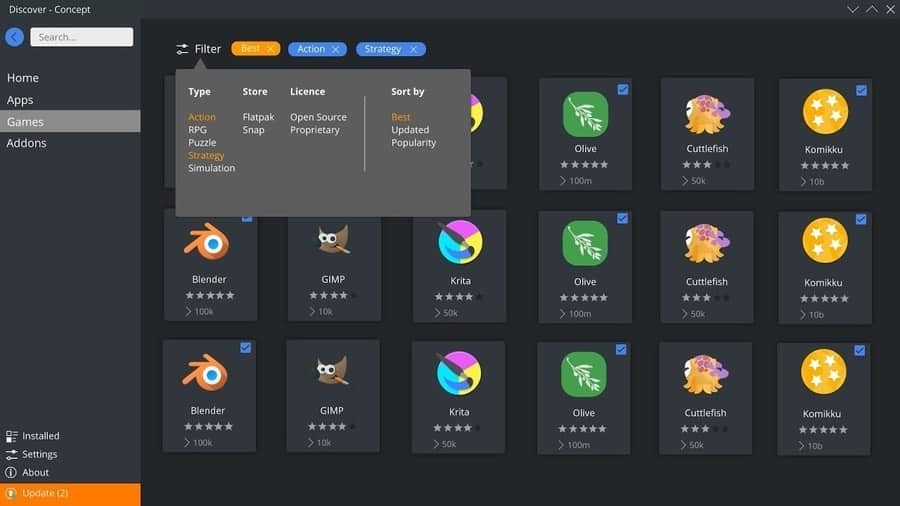
KDE Plasma desktop also allows users to add the necessary
extensions directly from the KDE Add Widgets menu. Thus, having the
perfect addon for a task is often only a few clicks away. However,
users should refrain from installing extensions that are not
essential for the system. It can degrade performance and affect the
overall user experience on older pcs.
15. KDE Store
KDE Store[9]
is the official application store for all things related to KDE.
You can find everything needed to customize your desktop here,
including utilities, themes, icons,[10] and wallpapers. KDE
Store makes it very easy to install new extensions for workflow
enhancement. Users can choose from thousands of desktop components
directly from their system, unlike other desktop platforms like
GNOME. Overall, KDE Store is a great feature of the Plasma
environment and makes customizing the desktop very easier.
KDE has a very large and active community, which helps in
developing cutting-edge software for work, education, and
entertainment. The community provides developers all the tools and
resources required for building modern projects. Moreover,
community members are extremely friendly and help new users to
adapt to the platform without any hesitation.
Users can get involved in KDE’s open-source projects if they
want and leave their own mark in the community. The community is
also responsible for creating collaborative documentation as well
as accessible web forums. Some notable corporations that endorse
KDE include Google, Canonical, and Qt. Overall, this is the perfect
desktop platform for users who love to collaborate on projects and
share ideas with like-minded people.
17. Freedom
KDE embodies freedom at its core. It offers a lot of premium
features without charging a dime. Doing so, it follows the free
software movement endorsed by Linux and FOSS. It provides users the
ability to customize the system based on personal preferences. KDE
also implements a number of permissive licenses, including LGPL,
BSD, and the MIT license. So, it is a great choice for people who
want absolute freedom in their day to day computing.
18. Solid Codebase
The KDE Plasma desktop environment is built on top of a solid
codebase. Most of the core components, as well as apps, are written
using Qt, a platform-agnostic development framework. It also makes
KDE extremely portable. KDE uses C++[11] for
performance-critical portions of the system. The coding style is
uniform across different KDE technologies. So, if you can code for
KDE desktop, you will not face difficulty developing for Plasma
mobile.
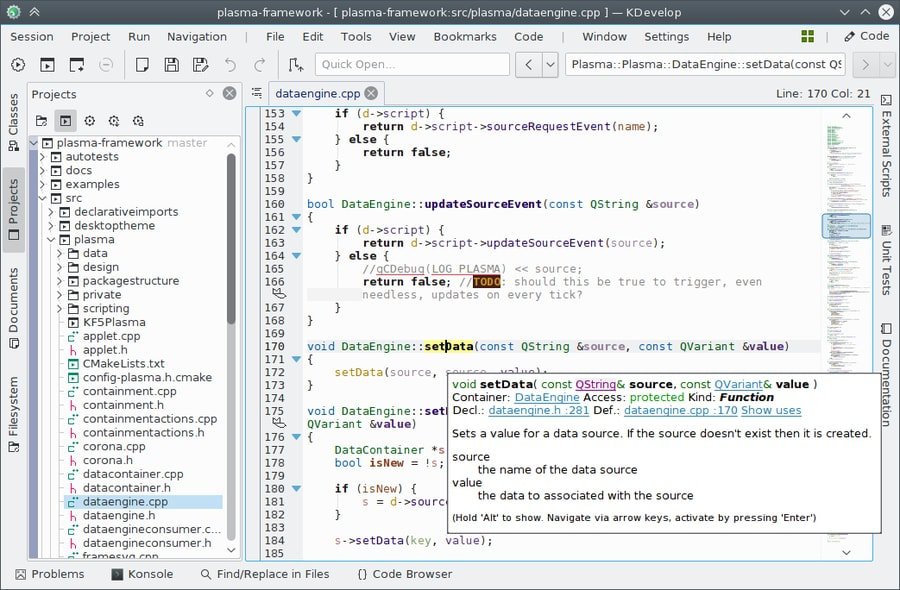
The codebase for KDE is readily available online. You can check
out their GitHub mirror in this link[12]. Take a look at some of
the codes if you are interested in developing KDE apps or
open-source projects in general. KDE also makes sure to practice
the best security practices[13] in order to reduce bugs
and increase security measures.
19. Documentation
KDE provides in-depth documentation for helping users adapt to
the platform as easily as possible. The quality of the
documentation is excellent, and finding information on any topic is
almost effortless. KDE also offers carefully prepared Wikis that as
well as community forums. These forums are a good place to get
yourself familiar with the KDE environment while wikis serve more
specific purposes.
Apart from standard docs, KDE also offers references for
software APIs, Qt, and the Inqlude library. These references make
developing tools for the KDE Linux very easy for new programmers.
Overall, KDE’s high-quality docs make transitioning to Plasma
easier for both home users and seasoned developers. [14]
20. Fun
Users who like to discover new things and enjoy pretty desktops
are going to love KDE. It makes computing fun for users with little
or no prior experience in Linux. Though seasoned users will find
Plasma more entertaining since it provides them the flexibility of
customizing things to a whole different level, overall, if you are
a fan of sleek interfaces and fancy animations, you will be glad to
use KDE as your primary desktop environment.
Ending Thoughts
KDE Desktop environment is an excellent choice for many people.
However, it is not perfect and has its issues. Now, when it comes
to choosing KDE over other environments, personal preferences
should be given priority. Remember that environment choices vary
based on the taste of the end-user. So, just because we like KDE,
it doesn’t mean you’re going to like it too. Overall, Plasma is
suitable for people who like to customize extensively and showcase
their desktop to other people. It’s not the best choice for older
hardware, but on average machines, Plasma Linux feels much snappier
than GNOME.
References
- ^
a
plethora of desktop environments
(www.ubuntupit.com) - ^
best
Linux application launchers
(www.ubuntupit.com) - ^
best
Linux terminal emulators
(www.ubuntupit.com) - ^
Linux
terminal (www.ubuntupit.com) - ^
video
editor utility Kdenlive (www.ubuntupit.com) - ^
change
almost every aspect of KDE
(www.ubuntupit.com) - ^
Plasma Mobile
(www.plasma-mobile.org) - ^
GNOME extension website
(extensions.gnome.org) - ^
KDE Store
(store.kde.org) - ^
Top 12
Best KDE Plasma Themes for Your KDE Desktop
(www.ubuntupit.com) - ^
The 20
Best C++ Books for both Professional and Beginner
(www.ubuntupit.com) - ^
GitHub mirror in this link
(github.com) - ^
best
security practices (www.ubuntupit.com) - ^
Inqlude library
(inqlude.org)
Read more https://www.ubuntupit.com/reasons-to-use-kde-desktop-environment/