Chemistry is not at all a boring field of science. If you have a
strong basic knowledge you are bound to love it. There are many
computer programs to make learning chemistry interesting. On the
other hand, higher study and research work in chemistry can not be
done without using some software. But it is not an easy task to get
the guidance towards to software you need. Most of the tools do not
work as expected after installing. For the Linux users out there
finding the best Linux chemistry software is even more tiresome
because of the smaller userbase. So if you are here in search of
some open-source chemistry tools for Linux, you are in the right
place.
Different programs have different uses. Some are good for
beginners while some for advanced users. Again, a high school level
student of chemistry doesn’t need to use chemical research
software. The right person needs the right tool. So, here we have
created a list containing 15 best open-source Linux tools for you.
The list contains software from different categories to cover you
up.
1. Tomviz
Tomviz is a popular open-source chemistry tool for Linux. It is
mainly a tomographic data analysis tool. Tomography is the method
of sectioning and imaging of a particular thing by using a
penetrating wave. CT scan is a good example of using the principle
of tomography. Tomviz can visualize the tomographic data in 3D
form. It can even use Python for custom algorithms to
analyze tomographic data. [1]

Key Features of Tomviz
- It features a beautiful GUI for many built-in rendering
toolsets. - Users get a variety of customization options in visualization
settings. - The parameters of visualization settings can be used in
combination. - Users can animate the final visual output. They can also save
as image or video files. - Collected data can be analyzed by user-defined algorithms.
- It supports a large number of file formats for importing and
exporting data.
2. Psi4
It is an open-source Linux chemistry tool. It is mainly an ab
initio quantum chemistry software package. This tool can simulate a
variety of molecular properties with high accuracy. This Linux
chemistry software is written in the C++ language. Users have
access to numerous quantum chemistry methods through using the
built-in numerical methods and algorithms of this software. The
advanced Python interface of this tool allows the user to write
their routines for quantum computations.
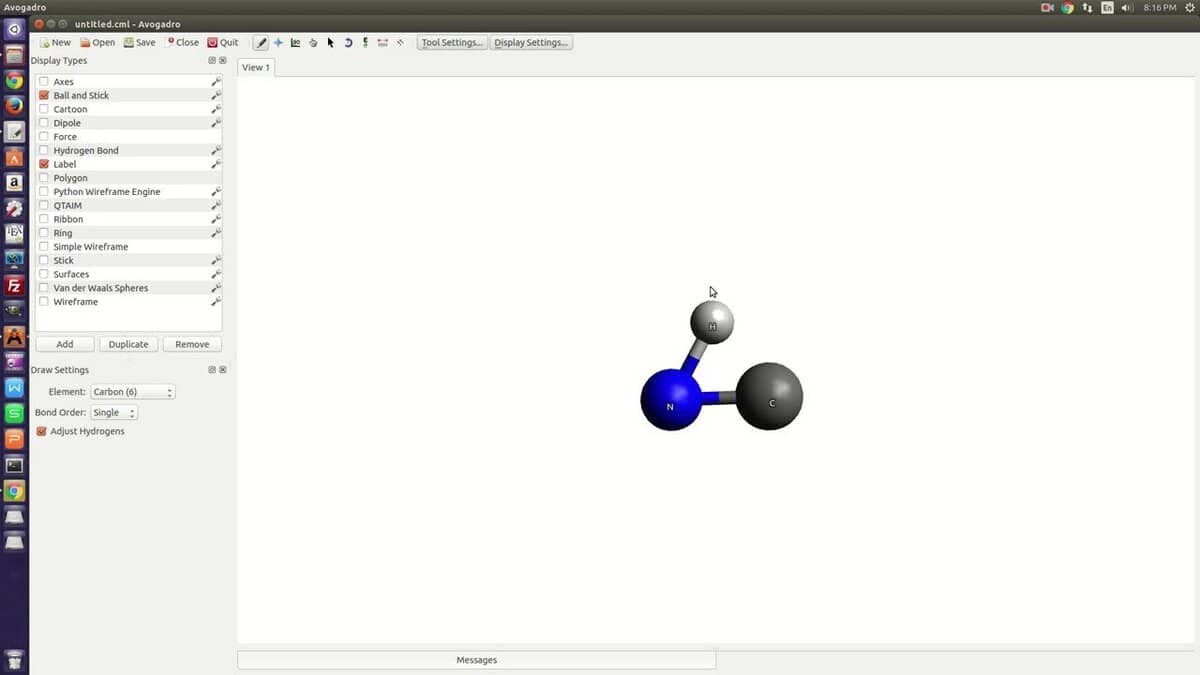
Key Features of Psi4
- It has a shared-memory parallelization feature which enables it
to utilize the full potential of a multi-core machine. - Users can automate tasks using the built-in Python-based
command module. - This tool can easily recognize and exploit the largest Abelian
subgroup of the molecular point group. - The code of this tool is highly optimized so that it can do
highly correlated configuration interaction. - It can perform Scalar Relativistic Corrections along with some
other operations.
3. GAMESS
GAMESS is an ab initio molecular electronic structure software.
This Linux chemistry software is a part and parcel of quantum
chemistry. It can compute different types of wavefunctions. The
developer split the original code into two different versions named
GAMESS-US and GAMESS-UK. There are several differences between
these two versions because both are extensively modified. Here I am
talking about the UK version of the software.
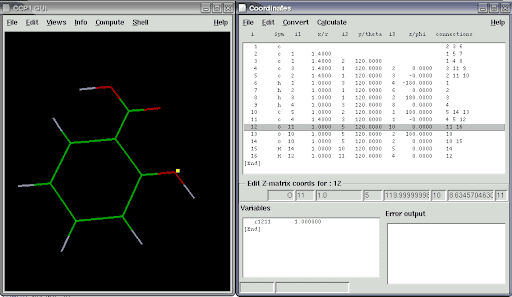
Key Features of GAMESS-UK
- It can work with different computation methods like Direct SCF,
Direct MP2, and Direct RPA. - This software features a wide variety of analysis tools
built-in including Distributed Multipole analysis, Natural Bond
Orbital (NBO) analysis, Mulliken and Lowdin population
analysis. - The built-in local and non-local pseudopotentials can calculate
the second derivatives of the energy. - It has CCP1GUI built-in for viewing scalar and vector data
derived from pre and post-processing. - GAMESS can run fluently in a parallel system to increase
productivity.
4. MPQC
MPQC is an abbreviation of the original name of an open-source
chemistry tool named Massively Parallel Quantum Chemistry software.
It can compute the properties of molecules in the methods of
quantum chemistry. The primary focus of the tool is many-body
electronic structure methods, such as coupled-cluster. The current
version is widely known as MPQC4 and can run on a parallel computer
system.
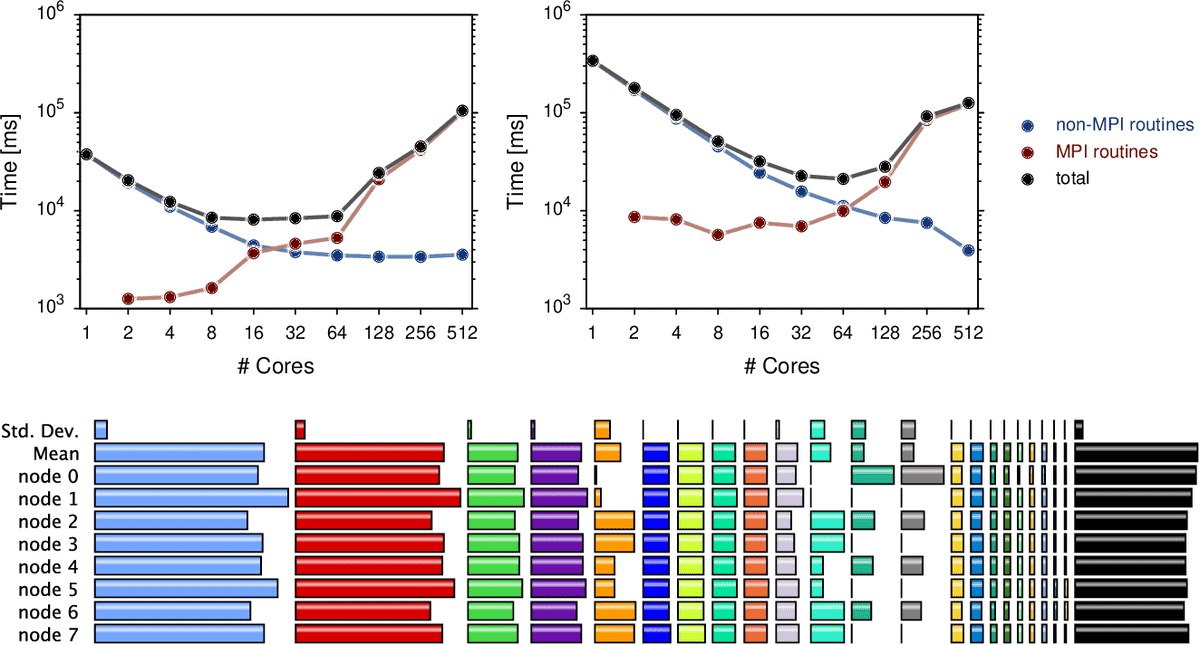
Key Features of MPQC
- This source of the tool has an object-oriented design.
- MPQC supports parallel processing which increases the speed of
computation. - It has an advanced coordinate geometry analyzer built-in with
this tool. - It supports both Hartree-Fock and density functional theory for
closed-shell, unrestricted and general restricted open-shell
energies and gradients. - MPQC supports different methods for second-order theories for
energies and gradients.
5. NWChem
NWChem is an ab initio computational chemistry software. This
chemistry tool for Linux can perform complex calculations regarding
molecular chemistry. Like most other good research software it
supports parallel computing systems. NWChem is a scalable tool and
thus it can be used from home PCs to high-performance computer
networks. It uses the principle of classical molecular dynamics for
the simulation of the chemical structure of molecules.
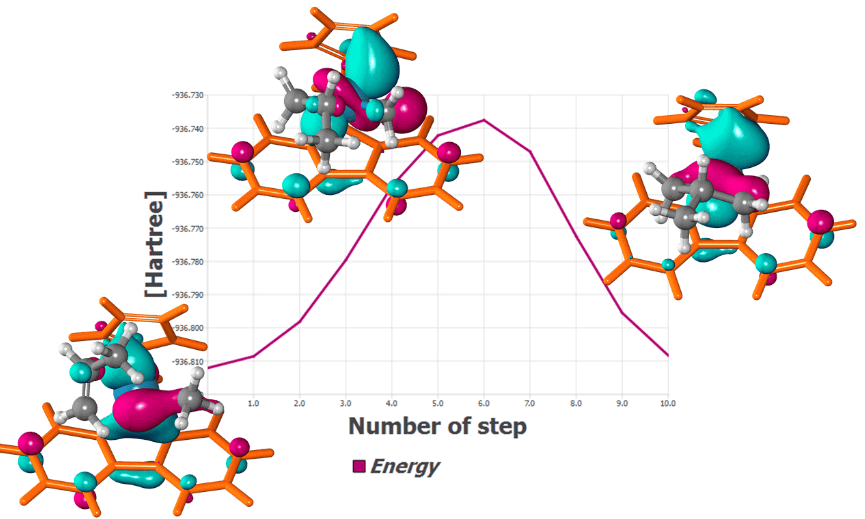
Key Features of NWChem
- It can handle computations in both classical and quantum
methods. - The highly productive scaling feature enables it to adapt to
the cluster of thousands of processors. - It can determine the wave function and the energy of a
quantum many-body system in a stationary state with the
Hartree-Fock method. - NWChem supports relativistic corrections in computations in
various methods including Douglas-Kroll, Dyall-Dirac, spin-orbit,
etc. - This tool uses pseudopotentials and plane-wave basis sets to
perform Density Functional Theory calculations.
6. Avogadro
Avogadro is an advanced molecule editor and visualizer. It is a
cross-platform Linux chemistry software that is used in some other
fields like physics, biology and material science. This visualization too[7]l has an advanced
rendering engine that is extensible via a plugin system. The
upcoming version of this tool will reportedly have powerful
scripting abilities for task automation.

Key Features of Avogadro
- It supports various threads for rendering and computation
tasks. - This tool has built-in support for crystallographic unit
cells. - It can import files from the popular software, Open Babel.
- Developers can extend the functionality using its plugin
architecture. - It has a built-in interpreter for scripting with Python
language. - It features great documentation for its APIs. All the APIs are
available publicly.
7. PyMOL
As the name suggests this tool is based on Python language[9]. PyMOL uses OpenGL for
visualizing molecular graphics. This chemistry tool for Linux can
perform real-time visualization of molecular data. It can generate
stunning images and can animate them. This tool is available for
free under the GPL license. It provides easy to use APIs to use in
custom applications.
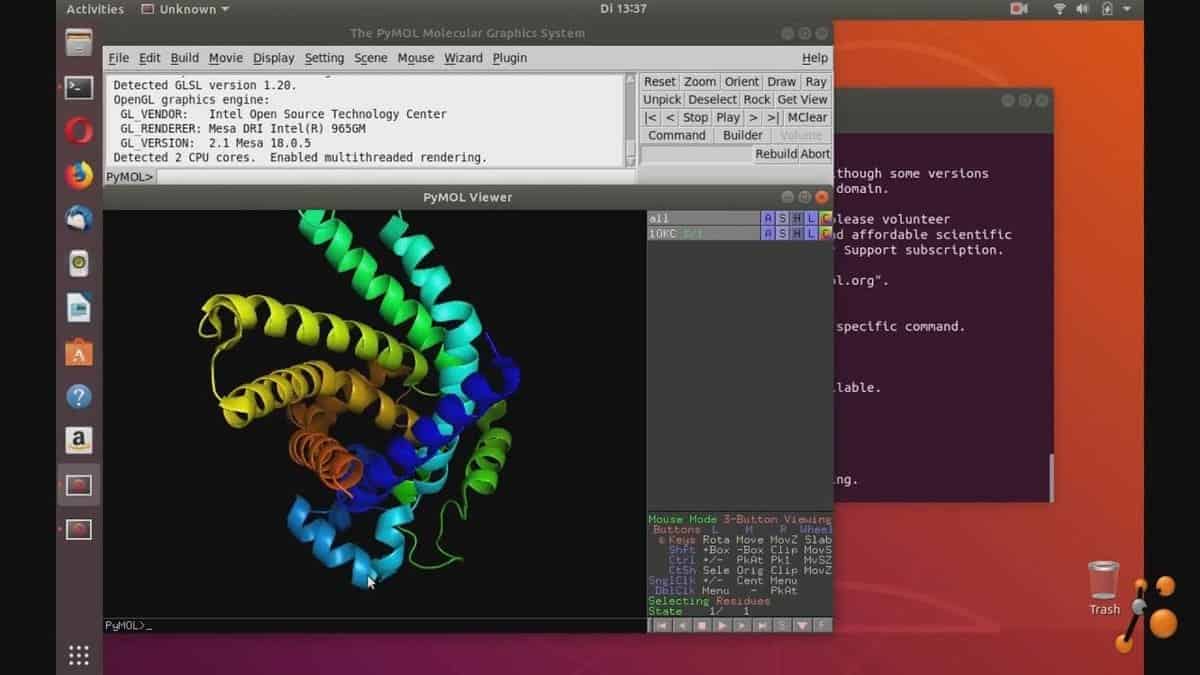
Key Features of PyMOL
- It supports real-time three-dimensional visualization.
- OpenGL graphics library enables it to perform high-quality
publication standard rendering. - PyMOL features an extensive animation tool for video
visualization. - It can use reflection data to generate electron density
maps. - It has some built-in measurement tools including angles,
distances, etc. - It can read various file-formats including .pze, .pzw, .pse.gz,
.psw.gz, etc.
8. CP2K
CP2K is a free and open-source atomic simulation software. It
can simulate materials in different states like solid, liquid,
crystallized, etc. It is highly used in different fields of science
including physics[11], chemistry, and
biology[12]. This Linux chemistry
software can perform the electronic structure of molecules in the
linear and parallel scaling methods. It features a QUICKSTEP module
for performing different ab initio methods.
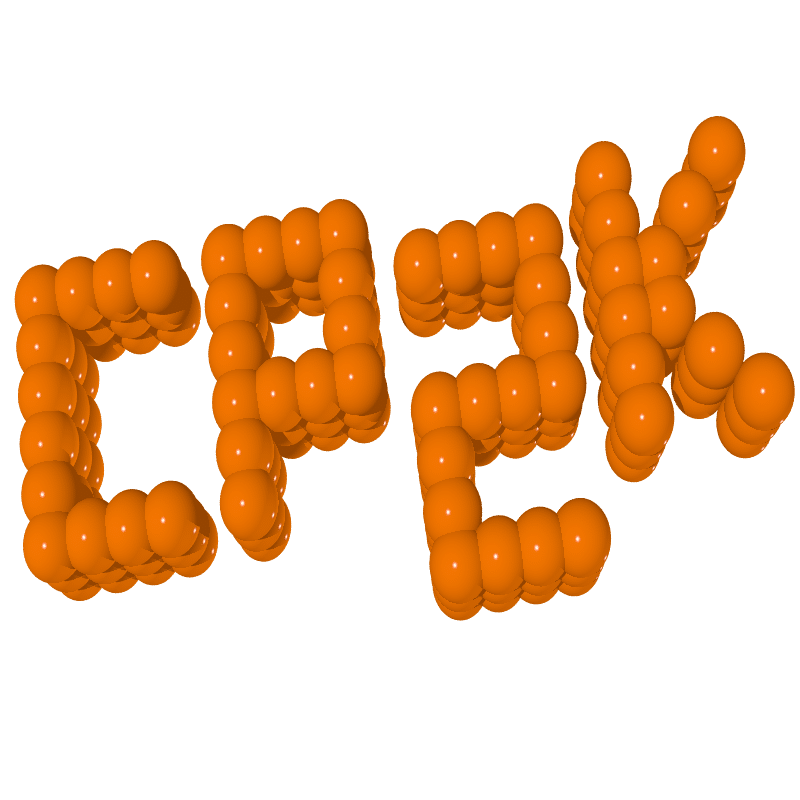
Key Features of CP2K
- It uses the DFT technique for computational quantum mechanical
modeling. - This tool can determine the energy of a quantum many-body
system in a stationary state by the Hartree-Fock method. - It supports several second-order theories for the computation
of energies and forces. - CP2K can extend its density functionals via LibXC functional
library. - This tool can calculate single-point energies, geometry
optimizations, and frequency.
9. Open Babel
Open Babel is also known as a chemical toolbox. Numerous
chemistry tools depend on this software package. This open-source
chemistry tool can read and edit chemical data files. Since it is a
collaborative project, the public can search, convert, analyze, or
store data to this software system. Open Babel can convert many
file formats used in molecular modeling related areas. It has a
command-line interface[14] and it is compatible
with other popular software.

Key Features of Open Babel
- It has built-in tools for converting files as well as searching
for molecules. - A wide range of chemical data file formats is supported by this
tool. - This tool can recognize imported file types automatically. Thus
users don’t need to define them. - The batch conversion feature saves time and increases
productivity. - It supports all the basic principles of molecular
mechanics. - Users can add or subtract Hydrogen for better simulation.
10. Gabedit
Like other chemistry tools for Linux, Gabedit is not a single
piece of software. Rather it is a GUI based complete package of
software including Gamess-US, Molcas, Gaussian, MPQC, Molpro, etc.
Thus it can perform a variety of tasks related to computational
chemistry. From different types of analysis to visual rendering,
Gabedit got you covered.
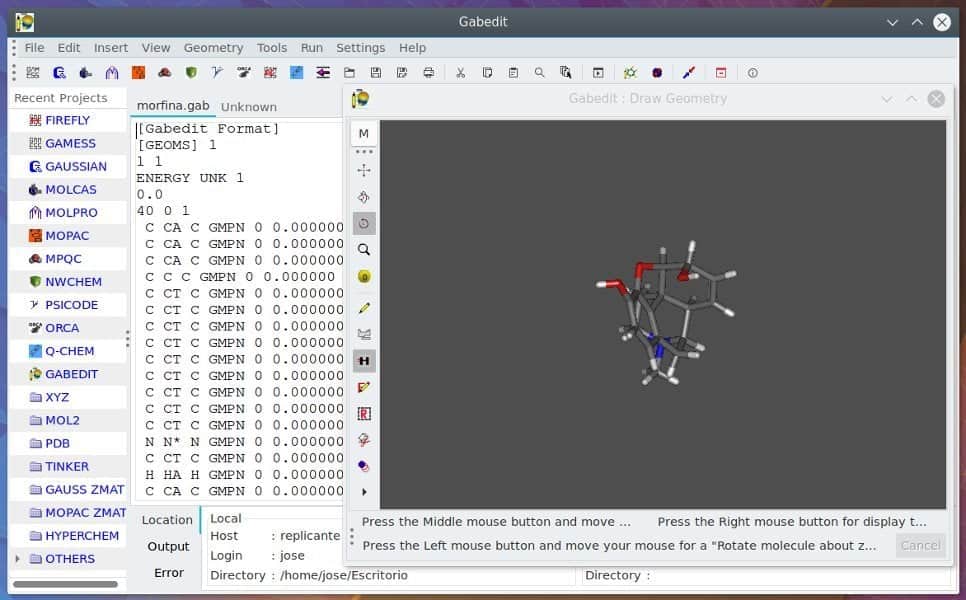
Key Features of Gabedit
- This toolset supports almost all the major file formats
regarding chemical data. - It can display the analysis results derived from different
chemistry software graphically. - Data visualization tools have different customization
parameters. - The rendered graphical data can be animated and exported as
video files. - This tool can read orbital data from the GENNBO files.
- It has built-in support for popular chemistry software,
NWChem.
11. Jmol
Jmol is the name of an open-source chemistry tool. It is a 3D
image viewer based on Java. This tool is heavily used in viewing
three-dimensional chemical structures. It is not only used in
analysis or research. Rather this is a beginner-friendly tool that
can be used in teaching at any level. Apart from chemistry, this
tool is used in the field of physics, biology and materials
science.

Key Features of Jmol
- There is an applet called JmolApplet which can integrate with
the webpages. This tool is highly useful for enhancing online
courses or tutorials. - Being a Java-based tool, it runs on any Linux machine without
any hassle. - It can render 3D graphics no matter how powerful the graphics
processing unit is. - This tool supports a wide range of molecular file formats from
the most popular to the proprietary formats. - Jmol can animate the graphical output derived from molecular
structure. - It can export graphics in different commonly used file
formats.
12. Kalzium
Kalzium is a pretty basic chemistry software for Linux. But it
is so useful that every high school student should install it into
their machine. This software package contains all the basic
information regarding elements and there is even a full-fledged
periodic table built-in. You will also get a 3D molecule viewer,
chemical equation solver, and other useful tools.
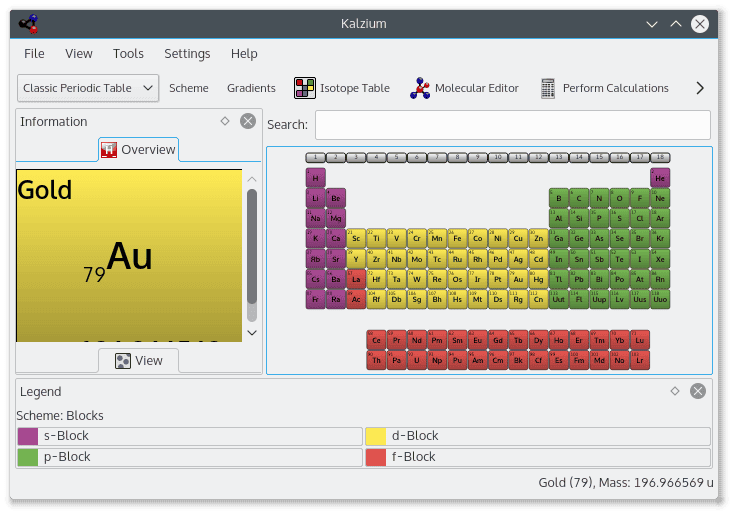
Key Features of Kalzium
- Users can view the full-featured periodic table in the legacy
way. - The periodic table can be sorted according to groups, blocks,
and families. - The built-in chemical equation solver helps to solve complex
equations. - Users can visualize three-dimensional structures of molecules
from different chemical file formats. - The timeline is an interesting feature to know the history of
any element.
13. XDrawChem
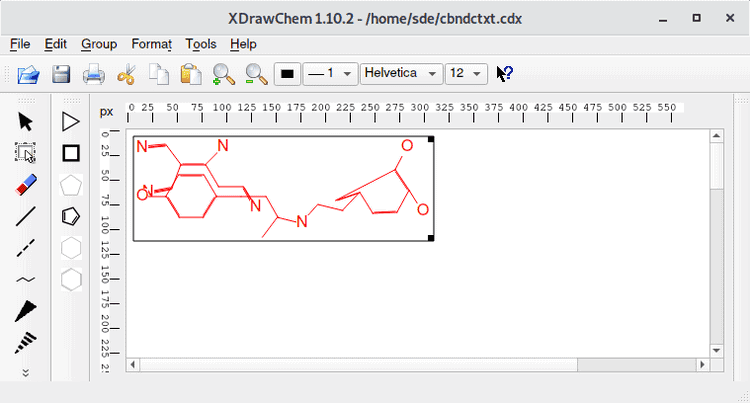
XDrawChem is a two-dimensional visualization software. This
open-source chemistry tool can visualize chemical structures and
reactions. You may have known about the popular paid tool,
ChemDraw. XDrawChem has almost similar functionalities with no cost
at all. It is compatible with numerous file formats. Users can
export images in popular PNG and EPS formats.
Key Features of XDrawChem
- It can detect different components and align them automatically
while drawing. - It has a huge built-in structure library of almost all the
standard amino and nucleic acids. - Users can download structure information from servers based on
different parameters. - This Linux chemistry software can read and write any formats
supported by the current release of Open Babel. - Users have the option to add 3D drawing functionality by
installing the BUILD3D tool.
14. GROMACS
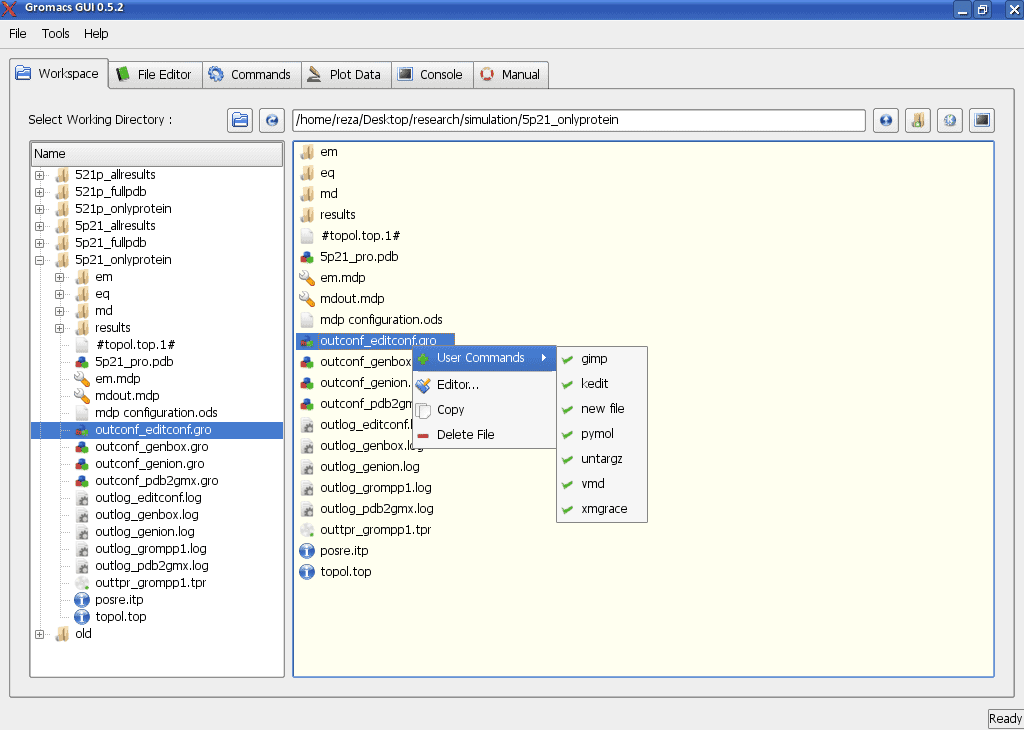
This chemistry tool for Linux is a simulator for building and
analyzing molecular dynamics. It is a very flexible tool which is
used in different fields of applied science and engineering. It can
simulate the molecular dynamics of millions of particles. For this
particular reason, it is highly used in biochemical reactions where
there are huge protein and lipid molecules. The developers are
trying hard to integrate it with the bioinformatics[20] database.
Key Features of GROMACS
- Users don’t need to have any prior scripting knowledge. It
features an easy to use and simple user interface. - The developers are providing free user manuals in the ebook
format for the beginners. - The advanced loading screen feature provides you with
information related to the remaining time and progress. - Users can store the trajectory data using an advanced
compression method. - The trajectory tools can generate output in grace graphs, with
axis labels, legends, etc.
15. BKChem
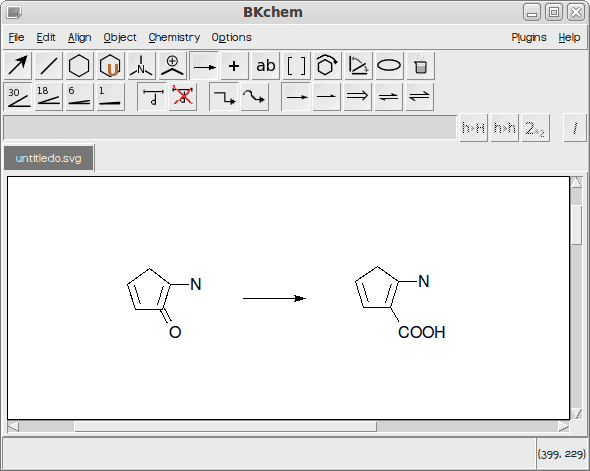
BKChem is one of the simplest chemistry software available out
there. This tool is free and open-source. The original code was
written into Python language[22]. It is a
two-dimensional molecule editor. But apart from this, it is bloated
with many features.
Key Features of BKChem
- Users can draw from a template to boost up productivity.
- The drawing tool has got rich text and color support.
- Users get all the basic arrangement features including
alignment, rotation, scaling, etc. - It can export drawings to SVG, EPS, PDF and almost all the
popular formats. - Users can develop own plugins by writing code with Python and
XML.
Final Thoughts
As I said earlier there is a bunch of Linux chemistry software
made by different developers. Every package is different and has
its purpose. For a specific job, you will get many alternative
tools. Again some tools that are unique in their way. The above
list is curated in such a way that you will get an idea of what
kind of software you will need for your job done. But its always
better to try out the maximum number of software to meet the sweet
spot of your requirements. If you find this list useful, don’t
forget to share with your fellows and colleagues. And, if your
favorite tool is missing don’t hesitate to mention that in the
comments section.
References
- ^
The 20
Best Python Books Available Online in 2020
(www.ubuntupit.com) - ^
Get Tomviz
(tomviz.org) - ^
Get Psi4
(www.psicode.org) - ^
Get GAMESS
(www.cfs.dl.ac.uk) - ^
Get MPQC
(www.mpqc.org) - ^
Get NWchem
(www.nwchem-sw.org) - ^
The 20
Best Data Visualization Tools Available in 2020
(www.ubuntupit.com) - ^
Get Avogadro
(avogadro.cc) - ^
The 30
Best Python Courses and Certifications in 2020
(www.ubuntupit.com) - ^
Get PyMOL
(pymol.org) - ^
The 15
Best Physics Tools for Linux System in 2020
(www.ubuntupit.com) - ^
The 15
Best Biology Tools for Linux to Use in 2020
(www.ubuntupit.com) - ^
Get CP2K
(www.cp2k.org) - ^
Linux
Terminal Emulator: Top 15 Reviewed and Compared
(www.ubuntupit.com) - ^
Get Open Babel
(openbabel.org) - ^
Get Gabedit
(gabedit.sourceforge.net) - ^
Get Jmol
(jmol.sourceforge.net) - ^
Get Kalzium
(edu.kde.org) - ^
Get
XDrawChem (www.woodsidelabs.com) - ^
Top 20
Best Bioinformatics Tools for Linux: An Ultimate Collection
(www.ubuntupit.com) - ^
Get GROMACS
(www.gromacs.org) - ^
50
Frequently Asked Python Interview Questions and Answers
(www.ubuntupit.com) - ^
Get BKChem
(bkchem.zirael.org)
Read more https://www.ubuntupit.com/best-chemistry-tools-for-linux/