If you are looking for a scanning tool for Linux, then you are
in the right place. From the very beginning of digitalization,
scanning tools have served us in many ways. If you want to store
your paper documents or photos digitally, there is no alternative
to scanning tools. Although you get a default scanning tool with
the scanner driver, that is not polished to work flawlessly.
Besides, these default scanning tools don’t always get the best
support from the manufacturers for the Linux platform. This is why
you need to look for the scanning tools for your Linux system.
These tools often work with various hardware and scan your
document accordingly. Besides, they provide some additional values
and features to the users. For example, you can export the scanned
document into various formats and customize them.
Though smartphone cameras declined the usage of scanners a bit,
there is still a great demand for scanning tools for the computers.
The scanning hardware is also getting a modern refresh to cope with
the situation. Likewise, they have wireless technology and color
display for making things easier.
Most of the printing and scanning related tools work best with
Windows and Mac. Besides, they have some powerful and premium graphics tools that make the
thing a lot easier. On the other hand, Linux has very few options
that are worth mentioning. For this reason, we have created a list
of the 10 best document scanning software for Linux. These tools
will help you with digitalizing your old-school paper documents.
[1]
1. SimpleScan
SimpleScan is a document scanning tool for Linux. The program is
not that simple as the name suggests. Rather this is a pretty
powerful and user-friendly tool. It comes preinstalled with the
popular Linux distribution[2] – Ubuntu.
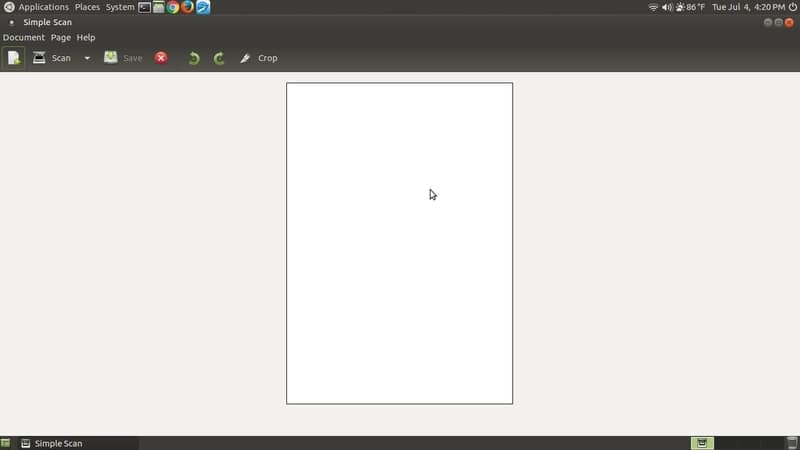
Key Features of SimpleScan
- It supports a wide range of scanning hardware.
- This tool can crop and rotate the scanned document.
- You can change the DPI for your documents.
- It can save and export documents in a variety of formats.
2. gscan2pdf
gscan2pdf is a free and open-source document scanning tool. It
is considered as a gold standard for third-party document scanning
tools. This tool provides all the necessary features of a scanning
tool. Besides, this tool doesn’t put extra stress on the system
resources.
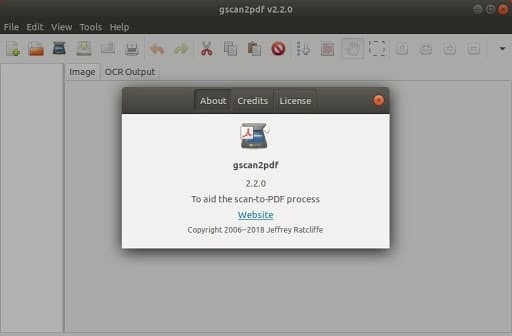
Key Features of gscan2pdf
- You can set up custom document resolution for scanning.
- It gives you basic photo editing features such as sharpening,
color correction, etc. - It even supports some unfamiliar file formats like TIFF, DjVu,
etc. - This tool can choose the paper size for you that is very
convenient if you want to print them.
3. GIMP with
QuiteInsane
GIMP is the most popular graphic tool for Linux. It is known as
the open-source alternative for Adobe
suite[5]. Although GIMP is mostly
used for image manipulation. You can use a powerful plugin named
QuiteInsane with GIMP to turn this into a document scanning
monster. The scanning functionality of QuiteInsane, along with the
editing and exporting tools of GIMP, is quite insane!
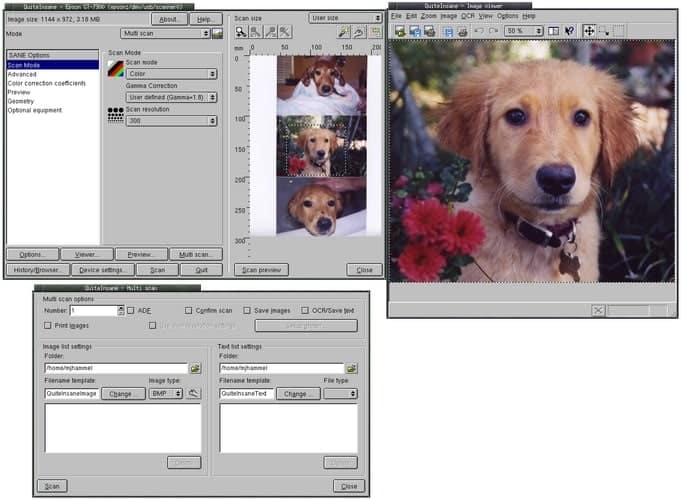
Key features of GIMP with
QuiteInsane
- Photo scanning becomes easy with built-in manipulation
tools. - Supports a wide range of formats. The only limit is the
GIMP. - You can choose scan resolution, color properties, etc. with
this tool. - GIMP was found to support almost all the common scanning
devices.
4. Xsane
This is a graphical user interface for the SANE project. The
SANE library is a unified way for Linux to scan documents using
various third-party hardware. SANE stands for Scanner Access Now
Easy. For this reason, Xsane supports all the features and hardware
supported by the original SANE project.
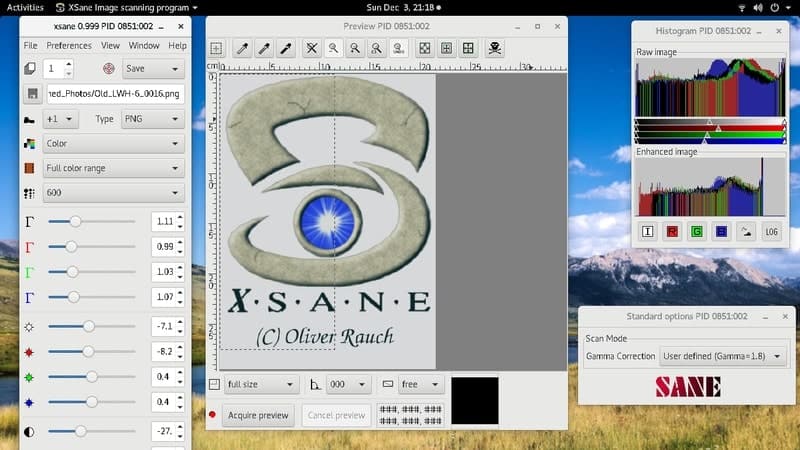
Key Features of Xsane
- This scanning tool for Linux even supports the scanners that
don’t have native driver support for Linux. - There is a GIMP plugin for this tool that makes the process a
lot easier. - Apart from scanning it can print, photocopy and fax
documents. - All the basic image enhancement features are built-in with this
tool.
5. Skanlite
This is one of the most feature-rich scanner utility for Linux.
The thing I most like about this tool is the beautiful and clean
user interface. Not only that. It has a plethora of options built
into this tool. This can be anyone’s go-to solution for document
scanning.
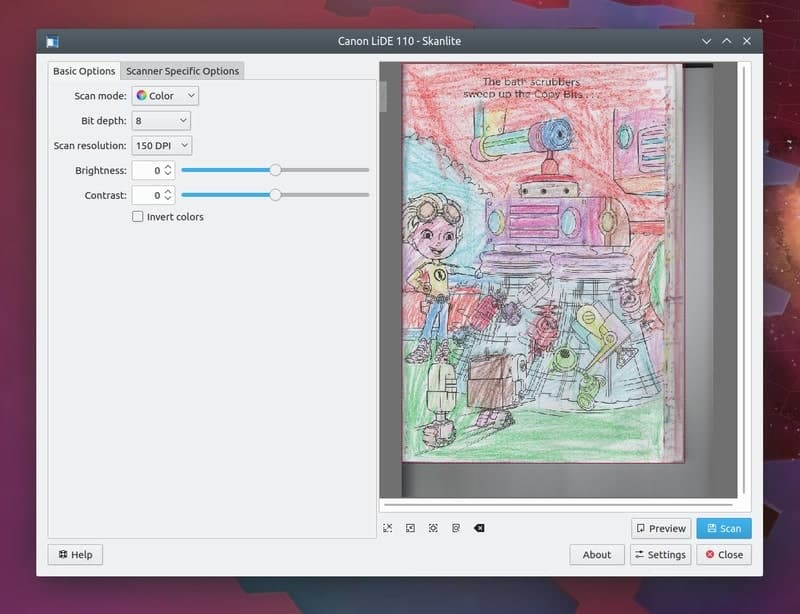
Key Features of Skanlite
- You can choose the DPI resolution from a variety of
options. - This tool has a brightness and contrast slider for tweaking the
scanned image. - There are some basic image coloring tools with a curve
tool. - It has some advanced scanner specific features for the
supported hardware.
6. SwingSane
SwingSane is yet another SANE library-based tool for document
scanning. It is a cross-platform tool, and the Linux version is
compatible with all the common distributions. This is probably the
most feature-rich scanner available out there. The user interface
is neatly arranged and very beginner-friendly.
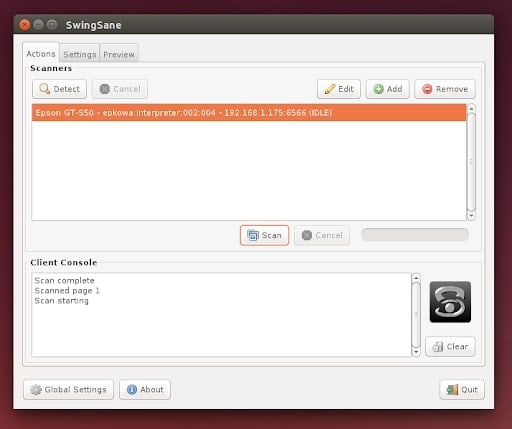
Key Features of SwingSane
- It can scan multiple documents simultaneously.
- You will immediately get a preview of what you are
scanning. - It has a built-in scanner function that can detect the
connected hardware. - There is a console for showing the scanning log to the
users.
7. VueScan
This is the only paid scanning tool for Linux on this list. And,
probably this is the reason why it is still under active
development phase. Although it costs a good sum of money, the value
it provides is great. Almost all the top corporate organizations
depend on this tool for their scanning job. If you use your Linux
machine for your office, then you can’t go wrong with buying
this.
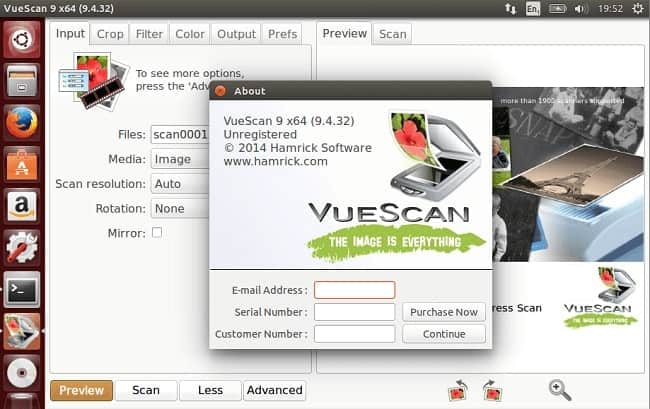
Key Features of VueScan
- This tool supports film and slide scanning along with typical
documents. - It has a built-in optical character recognition or OCR
functionality. - The developers reverse-engineered the drivers so that it works
with older unsupported hardware. - You will get professional customer support from the
developers.
8. ScanGear MP
This is a proprietary scanning tool by Canon. This tool is
provided with the driver software for Canon range of scanners and
multipurpose printers. It provides many features for users. The
only downside is that you can not use this tool with other
third-party printers. But if you own a Canon printer, then you are
good to go with this.
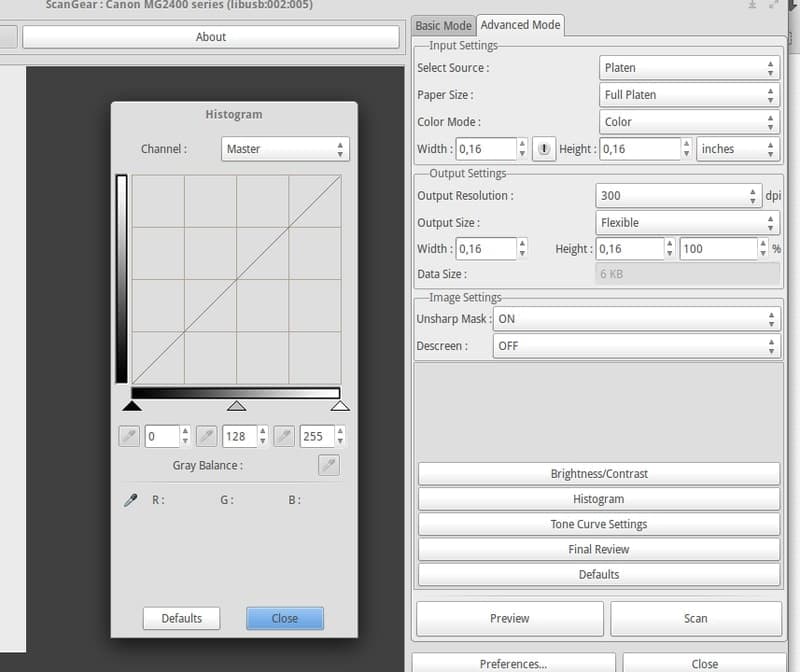
Key Features of ScanGear MP
- You can select a paper size from the dropdown menu and set
custom paper size if you want. - Users can set up the output resolution in DPI and the output
quality preset. - You have the full control with image color adjustments with a
handy histogram tool for playing with the curves. - It will provide you free upgrades and support from the Canon
engineers.
9. HP Linux Imaging and
Printing
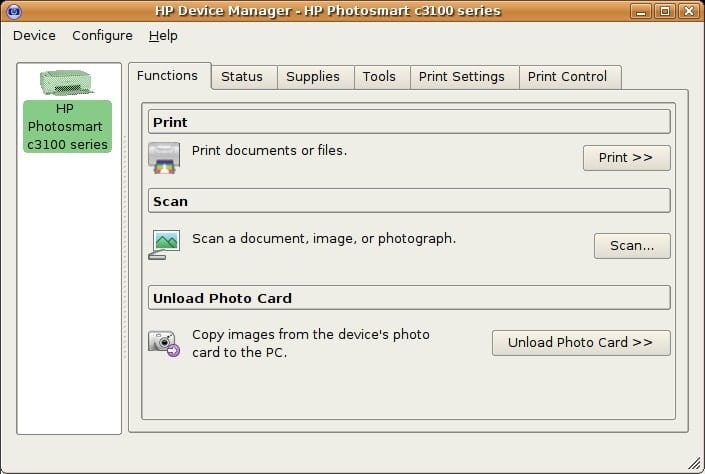
This tool is also known as HPLIP. It was developed by HP for
their printers and scanners. Since it is a multipurpose tool, you
have printing functionalities built-in with this program. Those who
have to print the scanned documents can use this tool to make the
workflow faster.
Key Features of HP Linux Imaging and
Printing
- Normally it comes preinstalled with all the major Linux
distributions. - This tool supports more than 3000 HP hardware intended for
scanning, printing, and related tasks. - It gives you advanced control over the scanning hardware.
- You will get free support, and there is a huge knowledge base
for the beginners.
10. Epson Image Scan
This is yet another proprietary scanning tool for Linux. This
time it comes from a veteran imaging hardware maker Epson. As
always, it works only for the Epson scanners. But Epson is a great
choice as a scanner. Hence, most of you might like it to use with
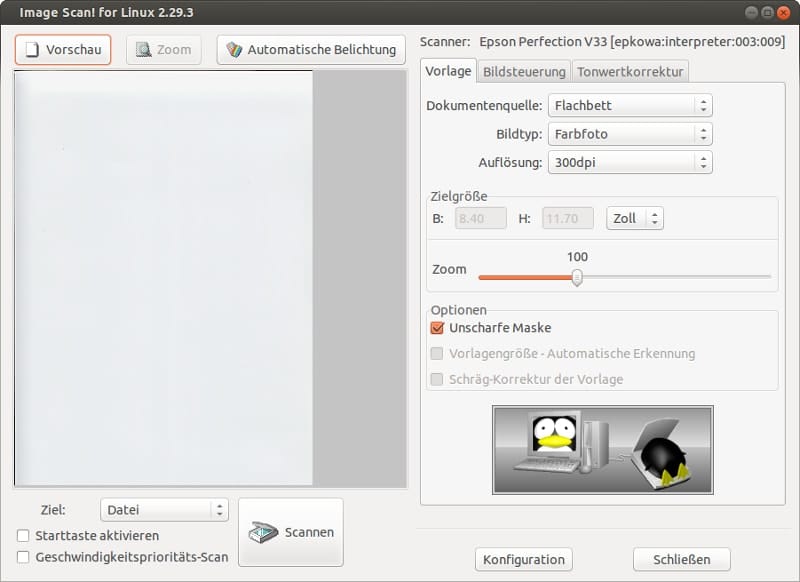
your Epson scanner. It is loaded with various features and
unleashes the way towards the amazing quality of Epson
scanners.
Key Features of Epson Image
Scan
- The user interface is neatly arranged with beautiful visual
elements. - You are getting a bunch of image and exposure correction tools
built into this. - All the basic properties like resolution, page size, etc. are
configurable with Epson Image Scan. - You can preview the scanned documents at once, and there is a
pretty handy auto exposure feature.
Finally, Insights
As I said earlier, the documents scanning tools for the Linux
system have very few options. Most people go with tools like Simple
Scan and gscan2pdf. Yet, some others want to stick with the
vendor-specific tools for their hardware. But, if you love testing
out new software, then I will suggest you take a look at the other
alternatives. Hopefully, you will find your next scanning mate from
this list. If you are already using a scanning tool, then which one
do you like most? Let us know by commenting below.
References
- ^
20
Vector Graphics Software For Linux: Tools To Create Beautiful
Designs (www.ubuntupit.com) - ^
Best
Linux Distro: Top 10 Recommendation To Boost Up Your Linux
Experience (www.ubuntupit.com) - ^
Download
(launchpad.net) - ^
Download
(gscan2pdf.sourceforge.net) - ^
Top 10
Linux Photoshop Alternative Photo Management Software
(www.ubuntupit.com) - ^
Download
(sourceforge.net) - ^
Download
(www.fifi.org) - ^
Download
(community.linuxmint.com) - ^
Download
(sourceforge.net) - ^
Download
(www.hamrick.com) - ^
Download
(th.canon) - ^
Download
(developers.hp.com) - ^
Download
(support.epson.net)
Read more https://www.ubuntupit.com/best-scanning-tools-for-linux/