Gentoo Linux derivatives can be the ideal choice for the
professional Linux users who don’t want to compromise about the
system stability and performance. Some of you might know nothing
about Gentoo Linux. Unlike other Linux distributions like Ubuntu,
Kali, etc., Gentoo is quite unfamiliar.
Only the veteran Linux users know about this. And, the people
who know about its potential hardly go back to any other
distributions. The exclusivity of the Gentoo Linux is that you need
to build the whole flashable image from the source code. That
sometimes may require a few days based on your machine’s
strength.
This uniqueness of the Gentoo Linux is kind of a two-edged
sword. You get smooth performance and stability because you are
building this thing as per your computer’s capability. On the other
hand, the time and hassle required for building it lead to
frustration, which eventually drives the beginners away.
But there are some derivatives or customized variants of Gentoo Linux that
removes the limitations of this operating system and makes it more
user-friendly towards the beginners. These are not official
variants. Rather the Gentoo Linux enthusiasts and developers all
over the world are contributing to these derivatives to give the
normal users the taste of Gentoo Linux. [1]
Best Gentoo Linux
Derivatives
We all know that Ubuntu[2]
and its derivatives are most popular among Linux users. Ubuntu has
a lot of derivatives. But, Gentoo, on the other hand, has a limited
userbase. This thing leads to a small number of Gentoo derivatives
out there.
But still, if you want to try out Gentoo, you have to choose one
of them. This is why we are here. We have tested out all the
derivatives of Gentoo Linux that are currently available or has a
userbase. Then we compiled this list of 10 best Gentoo based Linux
derivatives so that you can choose your next pick from here.
1. Sabayon Linux
Sabayon Linux is still the most popular Gentoo Linux derivative
of all time. The project was originally started by an Italian
developer. The main philosophy behind building this distro was to
provide the users with a straight out of the box experience.
Hence this derivative is preloaded with all the necessary
applications. It has Gentoo’s popular Portage package management
system with a huge software library. Besides, it uses another
package manager named Entropy that was created exclusively for
Gentoo.
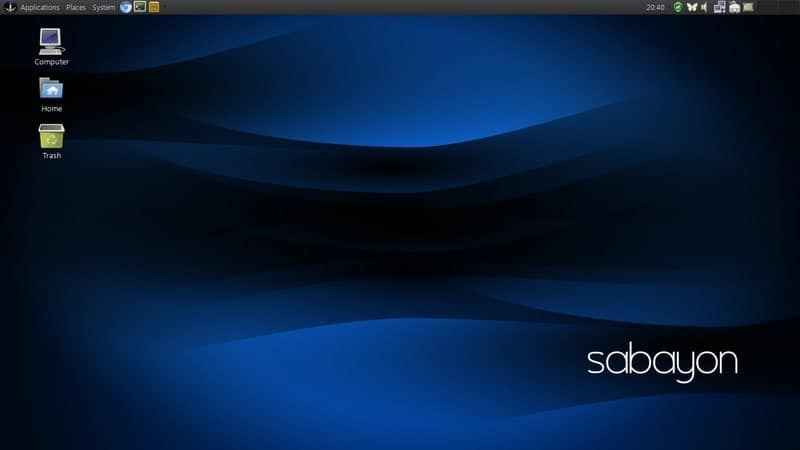
Key Features of Sabayon Linux
- It has different variants that use different desktop
environments like KDE, XFCE, and GNOME. - The installer is easy to use and does not need to build the
flashable from the source code. - This distro has great support for single-board computers such
as Banana Pi, Raspberry Pi, etc. - Sabayon uses a rolling release system that can be easily
upgradable, and you will even find daily builds of this
distro. - The support for this system is amazing, with its official blog,
forum, wiki, and even a live chat option.
2. Calculate Linux
Most people don’t use Calculate Linux on their personal
computers. Because it is intended to install on organizational
workstations. However, it has a variant named Calculate Linux
Desktop that can be easily used on a home PC. Apart from this,
Calculate Linux comes with some other variants such as Server,
Scratch, Scratch Server, and Container.
It uses different desktop environments for users with different
tastes. All of the Calculate Linux variants can be used via live CD
feature. This distribution is very stable and can run smoothly even
on weaker hardware. The desktop variant can be fully integrated and
controlled by using the server variant of the distribution.
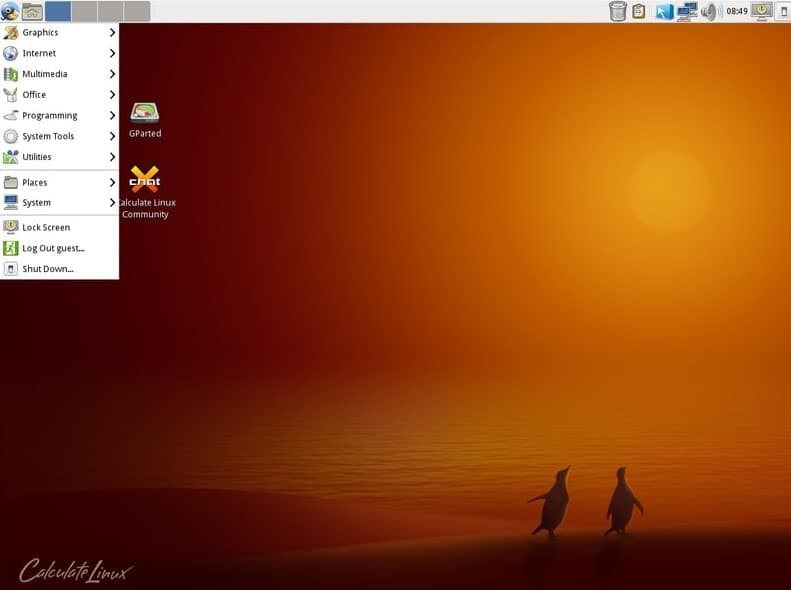
Key Features of Calculate
Linux
- You can set it up in a way so that it saves and restores all
the system and software settings into the Calculate Linux
server. - This distro is fully backward compatible with the original
Gentoo Linux. - You can choose between your favorite desktop environments from
a large list of options containing KDE, Xfce, Cinnamon, MATE,
etc. - The server edition of the distro provides tools for remote
management and user authentication features. - This is a great system if you want to build a network that has
devices running both Linux and Windows.
3. Redcore Linux
Redcore Linux is considered the ultimate balance between Gentoo
and traditional Linux distros. Undoubtedly, Gentoo is a powerful
Linux distribution. But many people are deprived of using this
because of its lack of beginner-friendliness. Although some Gentoo
derivatives solved this problem.
But Redcore took it further. Unlike any other Gentoo based
system, it can install packages without building them from scratch.
Rather than going with the traditional Gentoo style repositories,
Redcore features a completely separate software repository that
contains pre-built codebase.
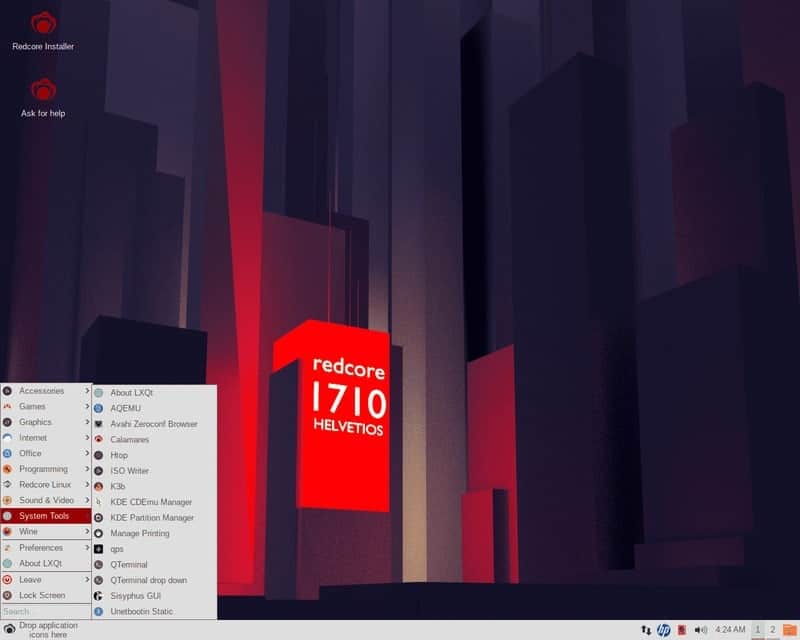
Key Features of Redcore Linux
- This Gentoo Linux derivative is very friendly towards the
newbie users because it ditched many complex Gentoo features. - Redcore Linux is very capable of using as a home PC with a lot
of preinstalled tools for media, gaming, and entertainment. - The exclusive repository of this distro is not that huge. But
it features some quality packages that are not resource-hungry and
do the job properly. - This distro follows a rolling release model that is capable of
delivering smooth updates throughout the entire lifespan of your
machine. - You can browse through their entire git repository through a
custom web interface.
4. Gentoo Studio
Gentoo Studio is an unofficial mod of the Gentoo operating
system. This makes Gentoo Studio a pretty capable Linux based
Digital Audio Workstation[6] or DAW. Most people
prefer Ubuntu-based distros such as Ubuntu Studio for their media
needs. But if you want to have the Gentoo power with some great
media capabilities, then Gentoo Studio should be your pick.
If you are a hardcore audio mixer, then the unnecessary GUI and
other visual elements may mark a limit to the computer resources
you can use for rendering. But Gentoo Studio solves this problem,
and this is the audio producer’s most favorite feature.
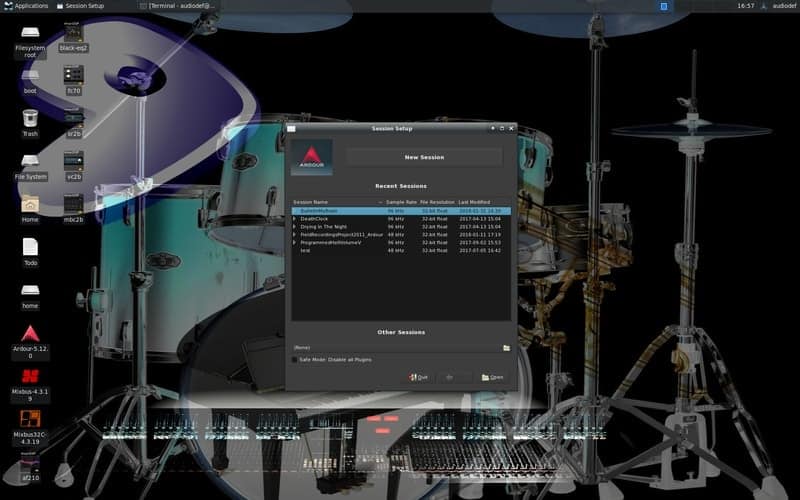
Key Features of Gentoo Studio
- Unlike the original Gentoo Linux, this distro is easy to
install, and the beginners can configure easily. - It doesn’t have bloatware apart from some handy preinstalled
tools for audio engineering. - This distro uses the Xfce desktop[7]
manager as the default DE that is very lightweight and customizable
at the same time. - It contains a Linux kernel that is patched for giving priority
and necessary powers to the connected audio equipment. - There are a built-in lightweight display manager and a utility
to detect USB connected audio components inside the terminal
window.
5. Porteus Kiosk
Well, first of all, you have to know that this is not an
ordinary desktop distribution of Linux. Rather, it serves a very
specific purpose. As the name suggests, this is for any kind of
kiosk. For those who don’t know, the kiosk is an interactive device
similar to an ATM that provides access to specialized digital
information and applications.
This Porteus Kiosk user interface is a restricted web-browser.
The browser is set up in a way that the users can not exit the
browser and access to other parts of the OS. The browser will not
save any user credentials, which is very important for the privacy
of the users. You can configure and customize this based on the
need of your organization.

Key Features of Porteus Kiosk
- The installation file is very lightweight, which ensures smooth
operation on any hardware. - It has a bunch of privacy features included in this Linux
distro. - The customization wizard can detect all the hardware
components, and this is very helpful for customization. - You have the options for network settings, browser settings,
additional hardware settings, etc. for setting up the kiosk. - It supports automatic updates that may require a paid
subscription.
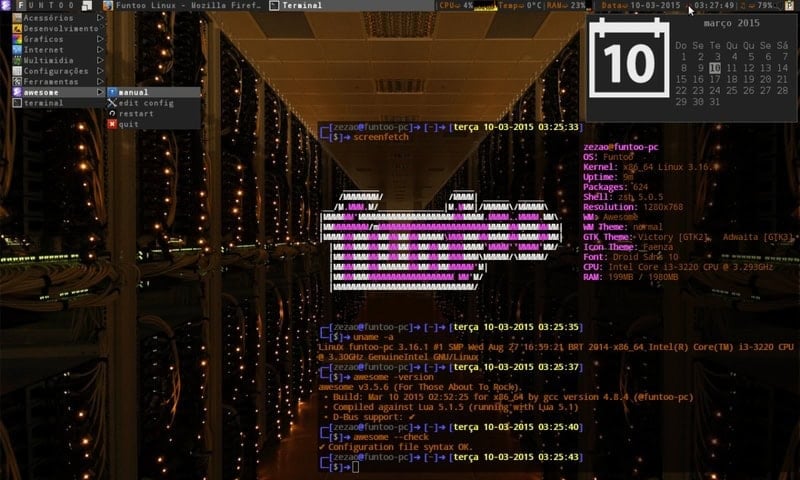
6. Funtoo
Funtoo is yet another visually attractive and easy to use Gentoo
Linux derivative. Although this is not the official derivative of
Gentoo. An interesting fact is that this project is maintained by
the founder of the original Gentoo Linux, Daniel Robbins.
The features are almost similar to Gentoo with some significant
improvements. This is very easy to use Linux distribution. Anyone,
with little Linux knowledge, can start using Funtoo Linux and can
get the job done.
Key Features of Funtoo
- The Git-support makes the software packages downloaded faster
than original Gentoo. - It supports UTF-8 encoding by default and has an advanced
Funtoo overlay. - The system is more stable, and it supports the automated import
of new Gentoo features. - You can get developer support via Discord or Telegram
channels.
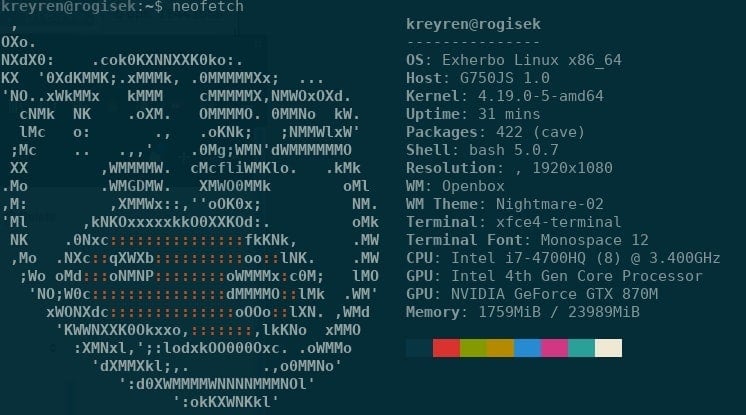
7. Exherbo
Exherbo is a Linux distribution based on the code of Gentoo. But
this is not for beginners and home users. Instead, it is a
specialized distro optimized for developers and power users. A good
set of useful tools are built-in with the package.
Exherbo uses a different package manager than the original
project. The Paludis package manager is very fast and flexible, and
it provides easier access to most of the common Linux packages.
Key Features of Exherbo
- It has native support for multiple architectures.
- Exherbo has advanced security features for user management
systems. - This distro has great documentation support for getting anyone
started. - You will get all the necessary packages to download on their
official website.
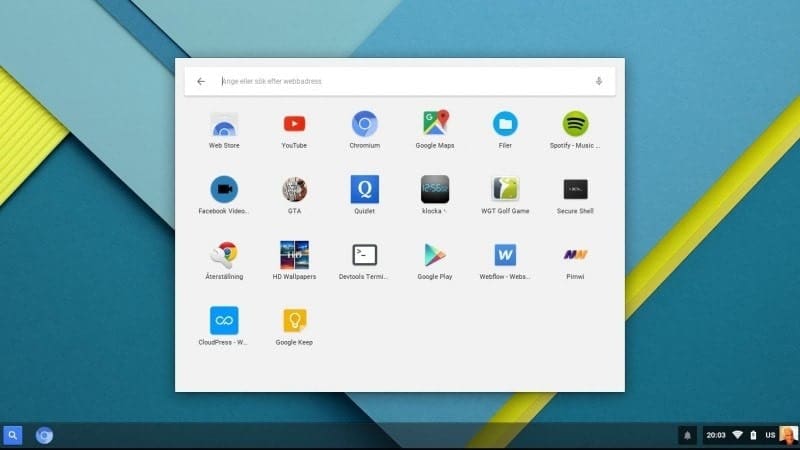
8. CloudReady
This is a Chrome OS alternative for custom-built hardware. This
operating system was built based on Google’s open-source Chromium
project. You might be surprised to learn that the Chromium OS is a
Gentoo Linux derivative.
Neverware makes CloudReady, and it has three different editions.
The Home edition is completely free to install while the Education
and Enterprise edition costs you a few bucks every year. The free
version has some feature limitations, but it is enough for many of
us.
Key Features of CloudReady
- You have the Chromebook[12] like the look and feel
on any device. - The apps are cloud-based, and this is why it runs smoothly on
any device. - Remote management is possible for organizational
deployments. - The professional edition has email and phone support from the
developers.
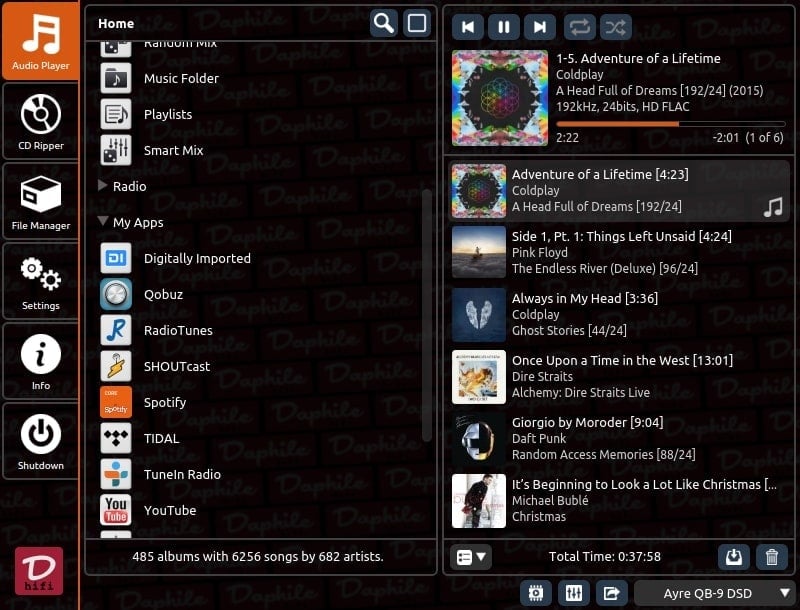
9. Daphile
Daphile is a special purpose Linux distro, just like the Porteus
Kiosk. This distro was developed as an audio server and player. It
can be controlled remotely via a web-based user interface on a
headless computer.
Daphile is not just a basic audio management system. Rather it
has a lot of functionality that is future-proof. Users get system
updates via the internet, and the features can be extended by
installing plugins.
Key Features of Daphile
- It supports a wide range of audio file formats with support for
USB connected DACs. - This distro can configure the connected audio devices
automatically. - Apart from the offline drive, Daphile can connect to network
drives for playing music. - The installer ISO is small in size and doesn’t take much space
even after installation.
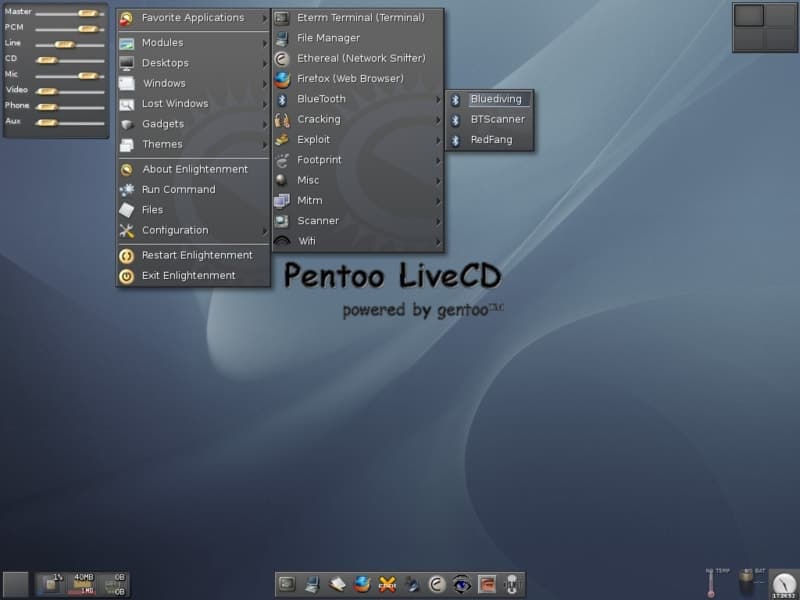
10. Pentoo
The last distro based on Gentoo on this list is Pentoo. Just
like the name, it doesn’t have much difference with the original
Gentoo Linux. But it brings some convenient desktop features for
the beginners.
This distro is specialized for using for penetration testing and
network security. It comes preinstalled with some hacking and
networking tools[15] similar to the Kali
Linux. This distro is not designed to be installed on a hard drive.
Rather you can use Pentoo in any USB devices for use on the go.
Key Features of Pentoo
- It uses the Xfce desktop manager with a lot of customization
options. - This distro uses a modified Linux kernel with pen-testing
tools. - You can save the configuration into the USB stick.
- Users get support from their official Discord channel.
Final Thoughts
Well, using a Gentoo Linux derivative is still not recommended
to beginners. But if you want to give it a try, then you can choose
any of the distros mentioned above. All of them are not meant to be
used on home computers. Some special-purpose Gentoo Linux variants
have no competition, and they are considered the best in their
class.
If you are already a Gentoo user, then you can comment below
about why you like to use Gentoo Linux instead of other
distributions. Even if you have developed our very own customized
Gentoo derivative, then you can let us know so that we can try that
out.
References
- ^
Gentoo Linux
(www.gentoo.org) - ^
23 Best
Things To Do After Installing Ubuntu 18.04 and 18.10
(www.ubuntupit.com) - ^
Download
(www.sabayon.org) - ^
Download
(www.calculate-linux.org) - ^
Download
(redcorelinux.org) - ^
20 Best
Music Making-Mixing and DJ Software for Linux
(www.ubuntupit.com) - ^
The 20
Best Xfce Themes for Linux System in 2020
(www.ubuntupit.com) - ^
Download
(gentoostudio.org) - ^
Download
(porteus-kiosk.org) - ^
Download
(www.funtoo.org) - ^
Download
(exherbo.org) - ^
Top 15
Best Chromebook Laptops: The Experts’ Recommendation
(www.ubuntupit.com) - ^
Download
(get.neverware.com) - ^
Download
(www.daphile.com) - ^
Most
Comprehensive List of Linux Monitoring Tools For SysAdmin
(www.ubuntupit.com) - ^
Download
(www.pentoo.ch)
Read more https://www.ubuntupit.com/best-gentoo-linux-derivatives/