complaining online of a new piece of mysterious malware that hides
on the infected devices and can reportedly reinstall itself even
after users delete it, or factory reset their devices.
Dubbed Xhelper, the malware has already infected more
than 45,000 Android devices in just the last six months and is
continuing to spread by infecting at least 2,400 devices on an
average each month, according to the latest report published today
by Symantec.
Here below, I have collected excerpts from some comments that
affected users shared on the online forums while
asking for how to remove the Xhelper Android malware:
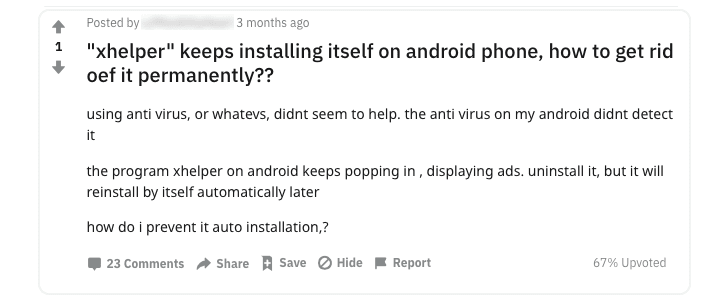
“xhelper regularly reinstalls itself, almost every
day!”
“the ‘install apps from unknown sources’ setting
turns itself on.”
“I rebooted my phone and also wiped my phone yet the
app xhelper came back.”
“Xhelper came pre-installed on the phone from
China.”
“don’t buy cheap brand phones.”
From Where Xhelper Android Malware Comes?
Though the Symantec researchers did not find the exact source from
where the malicious app packed with the Xhelper malware comes in
the first place, the security firm did suspect that a malicious
system app pre-installed on Android devices from certain brands
actually downloaded the malware.
“None of the samples we analysed were available on the Google Play
Store, and while it is possible that the Xhelper malware is
downloaded by users from unknown sources, we believe that may not
be the only channel of distribution,” Symantec researchers write in
its report[2].
“From our telemetry, we have seen these apps installed more
frequently on certain phone brands, which leads us to believe that
the attackers may be focusing on specific brands.”
published two months ago by Malwarebytes, researchers believed that
the Xhelper malware is being spread by “web redirects” or “other
shady websites” that prompt users to download apps from untrusted
third-party sources.
How Does the Xhelper Malware Work?
Once installed, Xhelper doesn’t provide a regular user interface;
instead, it gets installed as an application component that doesn’t
show up on the device’s application launcher in an attempt to
remain hidden from the users.
In order to launch itself, Xhelper relies on some external
events triggered by users, like connecting or disconnecting the
infected device from a power supply, rebooting a device, or
installing or uninstalling an app.
command-and-control server over an encrypted channel and downloads
additional payloads such as droppers, clickers, and rootkits on the
compromised Android devices.
“We believe the pool of malware stored on the C&C server to be
vast and varied in functionality, giving the attacker multiple
options, including data theft or even complete takeover of the
device,” the researchers say.
work in progress, as some of its “older variants included empty
classes that were not implemented at the time, but the
functionality is now fully enabled.”
The Xhelper malware has been seen targeting Android smartphone
users primarily in India, the United States, and Russia.
Though many antivirus products for Android detect the Xhelper
malware, they are yet not able to permanently remove or block it
from getting itself reinstalled on the infected devices.
Since the source of the malware is still unclear, Android users
are recommended to take simple but effective precautions like:
- keep devices and apps up-to-date,
- avoid app downloads from unfamiliar sources,
- always pay close attention to the permissions requested by
apps, - frequently back up data, and
- install a good antivirus app that protects against this malware
and similar threats.
References
- ^
online forums
(support.google.com) - ^
report
(www.symantec.com) - ^
separate report
(blog.malwarebytes.com)
Read more http://feedproxy.google.com/~r/TheHackersNews/~3/GsrVFYlHTlM/remove-xhelper-android-malware.html