Microsoft has announced plans to automatically block embedded
files with “dangerous extensions” in OneNote following reports that
the note-taking service is being increasingly abused[1]
for malware delivery.
Up until now, users were shown a dialog warning them that
opening such attachments could harm their computer and data, but it
was possible to dismiss the prompt and open the files.
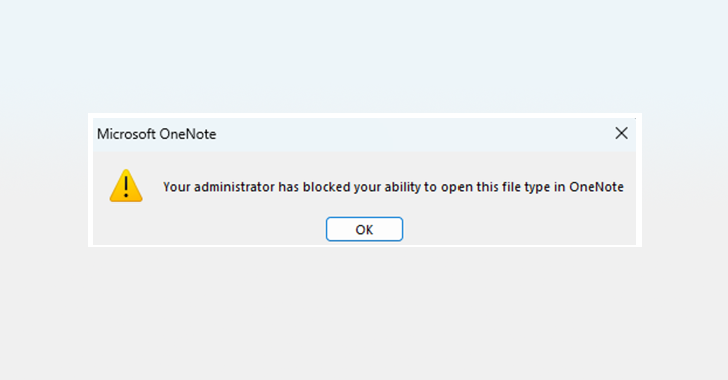
That’s going to change going forward. Microsoft said it intends
to prevent users from directly opening an embedded file with a
dangerous extension and display the message: “Your administrator
has blocked your ability to open this file type in OneNote.”
The update is expected to start rolling out with Version 2304
later this month and only impacts OneNote for Microsoft 365 on
devices running Windows. It does not affect other platforms,
including macOS, Android, and iOS, as well as OneNote versions
available on the web and for Windows 10.
“By default, OneNote blocks the same extensions that Outlook,
Word, Excel, and PowerPoint do,” Microsoft said[2]. “Malicious scripts and
executables can cause harm if clicked by the user. If extensions
are added to this allow list, they can make OneNote and other
applications, such as Word and Excel, less secure.”
The list of 120 extensions[3]
are as follows –
.ade, .adp, .app, .application, .appref-ms, .asp, .aspx,
.asx, .bas, .bat, .bgi, .cab, .cer, .chm, .cmd, .cnt, .com, .cpl,
.crt, .csh, .der, .diagcab, .exe, .fxp, .gadget, .grp, .hlp, .hpj,
.hta, .htc, .inf, .ins, .iso, .isp, .its, .jar, .jnlp, .js, .jse,
.ksh, .lnk, .mad, .maf, .mag, .mam, .maq, .mar, .mas, .mat, .mau,
.mav, .maw, .mcf, .mda, .mdb, .mde, .mdt, .mdw, .mdz, .msc, .msh,
.msh1, .msh2, .mshxml, .msh1xml, .msh2xml, .msi, .msp, .mst, .msu,
.ops, .osd, .pcd, .pif, .pl, .plg, .prf, .prg, .printerexport,
.ps1, .ps1xml, .ps2, .ps2xml, .psc1, .psc2, .psd1, .psdm1, .pst,
.py, .pyc, .pyo, .pyw, .pyz, .pyzw, .reg, .scf, .scr, .sct, .shb,
.shs, .theme, .tmp, .url, .vb, .vbe, .vbp, .vbs, .vhd, .vhdx,
.vsmacros, .vsw, .webpnp, .website, .ws, .wsc, .wsf, .wsh, .xbap,
.xll, and .xnk
THN WEBINAR
Become an Incident Response Pro!
Unlock the secrets to bulletproof incident response – Master the
6-Phase process with Asaf Perlman, Cynet’s IR Leader!
Don’t Miss Out –
Save Your Seat![4]
Users who opt to still open the embedded file can do so by first
saving the file locally to their device and then opening it from
there.
The development comes as Microsoft’s decision to block macros by
default in Office files downloaded from the internet spurred threat actors[5]
to switch to OneNote attachments to deliver malware via phishing
attacks.
According to cybersecurity firm Trellix, the number of malicious
OneNote samples has been gradually increasing[6]
since December 2022, before ramping up in February 2023.
Found this article interesting? Follow us on Twitter [7]
and LinkedIn[8]
to read more exclusive content we post.
References
- ^
increasingly abused
(thehackernews.com) - ^
said
(learn.microsoft.com) - ^
120
extensions (support.microsoft.com) - ^
Don’t Miss Out – Save Your Seat!
(thn.news) - ^
spurred
threat actors (thehackernews.com) - ^
gradually increasing
(www.trellix.com) - ^
Twitter
(twitter.com) - ^
LinkedIn
(www.linkedin.com)
Read more https://thehackernews.com/2023/04/microsoft-tightens-onenote-security-by.html