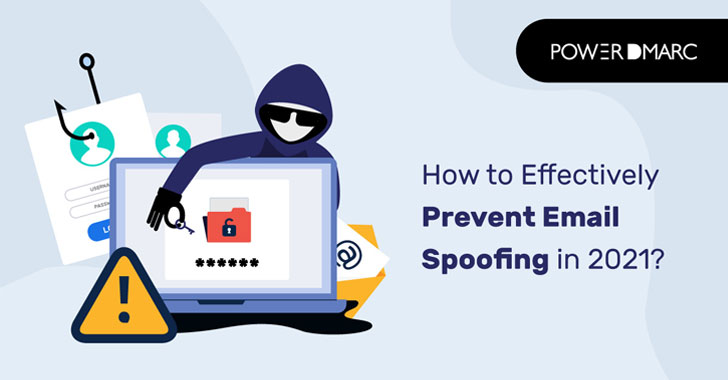
Email spoofing is a growing problem for an organization’s
security. Spoofing occurs when a hacker sends an email that appears
to have been sent from a trusted source/domain. Email spoofing is
not a new concept. Defined as “the forgery of an email address
header to make the message appear as if it was sent from a person
or location other than the actual sender,” it has plagued brands
for decades.
When an email is sent, the From address doesn’t show which
server the email was actually sent from – instead, it shows the
domain that was entered when the address was created so as not to
arouse suspicion among recipients.
With the amount of data flowing through email servers these
days, it should come as no surprise that spoofing is a problem for
businesses. At the end of 2020, we found that phishing incidents
were up a staggering 220% year-over-year at the height of the
global pandemic scare.
Since not all spoofing attacks are large-scale, the actual
number could be much higher. The year is 2021, and the problem
seems to be getting worse every year. For this reason, brands are
using secure protocols to authenticate their emails and avoid the
malicious intent of threat actors.
Email Spoofing: what is it, and how does it work?
Email spoofing is used in phishing attacks to trick users into
believing the message is from a person or entity they either know
or can trust. A cybercriminal uses a spoofing attack to trick
recipients into believing that the message is from someone who is
not. In this way, attackers can cause you harm without being able
to trace it. If you see an email from IRS that says your refund was
sent to another bank account, it may be a spoofing attack.
Phishing attacks can also occur via email spoofing. This is a
fraudulent attempt to obtain sensitive information such as
usernames, passwords, and credit card details (PIN numbers), often
for malicious purposes. The term comes from “fishing” for a victim
by pretending to be trustworthy.
With SMTP, outgoing messages are assigned a sender address by
the client application; outbound email servers have no way of
knowing if the sender address is legitimate or spoofed. Therefore,
email spoofing is possible because the email system used to
represent email addresses provides no way for outbound servers to
verify the legitimacy of the sender’s address.
For this reason, large companies in the industry are opting for
protocols such as SPF, DKIM, and DMARC to authorize their
legitimate email addresses and minimize impersonation attacks.
Breaking down the anatomy of an Email Spoofing Attack
Each email client uses a specific application program interface
(API) to send an email. Some applications allow the user to
configure the sender address of an outgoing message from a
drop-down menu of email addresses. However, this capability can
also be accessed through scripts written in any language. Each open
email message has a sender address that displays the address of the
originating user’s email application or service. By reconfiguring
the application or service, an attacker can send an email on behalf
of anyone.
Let’s just say that it is now possible to send thousands of fake
messages from an authentic email domain! Also, you don’t have to be
an expert programmer to use this script. Threat actors can edit the
code to their liking and start sending a message using someone
else’s email domain. This is exactly how an email spoofing attack
is perpetrated.
Email Spoofing as a vector for Ransomware
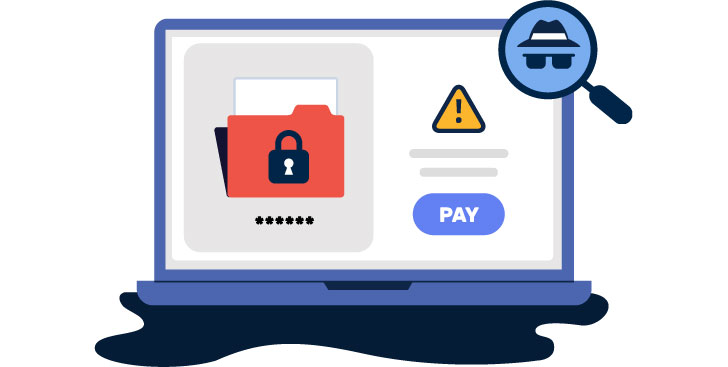
Email spoofing paves the way for malware and ransomware to
spread. If you don’t know what Ransomware is, it is malicious
software that permanently blocks access to your sensitive data or
system and demands a sum of money (ransom) in exchange for
decrypting your data again. Ransomware attacks cause businesses and
individuals to lose tons of money and suffer huge data
breaches.
DMARC and email authentication also act as the first line of
defense against ransomware by protecting your domain from the
malicious intent of spoofers and impersonators.
Threats to small, medium, and large businesses
Brand identity is critical to the success of a business.
Customers are attracted to recognizable brands and rely on them for
consistency. But cybercriminals exploit this trust by any means
necessary, jeopardizing your customers’ security at risk with
phishing emails, malware, and email spoofing activities.
The average organization loses between $20 million and $70
million per year to email fraud. It’s important to note that
spoofing can also include violations of trademark rights and other
intellectual property, causing significant damage to a company’s
reputation and credibility, in the following two ways:
- Your partners or esteemed customers may open a fake email and
end up having their confidential information compromised.
Cybercriminals can inject ransomware into their system through fake
emails impersonating you, resulting in financial losses. Therefore,
the next time they may hesitate to open your legitimate emails as
well, causing them to lose trust in your brand. - Recipients’ email servers can flag your legitimate emails as
spam and put them in the junk folder due to poor server reputation,
drastically affecting your email deliverability.
Either way, without an ounce of doubt, your customer-facing
brand will end up being affected by all the complications. Despite
the best efforts of the experts at IT, 72% of all cyberattacks
begin with a malicious email, and 70% of all data breaches involve
social engineering tactics to spoof corporate domains – making
email authentication methods like DMARC a critical priority.
DMARC: Your one-stop solution against Email Spoofing
Domain-Based Message Authentication, Reporting, and Conformance
(DMARC[1]) is an email
authentication protocol that, when properly implemented, can
dramatically minimize email spoofing, BEC, and impersonation
attacks. DMARC works with two standard authentication practices –
SPF and DKIM – to authenticate outbound messages and provides a way
to tell receiving servers how to respond to emails that fail
authentication checks.
Read more about What is
DMARC[2]?
If you want to protect your domain from the malicious intent of
spoofers, the first step is to implement DMARC correctly. But
before you do that, you need to set up SPF and DKIM for your
domain. PowerDMARC’s free SPF and DKIM record generators will help
you create and publish these records to your DNS with a single
click. After you have successfully configured these protocols, go
through the following steps to implement DMARC:
- Generate an error-free DMARC record using PowerDMARC’s free
DMARC record generator. - Publish the record in your domain’s DNS
- Gradually move to a DMARC enforcement policy of p=reject
- Monitor your email ecosystem and get detailed authentication
aggregates and forensic (RUA /RUF) reports with this DMARC
Analyzer[3] tool
Limitations to overcome when achieving DMARC enforcement
Have you published an error-free DMARC record and moved to an
enforcement policy, and yet you’re having email delivery issues?
The problem may be much more complicated than you think. In case
you didn’t know: Your SPF authentication protocol has a limit of 10
DNS lookups. However, if you use cloud-based email service
providers and various third-party providers, you can easily exceed
that limit. Once you do, SPF breaks down, and even legitimate
emails fail authentication, resulting in your emails ending up in
the junk folder or not being delivered at all.
As your SPF record becomes invalid due to too many DNS lookups,
your domain, in turn, becomes vulnerable to email spoofing attacks
and BEC. Therefore, it is important to stay under the SPF limit of
10 lookups to ensure email deliverability.
For this reason, we recommend PowerSPF, your automatic SPF
flattener, which shrinks your SPF record to a single include
statement, negating redundant and nested IP addresses. We also
periodically check to see if your service providers have made
changes to their respective IP addresses to ensure that your SPF
record is always up to date.
PowerDMARC compiles a range of email authentication protocols,
including SPF, DKIM, DMARC, MTA-STS, TLS-RPT, and BIMI, to enhance
your domain’s reputation and deliverability. Sign up today to
receive your free DMARC analyzer.
References
- ^
DMARC
(powerdmarc.com) - ^
What is
DMARC (www.powerdmarc.com) - ^
DMARC Analyzer
(www.powerdmarc.com)
Read more http://feedproxy.google.com/~r/TheHackersNews/~3/5AADBv4YIjM/how-to-effectively-prevent-email.html