Google on Thursday said it’s rolling new security features to
Chrome browser aimed at detecting suspicious downloads and
extensions via its Enhanced Safe Browsing feature, which it
launched a year ago.
To this end, the search giant said[1]
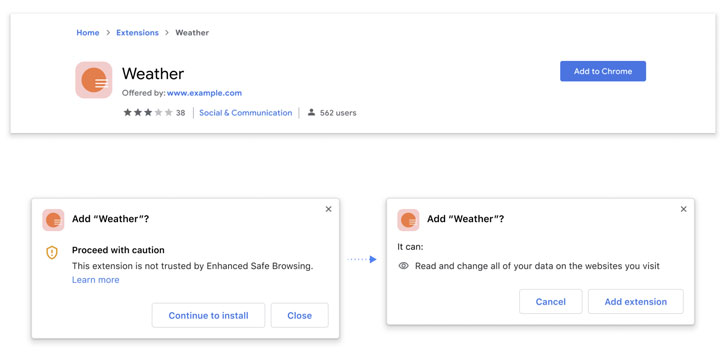
it will now offer additional protections when users attempt to
install a new extension from the Chrome Web Store, notifying if it
can be considered “trusted.”
Currently, 75% of all add-ons on the platform are compliant, the
company pointed out, adding “any extensions built by a developer
who follows the Chrome
Web Store Developer Program Policies[2], will be considered
trusted by Enhanced Safe Browsing.”
Enhanced
Safe Browsing[3]
involves sharing real-time data with Google Safe Browsing to
proactively safeguard users against dangerous sites. The company
also noted that its integration with Safe Browsing’s blocklist API
helped improve privacy and security, with the number of malicious
extensions disabled by the browser jumping by 81%.
Also coming to Chrome is a new download protection feature that
scans downloaded files for malware by using metadata about the
downloaded file, alongside giving users the option to send the file
to be scanned for a more in depth analysis.
“If you choose to send the file, Chrome will upload it to Google
Safe Browsing, which will scan it using its static and dynamic
analysis classifiers in real time,” Google said. “After a short
wait, if Safe Browsing determines the file is unsafe, Chrome will
display a warning.”
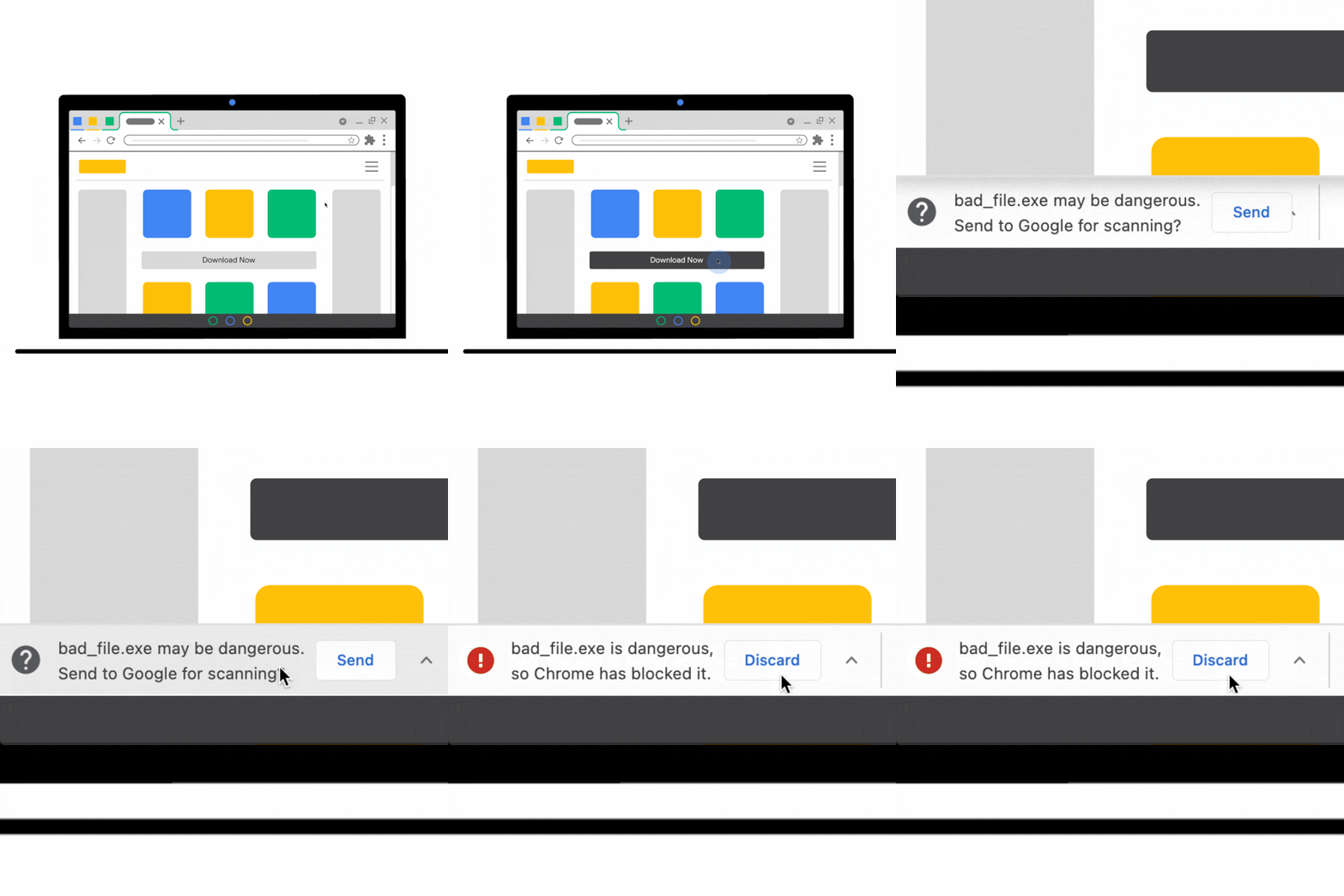
Despite the file being labeled as potentially dangerous, users
still have the option to open the file without scanning. Should
users opt to scan the file, the company said the uploaded files are
deleted from Safe Browsing a short time after scanning, but didn’t
specify the exact timeframe for removal.
The new features are available starting with Chrome 91, the
version of the browser that was released on May 26. Users can turn
on Enhanced Safe Browsing by visiting Settings > Privacy and
security > Security > Enhanced protection.
References
- ^
said
(security.googleblog.com) - ^
Chrome Web Store Developer Program
Policies (developer.chrome.com) - ^
Enhanced Safe Browsing
(security.googleblog.com)