
game from Epic Games, Fortnite: Battle Royale is finally available
for Android devices.
Epic announced Thursday that the Android version of Fortnite is
now available for everyone to download for free, so you no longer
require an invite to play the most popular battle royale game on
your phone.
Epic Games have provided a list of supported Android phones on
its official website, from where you can directly download Fortnite
for your compatible device.
Initially available for a brief period as a Samsung Galaxy Note
9 exclusive title, Fortnite: Battle Royale for Android was later
opened up to other Android devices, but users still needed an
invitation for the beta to play.
Thankfully, you no longer need an invitation. Now all Android
users can download Fortnite, provided they have a compatible
device.
Fortnite for Android Not Available on Google App Store
For those unaware, Fortnite is not available for download on the
Google Play App Store or any third-party website. Instead, the game
can only be downloaded manually via the official Epic Games
Fortnite page.
So, if you see something on the Play Store or on the Internet
that claims to be Fortnite APK, just skip it. It’s almost certainly
malware, spyware, or other potentially dangerous software that
could end up infecting or taking control of your Android
phone.
The company decided to skip the Google Play Store for generating
more revenue for the company. But the move raised concerns over the
potential security risks of offering an APK on a third-party
website, risking Android users security by escaping the built-in
protections provided by Play Store.
Installing the Fortnite app manually means that users will need
to take care of their security themselves, making sure they are
downloading the game from the official source.
Here’s How to Download Fortnite for Android Devices
Before beginning, make sure your smartphone can handle the game
because it’s a heavy game. You can find a list of officially
supported Android devices here.
To get started, head over to either fortnite.com/android from
your Android smartphone or this page from your desktop computer and
then use your smartphone or tablet to scan the QR code that appears
on your screen.
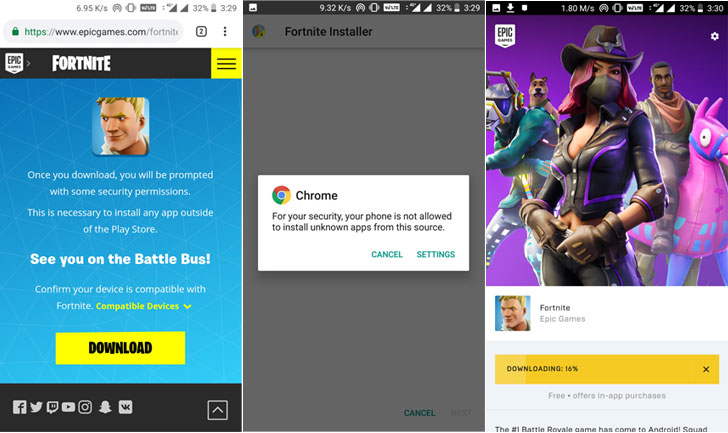
from Samsung if you are using a Samsung device or from Epic Games.
Pull down the notification panel and tap the download link when
it’s finished.
Here’s where the process awaits.
When Fortnite installer launches, Android will likely block it by
default, since Google does not allow you to install apps from
unauthorized sources to prevent you from malware and other
malicious software, which is a good practice.
So, as soon as you open the Fortnite Installer, your device will
display a pop-up message saying, “For your security, your phone is
not allowed to install unknown apps from this source,” with two
buttons at the bottom: ‘Cancel’ or ‘Settings.’
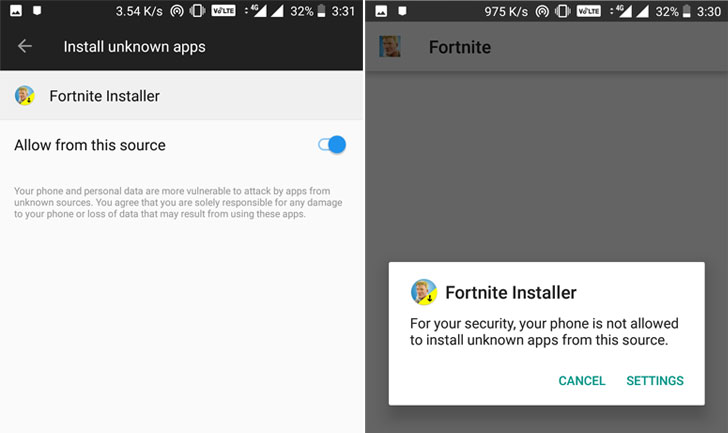
the Settings menu, where you need to allow apps to be installed
from unknown sources (aka “sideloading”).
Now jump back to the Fortnite Installer, and tap Install. Once
the Fortnite Launcher gets installed, you will need to download the
additional 90MB game file by clicking on the Install
button.
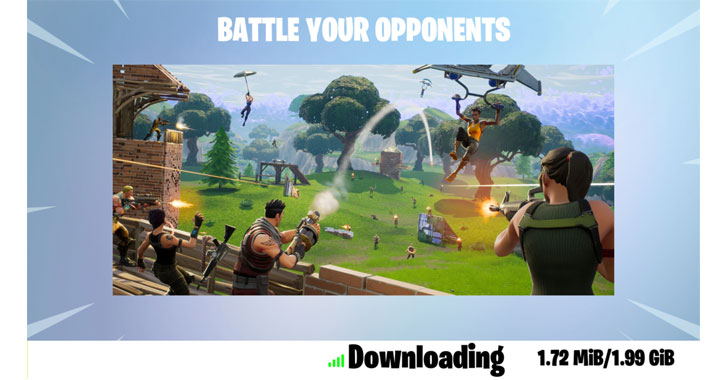
will ask you to download another gigabyte of the file to download
on its first launch. Once that’s completed, you will be ready to
play Fortnite.
Read more http://feedproxy.google.com/~r/TheHackersNews/~3/WgVi8r0QsbQ/download-fortnite-android.html