and privately with whomever you want, eliminating the need to
depend upon less secure free third-party services or file upload
tools that burn a hole in your pocket.
Mozilla has finally launched its free, end-to-end encrypted
file-transfer service, called Firefox Send, to the public,
allowing users to securely share large files like video, audio or
photo files that can be too big to fit into an email
attachment.
Firefox Send was
initially rolled out by Mozilla to test users way back in August
2017 as part of the company’s now-defunct “Test Pilot” experimental
program.
[1]
Firefox Send allows you to send files up to 1GB in size, but if you
sign up for a free Firefox account, you can upload files as large
as 2.5GB in size.
The service uses a browser-based encryption technology that
encrypts your files before uploading them to the Mozilla server,
which can only be decrypted by the recipients.
Unlike popular file storage and sharing services like Dropbox,
Google Drive, Microsoft OneDrive and Box, Firefox Send is not
available as desktop software or internally integrated with other
products, i.e., Firefox, from its parent company.
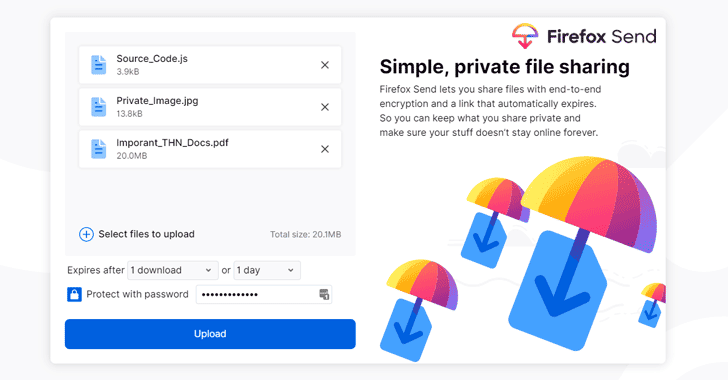
It’s just an online website where you can quickly upload a file →
protect it with a password (optional) and set an expiration period
→ use any medium to share the link it generates with whomever the
sender wants.
The recipients can then simply download the file just by
visiting the shared URL regardless of whether they have a Firefox
account or not.
Here are the key features of Firefox Send:
- End-to-End Encryption — Firefox Send uses 128-bit
AES-GCM encryption via the Web Crypto API to encrypt files in the
web browser before uploading them to the server. - Set Time Limit — While uploading the file, you can
choose a time range between 5 minutes and week after which your
file link expires, making it unable to download at the recipient’s
end. - Limit Number of Downloads — You can also set a number of
file downloads (between 1 and 100 downloads) after which the
download link automatically expires. - Set a Password — For an extra layer of security, you can
also opt to set a password that would be required before a
recipient can download a file.
“We know there are several cloud sharing solutions out there, but
as a continuation of our mission to bring you more private and
safer choices, you can trust that your information is safe with
Send,” Nick Nguyen, Mozilla’s Vice President of Firefox Product,
said in a blog post.
“As with all Firefox apps and services, Send is Private By
Design, meaning all of your files are protected, and we stand by
our mission to handle your data privately and securely.”

Drive, Firefox Send does not have any paid option for users, which
means you can not buy extra space.
Firefox Send has launched on the web at send.firefox.com, which you
can bookmark to avoid manually entering the address in your web
browser every time you want to send files using the service. The
service works with any browser.
Besides its online portal, Mozilla is also launching a Send
Android app in beta later this week, allowing users to share large
files with their friends, colleagues, or anybody else using their
mobile devices.
If you want to take a peek under the hood, you can head over to
the GitHub[3] page of the new Firefox
Send service.
Read more http://feedproxy.google.com/~r/TheHackersNews/~3/dN6VHLOqcM4/firefox-send-encrypted-file-share.html