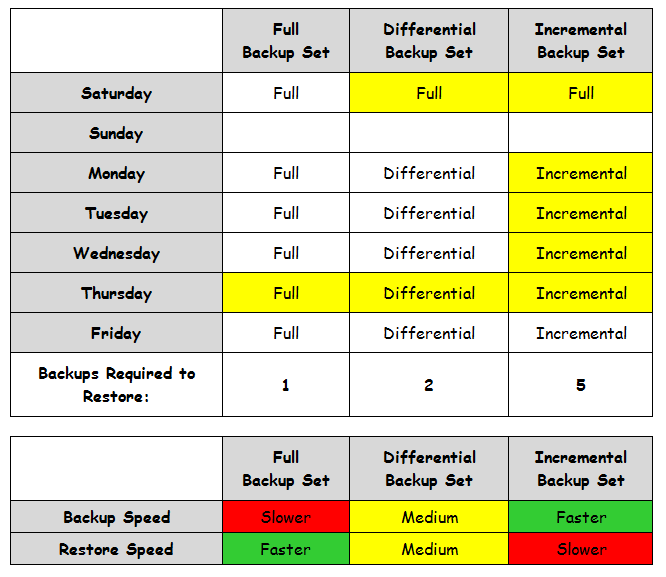
Description:When performing a backup with custom schedule, we have the option to perform a Full backup without changing the Archive Bit and a Full backup which clears the Archive Bit.
Solution
Archive Bit is a file attribute. The archive bit is used to determine what files have been backed up previously on a Windows file system. The bit is set if a file is modified.
In case of a Full backup (Clear Archive Bit), ARCserve will clear the bit when it does a full backup. This allows ARCserve to do an incremental or differential backup that only backs up the changes to the file system since the last time the bit was cleared.
If we perform a Full backup (Keep Archive Bit), it is similar to a Copy backup. This backup will not affect the state of your scheduled backups.
For instance, say you did a full backup over the weekend and differential backups during the week. If you decide you want to upgrade a server and want to do a full backup, you could run a full backup on a separate set of tapes without changing the ever-growing nightly differential set of backups by choosing to keep the archive bit. This would be particularly useful if you were not the one managing the regular backup process. If you don’t do this, then the following day, when the differential runs (or incremental), you would need to have the second full backup you made to get a complete restore.