attacks launched against them. The data that they now gather
and store have made their infrastructures key targets for hackers.
Customer data and intellectual property can be sold in the black
market for profit, and sensitive information can also be used by
hackers to extort them.
Enterprises are now aggressively shifting their workloads
to the
cloud[2] which, while it has many
benefits, expands their defensive perimeter and exposes them to
further risks as well.
As such, organizations are now widely investing in various
security solutions in order to comprehensively protect their
networks.
Gartner expects security spending to exceed $124
billion this year. Solutions such as firewalls and threat
prevention tools have increasingly become essential for
enterprises.
[3]
Leading firewall provider Palo Alto Networks, for example,
provides companies with various measures to protect their
infrastructures. It’s currently being used by tens of thousands of
enterprise customers.
However, while the protection the service gives administrators
much respite from security concerns, administrators still need to
stay on top of their infrastructures.
Fortunately, users are also able to tap into available
integrations with other security solutions to gain additional
functionalities. Log management solution Xplg[5], for instance, can be
integrated with solutions like Palo Alto Networks.
This integration allows administrators to use Xplg to
intelligently analyze security services’ logs to reveal patterns
and discover potential anomalies in their network activities.
Insights from these analyses could expose threats and
vulnerabilities for administrators to address.
Through the integration, Xplg can also generate various
insightful dashboards that effectively show the state of their
networks’ security.
Here are seven Xplg dashboards that IT teams can readily check
to make sense of their use of Palo Alto Networks’ service.
1 – Total bandwidth
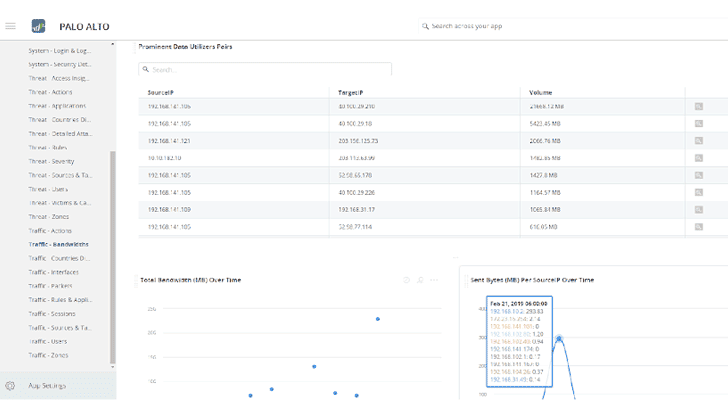
bandwidth that’s been sent and received over the network. Knowing
this helps establish baselines on what can be considered normal
bandwidth consumption.
For example, increased traffic during business hours should be
expected.
However, excessive bandwidth usage, especially during off-hours,
may warrant further investigation as it may indicate potential
breach attempts or distributed denial-of-service (DDoS)
attacks.
2 – Sessions
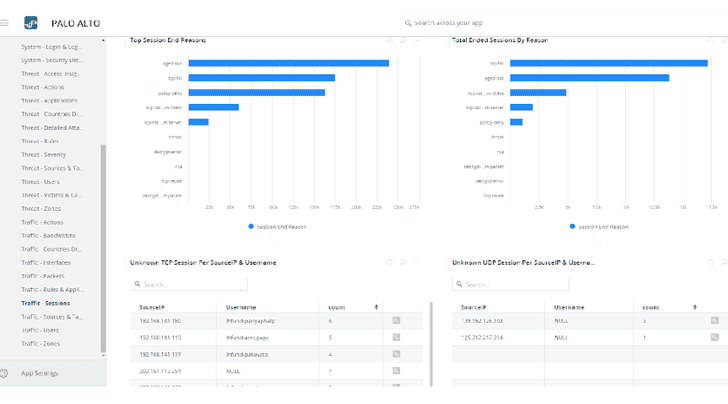
sessions each user has created within the network and the key
reasons why these sessions have been terminated.
Session tracking essentially points out how the service
mitigates certain actions.
For example, it checks whether a session ended because it matched a
particular security policy or because a threat has been detected.
3 – User distribution
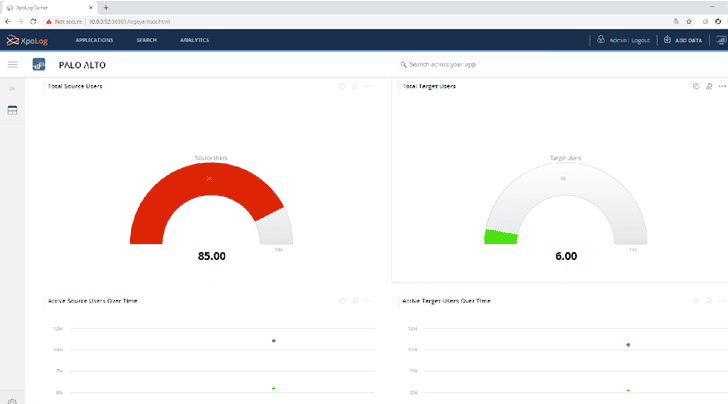
available in the network and who the most active users are over
time.
Users that are unusually active relative to what they’re working
on could indicate that their accounts or devices may be
compromised.
4 – Geo distribution
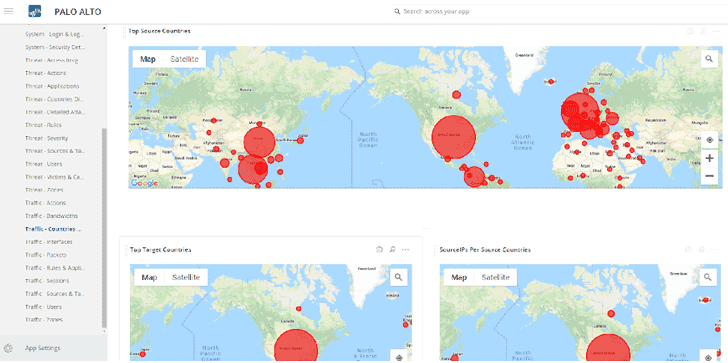
and target countries with respect to the sending and receiving of
network requests.
It also displays which countries have the largest number of
users and what IP addresses they use. Excessive network requests
may indicate attack attempts.
The dashboard may even affirm that certain countries are common
origins of
attacks[6], and administrators may
consider applying geo-restrictions, especially if there’s no upside
in allowing traffic from these countries.
5 – Threats
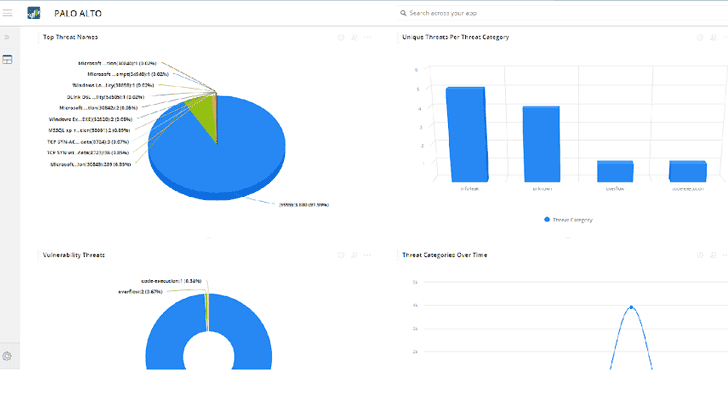
threats dashboard. The information is split according to attack
types grouped into categories. The number of attack instances is
also displayed along with the number of victims in each category.
Knowing the sources and targets of attacks allows administrators
to readily work on these machines or endpoints to prevent further
spread of malicious activities throughout the network.
6 – User management
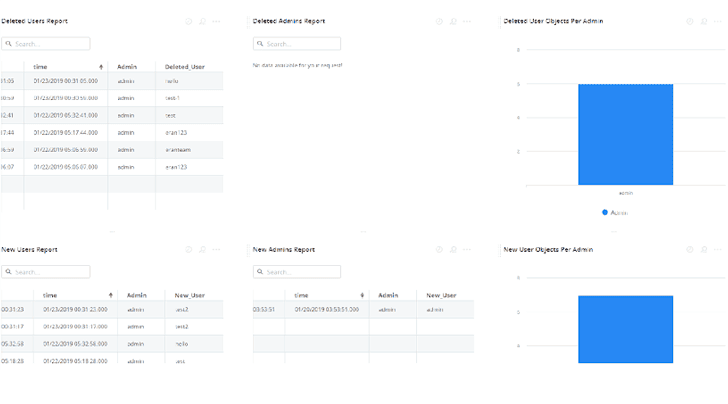
creation and deletion of user and administrator accounts in the
console.
It’s critical to observe such activities since hackers look to
obtain administrative access to networks.
Often, they reuse previously compromised account credentials.
Should they be able to use administrator accounts, they will be
able to cause further disruption by deleting legitimate users or
creating other dummy accounts.
7 – Login and logout statistics
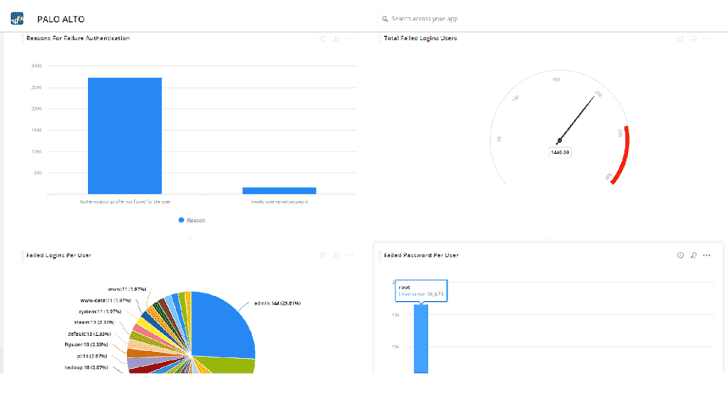
many users faced login failure over time, and the reasons for such
failed attempts.
A failed attempt can be an indicator of users simply forgetting
their credentials — a common occurrence in organizations.
As such, it’s possible for companies to consider better
credential policies or implement measures such as single-sign-on to
simplify login processes.
Multiple failed attempts on one or more accounts can indicate
something worse, such as brute force attacks trying to gain access
to these accounts.
From Insights to Action
The great thing about solutions like Palo Alto Networks is that
they comprehensively log the activities on their protected
networks.
Fortunately, the usefulness of such information can be further
enhanced by integrating log analysis solutions.
Using such tools, administrators can dive deeper into activity
data and seek out patterns that are typically obscured by logs’
lack of structure.
Patterns that are detected and discovered through such analyses
may reveal critical anomalies that demand immediate attention.
Ultimately, the insights that these dashboards and analyses
provide are extremely helpful to administrators as they allow
timely and accurate action to be made when mitigating or responding
to cyber attacks.
References
- ^
more cyber attacks
(www.information-management.com) - ^
to the cloud
(www.information-management.com) - ^
exceed $124 billion
(www.gartner.com) - ^
Palo Alto Networks
(www.paloaltonetworks.com) - ^
Xplg
(www.xplg.com) - ^
origins of attacks
(www.csis.org)
Read more http://feedproxy.google.com/~r/TheHackersNews/~3/JvV39KAV0tA/log-management-analysis.html