
There is a saying that goes something like, “Do not judge a book
by its cover.” Yet, we all know we can not help but do just that –
especially when it comes to online security.
Logos play a significant role in whether or not we open an email
and how we assess the importance of each message. Brand Indicators
for Message Identification, or BIMI, aims to make it easier for us
to quickly identify important information within emails using
branding guidelines and visual cues found in logos.
In recent years, users are often unsure about the authenticity
of emails, and this has become a major issue for businesses
fighting spam. BIMI[1]
gives email users access to information about a brand’s identity. A
company has complete control and freedom over what logo to attach
to authenticated emails. Overall, BIMI acts as an additional layer
of security to the existing email authentication process.
What is BIMI, and how does it strengthen the security of your
emails?
BIMI is a standard that allows organizations to display their
unique brand logos alongside DMARC-compliant emails by changing
certain DNS records. BIMI centralizes logo display by allowing
domain owners to use a single, standardized image. Eliminating the
need for proprietary systems for logo display and management also
eliminates the frustration of brand proliferation. It improves the
user experience across the email inbox.
Before you set out to set up your BIMI record, there are a few
important requirements you should consider. These are as
follows:
- Before implementing BIMI, make sure your domain is set up with
a DMARC policy of either “reject” or “quarantine” using DMARC Report Analyzer[2]. - You will need to convert your BIMI logo[3]
image to an SVG file that meets the BIMI standard
specifications. - Get a Verified Mark Certificate from a trusted certification
authority.
Before your emails can reach your recipients, they will be
authenticated against the DMARC system. After they pass DMARC, the
receiving server queries the sender’s DNS for a BIMI record. If
found, the sender’s logo is displayed in the recipient’s inbox.
Although BIMI is not directly a security protocol, it requires
DMARC-based authentication to function.
This ensures that emails are verified before they reach your
clients, extending and enforcing the implementation of security
standards.
Note: The display of your logo when using BIMI is determined by
the mailbox provider. Only mailbox providers that support BIMI will
display the logo.
The highlight of 2021: Gmail extends support to BIMI
Previously, BIMI was supported by Verizon Media, including
Yahoo!, AOL, and Netscape, while Fastmail and Gmail were still
working on their pilot program. In July 2021, the makers of BIMI
made the long-awaited announcement that Google was officially
rolling out BIMI to all Gmail inboxes.
It’s no surprise that email is a viable communication tool used
by 80% of businesses around the globe, and it’s not going away
anytime soon. At a time when attackers are attempting to launch
phishing campaigns by assuming sender identities, email security
improvements must be continuous and ever-evolving.
That’s why email clients are slowly but surely adopting email
authentication standards like DMARC, MTA-STS, and BIMI to ensure
domain owners protect their information from hackers.
Currently, BIMI is supported by the following mailbox
providers:
- Fastmail
- Proofpoint
- Verizon Media (Yahoo!, AOL)
BIMI and VMC: Verified Mark Certificates and Their Uses
Verified Mark Certificates is a solution that helps businesses
display verified brand logos in the clients’ sender field. VMC
builds on BIMI standards to help businesses seamlessly begin their
BIMI journey with verified brand logos displayed in recipients’
inboxes, rather than an arbitrary logo that does not represent
their brand in any way.
A VMC is issued by a publicly trusted certification authority.
Similar to BIMI, the following requirements must be met:
- Make sure your brand logo is trademarked
- Ensure that your emails are DMARC compliant.
- Have your brand logo ready (in SVG format) that complies with
BIMI specifications
Once you have your certificate, you can upload it along with
your logo to the PowerBIMI dashboard with a single click to
configure BIMI for your business.
How to create a BIMI record: Single-Click BIMI DNS Record
Implementation with PowerBIMI
A BIMI record is essentially a DNS TXT record that needs to be
published to your domain’s DNS to configure the protocol. You can
easily create your own BIMI record using free BIMI record generator[4]
tool. This tool will instantly generate an error-free record as
soon as you upload your brand logo and click the “Generate Record”
button!
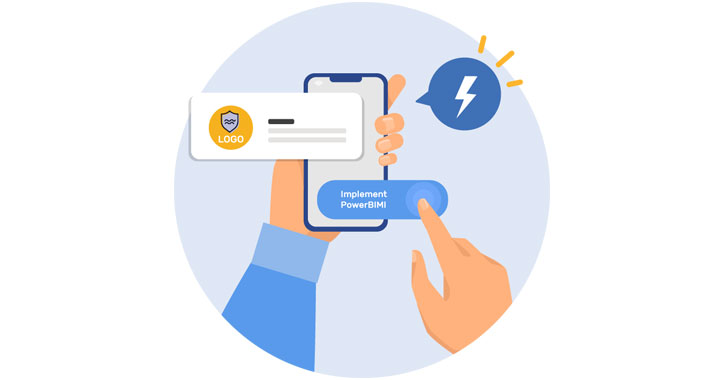
With PowerBIMI, the hosted BIMI record service; it’s now
possible to avoid the hassle of configuring the record! It will
help you quickly get to an enforced DMARC policy[5]
to meet BIMI requirements and avail of the following benefits when
you get on board:
- Hosted BIMI services that let you configure and run the
protocol effortlessly, as PowerBIMI handles all the complexity in
the background. - Protocol implementation for the end-user is reduced to
publishing a single CNAME record. - Uploading your SVG logo and VMC is instant, with a single
click. - Change and update your BIMI record configurations directly from
the dashboard without having to go back to your DNS or servers over
and over again. - Easy troubleshooting with constant support from round-the-clock
support team.
Simply configuring your email authentication protocols is not
enough to protect your domain from abuse and impersonation. To stay
abreast of evolving attacker tactics and maintain a continuous view
of all your email channels and sending sources, monitor, secure and
protect your domains. Sign up for free DMARC[6]
and BIMI now
References
- ^
BIMI
(powerdmarc.com) - ^
DMARC
Report Analyzer (powerdmarc.com) - ^
BIMI
logo (powerdmarc.com) - ^
BIMI
record generator (powerdmarc.com) - ^
DMARC
policy (powerdmarc.com) - ^
free
DMARC (app.powerdmarc.com)
Read more http://feedproxy.google.com/~r/TheHackersNews/~3/ROgjIHmdUVY/bimi-visual-take-on-email.html