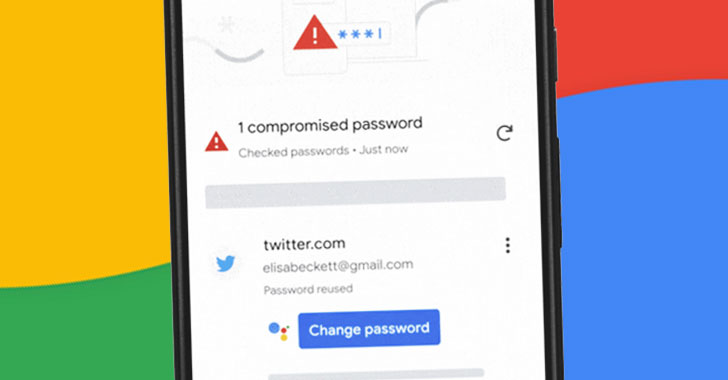
Google on Tuesday announced[1]
a new feature to its password manager that could be used to change
a stolen password automatically with a single tap.
Automated password changes build on the tool’s ability to
check the safety[2]
of saved passwords. Thus when Chrome finds a password that may have
been compromised as part of a data breach, it will prompt users
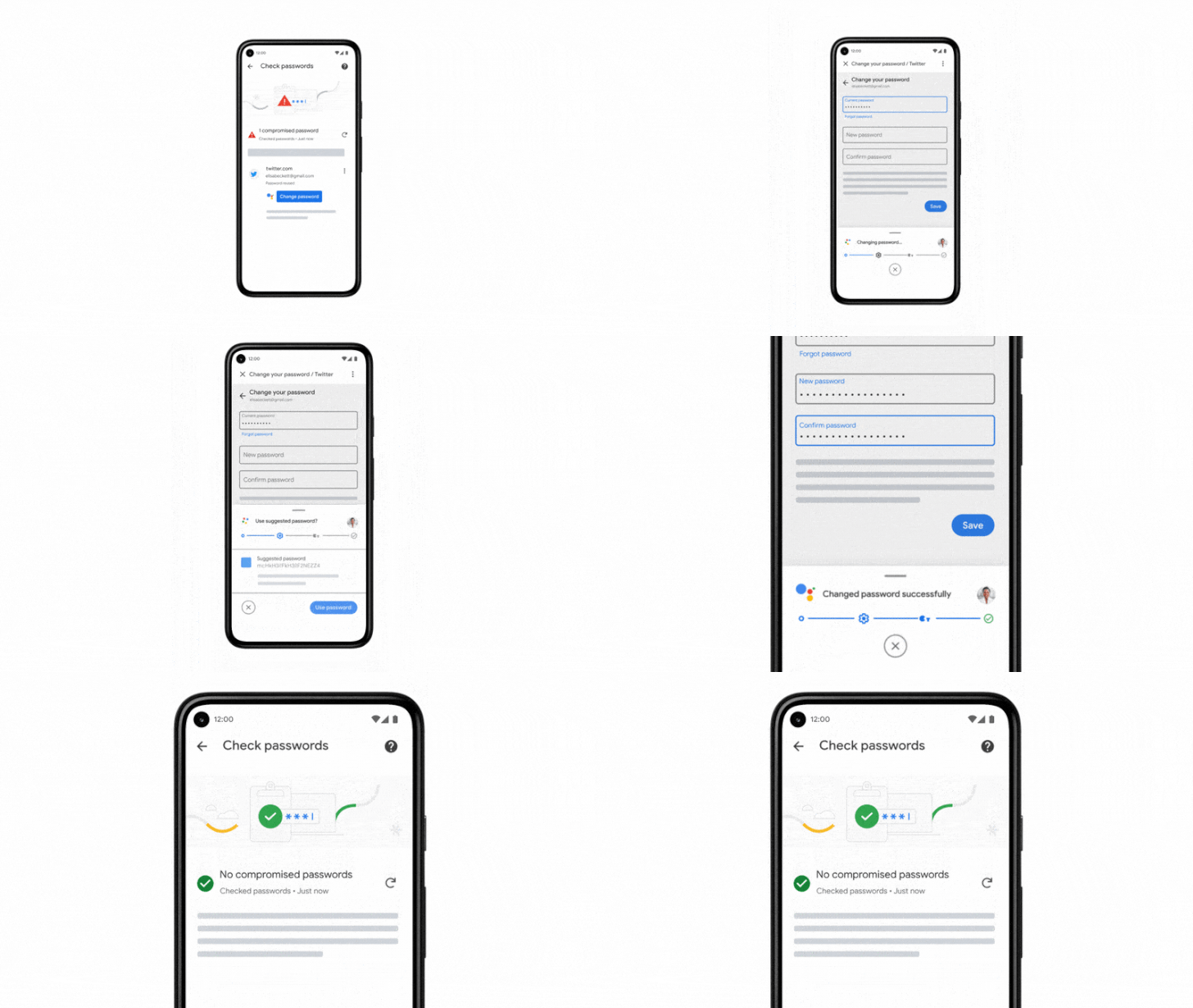
with an alert containing a “Change Password” button, tapping which
“Chrome will not only navigate to the site, but also go through the
entire process of changing your password.”
Enabling this in the background is Google’s Duplex[3]
technology, which it debuted in 2018 and expanded in 2019 to
support various functions in Google Assistant like booking a rental
car, ordering food, and buying movie tickets. The search giant,
however, noted that users could take over control at any point
during the process and change the password manually.
The feature is currently being rolled out in Chrome for Android
to all users in the U.S. who have opted to sync their passwords.
While only a small number of apps and websites are supported at
launch, it’s expected to become available on more sites and in more
countries in the coming months.
A Slew of Privacy Changes in Android 12
The security change is part of a number of new privacy measures
Google announced at its annual Google I/O developer event,
including a Privacy Dashboard in Android 12[4]
that offers a pie chart view of permission settings such as
location, microphone, and camera, along with information about
“what data is being accessed, how often and by which apps.”
In addition, Android 12 comes with what’s known as Private
Compute Core, an open-source component which sandboxes machine
learning features like Live Caption, Now Playing, and Smart Reply
locally on the device and isolates the sensitive information from
being sent and processed in the cloud.
A second important privacy update is a functionality Google
calls “app hibernation” that intelligently puts unused apps into a
hibernation mode to optimize for device storage, performance, and
safety. “Hibernation not only revokes permissions granted
previously by the user, but it also force-stops the app and
reclaims memory, storage and other temporary resources,” Google
said[5].
Taking a leaf out of iOS, Google has added new approximate
location permissions in Android, allowing users to limit apps from
seeing their precise whereabouts. Another privacy feature inspired
from iOS is displaying toast messages when apps attempt to access
content from a device’s clipboard.
Finally, also coming to Android 12 are iOS-style indicators for
microphone and camera use in the notification shade, Quick Settings
toggles to disable system-wide access to the camera and mic, and a
“quick delete[6]” setting in Search to
purge the last 15 minutes of search history with a single tap from
the Google Account Menu.
References
- ^
announced
(blog.google) - ^
check
the safety (blog.google) - ^
Duplex
(blog.google) - ^
Android
12 (blog.google) - ^
said
(android-developers.googleblog.com) - ^
quick
delete (blog.google)