Jan 09, 2023The Hacker News
Earlier this year, threat actors infiltrated Mailchimp[1], the popular SaaS email
marketing platform. They viewed over 300 Mailchimp customer
accounts and exported audience data from 102 of them. The breach
was preceded by a successful phishing attempt and led to malicious
attacks against Mailchimp’s customers’ end users.
Three months later, Mailchimp was hit with another attack[2]. Once again, an
employee’s account was breached following a successful phishing
attempt.
While the identity of the Mailchimp accounts that had been
compromised wasn’t released, it’s easy to see how user permission
settings could have played a role in the attack. Once threat
detectors breached the system, they had the access needed to
utilize an internal tool that enabled them to find the data they
were looking for. The attack ended when security teams were able to
terminate user access, although data which had already been
downloaded remained in the threat actor’s hands.
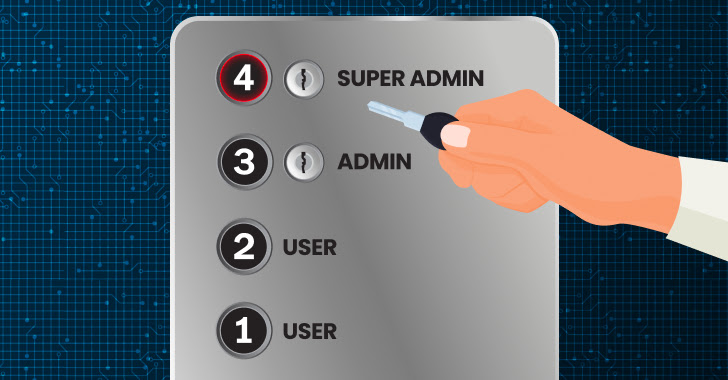
Introducing user permissions, through role-based account control
(RBAC), could have severely limited the damage caused by the
breach. Had the rule of least privilege been applied, it’s likely
that the breached account would not have afforded access to the
internal tools that were used in the attack. Furthermore, reduced
access might have completely prevented the attack or limited the
number of affected accounts to far fewer than the 100 which were
ultimately compromised.
Protect SaaS data as if your company’s future
depends on it. Schedule a demo for
more.[3]
What Are User Permissions?
SaaS user permissions allow app owners to limit a user’s
resources and actions based on the user’s role. Called RBAC, it is
the permission set that grants read or write access, assigns
privileges to high-level users, and determines access levels to
company data.
What is the Purpose of the “Rule of Least Privilege”?
The rule of least privilege is an important security concept
that provides the least amount of access needed for users to
perform their job functions. In practice, it reduces the attack
surface by limiting high-level access to a few privileged
individuals. If a low-privilege user account is breached, the
threat actor would have less access to sensitive data contained
within the application.
Are your SaaS apps following the rule of least
privilege? Schedule a demo to learn
more.[4]
Why Do User Permissions Matter for Security?
App administrators frequently grant full access to team members,
particularly when dealing with a small user group. As business
users rather than security professionals, they don’t always
recognize the degree of risk in granting those access permissions.
Furthermore, they prefer to give full authorization rather than be
asked for specific permissions later on.
Unfortunately, this approach can put sensitive data records at
risk. User permissions help define the exposed data in the event of
a breach. By protecting data behind a permission set, threat actors
that access a user identity are limited to the data available to
their victim.
Loose user permissions also make it easier for threat actors to
carry out automated attacks. Having multiple users with wide API
permissions makes it easier for cybercriminals to breach a SaaS app
and either automate ransomware or steal data.
Why Are User Access Reviews Important?
User access reviews are essentially audits that look at users
and their access. They show security team members and app owners
the degree of access each user has and allows them to adjust
permission levels as needed.
This is important, as it helps identify users who may have
switched roles or teams within the company but retained an
unnecessary level of permissions, or alerts security teams
regarding employees whose actions have deviated from normal
behaviors to include suspicious behavior. Furthermore, it helps
identify former employees who still have access and high-privilege
permissions.
Access Reviews should take place at predetermined intervals,
ensuring that unnecessary permissions are identified within a set
time frame.
Conclusion
User permissions are often a misunderstood security feature. It
protects organizations from both external attacks and internal
data-sharing errors.
An SSPM solution, like Adaptive Shield, enables effective user
permission management, giving security personnel and app owners the
confidence to know the extent of any user permission and see that
user’s SaaS security hygiene. This real-time view of users is far
more effective than User Access Audits, which only present a
snapshot view of the users’ permissions at a specific moment in
time.
Looking for more visibility into your Saas
users? Schedule a demo today for full
visibility.[5]
Found this article interesting? Follow us on Twitter [6]
and LinkedIn[7]
to read more exclusive content we post.
References
- ^
Mailchimp
(mailchimp.com) - ^
another
attack (mailchimp.com) - ^
Schedule
a demo for more. (www.adaptive-shield.com) - ^
Schedule
a demo to learn more.
(www.adaptive-shield.com) - ^
Schedule
a demo today for full visibility.
(www.adaptive-shield.com) - ^
Twitter
(twitter.com) - ^
LinkedIn
(www.linkedin.com)
Read more https://thehackernews.com/2023/01/why-do-user-permissions-matter-for-saas.html