Dec 12, 2022Ravie Lakshmanan
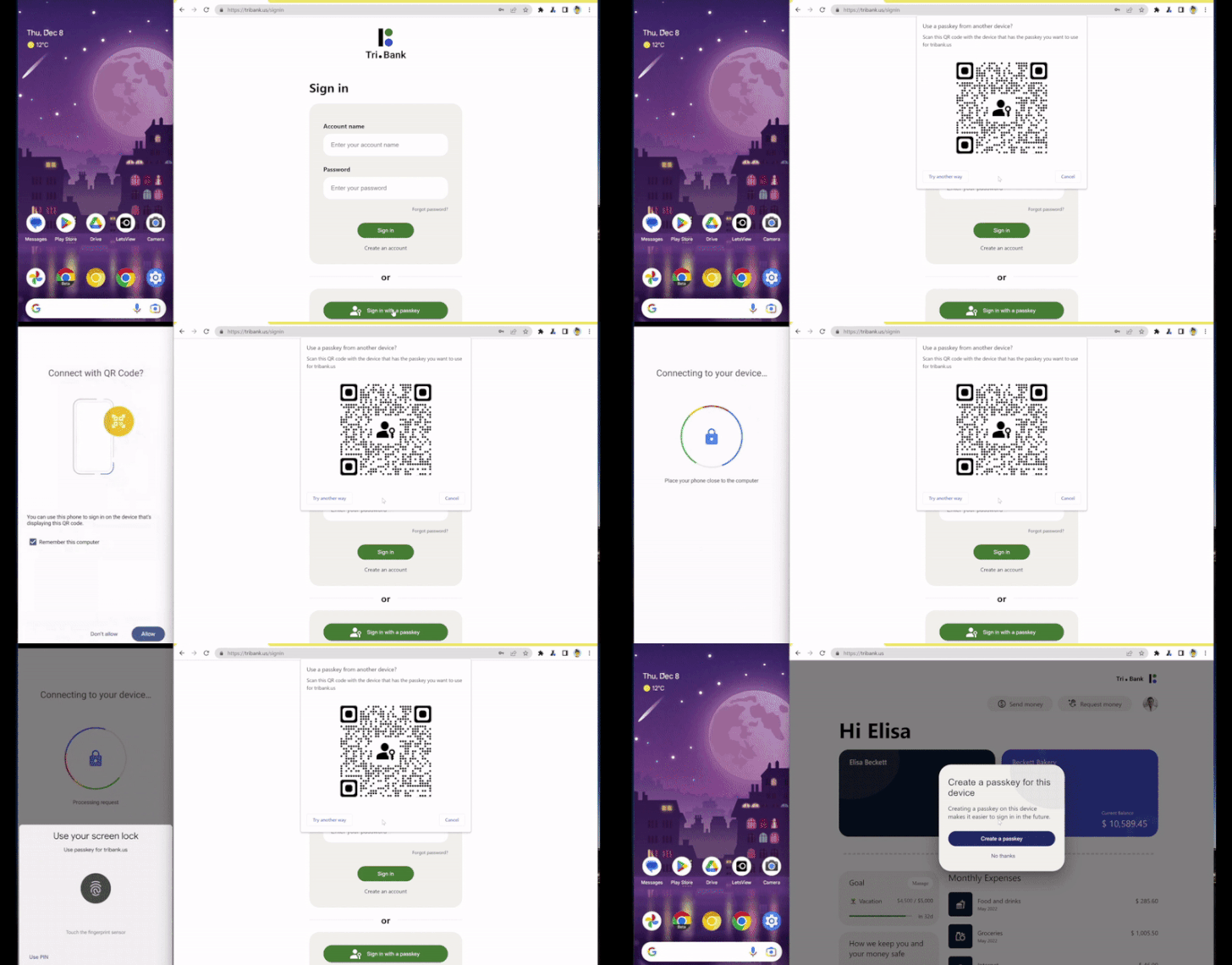
Google has officially begun rolling out support for passkeys[1], the next-generation
passwordless login standard, to its stable version of Chrome web
browser.
“Passkeys are a significantly safer replacement for passwords
and other phishable authentication factors,” the tech giant’s Ali
Sarraf said[2]. “They cannot be reused,
don’t leak in server breaches, and protect users from phishing
attacks.”
The improved security feature, which is available in version
108, comes nearly two months after Google began testing the option[3] across Android, macOS,
and Windows 11.
Passkeys[4] obviate the need for
passwords by requiring users to authenticate themselves during sign
in by unlocking their nearby Android or iOS device using
biometrics. This, however, calls for websites to build passkey
support on their sites using the WebAuthn API[5].
Essentially, the technology works by creating a unique
cryptographic key pair to associate with an account for the app or
website during account registration. One of these keys, the public
key, is stored in the server. The private key, on the other hand,
never leaves the device in which the keys were generated.
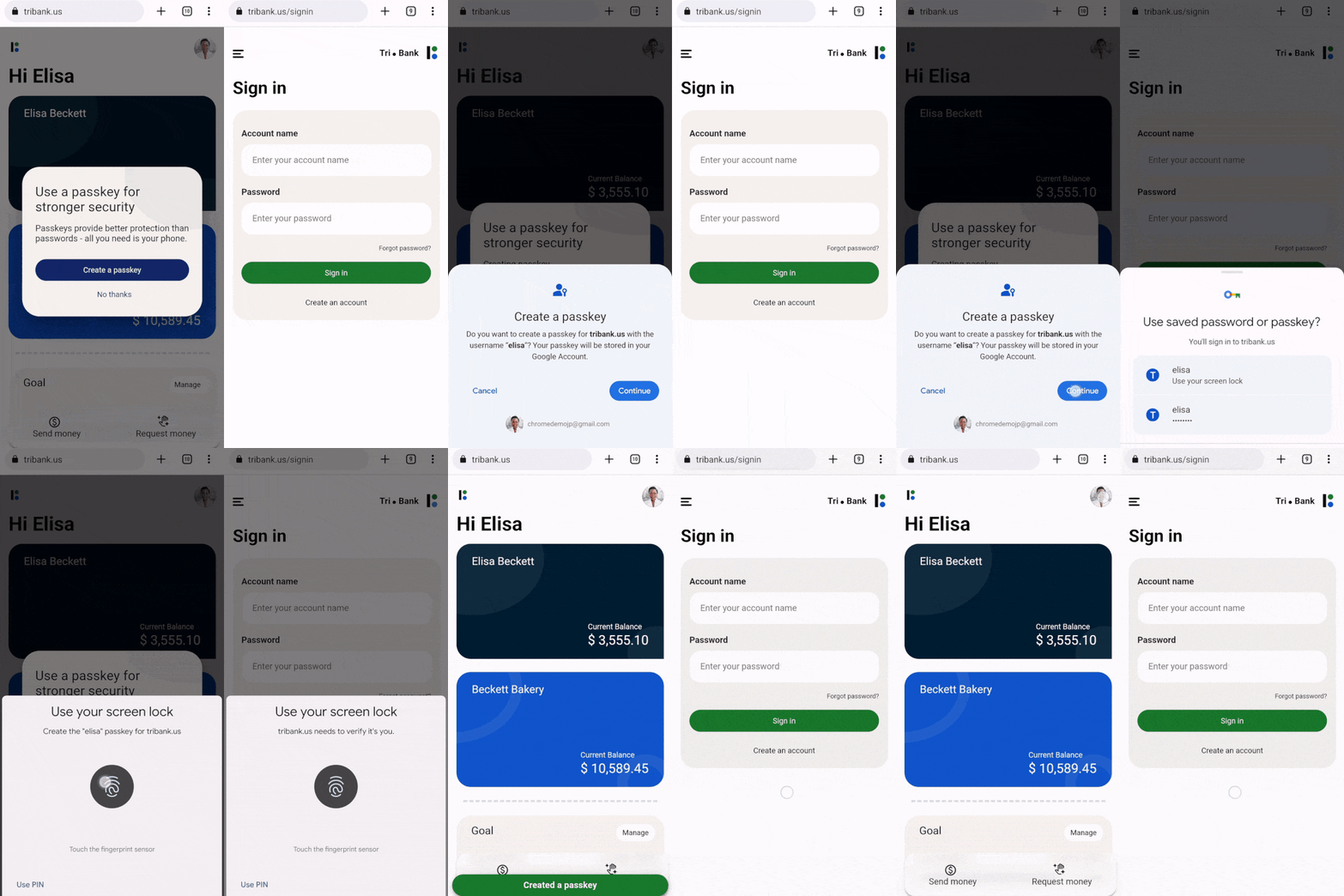
On Android, the “keys” are uploaded to Google Password Manager
(or a third party like 1Password[6]
or Dashlane[7]) to prevent lockouts.
Passkeys are synced[8]
via iCloud Keychain on iOS and macOS, while Microsoft Windows is
set to offer support in 2023.
“When a passkey is backed up, its private key is uploaded only
in its encrypted form using an encryption key that is only
accessible on the user’s own devices,” Google software engineer
Arnar Birgisson previously noted in October 2022.
The idea is to protect the passkeys from Google such that a
rogue actor inside the company cannot use them to log in to its
corresponding online service without access to the private key.
The internet and advertising company is also expected[9]
to make available a new API to provide passkeys support for Android
apps.
Found this article interesting? Follow us on Twitter [10] and LinkedIn[11] to read more exclusive
content we post.
References
- ^
passkeys
(fidoalliance.org) - ^
said
(blog.chromium.org) - ^
began
testing the option (thehackernews.com) - ^
Passkeys
(www.passkeys.io) - ^
WebAuthn API
(webauthn.guide) - ^
1Password
(www.future.1password.com) - ^
Dashlane
(support.dashlane.com) - ^
synced
(support.apple.com) - ^
expected
(developers.google.com) - ^
Twitter
(twitter.com) - ^
LinkedIn
(www.linkedin.com)
Read more https://thehackernews.com/2022/12/google-adds-passkey-support-to-chrome.html