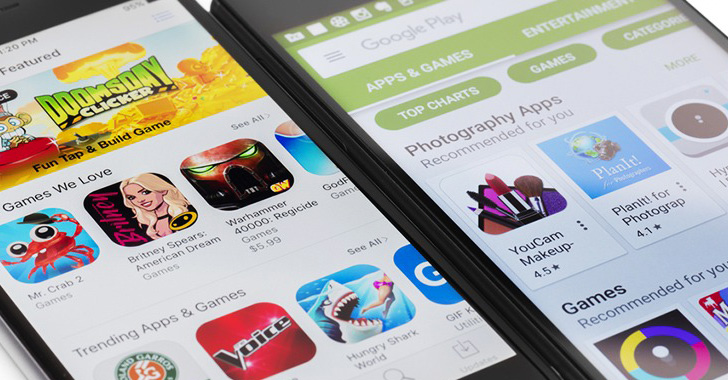
As many as 30 malicious Android apps with cumulative downloads
of nearly 10 million have been found on the Google Play Store
distributing adware.
“All of them were built into various programs, including
image-editing software, virtual keyboards, system tools and
utilities, calling apps, wallpaper collection apps, and others,”
Dr.Web said[1]
in a Tuesday write-up.
While masquerading as innocuous apps, their primary goal is to
request permissions to show windows over other apps and run in the
background in order to serve intrusive ads.
To make it difficult for the victims to detect and uninstall the
apps, the adware trojans hide their icons from the list of
installed apps in the home screen or replace the icons with others
that are likely to be less noticed (e.g., SIM Toolkit).
Some of these apps also offer the advertised features, as
observed in the case of two apps: “Water Reminder- Tracker &
Reminder” and “Yoga- For Beginner to Advanced.” However, they also
covertly load various websites in WebView, and simulate user
actions to click on banners and ads.
Also uncovered are another set of apps distributing the Joker
malware in the form of launcher, camera, and emoji stickers apps
that, when installed, subscribe users to paid mobile services
without their knowledge and consent.
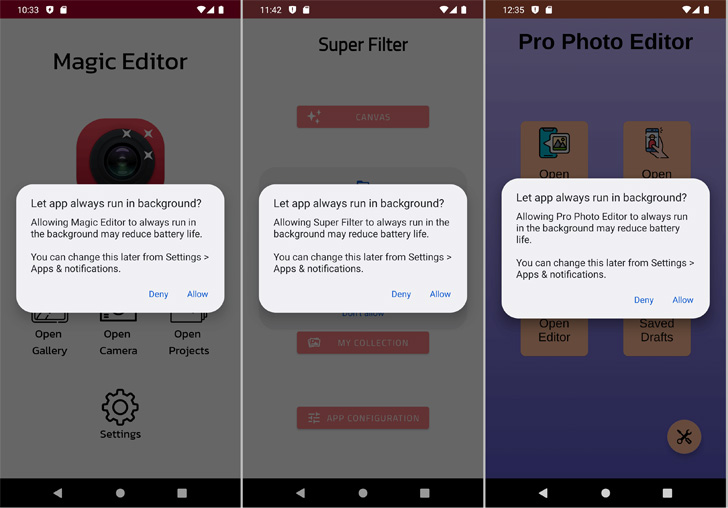
The third category of rogue apps relates to those that pose as
image editing software but, in reality, are designed to break into
Facebook accounts.
“Upon launching, they asked potential victims to log in to their
accounts and then loaded a genuine Facebook authorization page,”
Dr.Web researchers said. “Next, they hijacked the authentication
data and sent it to malicious actors.”
- Photo Editor: Beauty Filter (gb.artfilter.tenvarnist)
- Photo Editor: Retouch & Cutout (de.nineergysh.quickarttwo)
- Photo Editor: Art Filters (gb.painnt.moonlightingnine)
- Photo Editor – Design Maker (gb.twentynine.redaktoridea)
- Photo Editor & Background Eraser
(de.photoground.twentysixshot) - Photo & Exif Editor (de.xnano.photoexifeditornine)
- Photo Editor – Filters Effects (de.hitopgop.sixtyeightgx)
- Photo Filters & Effects (de.sixtyonecollice.cameraroll)
- Photo Editor : Blur Image (de.instgang.fiftyggfife)
- Photo Editor : Cut, Paste
(de.fiftyninecamera.rollredactor) - Emoji Keyboard: Stickers & GIF (gb.crazykey.sevenboard)
- Neon Theme Keyboard (com.neonthemekeyboard.app)
- Neon Theme – Android Keyboard
(com.androidneonkeyboard.app) - Cashe Cleaner (com.cachecleanereasytool.app)
- Fancy Charging (com.fancyanimatedbattery.app)
- FastCleaner: Cashe Cleaner
(com.fastcleanercashecleaner.app) - Call Skins – Caller Themes (com.rockskinthemes.app)
- Funny Caller (com.funnycallercustomtheme.app)
- CallMe Phone Themes (com.callercallwallpaper.app)
- InCall: Contact Background
(com.mycallcustomcallscrean.app) - MyCall – Call Personalization
(com.mycallcallpersonalization.app) - Caller Theme (com.caller.theme.slow)
- Caller Theme (com.callertheme.firstref)
- Funny Wallpapers – Live Screen
(com.funnywallpapaerslive.app) - 4K Wallpapers Auto Changer (de.andromo.ssfiftylivesixcc)
- NewScrean: 4D Wallpapers (com.newscrean4dwallpapers.app)
- Stock Wallpapers & Backgrounds
(de.stockeighty.onewallpapers) - Notes – reminders and lists (com.notesreminderslists.app)
Last but not least, also spotted on the app storefront was a
rogue communications app known as “Chat Online,” which tricks users
into providing their mobile phone numbers under the pretext of
signing up for online dating services.
In a different version of the same malware, a seemingly real
conversation is initiated, only for the app to prompt users to pay
for premium access to continue the chat, incurring fraudulent
charges.
Although these apps have been purged, it’s no surprise that
mobile malware has been proven to be resilient, what with the
criminal actors constantly finding new ways[2] to bypass protections
put in place by Google.
Users are recommended to exercise caution when it comes to
downloading apps, Google Play or otherwise, and refrain from
granting extensive permissions to apps. Turning on Google Play Protect[3]
and scrutinizing app reviews and ratings are other ways to secure
devices from malware.
References
- ^
said
(news.drweb.com) - ^
constantly finding new ways
(thehackernews.com) - ^
Google
Play Protect (support.google.com)
Read more https://thehackernews.com/2022/07/these-28-android-apps-with-10-million.html