Microsoft on Monday said it’s taking steps to disable Visual
Basic for Applications (VBA) macros by default across its products,
including Word, Excel, PowerPoint, Access, and Visio, for documents
downloaded from the web in an attempt to eliminate an entire class
of attack vector.
“Bad actors send macros in Office files to end users who
unknowingly enable them, malicious payloads are delivered, and the
impact can be severe including malware, compromised identity, data
loss, and remote access,” Kellie Eickmeyer said[1]
in a post announcing the move.
While the company does warn users about permitting macros in
Office files, unsuspecting users — e.g., recipients of phishing
emails — can still be lured into enabling the feature, effectively
granting the attackers the ability to gain an initial foothold into
the system.
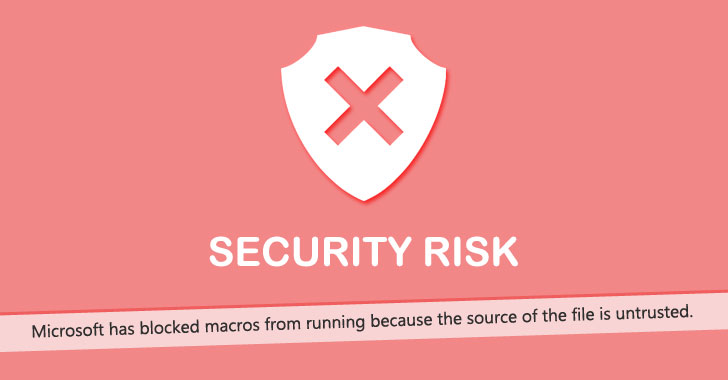
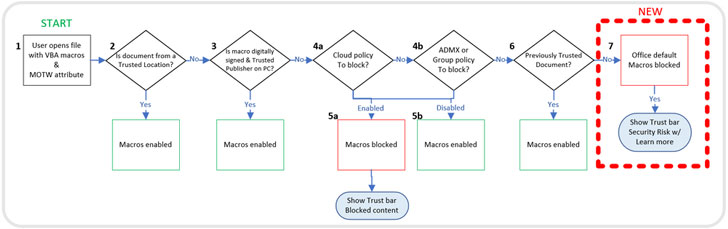
As part of the new change, when a user opens an attachment or
downloads from the internet an untrusted Office file containing
macros, the app displays a security risk banner stating, “Microsoft
has blocked macros from running because the source of the file is
untrusted.”
“If a downloaded file from the internet wants you to allow
macros, and you’re not certain what those macros do, you should
probably just delete that file,” Microsoft cautions[2], outlining the security
risk of bad actors using macros.
That said, users can unblock macros for any downloaded file by
right-clicking the file and selecting Properties from the context
menu, and ticking the “Unblock” checkbox from the General tab. The
updates are expected to be applied to Microsoft 365 users in April
2022, with plans to backport the feature to Office LTSC, Office
2021, Office 2019, Office 2016, and Office 2013 at a “future
date.”
The move arrives less than a month after the Windows maker
disabled Excel 4.0 (XLM) macros[3], another widely abused
feature to distribute malware, by default for protecting customers
against security threats.
References
Read more https://thehackernews.com/2022/02/microsoft-disables-internet-macros-in.html