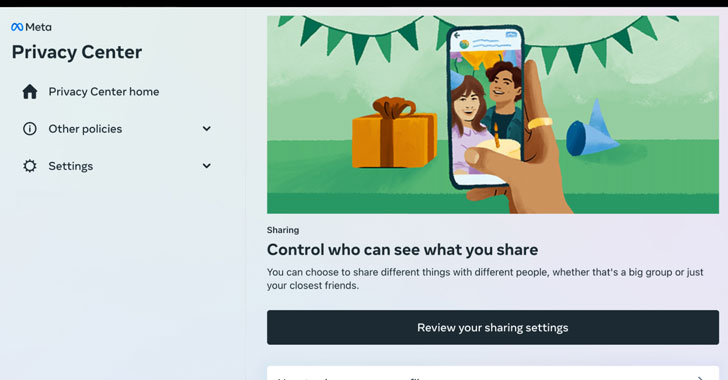
Meta Platforms, the company formerly known as Facebook, on
Friday announced the launch of a centralized Privacy Center that
aims to “educate people” about its approach with regards to how it
collects and processes personal information across its family of
social media apps.
“Privacy Center provides helpful information about five common
privacy topics: sharing, security, data collection, data use and
ads,” the social technology firm said[1]
in a press release.
The first module, Security, will offer easy access to common
tools such as account security settings and two-factor
authentication. Sharing will provide specifics about post
visibility and settings to archive or trash old posts. Collection
and Use will give users a quick glance into the type of data Meta
harvests and learn how and why it’s used, respectively. Lastly, the
Ads section will furnish information regarding a user’s ad
preferences.
The learning hub is expected to be initially limited to a small
pool of people using Facebook on desktop in the U.S., with plans to
roll it out to a broader set of users and more of its apps in the
coming months. Users part of the pilot will be able to access
Privacy Center by navigating to Settings and Privacy on the desktop
version of Facebook.
Privacy Center joins a plethora of other tools already offered
by the tech giant, including Privacy Shortcuts[2]
and Privacy Checkup[3], both of which guide
users through some of the privacy and security settings on the
platform and review their choices. Where the new feature differs is
that it hopes to serve as a one-stop place to navigate the myriad
privacy and security controls available across Facebook, Instagram,
and WhatsApp.
Over the years, Facebook’s privacy[4]
controls[5]
have emerged as a magnet for controversy for being confusing[6]
to the point of not being useful enough to protect users’ data, not
least driven by labyrinthine menus[7]
and obtuse wording that are designed to push users away from making
privacy-friendly choices on its service.
The so-called “dark patterns[8]” — subtly coercive user
interface design — came under the spotlight in June 2018, when a
report by the Norwegian Consumer Council, titled Deceived by Design[9], revealed how “default
settings and dark patterns, techniques and features of interface
design meant to manipulate users, are used to nudge users towards
privacy intrusive options.”
In punishing users for choosing privacy over sharing, the report
called out Facebook and Google’s “privacy intrusive default
settings, misleading wording, giving users an illusion of control,
hiding away privacy-friendly choices, take-it-or-leave-it choices,
and choice architectures where choosing the privacy friendly option
requires more effort for the users.”
A subsequent study[10] of Facebook’s desktop
user interface undertaken by researchers from the University of
Bremen in March 2021 noted that “the way in which Facebook handles
control over privacy settings sets an example for a novel dark
pattern,” adding by “placing all privacy settings behind several
interface layers, Facebook actively offers a well designed but
incomplete alternative to handle them.”
References
- ^
said
(about.fb.com) - ^
Privacy
Shortcuts (www.facebook.com) - ^
Privacy
Checkup (www.facebook.com) - ^
privacy
(www.wired.com) - ^
controls
(www.wired.com) - ^
being
confusing (www.consumerreports.org) - ^
labyrinthine menus
(www.washingtonpost.com) - ^
dark
patterns (www.darkpatterns.org) - ^
Deceived
by Design (www.forbrukerradet.no) - ^
study
(arxiv.org)
Read more https://thehackernews.com/2022/01/facebook-launches-privacy-center-to.html