DMARC[1]
is a global standard for email authentication. It allows senders to
verify that the email really comes from whom it claims to come
from. This helps curb spam and phishing attacks, which are among
the most prevalent cybercrimes of today. Gmail, Yahoo, and many
other large email providers have implemented DMARC and praised its
benefits in recent years.
If your company’s domain name is bankofamerica.com, you do not
want a cyber attacker to be able to send emails under that domain.
This puts your brand reputation at risk and could potentially
spread financial malware. The DMARC standard prevents this by
checking whether emails are sent from an expected IP address or
domain. It specifies how domains can be contacted if there are
authentication or migration issues and provides forensic
information so senders can monitor email traffic and quarantine
suspicious emails.
What is a Phishing Attack?
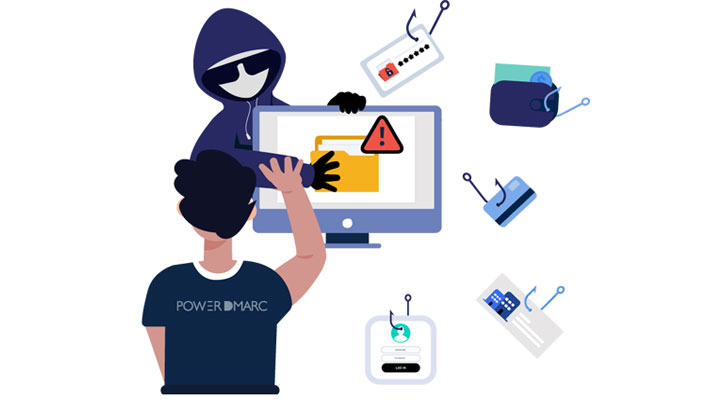
Phishing is an attempt by cybercriminals to trick victims into
giving away sensitive information such as credit card numbers and
passwords via fake websites and bogus emails. Phishing is a form of
social engineering. It is also one of the most common methods
cybercriminals use to infiltrate businesses and compromise their
sensitive data.
Domain spoofing is a precursor to most phishing attacks used to
spoof emails. In this process, an attacker spoofs a legitimate
email address or domain name and sends fake emails containing
phishing links and ransomware to the company’s clientele. The
unsuspecting recipient believes the spoofed email is from a company
they know and trust and ends up sharing their corporate or banking
information with the attacker, thereby getting phished. This
affects the reputation of businesses and leads to the loss of
prospects and customers.
DMARC can help minimize direct-domain spoofing attempts, which
indirectly also cuts down on phishing attacks perpetrated via
spoofed company domains.
How to Identify a Phishing Email Sent from a Spoofed
Domain?
Spoofing is not a new threat. Email spoofing is a deceptive
tactic used by attackers to manipulate both the identity of the
sender of an email message and the apparent origin of that message.
Most spoofing attacks either use forged header information or
create a fake sender email address.
Recipients can detect phishing emails sent from a spoofed
company domain by examining the email header information, such as
the “from:” address and “return-path” address, and verifying that
they match. While the email “From” address is a visible header, the
“return-path” address is usually not immediately visible, and upon
inspecting, it can help receivers detect the original identity of
the attacker.
For example:
A phishing email sent from a spoofed domain will most likely
have its From: address as: marketing@company.com,
which looks authentic to the untrained eye of the receiver who is
familiar with the services of the said company. However, on
inspecting the Return-path address, the receiver will realize that
the email is not from where the sender claims it to be,
Domain owners can also detect and identify domain spoofing and
impersonation attempts by deploying a DMARC report analyzer at
their organization. PowerDMARC’s DMARC report
analyzer[2]
allows domain owners to:
- Receive and read their DMARC reports on a well-organized
dashboard, across a single pane of glass, instead of having to read
individual reports sent to them on their email or web server.
- Organizations’ DMARC data is organized and assorted into
convenient viewing formats such as per result, per sending source,
per country, per organization, detailed stats, and
geolocation.
- Difficult-to-read XML files containing DMARC aggregate data is
parsed into simpler and easily readable documents.
- Domain owners can export the data in the form of scheduled PDF
reports to share with employees for awareness and inspection.
- Forensic information on malicious sending sources providing
granular details on the origin and location of these forged
addresses so they can be easily reported and taken down.
How to Reduce Email Phishing with DMARC?
A DMARC policy mode of p=reject can be an effective solution in
combating a wide range of cyberattacks, including direct-domain
spoofing and email phishing.
DMARC helps verify the origin of emails and block out fake
emails from being received and opened. However, in reality, a
limited number of businesses have actually adopted the protocol,
and an even smaller population has implemented it correctly.
PowerDMARC’s DMARC analyzer[3] aids organizations in
achieving DMARC enforcement the right way! While a DMARC reject
policy, when taken lightly, can lead to the loss of legitimate
emails, hosted DMARC services ensure improvement in email
deliverability and reduced email phishing attacks over a period of
time.
PowerDMARC’s DMARC analyzer helps organizations safely upgrade
their DMARC policy from monitoring only to p=reject, so they can
enjoy the benefits of email authentication without worrying about
the consequences.
Additionally, when you are on p=reject, you can avail of the
benefits of visual identification with BIMI[4], by attaching your
unique brand logo to specific outgoing emails that reach your
clients.
Worried about constant spoofing and phishing attacks and want to
improve your domain’s email security? Sign up for your DMARC trial[5] today!
References
- ^
DMARC
(powerdmarc.com) - ^
DMARC
report analyzer (powerdmarc.com) - ^
DMARC analyzer
(powerdmarc.com) - ^
BIMI
(powerdmarc.com) - ^
DMARC
trial (app.powerdmarc.com)
Read more http://feedproxy.google.com/~r/TheHackersNews/~3/G7li3ub2TF4/how-does-dmarc-prevent-phishing.html