Today there are plenty of cybersecurity tools on the market. It
is now more important than ever that the tools you decide to use
work well together. If they don’t, you will not get the complete
picture, and you won’t be able to analyze the entire system from a
holistic perspective.
This means that you won’t be able to do the right mitigations to
improve your security posture. Here are examples of two tools that
work very well together and how they will help you to get a
holistic view of your cybersecurity posture.
Debricked – Use Open Source Securely
How is Open Source a Security Risk?
Open source is not a security risk per se; it’s more secure than
proprietary software in many ways! With the code being publicly
available, it’s a lot easier for the surrounding community to
identify vulnerabilities, and fixes can be done quickly.
What you do need to keep in mind, though, is that any
vulnerabilities in open source are publicly disclosed and the
public to anyone and everyone who looks. This means that if an
attacker wants to find a vulnerability in your system built on open
source, they probably don’t need to put in much effort. It’s all
out there, open for everyone to see.
How does open-source security work?
The most common aspect of open-source security is, like
explained above, vulnerabilities. But according to Debricked[1], there are three main
areas to keep in mind: vulnerabilities, licenses, and health.
The main problem that affects all three areas is the fact that
the intake of packages usually isn’t preceded by a lot of research.
Developers typically don’t have time to worry about bringing new
vulnerabilities or non-compliant licenses into the codebase.
Debricked’s tool solves this problem, allowing developers to
spend less time on security and more time on doing what they’re
there to do – write code. This is done by identifying
vulnerabilities and non-compliant packages, suggesting solutions,
and finally preventing new ones from being imported.
How can my open-source security be improved when using
Debricked’s tool?
As stated above; it enables you to get more control while
letting go at the same time. You get a better overview of
vulnerabilities and licenses while having to spend less time and
energy on manual security work.
Innovative features
Debricked likes to focus on two main things:
First and foremost, data quality. Debricked uses an array of
sources, not just the traditional ones, to build their
vulnerability database. Their tool is based on machine learning,
which helps us find new vulnerabilities faster as well as be more
accurate than any human could be. As of right now, debricked scores a[2]
precision of over 90% in most of the languages that debricked
support, and debricked are constantly looking for new ways to
improve.
The latest addition to their offering, so now it’s not even
available in the tool yet, is what debricked call Open Source
Health. OSH is a way of measuring the wellbeing of open source
projects quantitatively. It gives us data on a series of aspects,
such as security (how quickly does the project disclose
vulnerabilities?), community health (are the core maintainers still
active?), and popularity (how many commits have been made the past
year, is the number decreasing?) and much much more. It minimizes
the amount of time needed for researching a package before
importing it and makes it easier to make informed decisions
securiCAD by foreseeti – Continuously Manage Your Security Risk
Posture with Attack Simulations
securiCAD[3]
by foreseeti is a leading tool for managing your cybersecurity risk
posture. It enables users to get a holistic, in-depth view of the
cybersecurity risk posture, triage and prioritize the risks, and
identify and prioritize the risk mitigation actions with the best
risk-mitigating effect. This is done through state-of-the-art price
awarded automated threat modeling and attack simulations.
The simulations can be run continuously in your cloud or on-prem
environment – providing your security and DevOps teams with
continuous risk insights and proactive mitigation action advice.
And as the simulations are conducted on digital twins/models of
your environments, you do not interfere with your live environment
and can test different what-if scenarios and mitigations at no risk
in the model.
The science behind the product is based on decades of research
at the Royal Institute of Technology in Stockholm. securiCAD has
simplified making sure that you have control over your environment.
This is done by preventing breaches by analyzing your
configurations, allowing you to detect misconfigurations, potential
lateral movements, and prioritize vulnerabilities.

The securiCAD Concept
Generate Model:
The digital twin model can be automatically created by importing
data via the securiCAD API’s. In cloud environments, such as AWS
and Azure, etc., you simply import the cloud-config data. If you
have vulnerability scan data, you can import this into the model as
well. The digital twin model of your environment is then
automatically created.
The logic is exactly the same in on-prem environments. You can
also create a model manually – which is the case in design case
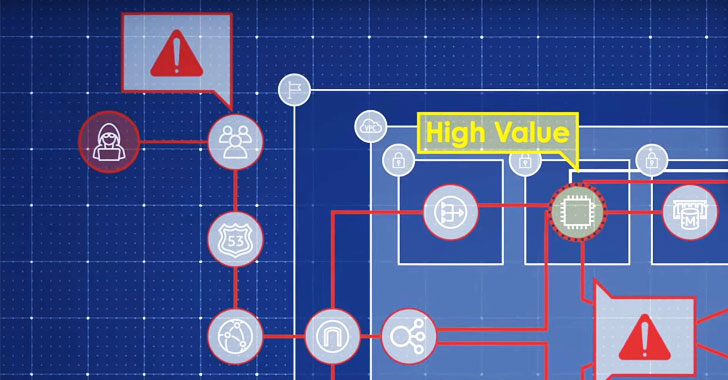
threat modeling[4]. After having provided
securiCAD with the model data, you define high-value assets and
choose the attacker profile.
Simulate attacks:
One of the best things about the simulation part is that it is
done on a digital twin model of your environment. So that no tests
will in any way affect your live environment. After you have set
the parameters, the tool automatically simulates thousands of AI
attacks towards the digital twin model. The attacker will try all
possible attacks and try to reach and compromise all parts of the
infrastructure.
Manage Risk Exposure – Find, prioritize and
mitigate:
Each simulation results in a report with detailed information,
including:
- Visualization of your environment
- Risk Exposure for all the high-value assets combined.
- Critical Paths for attackers to reach your high-value
assets. - Chokepoints in your architecture that are an asset where
attacks (towards attack steps with a consequence on them) converge
in the model. - Threat Summary with ranked threats and descriptions.
- Suggested Mitigations to lower your risk exposure.
Combining the Tools
Data from Debricked
Since the most common aspect of open-source security is
vulnerabilities, it is important you get the right data and can
base your decisions on what risks you should mitigate. That is why
if you have any open source-based code in your project, you should
include Debricked’s vulnerability database when analyzing your
environment.
Predictive Attack Simulations from securiCAD by foreseeti
securiCAD supports data from third parties such as Debricked.
This enables you to gather all the data in one place, and since all
the prioritization is done automatically, this is an effective use
of your resources. Environments can be hard to visualize, securiCAD
makes this easy since all concepts, services, and configurations
are represented in the digital twin, and if you combine this with,
for example, Debricked’s tool, you can also visualize the
dependencies.
The Holistic View
It isn’t always the vulnerability with the highest severity that
is the most dangerous one. It can often be the combination of
several vulnerabilities that can be devastating. While Debricked
provides the vulnerability data, securiCAD will analyze the
architecture from a proactive and holistic point of view.
With the complete picture, you will find the weak spots in your
environments – the critical paths for attackers to reach your
high-value assets – and get insights into what you need to do to
mitigate risks. Continuously, at scale, over time.
References
- ^
Debricked
(debricked.com) - ^
debricked scores a
(scorecounter.com) - ^
securiCAD
(foreseeti.com) - ^
threat
modeling (foreseeti.com)