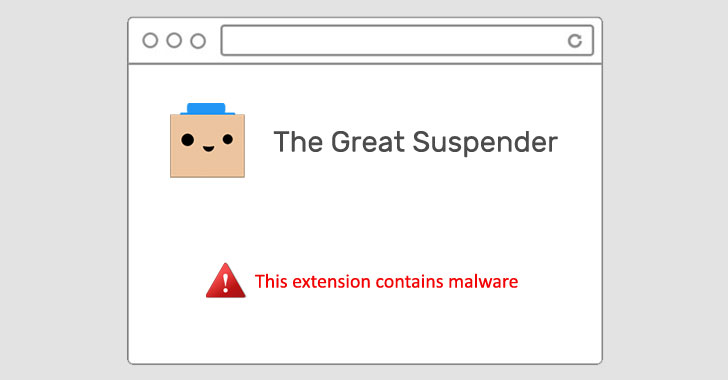
Google on Thursday removed The Great Suspender, a popular
Chrome extension used by millions of users, from its Chrome Web
Store for containing malware. It also took the unusual step of
deactivating it from users’ computers.
“This extension contains malware,” read[1]
a terse notification from Google, but it has since emerged that the
add-on stealthily added features that could be exploited to execute
arbitrary code from a remote server, including tracking users
online and committing advertising fraud.
“The old maintainer appears to have sold the extension to
parties unknown, who have malicious intent to exploit the users of
this extension in advertising fraud, tracking, and more,” Calum
McConnell said[2]
in a GitHub post.
The extension, which had more than two million installs before
it was disabled, would suspend tabs that aren’t in use, replacing
them with a blank gray screen until they were reloaded upon
returning to the tabs in question.
Signs of the extension’s shady behavior had been going the
rounds since November, leading Microsoft to block the extension[3]
(v7.1.8) on Edge browsers last November.
According to The Register, Dean Oemcke, the extension’s original
developer, is said to have sold the extension[4]
in June 2020 to an unknown entity, following which two new versions
were released directly to users via the Chrome Web Store (7.1.8 and
7.1.9).
Users of the extension can recover the tabs using a workaround
here[5], or as an alternative,
can also use the latest version available on GitHub (v7.1.6[6]) by enabling Chrome
Developer mode.
But turning on the Developer mode can have other consequences,
too, as revealed by security researcher Bojan Zdrnja, who disclosed
a novel method that lets threat actors abuse the Chrome sync feature[7]
to bypass firewalls and establish connections to
attacker-controlled servers for data exfiltration.
Zdrnja said the adversary created a malicious security add-on
that masqueraded as Forcepoint Endpoint Chrome Extension for
Windows, which was then installed directly on the browser after
enabling Developer mode.
“While there are some limitations on size of data and amount of
requests, this is actually perfect for C&C commands (which are
generally small), or for stealing small, but sensitive data – such
as authentication tokens,” Zdrnja said[8].
But given that this attack requires physical access[9]
to a target system, it is unlikely to be resolved by Google.
References
- ^
read
(github.com) - ^
said
(github.com) - ^
block
the extension (github.com) - ^
sold the
extension (www.theregister.com) - ^
here
(github.com) - ^
v7.1.6
(github.com) - ^
Chrome
sync feature (support.google.com) - ^
said
(isc.sans.edu) - ^
physical
access (chromium.googlesource.com)