Ubuntu derivatives are the customized or forked builds of the
original Ubuntu operating system developed by Canonical. When it
comes to choosing the best user-friendly distribution of Linux,
everyone will suggest Ubuntu. Since the initial release of the
first public version in 2004, Ubuntu rose higher and higher with
its popularity.
Ubuntu[1]
is considered one of the most stable and beginner-friendly Linux
distribution. Before the era of Ubuntu, many people had a
misconception about Linux[2]. The terminal commands
and all that stuff seemed nightmare to them. But nowadays, anyone
with basic knowledge can run almost any desktop distribution of
Linux since many distros followed the same path as Ubuntu.
But the matter is that there is no distribution of Linux,
including Ubuntu, that is perfect or nearly perfect. No matter
whether you are a power user or not, you will always wish if the
operating system was meant only for you. For this reason, the
open-source community and avid Linux geeks have come up with the
customized flavors or variants of a particular Linux-based
operating system.
Among the Ubuntu community, these custom variants are known as
Ubuntu derivatives. They provide a customized experience for every
type of user. For example, if you have a potato PC that can barely
run a full-fledged Ubuntu, you can go for a lightweight variant of
that. Again, if you are a researcher in a particular field, you can
get a derivative that is preloaded with all the state of the art
analysis tools.
Best Ubuntu Derivatives Worth
Checking Out
There are almost a hundred Ubuntu derivatives available here and
there on the internet. Some of them are official fork by Canonical[3], which they call
“flavors.” But most of the derivatives or flavors are developed by
indie developers who are the supporters of the open-source
movement.
For the abundance of Ubuntu-based custom Linux distributions,
you should be extra careful before choosing a distro for your
primary computer. Some of them have instabilities and bugs that can
break your important files and expose your privacy. So, here we
have tested out and listed the 10 best derivatives of Ubuntu that
you can check out and use without any doubt.
1. Linux Mint
You may disagree with the fact that Ubuntu is the best distro
for light users. But I am sure that we both will agree on the fact
that Linux Mint is the most popular and
widely used Ubuntu derivative out there. This Linux distribution
was built upon the foundation of Ubuntu and the veteran Debian OS.
[4]
This project is completely free and open-source. The Linux Mint
community is constantly working to improve this distribution
further. This distribution is especially known for it’s out of the
box multimedia support. People with a little knowledge about Linux
can use this tool in their low configuration home computers, such
as media centers.
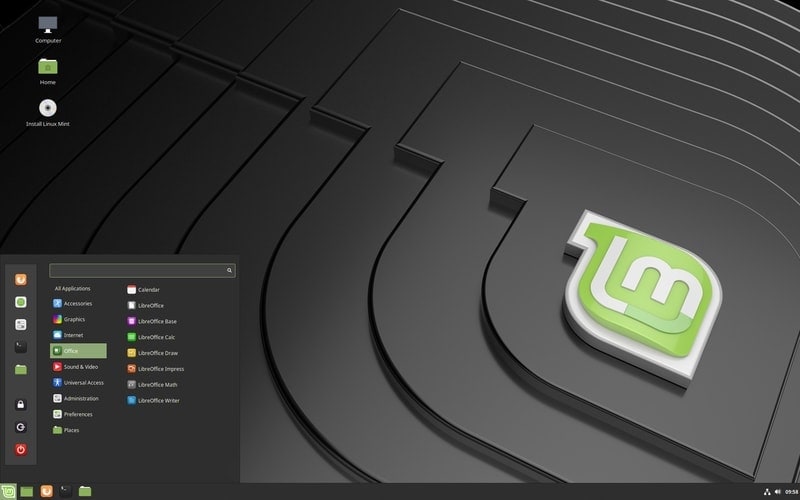
Key Features of Linux Mint
- It uses Cinnamon[5]
as the stock desktop environment, although it comes with some other
desktop environments if you want to check them out. - It comes preloaded with many free and open-source software
packages that are used, especially for multimedia purposes. - It uses a custom application store named Mint Software Manager
for installing different application software and addons on this
distribution. - It provides a clean and clutter-free user experience that needs
less processing power compared to other distributions.
2. Elementary OS
Once, the Elementary OS[7]
was the most beautiful Ubuntu-based operating system. Although
nowadays many operating systems have an aesthetically pleasing user
interface, Elementary is still a beautifully decorated distro. It
derived many of its UI elements from the macOS. And, hence it had
to face both praise and criticisms.
It is an open-source project, but it runs on a “Pay What You
Want” model. Though Elementary is a design-centric operating
system, it has a plethora of features that help to boost your
productivity. Besides, protecting your privacy is a great concern
for this project.
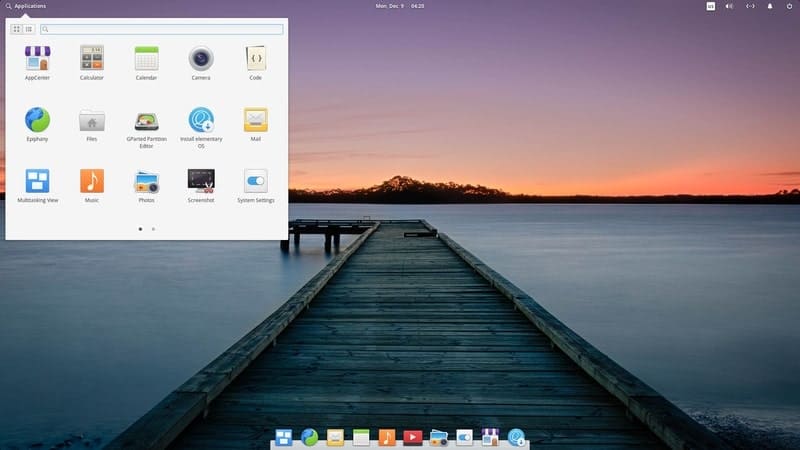
Key Features of Elementary OS
- It uses the Pantheon desktop environment as a default, and it
supports a lot of features and customizations. - The developers selected and included the best software and some
of Elementary’s proprietary packages inside the distro package so
that you can start straight out of the box. - It uses its AppCenter for installing packages. Unlike other
Linux app repositories, the Elementary team curates and maintains
this store nicely. - Elementary OS has a great storage manager that automatically
keeps your storage free and protects against any private file
breach.
3. Zorin OS
ZorinOS[9]
is a reliable operating system built upon the codebase of Ubuntu.
Though it is heavily customized in such a way that it doesn’t look
and feel like Ubuntu. The user interface has a similarity with
Windows and Mac operating systems. Unlike most other Linux distros,
this is a paid operating system that requires a one time purchase
of the license.
But if you don’t want to spend any bucks, then there are several
other free editions of this Ubuntu derivative such as Core, Lite,
and Education. These will offer you fewer features, and you won’t
get access to many premium proprietary software packages developed
for Zorin. The Ultimate Edition of this distro is not that costly,
and it’s worth paying for if you want a solid user experience.
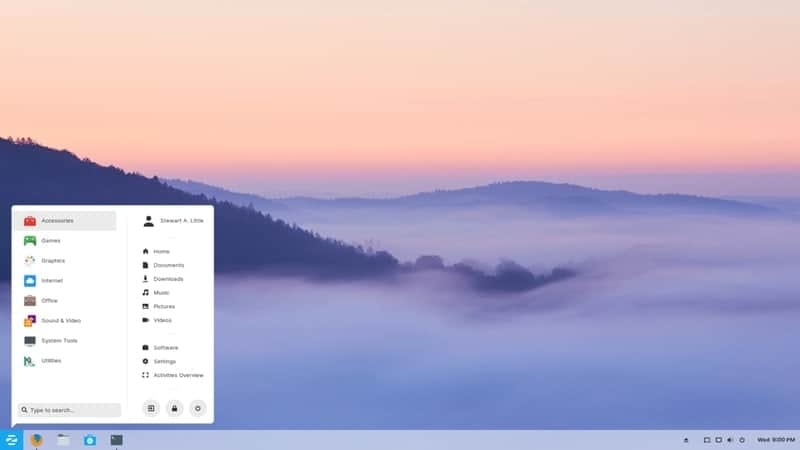
Key Features of Zorin OS
- You will get a complete set of features and customizations that
are neatly arranged to give you the best user experience. - The best applications for your workplace and home
entertainment, along with several games, will be installed with the
package. - You can switch seamlessly between Mac, Windows, Ubuntu, and
Classic GNOME layouts. - Zorin Grid is an upcoming feature that will help you to manage
and control your organization’s workstations with an ease that are
running their operating system.
4. KDE Neon
KDE[11] is a popular name in
the world of free and open-source software. Their Plasma Desktop
Environment and some other tools developed for Linux are very
popular among the FOSS geeks. The KDE Neon is a customized Linux
based operating system that was built upon Ubuntu distribution.
It was initially announced in 2016, and that certifies that it a
relatively new operating system. But it gained much popularity in
this short span of development. Although KDE Neon uses the Long
Term Release versions of Ubuntu, you will get all the latest build
of system application packages straight from the KDE development
community.
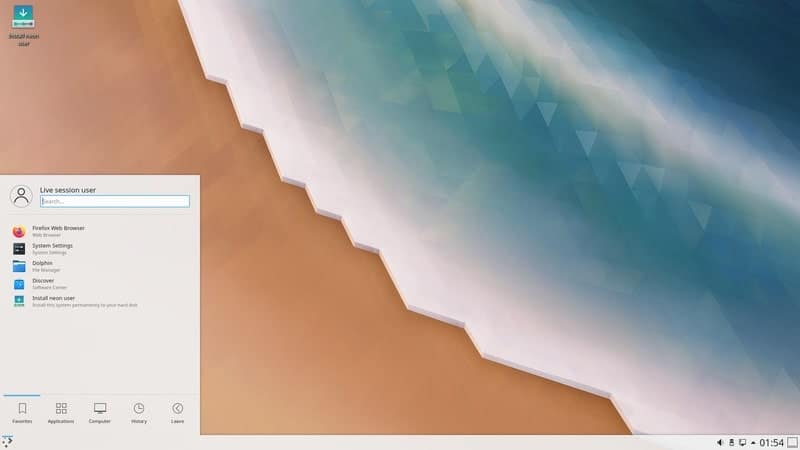
Key Features of KDE Neon
- There is an additional Developer Edition available for the
open-source contributors to download. - It is kind of a gateway to the latest and hottest software and
addons developed by the KDE Community. - They have even released a laptop named Slimbook with
preinstalled KDE Neon for providing you the best possible KDE
experience. - This distro uses their Plasma desktop environment that is used
by default in some other beautiful Linux distros.
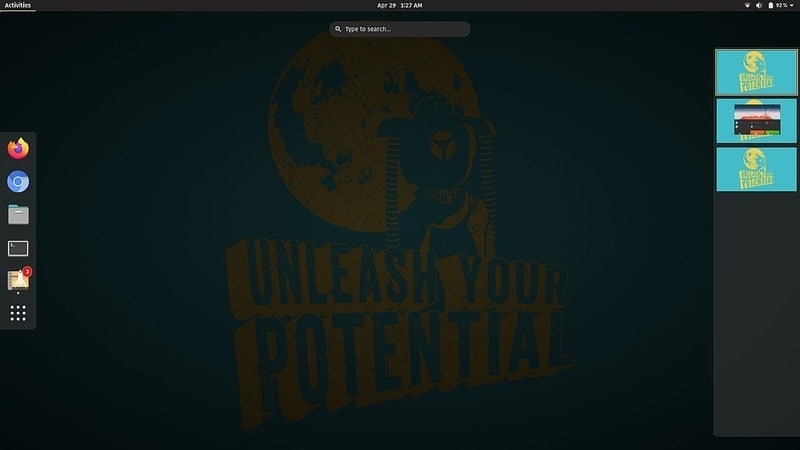
5. Pop!_OS
Unlike most other Linux distributions, Pop OS is not maintained
by an open-source community. Though it’s a completely free and
open-source Linux distribution that was built based on Ubuntu with
several tweaks. System76 is the parent company that is originally
known for building custom workstation rigs.
They built Pop OS for preinstalling it with their hardware as a
free alternative to Windows so that the users can use it right
after unboxing. Since they made this distro publicly available, it
gained much popularity. It is not just another Linux distro with
some visual changes. Rather it provides some really useful features
that are not available even with the stock Ubuntu.
Key Features of Pop!_OS
- Though Linux is not intended for gaming purposes, Pop OS
provides many intuitive features and preinstalled games exclusively
for gamers. - It provides native support for the discrete GPU of your
computers, such as AMD and Nvidia. - It has a dedicated software store named Pop Shop that will
allow you to install and uninstall the packages conveniently. - You can use Pop OS with the developers’ own set of hardware to
get the best possible experience and customer support.
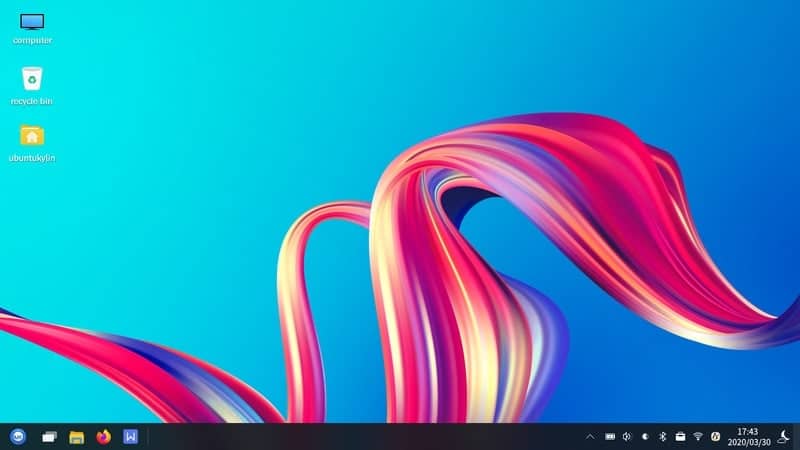
6. Ubuntu Kylin
It is one of Ubuntu’s very own official derivatives that are
known as Ubuntu Flavours. This distribution is developed by
Canonical for the Chinese people. The Chinese Ministry of Industry
and Information Technology supports the development of this
distribution. For this reason, some of you might not want to
install it on your computer.
But for the people based in China, this is a very useful Ubuntu
derivative. It is preloaded with China-specific software packages
and features. The National University of Defense Technology of
China and a supportive developer community of Kylin are constantly
working for the development of this distro.
Key Features of Ubuntu Kylin
- It uses Ubuntu Kylin Software Center as the default software
repository though you can use additional repositories for
installing packages. - Many useful Chinese apps, input methods, addons are
pre-installed with this distribution. - This distro has native support for ARM-based chips that allow
it to run efficiently on mobile devices. - The default desktop environment for this distribution is known
as UKUI, which is elegantly designed.
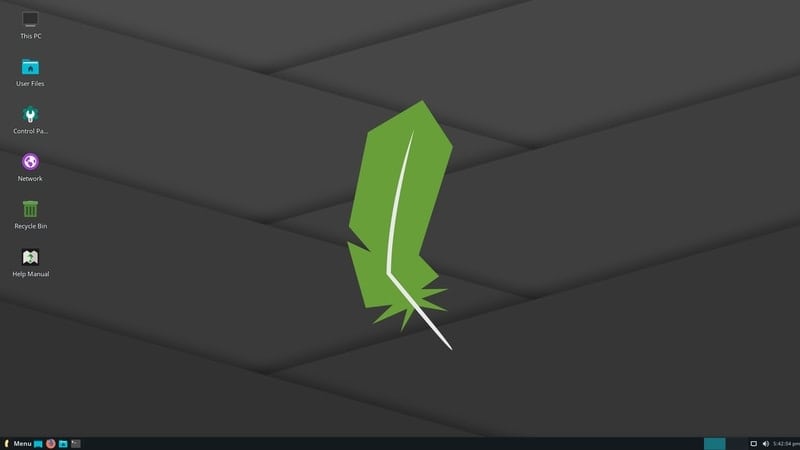
7. Linux Lite
Jerry Bezencon is the person who is leading the Linux Lite
project. He built this distro by forking Debian and Ubuntu[15]. The goal of the Linux
Lite was to make it run on a very weak system with the taste of a
modern user interface. The developer is calling it a “Gateway”
towards Linux.
It is packaged with all the very lightweight applications.
Besides, it trimmed out all the unnecessary clutter of the original
Ubuntu that doesn’t provide much value to a beginner Linux user.
This is a very ideal operating system for those who are just
thinking of ditching their precious Windows OS.
Key Features of Linux Lite
- The overall user interface runs swiftly and uses very little
processing power unless you use any heavy tools. - It has some lightweight system software preinstalled that is
optimized to work with a few system resources. - It provides an out of the box security and privacy protection
with built-in firewall and other features. - Linux Lite has a great support community forum and built-in
documentation for the beginners.
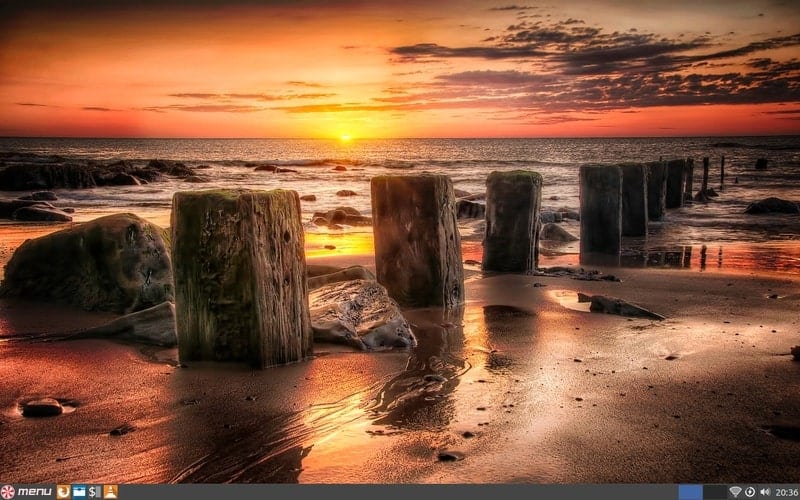
8. Peppermint OS
Peppermint OS[17] is yet another Linux
distribution based on Ubuntu. The origin of this project is
somewhat similar to the Linux Mint project. But the main difference
is that the Peppermint OS uses the LXDE desktop environment[18] by default. To make it
suitable for low-end computers, the developers packaged it with
several cloud-based application software.
This is why you can feel the experience of cloud desktop in this
distribution. The exclusivity of these cloud apps that you don’t
require to open a browser to run these apps. Rather a custom
Firefox browser instance is kept running into the desktop for
running these cloud apps just like native packages.
Key Features of Peppermint OS
- It has integrated the ICE tool that can turn any web app
similar to a native package with ease. - The Peppermint forum and official social media channels are
very helpful towards new users. - This distro is free from any bloatware, and the ICE based cloud
functionality makes it blazing fast and fluid. - The latest version is built on the Ubuntu LTS and a stable
Linux kernel, which is secure, reliable, and highly customizable at
the same time.
9. Lubuntu
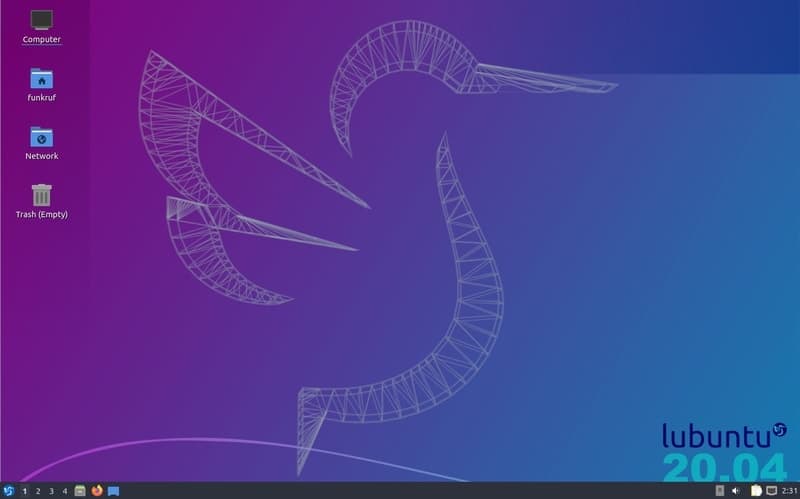
Lubuntu is a very popular Ubuntu derivative that is lightweight
and uses the LXQt desktop environment as a default. This is also
the reason for the “L” letter in the name. This distro is meant to
be run smoothly on portable devices like a laptop that doesn’t
require that much power.
This distro is a great starter pack for those who want to ditch
their Windows system. Because the developers have included the
necessary Windows tools alternatives with the installer package.
Besides, you are getting some useful application packages from the
LXQt family.
Key Features of Lubuntu
- It has it’s own Discover Software Center for installing
reliable and trusted packages. - This distribution is highly optimized for single board
computers, such as Raspberry Pi, OrangePi, etc. - It features a wide range of customization options through the
LXQt desktop, and the overall user interface is very neat and
clean. - The latest release is based on the Ubuntu Focal fossa LTS
version, which is very reliable to use as the main
workstation.
10. Xubuntu
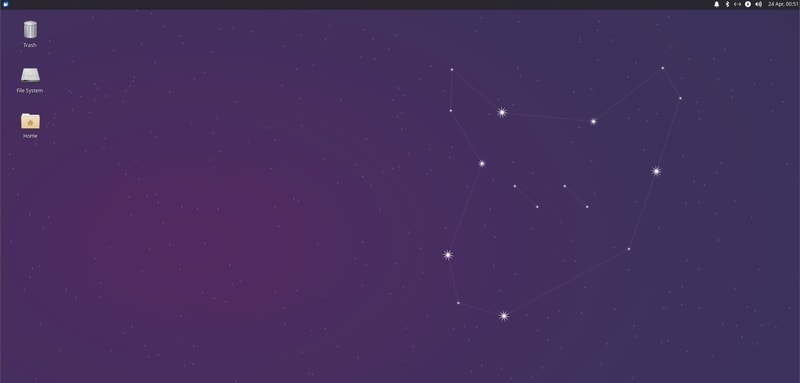
Xubuntu is yet another official flavor of the original Ubuntu
distribution. Just like it’s siblings Ubuntu Kylin and Lubuntu that
I mentioned above, it resembles the features and looks of the
mother, Ubuntu. Except it features the Xfce desktop environment for
managing the workflow.
Though the Canonical officially recognizes it as a part of their
product family, this distro is mostly community-driven. The motive
behind the development of this system is the same as Ubuntu, with
the main priority on better usability and performance.
Key Features of Xubuntu
- Most of the useful work and entertainment apps are preinstalled
so that you can start just after flashing. - Though the stock look of the Xubuntu is very beautiful, you can
customize it with your preferred desktop functionalities. - The Xfce desktop environment is at the core that creates a good
balance between workflow and aesthetics. - It supports a wide range of packages and repositories that are
also supported by Debian or Ubuntu.
Final Thoughts
Ubuntu itself is a great distro. You can customize it to
anything you like. Even if you are a developer, you can build your
very own derivative from the Ubuntu codebase. But this is not the
case for most of the users. So, if the Ubuntu is unable to deliver
you the best experience, any of the Ubuntu derivatives can do this
for you.
There are some other great flavors of Ubuntu that are not
included in the list. That doesn’t mean the other derivatives are
not usable. It’s just because we have to finish the list at some
point. If you still think that your favorite derivative or flavor
of Ubuntu is missing in this list, then you can comment below with
some of your favorite features of that distro. That would be
helpful for many users who want to dive into the Linux world.
References
- ^
Ubuntu
(ubuntu.com) - ^
Interesting Facts About Linux That You
Should Know (www.ubuntupit.com) - ^
Canonical
(canonical.com) - ^
15 Best
Things To Do After Installing Linux Mint 19 “Tara”
(www.ubuntupit.com) - ^
The 15
Best Cinnamon Themes for Linux System in 2020
(www.ubuntupit.com) - ^
Downloads
(linuxmint.com) - ^
16 Best
Things To Do After Installing Elementary OS 5 Juno
(www.ubuntupit.com) - ^
Downloads
(elementary.io) - ^
Everything You Need To Know About Linux
Zorin OS (www.ubuntupit.com) - ^
Downloads
(zorinos.com) - ^
The 20
Reasons To Use KDE Desktop Environment in 2020
(www.ubuntupit.com) - ^
Downloads
(neon.kde.org) - ^
Downloads
(pop.system76.com) - ^
Downloads
(www.ubuntukylin.com) - ^
Debian
vs Ubuntu: Top 15 Things To Know Before Choosing the Best One
(www.ubuntupit.com) - ^
Downloads
(www.linuxliteos.com) - ^
Everything You Need To Know About
Peppermint Linux OS (www.ubuntupit.com) - ^
The 20
Best LXDE Themes for Linux System in 2020
(www.ubuntupit.com) - ^
Downloads
(peppermintos.com) - ^
Downloads
(lubuntu.me) - ^
Downloads
(xubuntu.org)
Read more https://www.ubuntupit.com/best-ubuntu-derivatives/