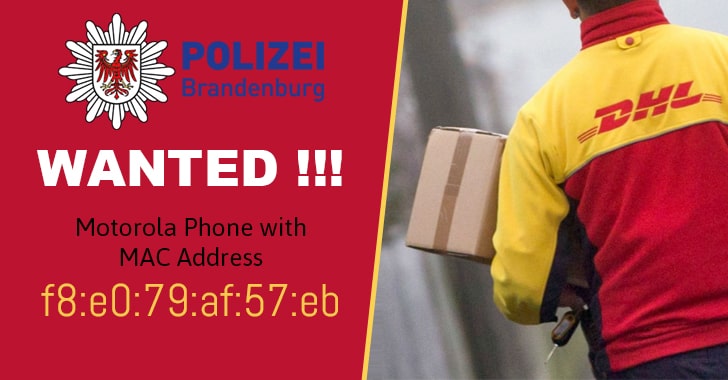
related to a MAC address that could lead to the cell phone device
used by a DHL blackmailer who last year parceled out bombs at
different addresses in Brandenburg and Berlin.
Between November 2017 and April 2018, someone used German parcel
delivery service DHL to sent out several so-called improvised
explosive devices (IEDs) in packets, demanding €10 million worth of
bitcoins from the parcel service.
In one event, a parcel containing nails, screws, and fireworks
explosive powder was received by a
pharmacy adjacent to the German Christmas market during 2017
Christmas, which eventually caused the evacuation of the
market.
[1]
German police later discovered a message inside that package in
which the blackmailer threatened to send more parcels in the
pre-Christmas season unless DHL made a 10 million euro payment in
Bitcoin.
During the investigation, the German police successfully
communicated with the alleged blackmailer multiple times via an
email and succeeded in capturing his/her Motorola brand device’s
MAC address f8:e0:79:af:57:eb, which was allegedly connected
to several public Wi-Fi networks in Berlin at different times.
Since every electronic device comes with a unique MAC address,
German police are trying to use this information to map out all
Wi-Fi networks that the culprit used, probably in hope to pinpoint
the right CCTV footages and trace the offender.
Though MAC address of a device can be spoofed easily, State
Criminal Police Office LKA Brandenburg has requested[2]
citizens to check their wireless routers and network logs for the
given MAC address and provide relevant information to the agency
via email to soko.quer@polizei.brandenburg.de.
“Private households can also unknowingly or knowingly operate
open networks. The alleged perpetrator could also have used this
for his communication,” the Police say.
To search for this MAC address, open your router’s configuration
panel in the web browser (usually at http://192.168.1.1) and then,
depending upon the router, open the log file section and search for
f8:e0:79:af:57:eb on the page.
Read more http://feedproxy.google.com/~r/TheHackersNews/~3/x3OSHQ5vvm8/german-dhl-parcel-bomb-blackmailer.html